Recovery Key
What a BitLocker recovery key is, how it's backed up, and the two ways to retrieve one.
Introduction
What a recovery key does
A generated 48-digit numerical password is the fallback when a password is forgotten or hardware fails.
Why the recovery key matters
A recovery key is a 48-digit numerical password used to unlock an encrypted hard drive when the password is forgotten. Even if the hardware is severely damaged, the drive's contents can still be recovered by installing it in another computer and providing the correct recovery key.
Once a BitLocker encryption policy is deployed, the configuration process begins during the PC boot, generating a recovery key automatically. Admins can create or modify BitLocker policies to keep the recovery key updated in the domain controller.

Backing up the key to the domain controller
- Confirm the group policy (GPO) for all managed computers allows the recovery key to be updated in the domain controller — see BitLocker Group Policy Settings for details.
- In the product console, go to BitLocker → Policy Creation → Create Policy and enable Update recovery key to domain controller. More on this setting in BitLocker policy creation.
Recovery keys can be retrieved two ways: through Endpoint Central's console, or through Active Directory Users and Computers.
Retrieval
Retrieving a key through Endpoint Central
If a user forgets their PIN or passphrase, an administrator can retrieve the matching key by its identifier.
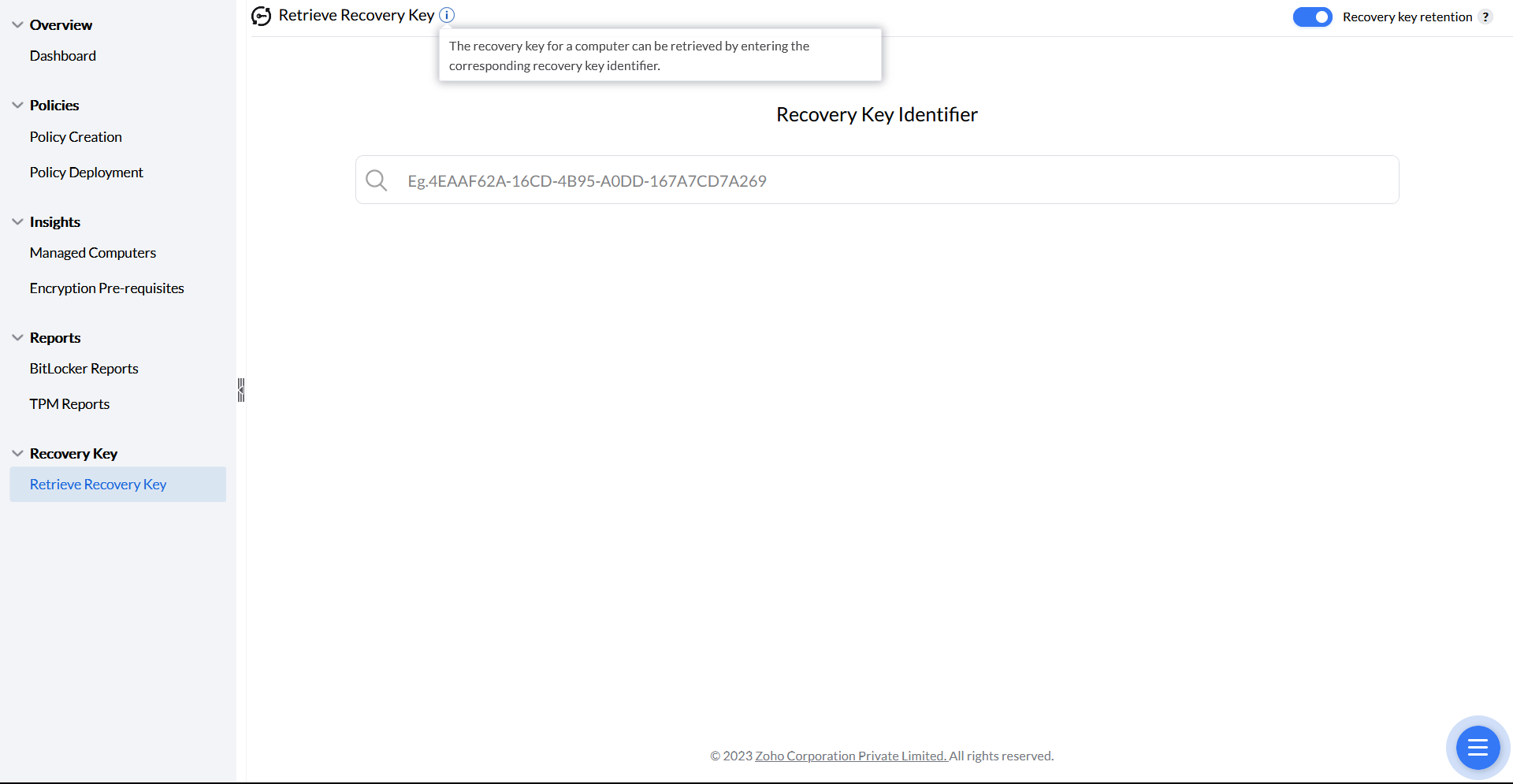
Recovery-key access can be delegated separately from encryption configuration. See BitLocker role-based access control to assign the required recovery-key permission and computer scope.
The Inventory → Computers → select computer → Security → BitLocker view is a separate access path. Its published recovery-key permission is Inventory: Full Control. For narrowly delegated recovery work, prefer the BitLocker Management recovery-key role described in role-based access control. This alternative view does not establish that every record is current or that a retrieval/authentication failure can be bypassed.
Find and retrieve the recovery key
- Find the recovery key identifier under Managed Systems in the console — it identifies the recovery key for a specific computer.
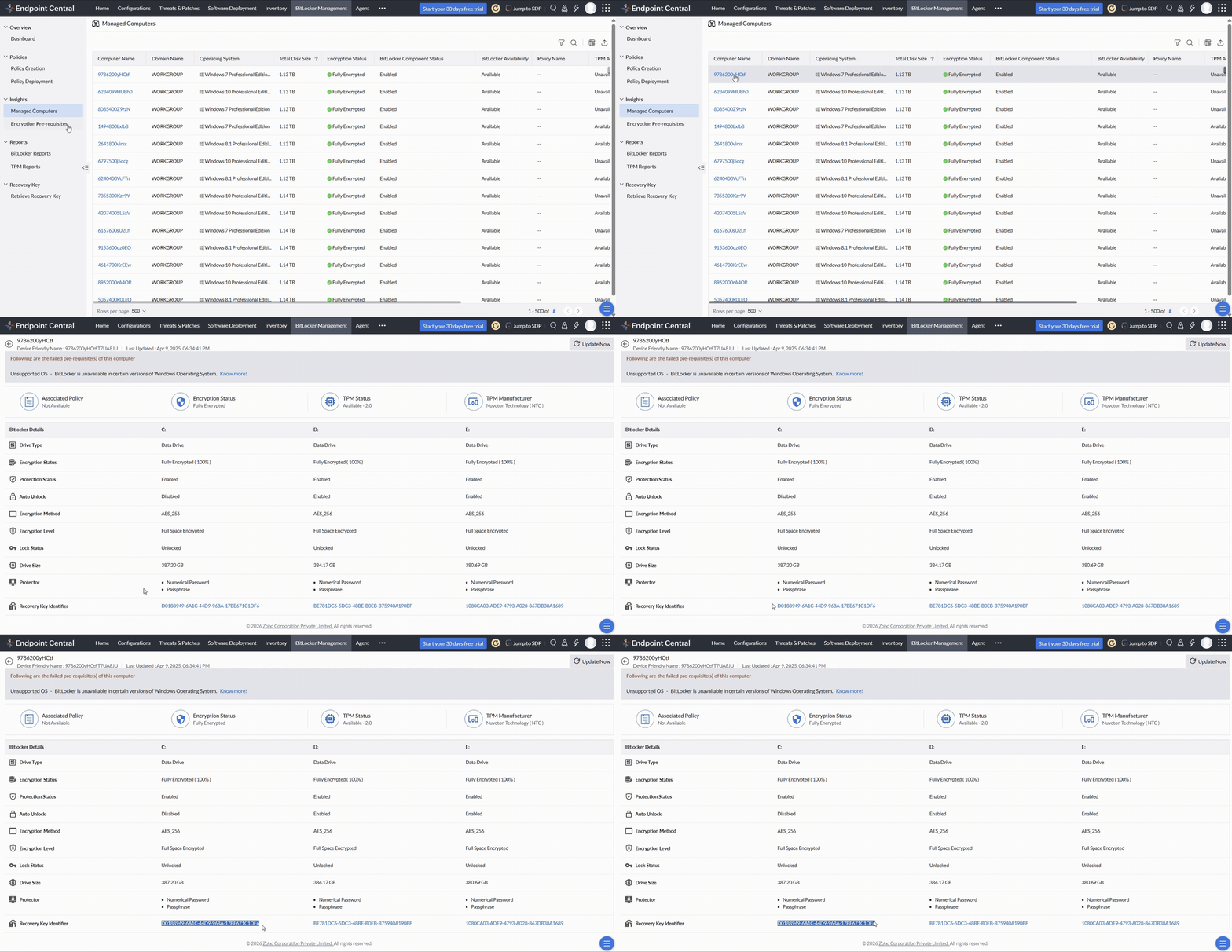
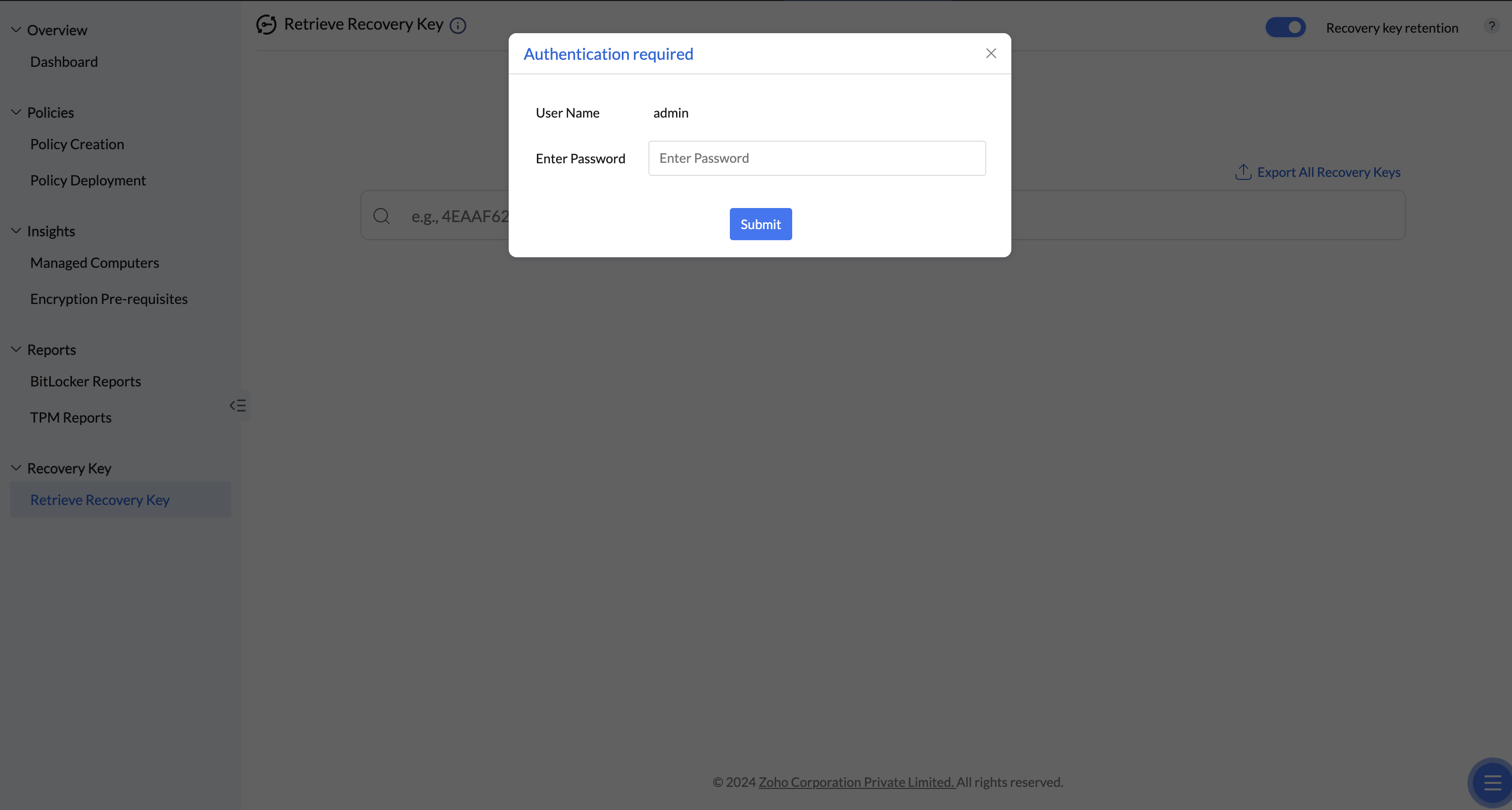
Finding the Recovery Key Identifier. NoteWhen the console asks for authentication, use the console account shown in the dialog and the applicable login mode. Do not enter the endpoint PIN, its recovery password or an unrelated domain administrator account. See whose password is required and how to investigate Invalid Password. Recovery-key permission and access to the computer remain separate checks.
If Recovery Key updated in server has no date or shows --, the selected record does not provide a usable recovery-password update timestamp. The recovery identifier is a separate field; its presence does not confirm that the server holds the password. Check the matching volume and identifier, agent communication and the latest reported data. Follow the retrieval-error checks and encryption and reporting diagnostics. A missing date alone does not identify the collection failure.
- Enter the recovery key identifier or computer name in the Retrieve Recovery Key section to access the key.
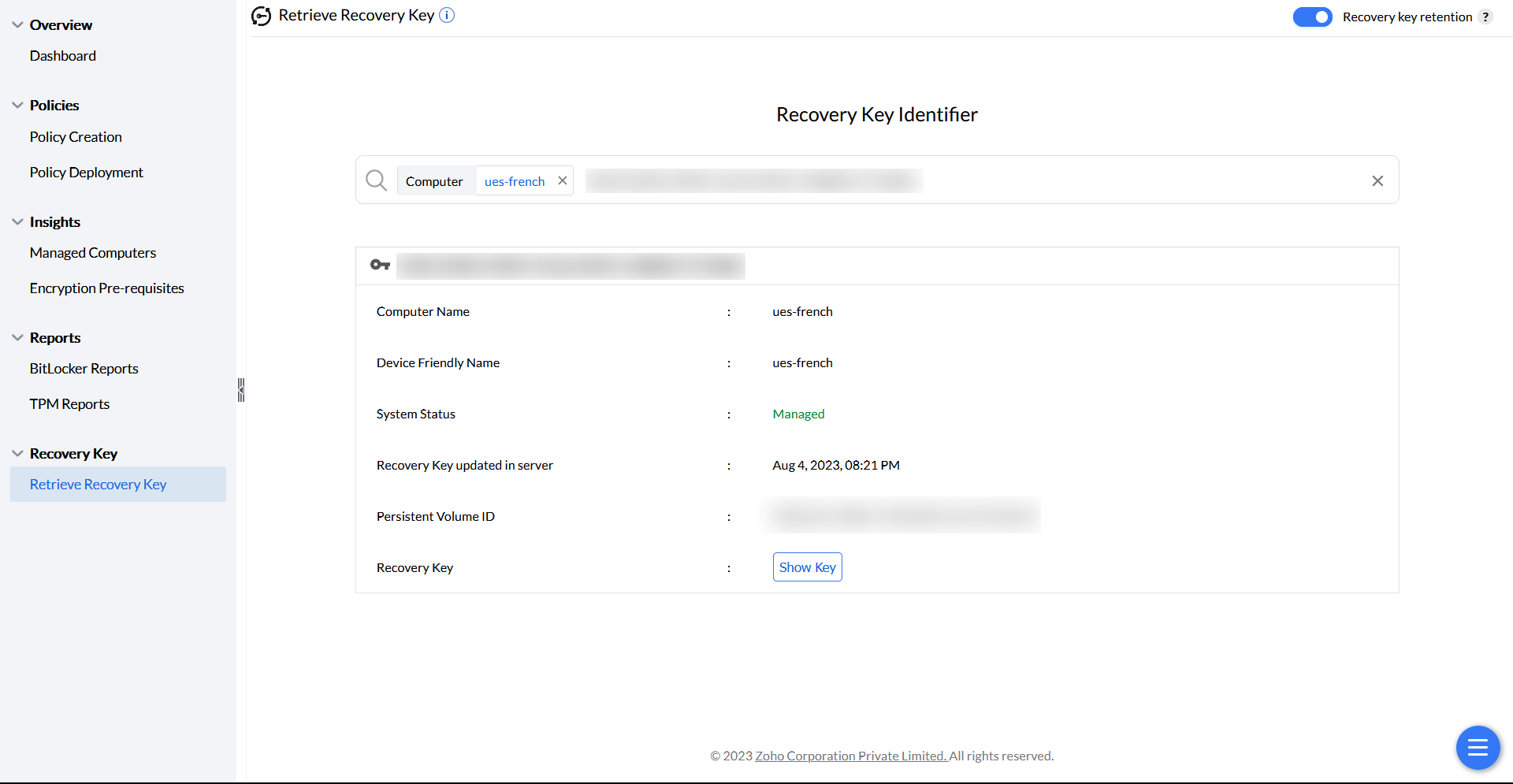
Retrieving the recovery key. If a computer-name search does not return the expected record, use the Recovery Key Identifier shown by Windows and verify the selected volume. Check the displayed computer name, technician scope and current management state. Identifier search and resource-name lookup are different queries; a successful identifier search does not prove that stale Inventory data caused the name search to fail. Record both search results and agent contact details if the mismatch persists.
The recovery password is a 48-digit numerical password, not a 48-bit string. Its Recovery Key Identifier identifies the protector; it is not the password. Verify that the matching password can be retrieved before relying on a backup. Managed encryption verifies server recovery-password storage before starting encryption, so do not assume an absent identifier must simply wait until 100% conversion.
For timing and status checks after a key was viewed, see recovery-key storage and rotation. Recheck the matching identifier after rotation; a recently run Inventory scan is not confirmation that key replacement completed.
Export Recovery Key
Export Recovery Keys creates a secure, password-protected XLSX backup of every machine's recovery key, so administrators can back up the keys together.
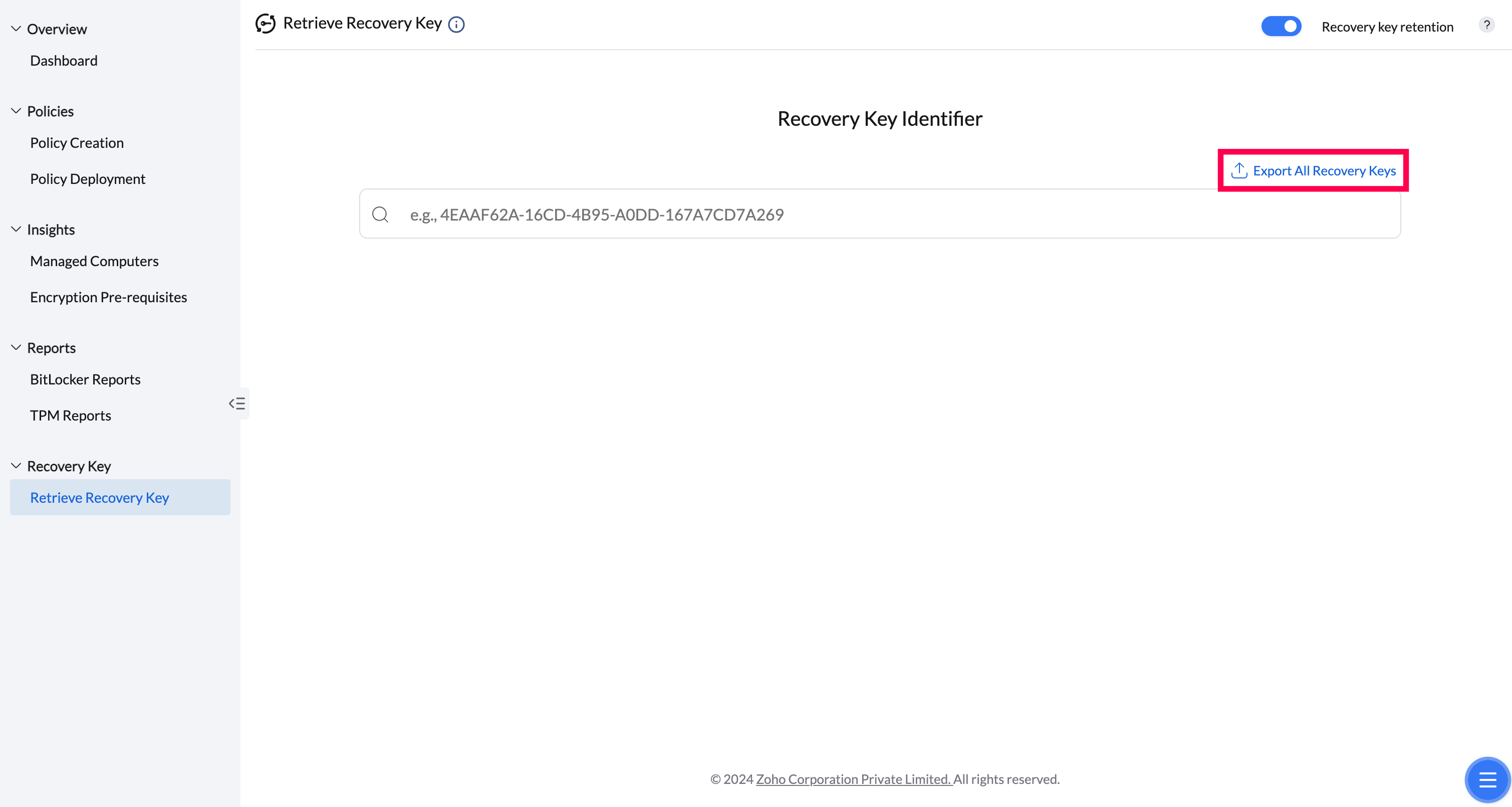
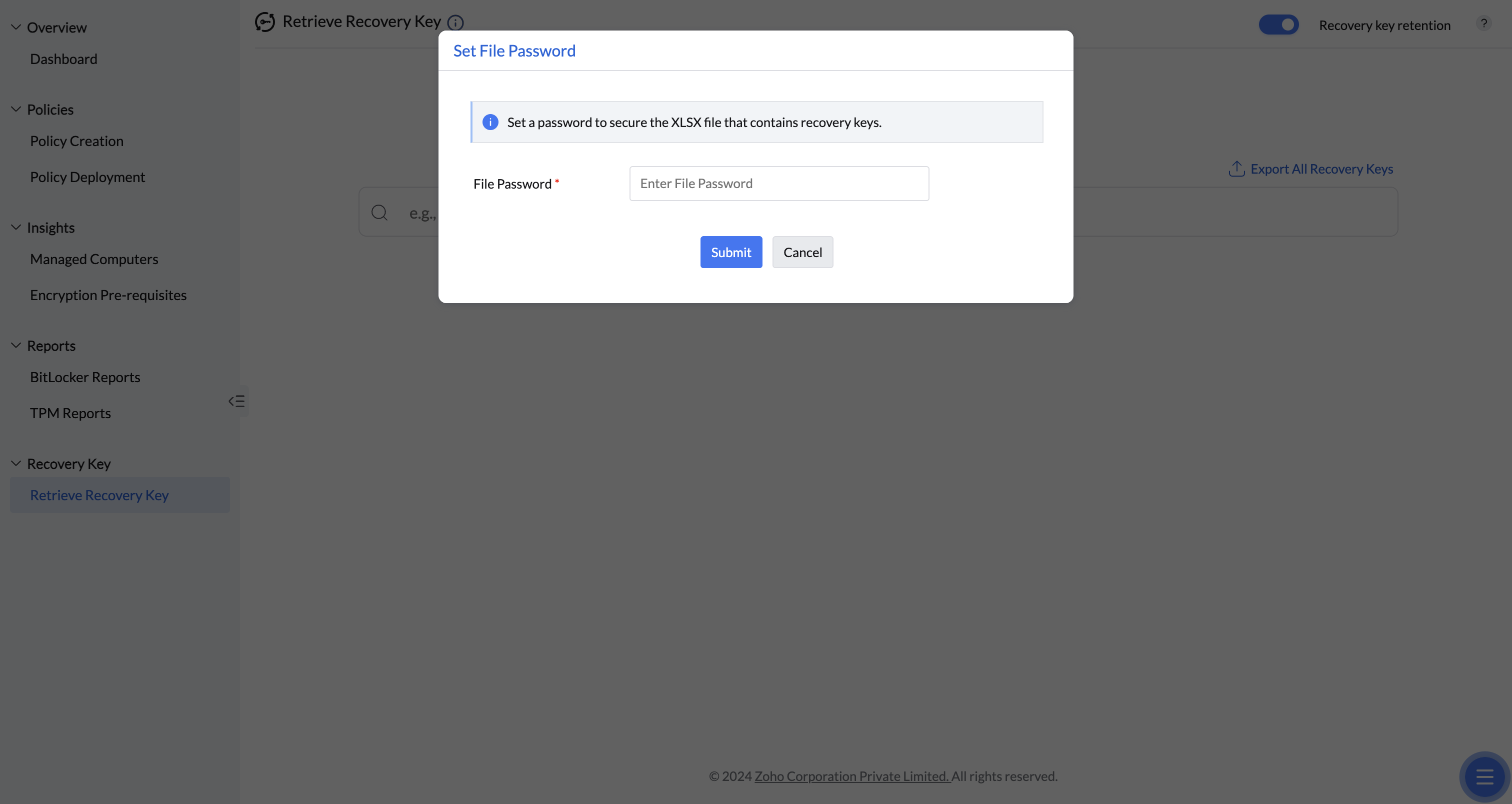
User authentication is required to download the exported file, to keep this sensitive recovery information secure.
Retrieval
Retrieving a key through Active Directory
Use Active Directory Users and Computers (ADUC) to retrieve a key stored in Active Directory.
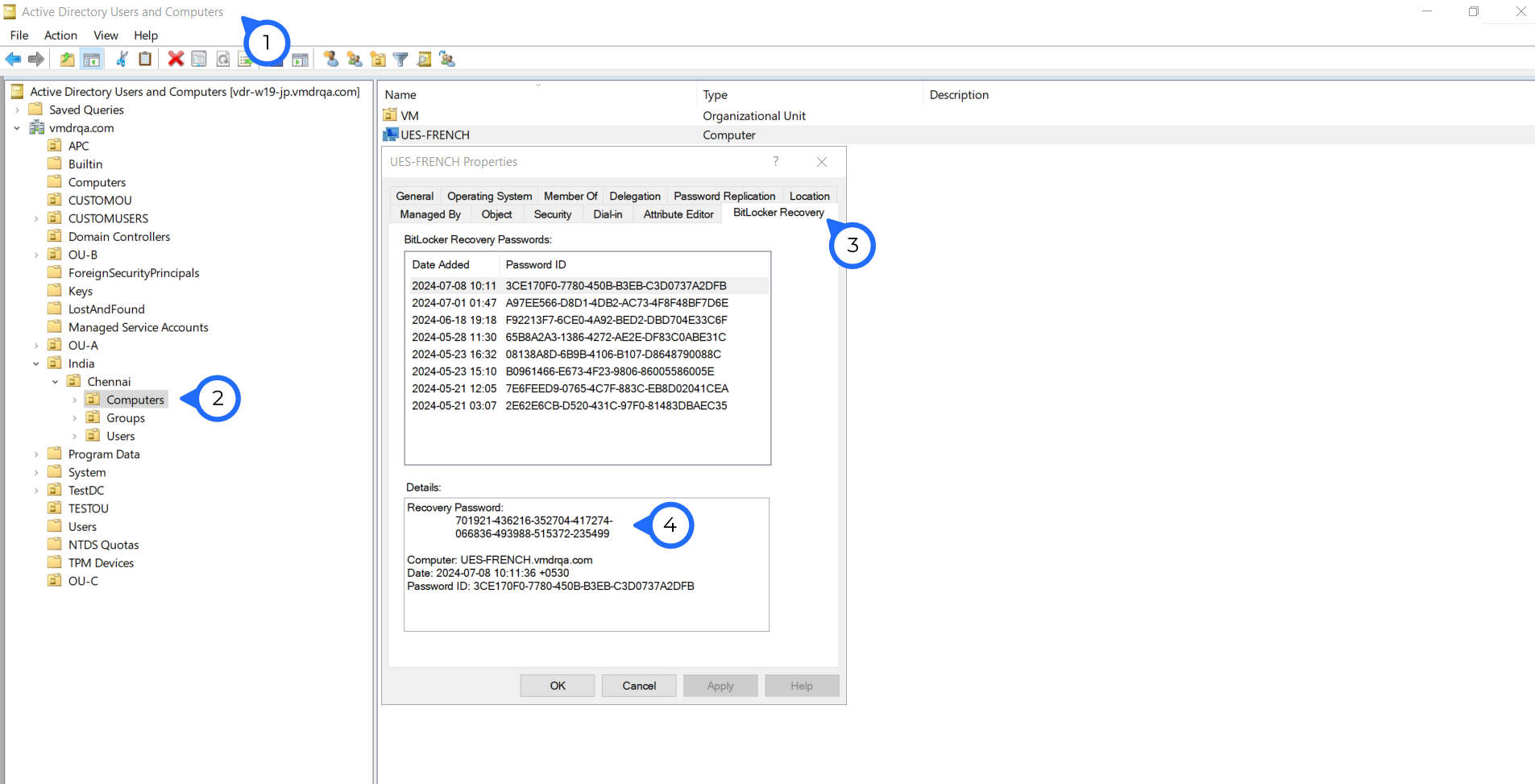
Retrieve the key via ADUC
Admins can manage Active Directory objects using the Active Directory Users and Computers (ADUC) console, which also works as a Remote Server Administration Tool (RSAT) for retrieving the recovery key from a Windows machine.
- Open the Active Directory Users and Computers console.
- Open the Properties tab of the managed computer.
- Click BitLocker Recovery to display the recovery key and password ID.
For a removable drive encrypted through a Device Control policy, use Device Control → Insights → Retrieve Recovery Key. Enter the recovery Key ID shown by the Windows unlock prompt and complete the required authentication. This is a separate removable-device workflow from BitLocker Management for internal drives; select the module that encrypted the device.
Retention
Recovery key retention policy
Retention settings control how long the server keeps a key after the computer leaves management.
How long the server keeps a key
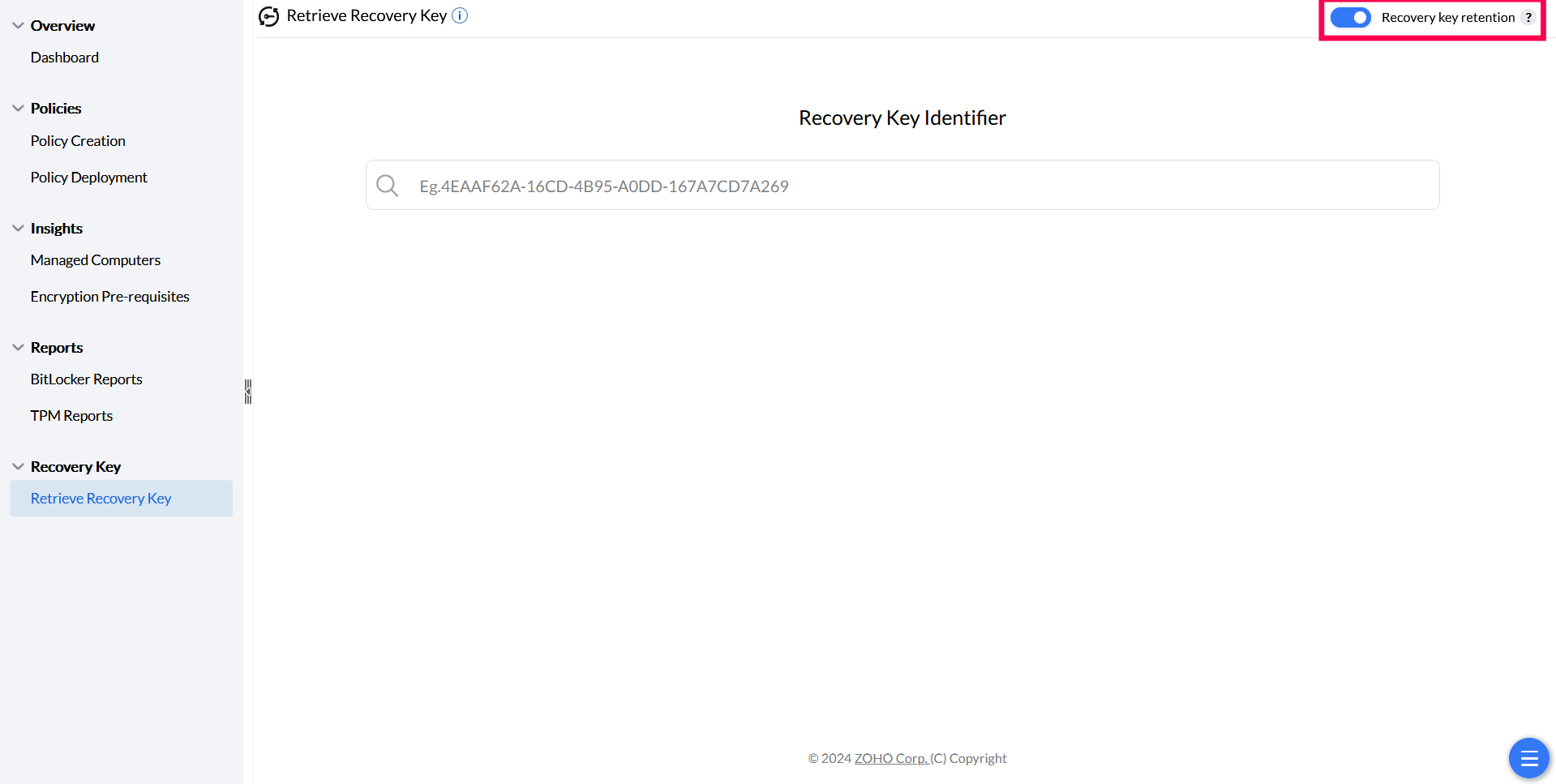
Even after the recovery key is retained on the Endpoint Central server, it can also be backed up in the customer's Active Directory — both Azure AD and on-premise AD. If a computer is removed from Scope of Management (SoM), the recovery key stays on the server for up to one year and can still be retrieved using the recovery key identifier.
Toggle recovery key retention on from the Retrieve Recovery Key page.
Troubleshooting
Troubleshooting Recovery Key Issues
For comprehensive troubleshooting of recovery key retrieval, missing keys, unexpected prompts, and permission issues, see BitLocker Recovery Key Troubleshooting.