Bulk Device Rule Addition in Firewall Analyzer
Firewall Analyzer supports bulk device rule addition, enabling administrators to associate multiple firewall devices with a credential profile in a single operation. This feature simplifies onboarding and reduces manual effort when configuring credentials for multiple firewall devices.
Using this wizard, you can verify connectivity, validate credentials, and apply device rules efficiently across multiple firewalls.
Prerequisites
Before proceeding with bulk device rule addition, ensure that:
- The firewall devices are already discovered and available in Firewall Analyzer.
- Valid credential profiles are created for the required firewall vendors.
- Network connectivity is available between Firewall Analyzer and the target devices.
- Required ports (for example, SSH/HTTPS) are accessible.
To access the Bulk Device Rule wizard:
- Go to Settings.
- Click Firewall Server.
- Select Credentials.
- Click Add Bulk.
The Add Bulk Device Rule wizard will be displayed.
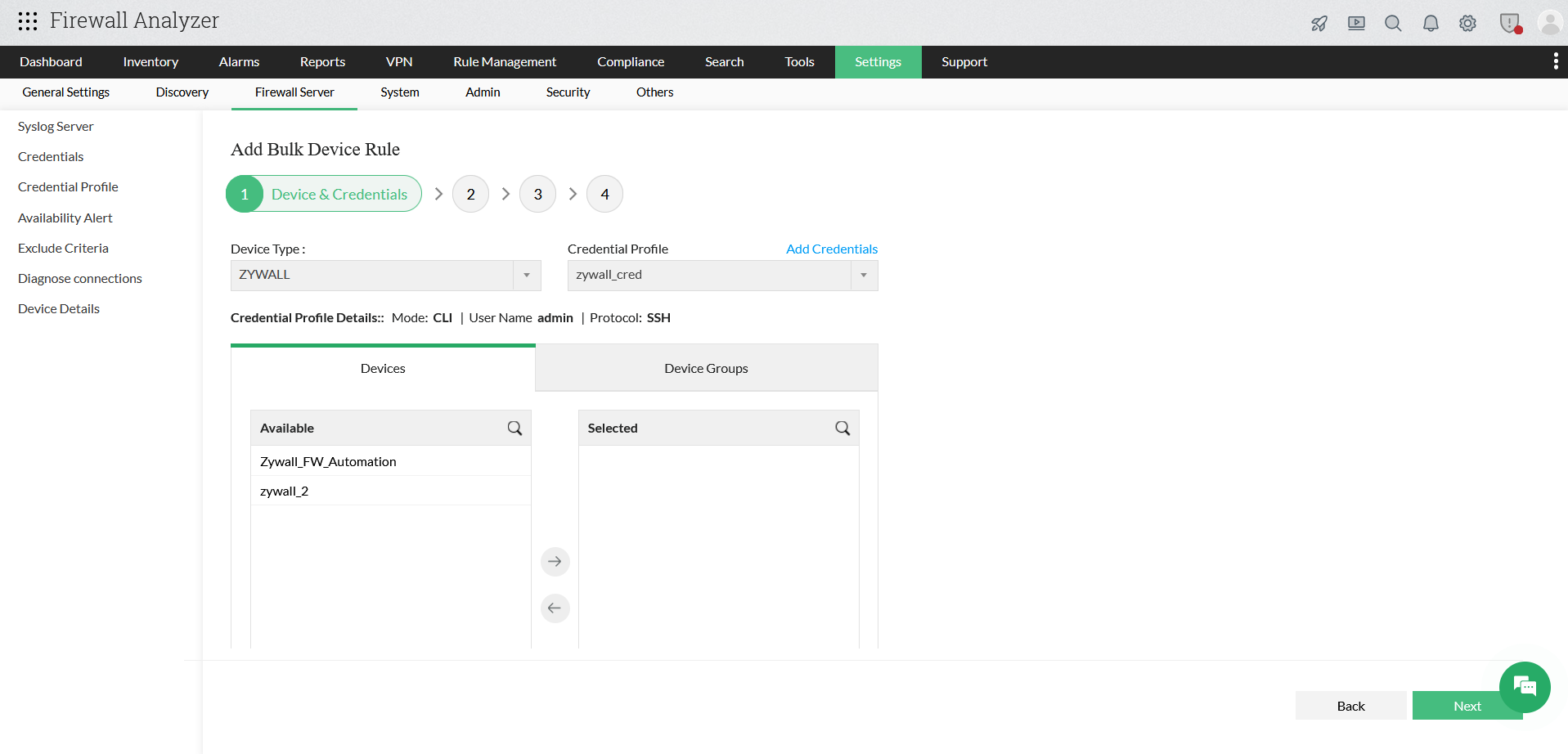
Step 1: Device & Credentials
- In this step, you select the firewall type and associate a credential profile.
- From the Device Type drop-down list, select the required firewall vendor (for example, ZyWALL, Fortinet, Palo Alto, etc.).
- From the Credential Profile drop-down list, choose an existing credential profile.
- To create a new profile, click Add Credentials and provide the required authentication details.
- Review the credential profile information displayed below, including:
- Mode (CLI / API)
- Username
- Protocol (SSH / HTTPS)
- Select Devices
Under the Devices tab:
- Select one or more devices from the Available list.
- Click the right arrow (→) to move them to the Selected list.
- Alternatively, use the Device Groups tab to select devices based on predefined groups.
- Click Next to proceed to the next step.
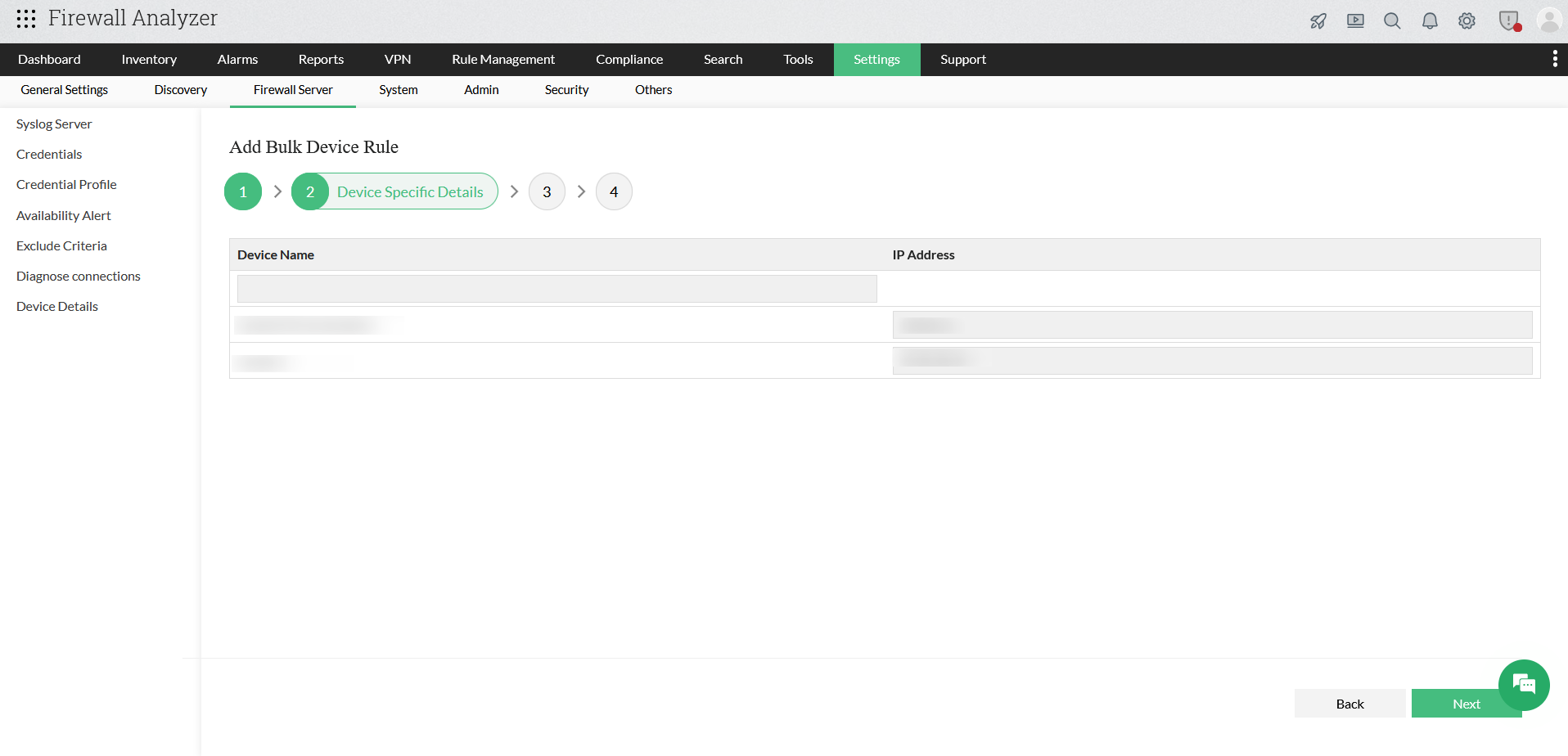
Step 2: Device Specific Details
- In this step, you can review and validate device-level information.
- The selected devices will be displayed in a tabular format.
- For each device, verify the following fields:
- Device Name
- IP Address
- After verifying the device details, click Next to continue.
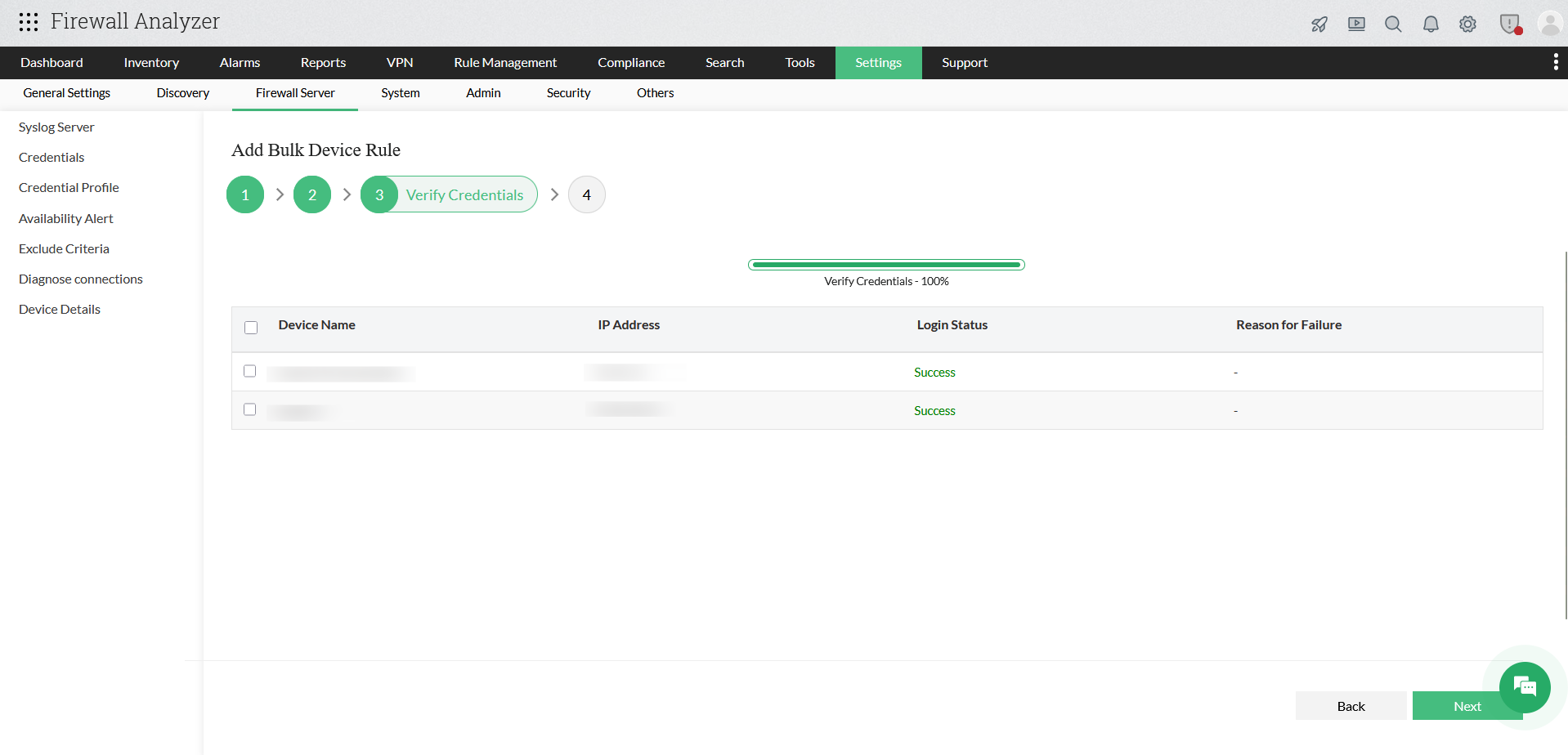
Step 3: Verify Credentials
- In this step, Firewall Analyzer validates the selected credentials against the chosen devices.
- The system initiates an automatic login attempt to each selected device using the configured credential profile.
- A progress bar indicates the verification status.
- Once completed, the following details are displayed:
- Device Name
- IP Address
- Login Status (Success / Failure)
- Reason for Failure (if applicable)
- Review the Login Status for all devices:
- Success indicates that the credentials are valid.
- Failure indicates authentication or connectivity issues.
- If any device fails verification:
- Review the failure reason.
- Verify the username, password, and protocol settings.
- Check network connectivity and firewall access.
- After successful verification, select the required devices and click Next.
Step 4: Schedule
- In this step, you configure how frequently Firewall Analyzer should connect to each selected firewall device to fetch configurations and perform monitoring.
- The selected devices are displayed in a table with scheduling fields.
- For each device, configure the following values:
- Days: Specify the number of days between successive polling cycles.
- Hours: Specify the number of hours between polling intervals.
- Minutes: Specify the number of minutes between polling intervals.
- Click the drop-down list under each column to select the required interval.
- You can configure different schedules for different devices based on monitoring requirements.
- Click Save to complete the bulk device rule configuration.
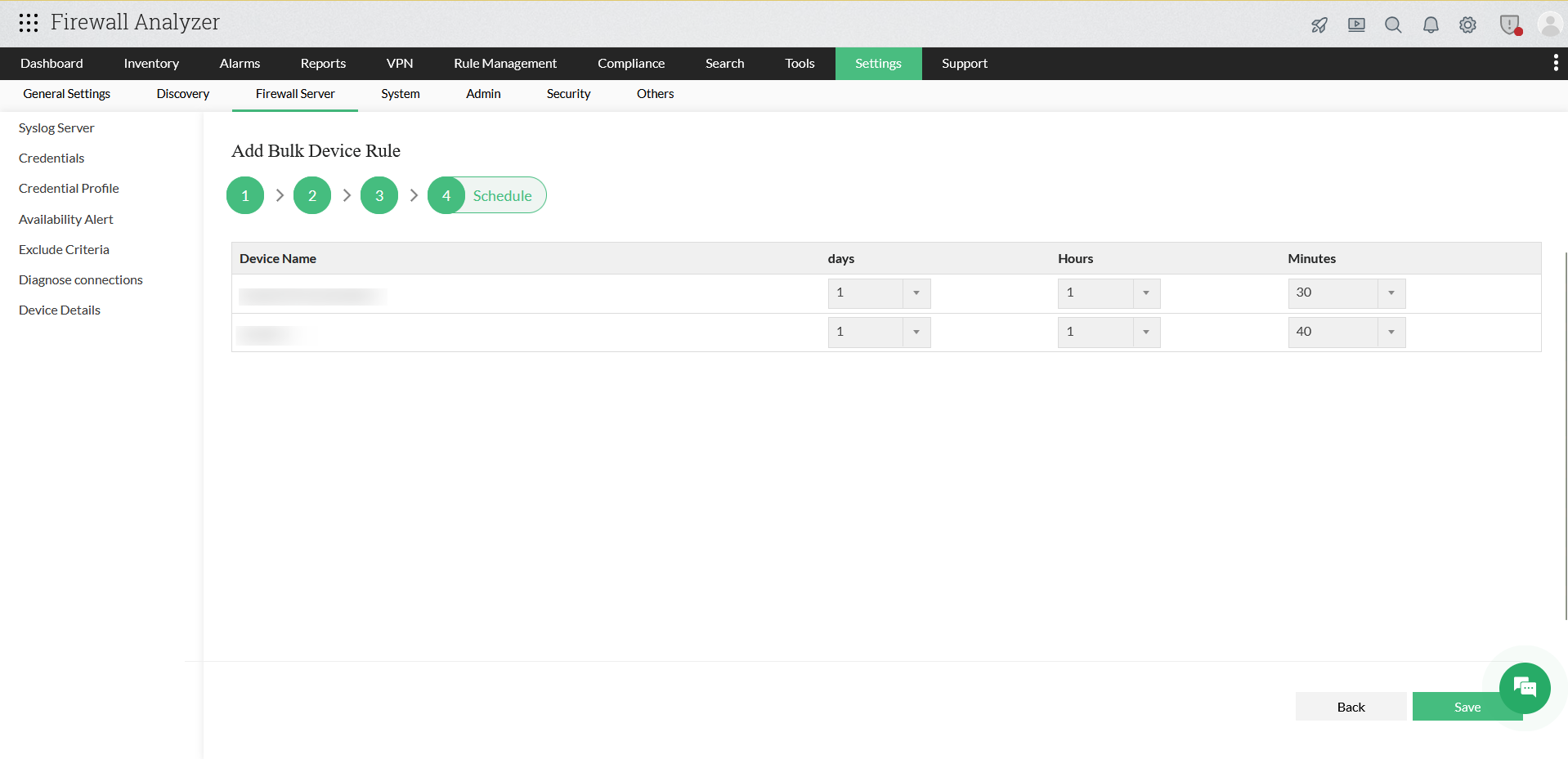
Firewall Analyzer applies the configured schedule and starts fetching configurations based on the defined interval.
After successful configuration, Firewall Analyzer uses the assigned credentials to fetch device configurations, perform compliance audits, generate rule and traffic reports, and monitor policy changes. The configured devices will appear under credential-based monitoring with validated access.