Configure Log Data Storage Duration
Firewall Analyzer retains the Firewall log data in the database as well as archives the logs received from each Firewall device, and zips them in regular intervals. The Archived Files page displays files that have been archived for each device. Perpetual retention of data in the database as well as archives use a lot disk space. If you are concerned about the disk space used by Firewall Analyzer, use these options as per your policies. To provide you more control, Firewall Analyzer gives you options to configure the data retention period for the database and archiving separately.
Configuring the Retention Time Period
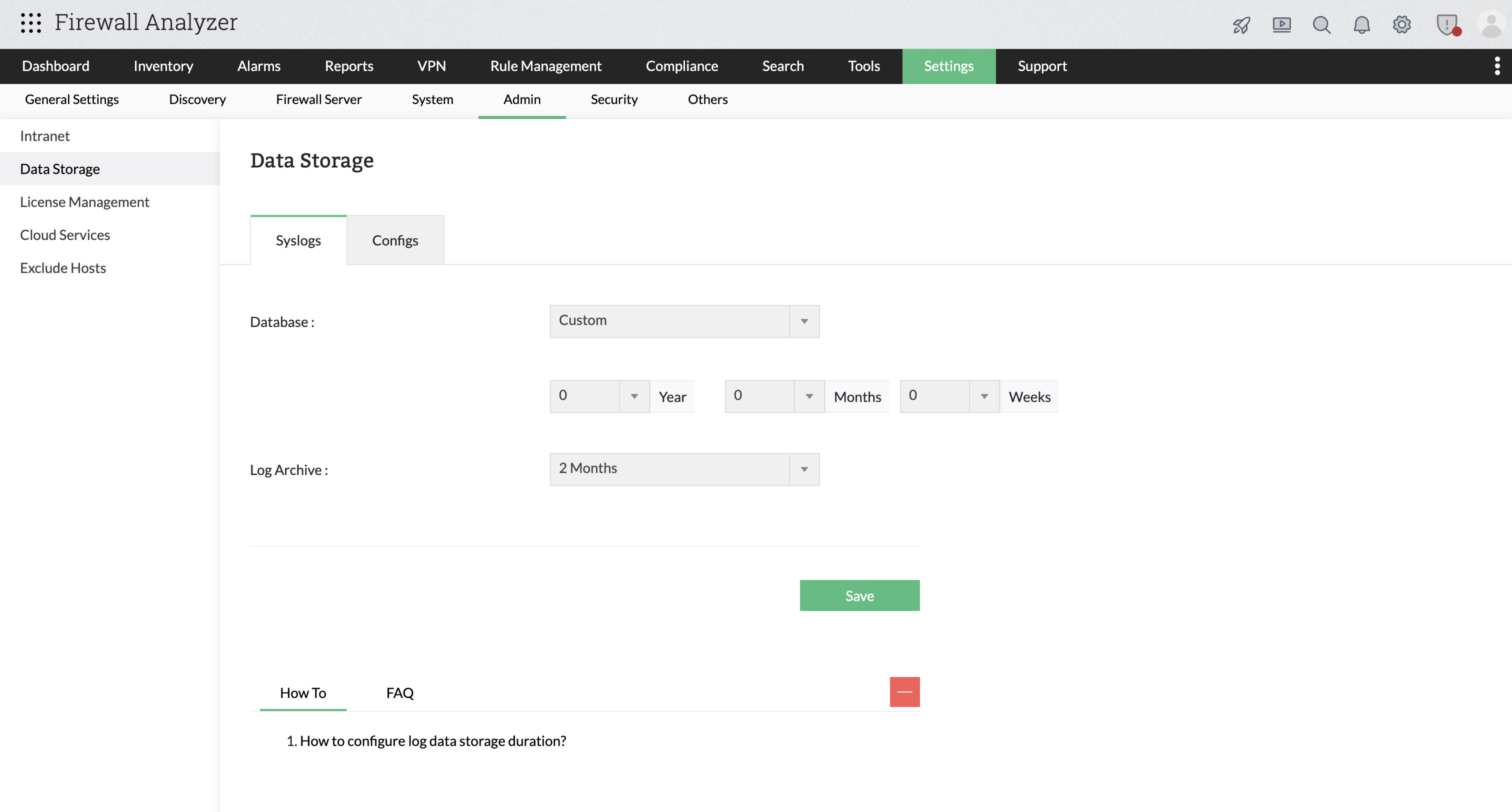
Select the Settings tab in the Web Client. You will see Data Storage section below the Firewall > Admin settings section.
In that section, there will be two configurations. One is Database and the other is Log Archive.
Database
In the Database, you can configure the time period to retain the Firewall log data in the database. The time period options are listed in the combo box.
The options are:
- Forever
- 1 Year
- 6 Months
- 3 Months
- 2 Months
- 1 Month
- 1 Week
- 1 Day
Select the time period as per your requirement.
How Firewall Analyzer calculates Log Retention Duration
When log retention is configured using Years, Months, and Weeks, Firewall Analyzer does not store the data as separate units internally.
For example, when the retention is set to:
- 10 Years
- 12 Months
- 52 Weeks
Firewall Analyzer converts them using the following standard values:
| Unit | Conversion Used |
|---|---|
| 1 Year | 365 days |
| 1 Month | 30 days |
| 1 Week | 7 days |
Based on this:
- 10 Years = 10 × 365 = 3650 days
- 12 Months = 12 × 30 = 360 days
- 52 Weeks = 52 × 7 = 364 days
Total retention period: 3650 + 360 + 364 = 4374 days.
Internally, this is stored as a single value: archiveDWS = 4374
Log Archive
In the Log Archive you can configure the time period to retain the archived Firewall log data. The time period options are listed in the combo box.
The options are:
- Forever
- 1 Year
- 6 Months
- 3 Months
- 2 Months
- 1 Month
- 1 Week
Select the time period as per your requirement.
Click the Save button to configure the data retention time periods.
The data retention configurations available are described below:
| Configuration | Default Value |
|---|---|
| Database | Forever |
| Log Archive | 1 Week |
The time period options are described below:
| Time period | Description |
|---|---|
| 1 Year | The log data will be retained for a period of 1 year and will be purged (from database/archive) after the time period. |
| 6 Months | The log data will be retained for a period of 6 months and will be purged (from database/archive) after the time period. |
| 3 Months | The log data will be retained for a period of 3 months and will be purged (from database/archive) after the time period. |
| 2 Months | The log data will be retained for a period of 2 months and will be purged (from database/archive) after the time period. |
| 1 Month | The log data will be retained for a period of 1 month and will be purged (from database/archive) after the time period. |
| 1 Week | The log data will be retained for a period of 1 week and will be purged (from database/archive) after the time period. |
To cater for auditing requirements, the archived data needs to be retained for 6 months to 1 year.