Configure Cisco ASA using ASDM
- Load the ASDM.
- Select Configuration > Device Management > Logging > Logging Setup.
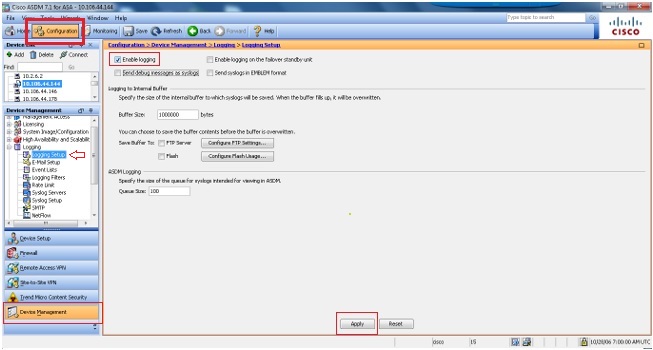
- Select Enable Logging.
- Select Logging > Logging Filters.
- Choose the syslog-servers as Informational.
- Select Logging > Syslog servers.
- Click Add.
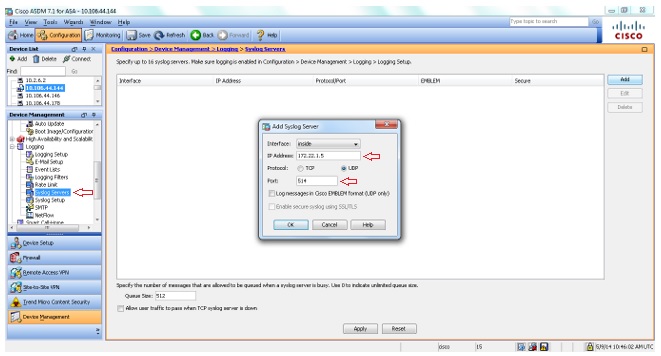
- Enter the IP address and choose the appropriate interface. Also, ensure that you choose UDP and enter the port number 514 or 1514.
- Select Logging > Syslog Setup.
- Select Include time stamp in syslogs option and scroll down to ensure the syslog IDs 302013, 302014, 302015 & 302016 are in enabled state and the logging level is set to Informational.
Refer the links for Security event syslog IDs and VPN event syslog IDs to be enabled.