Direct Inward Dialing: +1 408 916 9393
 Free Edition
In Windows Active Directory (AD) or Microsoft Exchange, groups can refer to distribution groups or security groups. Distribution lists and distribution groups let multiple users quickly and easily communicate. Managing distribution groups in an Exchange (2003, 2007, 2010, 2013, 2016, and 2019) environment can be quite a tedious task. If the admins could export the members of distribution lists, it would make it easier for them to manage the distribution groups without any hassle.
At any given point in time, it's imperative for administrators to:
And more.
Detailed Exchange distribution list reports and AD distribution group reports are vital for efficient management of distribution lists and for effective cleanup of distribution lists.
It's tedious and difficult to query and extract distribution list reports using the native tools or PowerShell scripts, since they require in-depth knowledge and understanding of multiple domains (i.e., AD or Exchange Server) and scripting.
With ADManager Plus, an AD distribution lists reporting tool, administrators can quickly and easily export distribution list members and generate all the required information about them using prebuilt reports like:
Administrators can also schedule all the AD distribution list reports to be generated and emailed to multiple users automatically at specified times in XLSX, CSV, PDF, and HTML formats.
Distribution lists can be either internal or external and are frequently used as mailing lists and for creating email distribution lists.
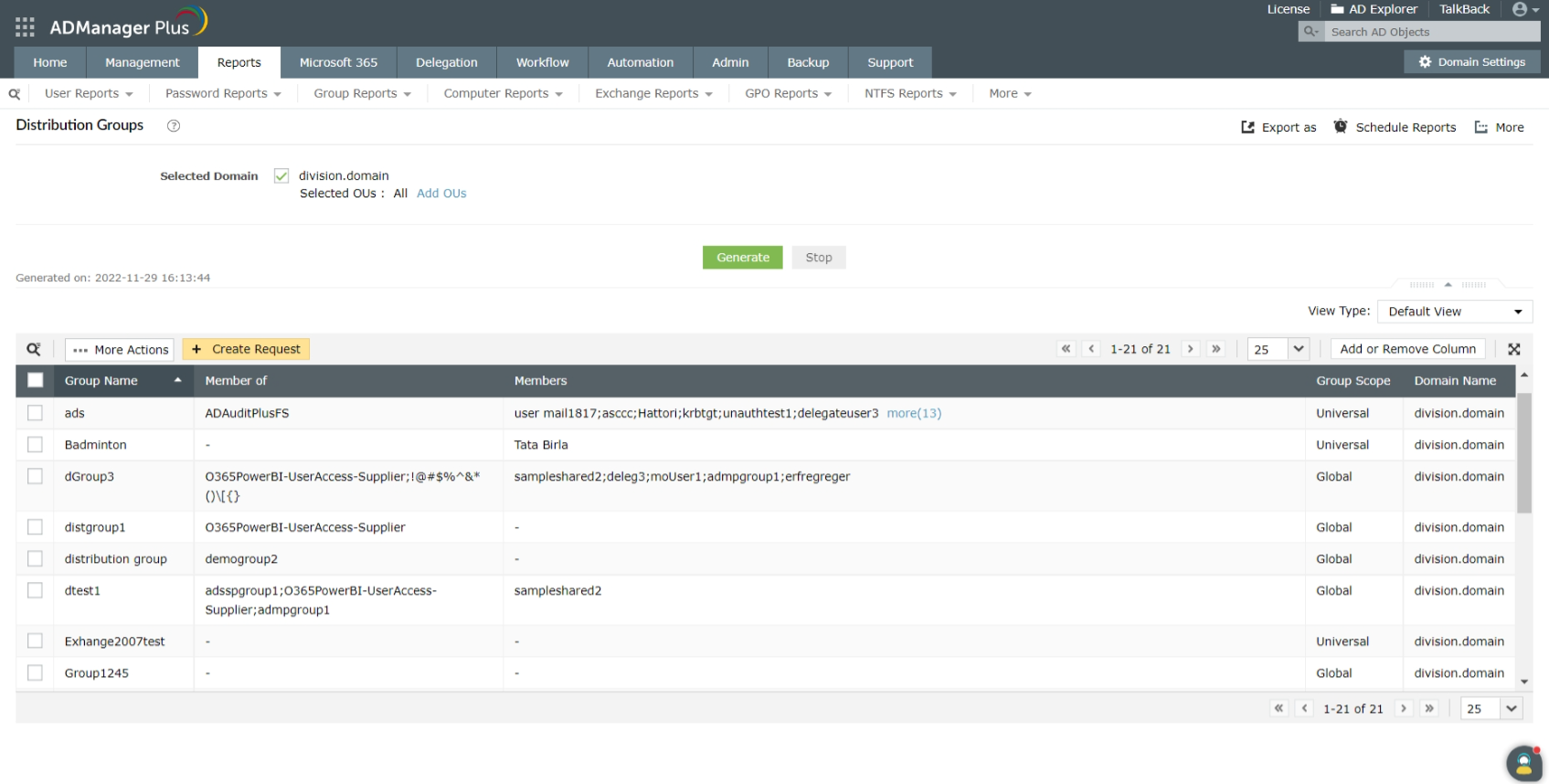
This report lists all the distribution groups in the Exchange Server and, more importantly, for every distribution list, it also displays these vital details:
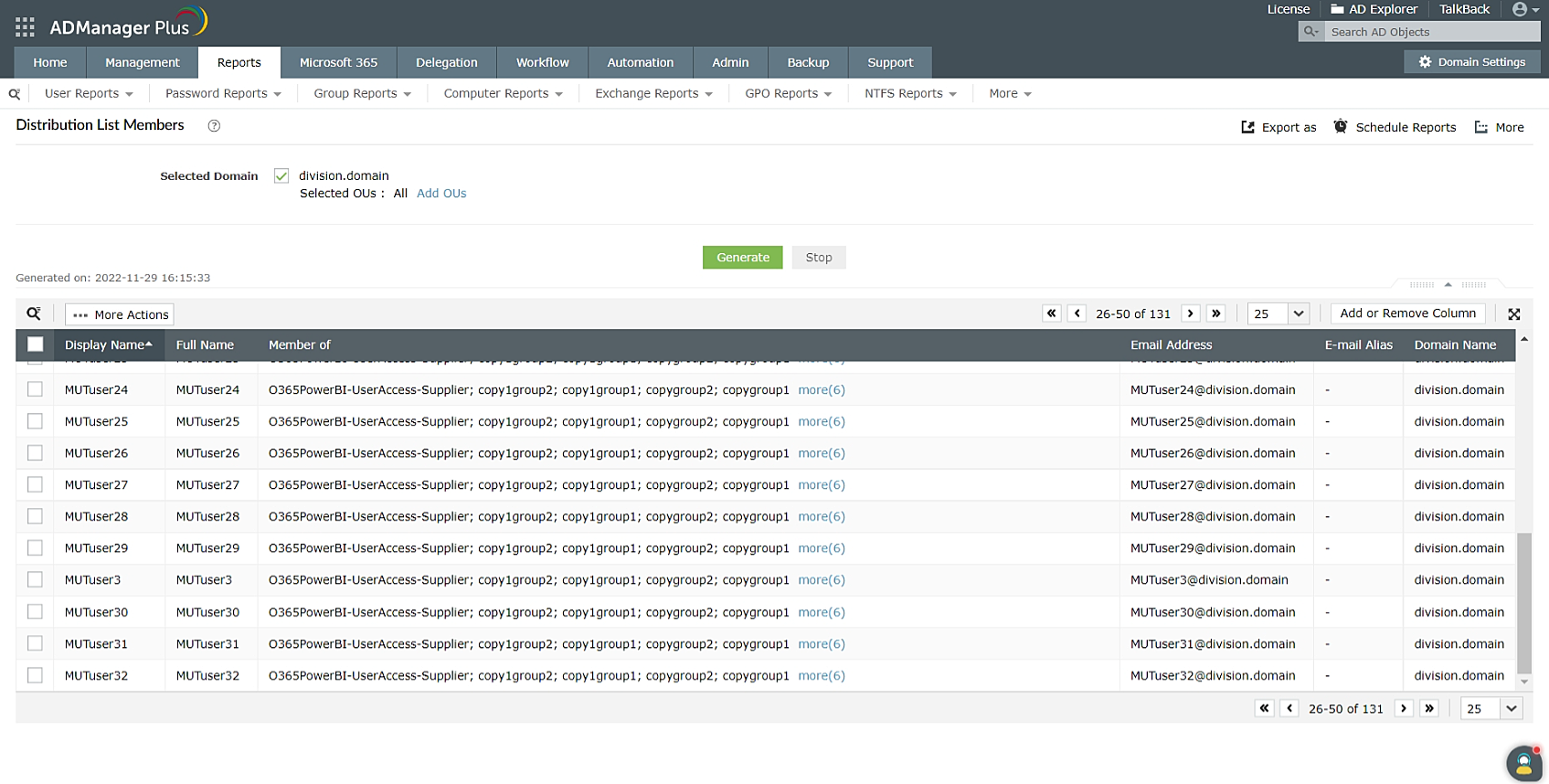
This report lists all the users who are members of at least one distribution list or any of the nested groups of a distribution list, and provides the following information about each user:
Explore these distribution list-specific reports as well as over 200 other reports in ADManager Plus, an AD distribution list reporting tool, with a free, 30-day trial offering unrestricted access to all the features.
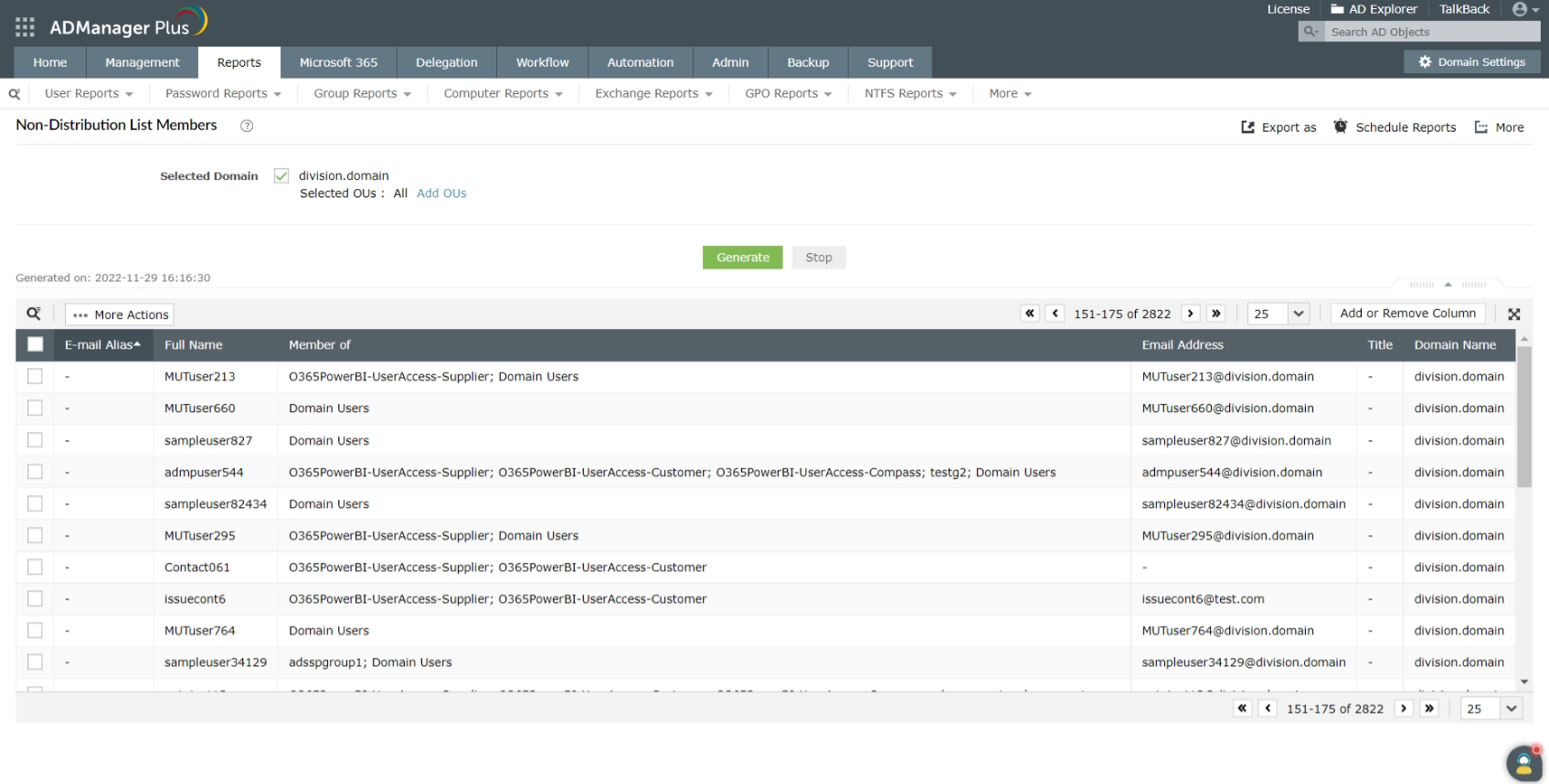
This report lists all the users who are not members of or part of any distribution list along with the following information:
Additionally, ADManager Plus allows administrators to perform a variety of group management and group membership management operations. With this AD group management and reporting tool, administrators can:
Read more about group management using ADManager Plus.
Benefits of using ADManager Plus as an AD distribution list reporting tool:














