Achieve 442% ROI and $3.7 million in net savings with Endpoint Central.

IT Inventory Management
IT Inventory Management is the process of identifying, managing and maintaining the hardware and software assets of an organization. Manual compilation and reconciliation of IT assets is effort-intensive and error-prone. Endpoint Central's web-based IT inventory management solution not only helps automate this task, but also provides out-of-the-box network inventory reports. Using an IT inventory management tool is extremely helpful for an IT admin and greatly assists in both software and hardware inventory management functions of computer inventory management.
Endpoint Central's IT Inventory Management Capabilities
Software inventory management
In this aspect of computer inventory management, software inventory tool gives you access to:
- Software metering: Usage details of specific software such as number of times it has been used, total usage duration, systems with specific software etc.
- Software details: View commercial and non-commercial software information including vendor name, installation date, and software version.
- Software license compliance: Provides ability to view the compliant(over-licensed) and non-compliant(under-licensed) software being used in the network.
- Prohibited software: Blocklist software, block executables through, and auto-uninstall prohibited software in the network.
- Warranty management: Track the warranty information of the hardware assets managed by your organization.
Hardware inventory management
This IT asset management software provides all the features of a top hardware inventory software. Hardware inventory provides complete details about the hardware used in the network. The hardware inventory reports help the administrators to:
- Sort computers by memory.
- Sort computers by OS and service pack version.
- Sort based on hardware manufacturers.
- Sort by age, disk usage, type, etc.
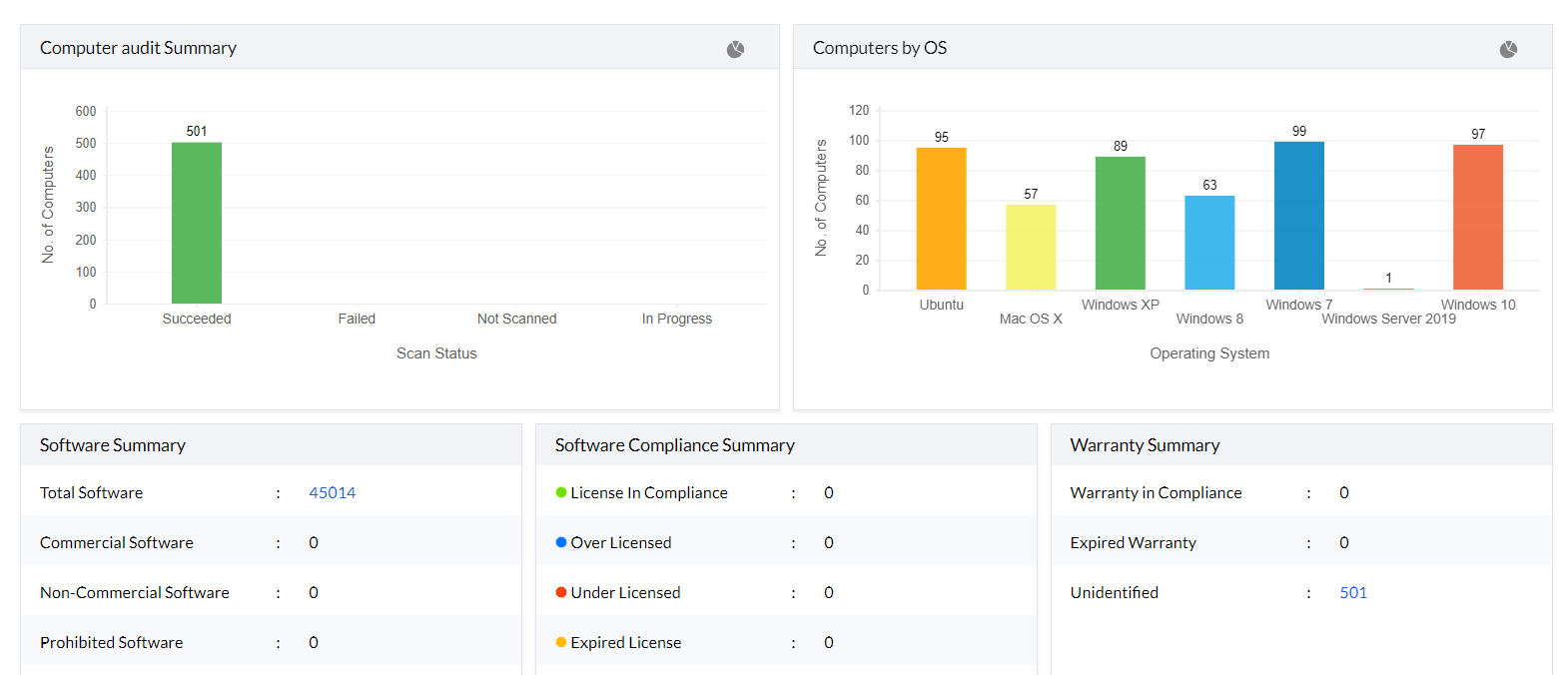
Scheduled inventory scanning
This IT inventory management tool scans the Windows desktops and servers in the network periodically to collect the hardware and software details and stores them in the databse. The IT inventory scanning interval is flexible and can be configured to meet the real-time needs. Thus, the IT inventory tool enables administrators to get an up-to-date IT inventory information any time, without any manual intervention.
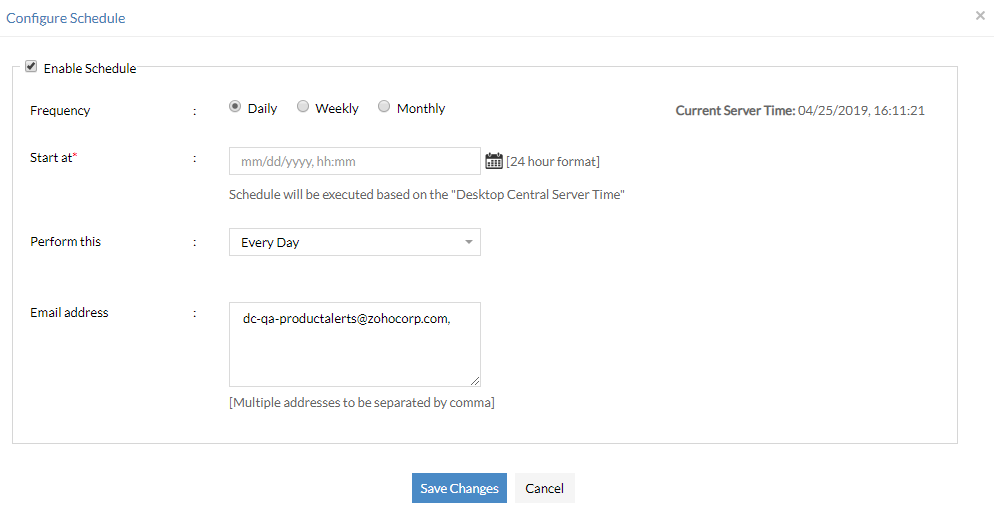
Alert notifications
This IT inventory management software sends email notifications to the administrators for the following events:
- A new hardware is added or removed in the network.
- A new software is installed or uninstalled in the network.
- Non-compliance (under licensed or over licensed) of software licensing policy, i.e. the license is either inadequate or in excess and have to purchase more licenses to be compliant or reallocate the licenses in excess respectively.
- A prohibited software is detected in the network.
- The overall free disk space and partition-wise free space fall below the configured value.
Network inventory reports
This IT inventory management solution provides out-of-the-box reports to view the software and hardware details of the network. These reports help in getting a quick view of the network inventory. The ability to export the reports to PDF or CSV formats help integrate with third-party reporting engines or print it out for future reference.
How to manage IT inventory?
Computer assets consist of software and hardware components that need to be monitored throughout their life cycle. With the help of this IT inventory management solution, computer assets can be tracked, monitored and managed. Alerts can be configured to notify you about the addition or removal of any device. Automated warranty detection is available for hardware assets belonging to vendors like Dell, Lenovo and Toshiba. You can also generate hardware inventory reports based on the device type, manufacturer, memory, age etc using our IT inventory management software. Under this IT asset inventory management module, you can also manage software licenses, prohibit the usage of unwanted software, block harmful executable and generate software compliance reports.
Why is it important to maintain an IT inventory management system?
- IT inventory management process is more than just gathering and storing hardware and software details; it combines finance, inventory, and contractual functions all in a single solution. With modern technological advancements, inventory management data can help an admin make better decisions for cost-effective replacements, or the upgrading of outdated assets. Endpoint Central's IT inventory management enables businesses to plan their resources (such as laptops and endpoints) and, in turn, their budgets. With a unique feature like software metering, you can reduce costs associated with unused software by analyzing software usage statistics.
- IT inventory management system provides the visibility and control needed to reduce asset wastage, and paves the way for better utilization of existing assets. It also helps reduce unwanted expenditures in the excessive purchase of software licenses, and lowers overhead costs.
- IT assets are the very soul of any enterprise and hence the need for a comprehensive IT asset inventory management. In the case of any natural disaster or unexpected events, data acquired and stored with the help of IT inventory management software can aid in creating a quick action plan for restoration, helping the business recover.
IT Inventory management software features
Endpoint Central's exhaustive IT asset inventory solution bundles the following features in its Inventory module:
- Perceive audit ready hardware and software inventory details.
- Schedule scanning of systems to collect inventory data.
- Manage software licenses, category, and compliance.
- Detect, block, and auto-uninstall prohibited software in the network.
- Analyze software usage statistics and reduce costs associated with unused software using software metering.
- Automate alerts on specific events such as installation or uninstallation of new software, removal of hardware, etc.
- Over 20+ out-of-the-box reports and the ability to create custom reports across different formats.
Free IT asset inventory management software
Endpoint Central's free edition lets you collect and view the software and hardware inventory details for 25 desktops.
For more details on the IT inventory management feature, refer to the online help documentation of hardware and software inventory.




