Network fault monitoring and network fault management are the big challenges when you have a small team. The task becomes more complicated if you have to manage a remote site and have to dispatch a technician to the site only to find out the problem is something you could have fixed remotely, or you could find that you don't have the right equipment and have to go back and get it, hurting your service restoration time. In most cases, the time taken to identify the root cause of a problem is longer than the time taken to fix it.
ManageEngine OpManager: The swift fault monitoring system
OpManager, a fault monitoring software, constantly monitors faults in the network devices by network device monitoring and simplifies the process of network alert management by implementing advanced alert monitoring capabilities. Having a proactive tool like OpManager that performs fault monitoring efficiently helps you quickly identify the root cause of the problem and fix it before end-users notice it.
Gain visibility into network faults with event-alarm correlation
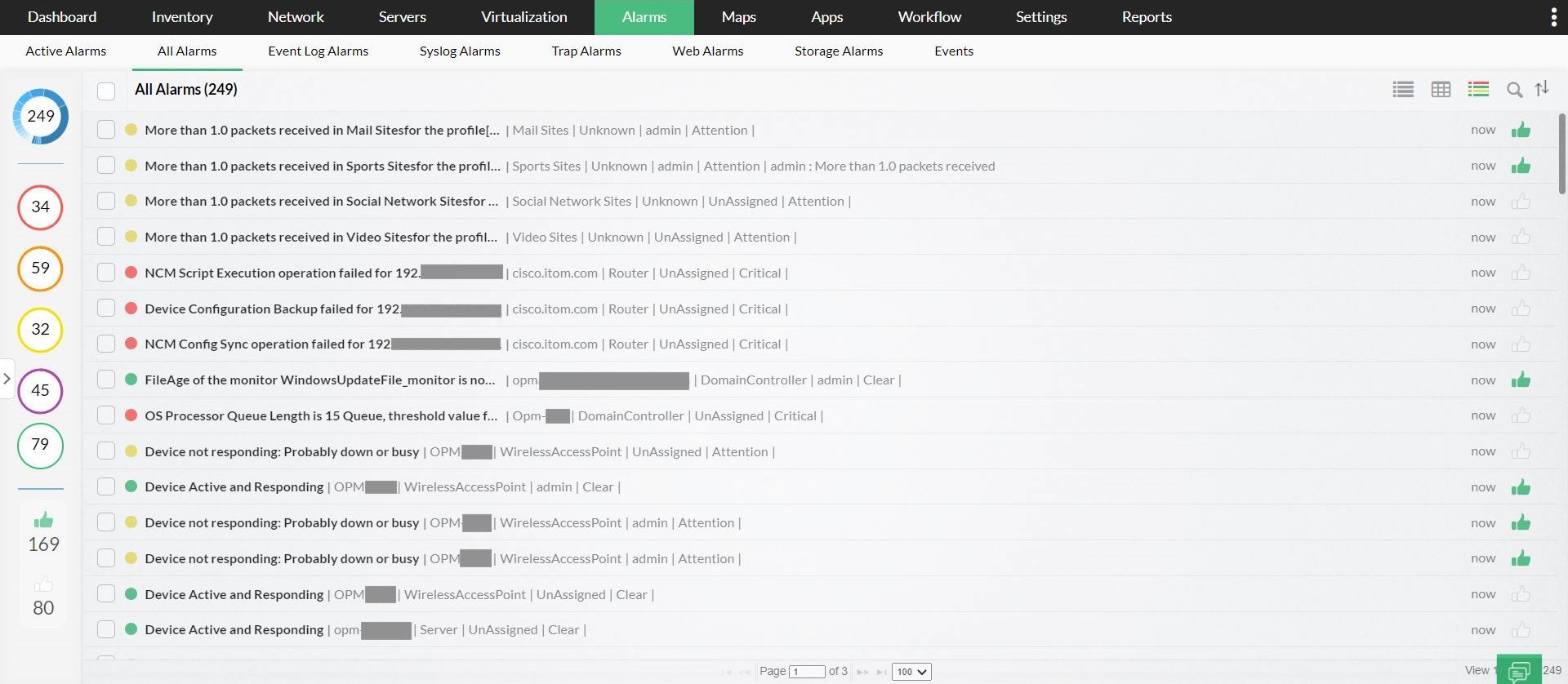
OpManager's fault monitoring performs intelligent event processing in the case of network monitoring alerts. It correlates raw network events, filters unwanted events, and presents only meaningful alarms to the operator. It supports color-coded alarms which are presented in a user-friendly format. You can view the event history associated with an alarm and manually clear or delete alarms.
Ensure prompt alerting with threshold-based fault monitoring
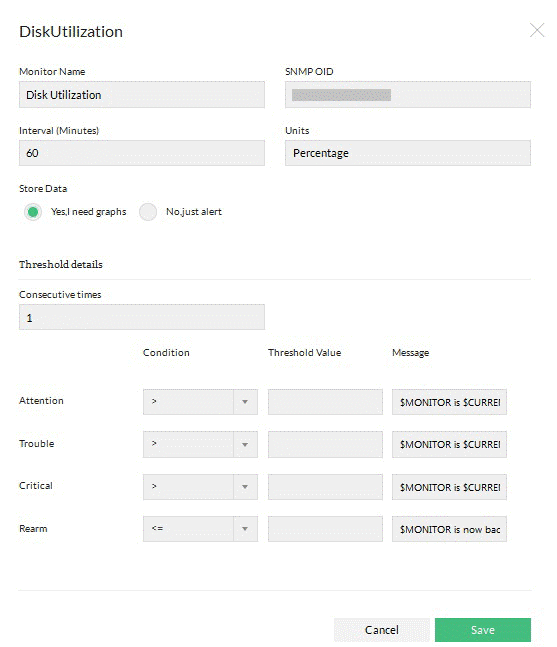
OpManager's fault monitor supports threshold-based alerting such that it alerts an operator when a service or health check counter on a device exceeds or goes below a certain limit. It performs alerting through various channels such as SMS, Email, slack messages, ticket logs, and web alarms. You can also configure OpManager to run external programs or homegrown scripts automatically when an alarm occurs.
OpManager alerts the user with a sound alarm for critical notifications. It provides complete customization, allowing you to filter unwanted alerts and get notification sounds only for critical alerts. All you have to do is configure a web alarm profile to alert you on selective criteria based on your preference.
Acknowledge alarms to never miss out on even a single network fault
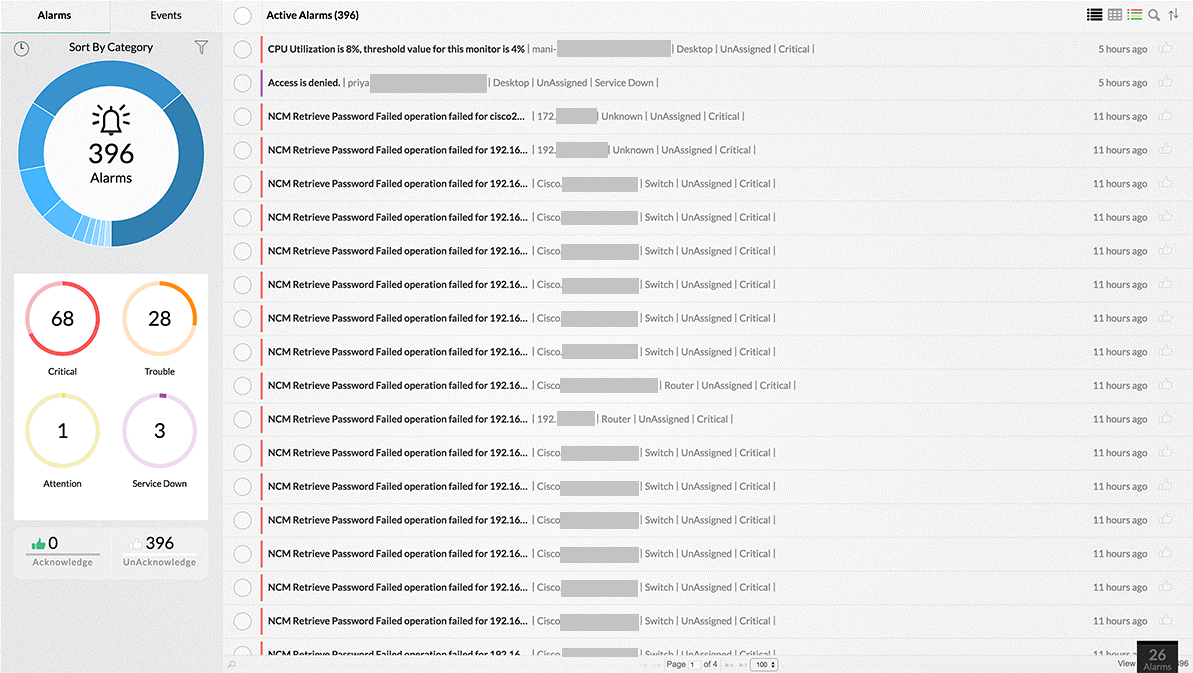
While working on multiple alarms simultaneously, OpManager allows admins to quickly mark alarms on which they have already initiated action, much like marking emails as read or unread. Acknowledging alarms is another small but beneficial feature for network admins to keep track of new network monitoring alerts and the ones that have already been read and acted upon. It is especially helpful when more than one network admin is involved in the network fault monitoring, such that one can know the alarms that have been taken care of even when the other is unavailable.
Keep tabs on critical variables with SNMP Trap and custom MIBS support
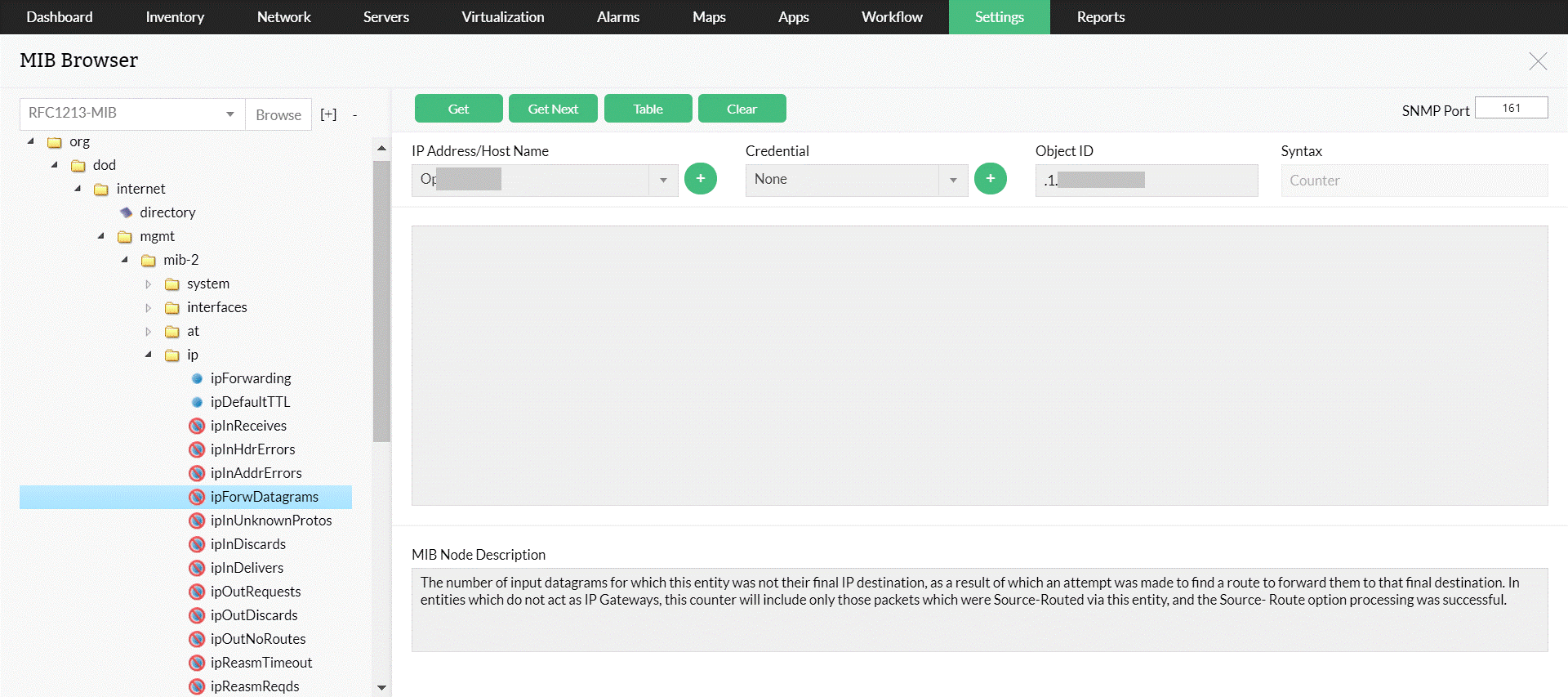
Most network devices nowadays are capable of sending out SNMP traps when a fault occurs. A good fault monitoring system should be able to support SNMP traps and provide meaningful information to the admins. OpManager, a fault monitoring tool, does exactly that by providing support for basic SNMP traps out of the box. You can also add support for traps from any custom SNMP MIB. OpManager's network fault management can extract useful information that is sent with SNMP traps as variable bindings (SNMP varbinds). So if you have bought devices from different vendors, all you need to do is get access to those vendor-specific MIBS and you can easily have OpManager monitoring critical variables on that device.
Create escalation rules to automate actions on critical/unnoticed alarms
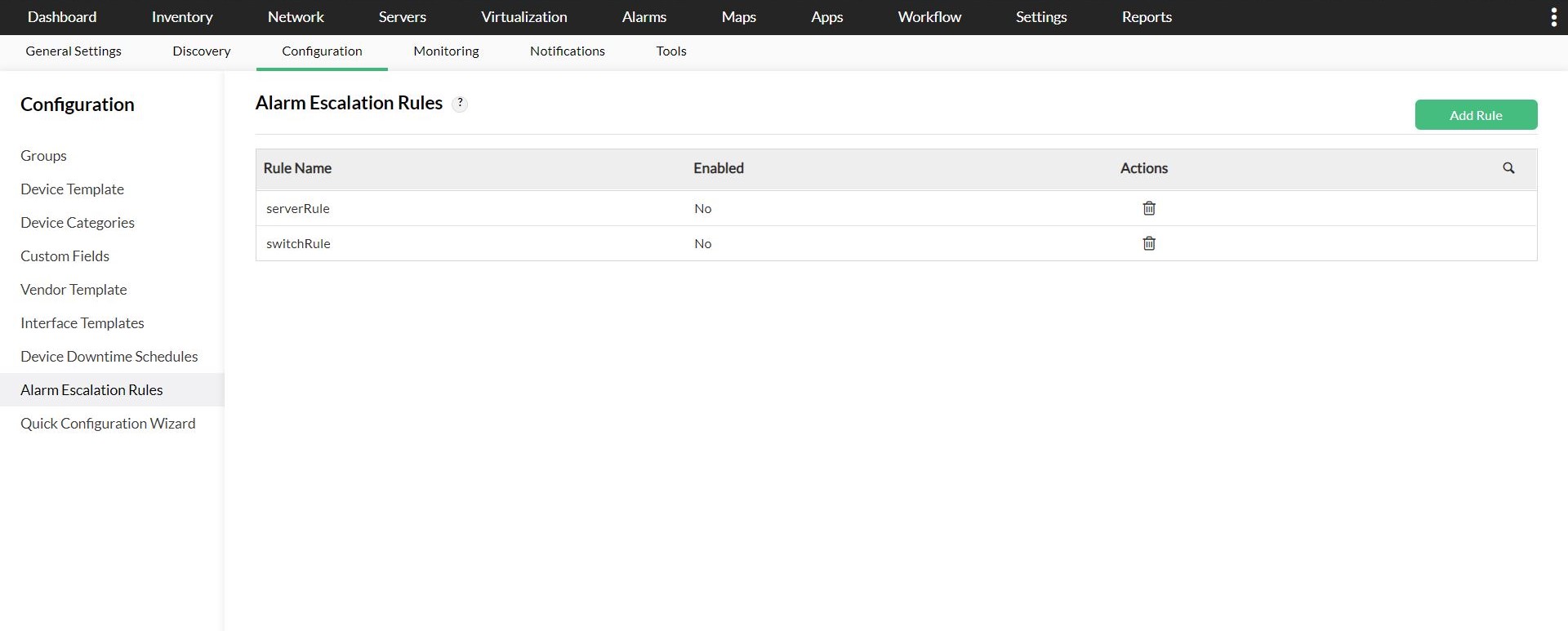
OpManager's fault monitoring software allows IT administrators and managers to set up automatic alarm escalation rules. For example, IT managers can set up an escalation rule to get a report of server alarms that are currently open for more than one hour. This report can be periodically sent to the IT manager via email.
FAQs on Fault monitoring
What are the types of network faults?
+Why network fault monitoring is important?
+Manage network faults effectively with OpManager.
Download 30-day free trialCustomer reviews

Case Studies - OpManager
Awards & Honors
- Recognized as a May 2019 Gartner Peer Insights Customers' Choice for Network Performance Monitoring and Diagnostics Software
- Recognised as an April 2019 Gartner Peer Insights Customers' Choice for IT Infrastructure Monitoring Tools.
- Network Management and Monitor Vendor of the Year 2018, 2019
- Entered the 2019 Gartner NPMD Magic Quadrant.
- Ranked #2 in the Infotech Research Software Reviews Data Quadrant 2018.