Business snapshot based reportsOpManager provides in-built reports over a group of devices and/or other network infrastructure that work together for a common business servicing group. For example, consider a critical business service such as your organization's CRM system. Such a system could have an application server, a web server and a database server, each having a replica back-up for fail-over purposes. Once you have configured a 'business view', e.g. named "CRM System" to include all the servers in the group, OpManager provides ready-made, combined reports on the associated servers. A quick report on the week's server disk utilization easily enables the administrator to optimally allocate disk memory within the CRM service group.
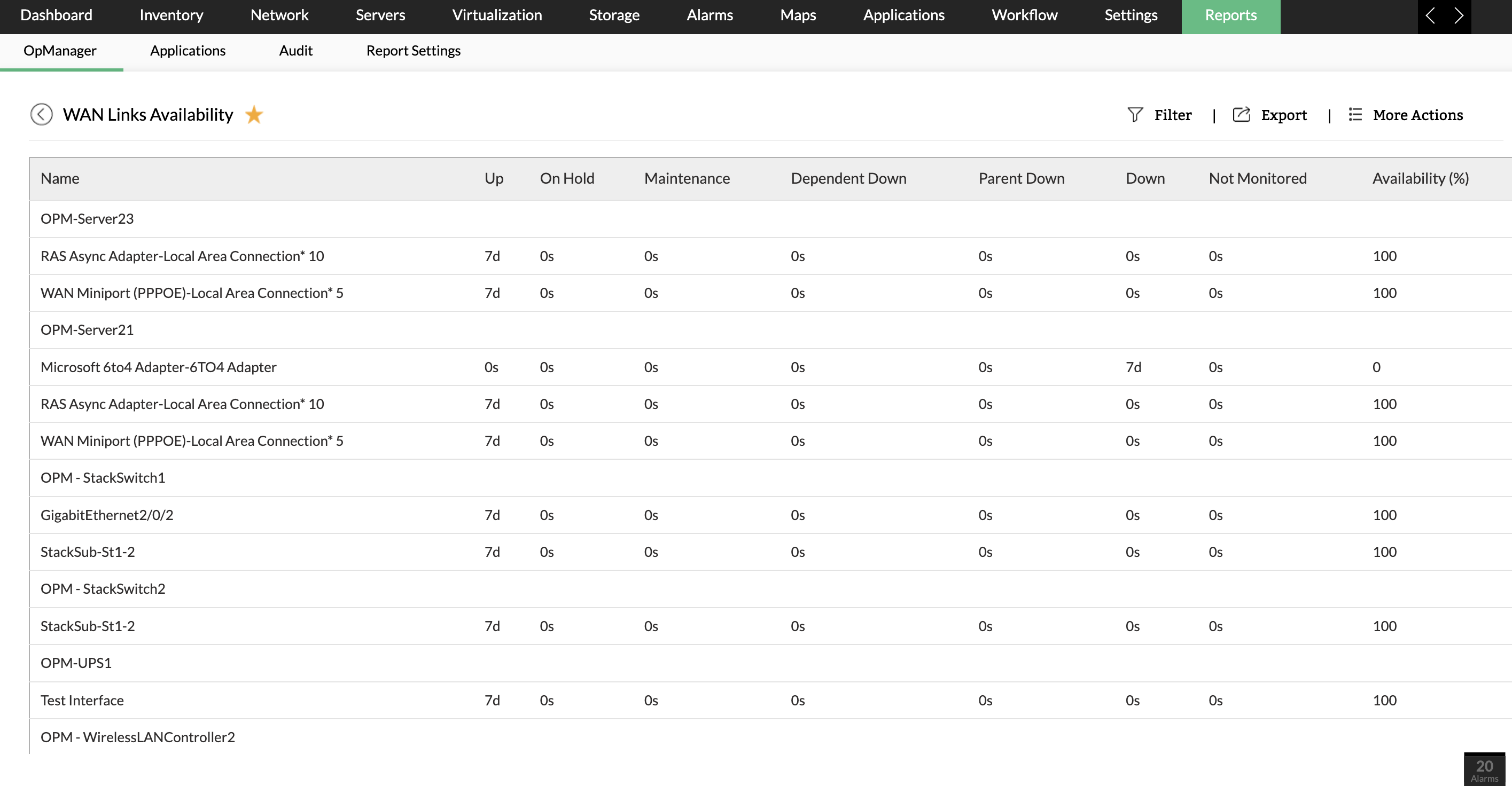
The reports on business views are helpful especially when analyzing infrastructure needs of a business service/group. Consider a plan to upgrade the link that connects your Branch Office to Headquarters with periphery devices connecting the two business locations being two routers and a firewall in between. Some of important reports required for decision making would be:
All the above reports come as inbuilt reports, immediately created without you having to visualize and group concerned routers.
|
Network Performance
Server Performance
Application Performance
Fault management- Windows EventLog Monitoring
- Syslog Monitoring
- SNMP Trap Processing
- Threshold based alerting
- Customizable Dashboard
- Alarm View & Web Alarm
- Real Time Performance Graph
- Email/ SMS Alert
- Integration with helpdesk
- Switch Port Mapper
- SNMP MIB browser
- Service Level Management Dashboards
- Network Performance Reporting
- Top N reports
- Business Snapshot based reports
- Scheduled emailing of periodic reports
Installation and Setup
And lots more...
I’ve researched over 30 products prior to choosing OpManager and none of them came close
Paul Williams,
National Financial Partners |
|
Resources : Data Sheet | Whitepapers | Product Docs | How to Demos | Service Packs | Support Portal | Compare Editions | Videos Tour | Forums | Blogs
|
||
|
Features
Monitor Router | Monitor Switch | Monitor Firewall | Monitor wireless network | Monitor Network Port or Link | Monitor WAN latency | Monitor Network Traffic and bandwidth | Network Traffic Analysis & Forensic | NetFlow analysis | Monitor VoIP | Network maps | Manage Network Change and Configuration | Distributed Network Monitoring
Monitor VMware | Monitor Windows | Monitor Unix and Linux network | Monitor CPU, Memory, Disk and Monitor Process | Monitor network and server service | Monitor Windows service | Monitor CPU Temperature and Hardware health | Monitor website | Monitor Exchange | Monitor SQL | Monitor Active Directory | Monitor Lotus and Oracle | Monitor Printer | Monitor UPS | Monitor Storage device| Integrated Infrastructure Management
Network Monitoring Tools and other features
Free Network Monitoring Software: 10 devices, unlimited users, with basic monitoring functionalities.
|
||
| ||||||||||


Corp.