


Server MonitoringWith today’s multi–vendor IT environments, network administrators need a server monitoring tool that works out–of–the–box over multiple technologies and platforms, be it Windows or Linux, Solaris, Unix, VMware, AIX, HP–UX etc.. OpManager provides a single, comprehensive console for your server monitoring needs by using SNMP, WMI, CLI and Telnet⁄SSH to monitor your server infrastructure regardless of device type or make.
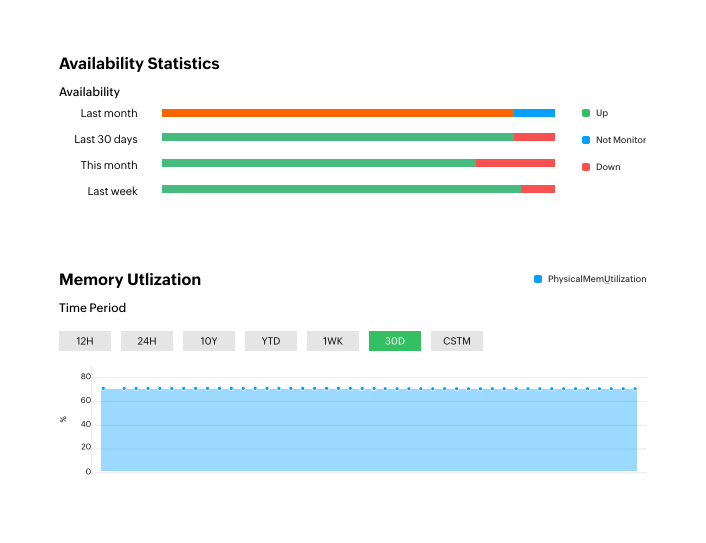
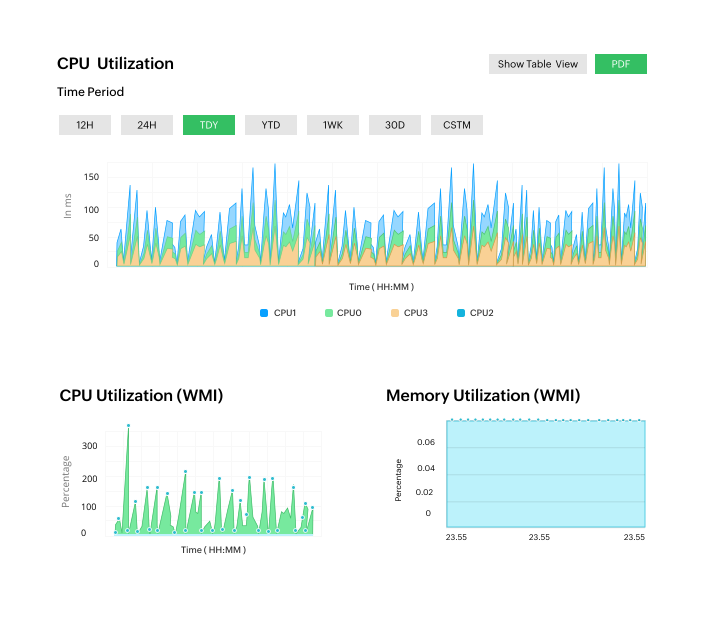
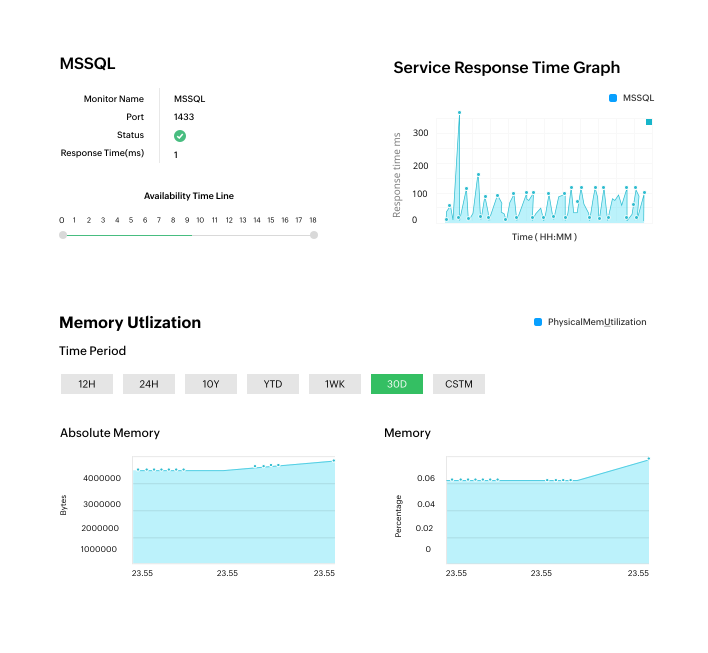
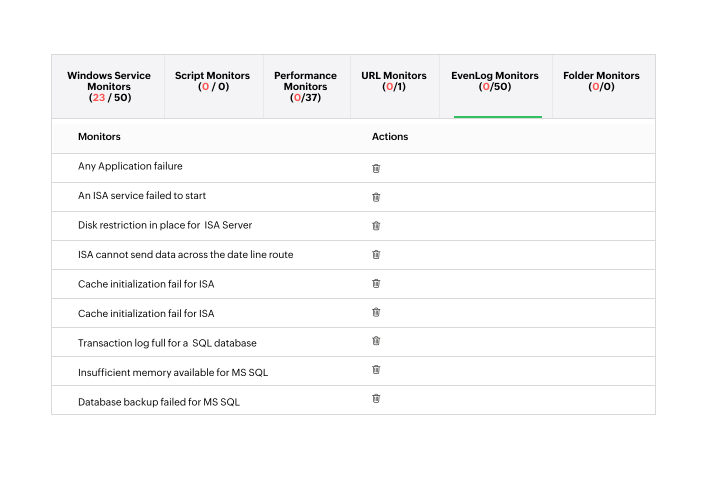
Server monitoring with OpManagerServer availability & health monitoringOpManager continuously monitors server availability and over 300 server performance metrics including CPU utilization, disk space, memory utilization, temperature and fan status. OpManager also has out–of–the–box hardware health monitors for Dell, HP & IBM servers. Each server monitoring console in OpManager gives one immediate access to real–time CPU, memory and disk utilization trends of remote servers.VMware ESX server monitoringOpManager has an exclusive server monitoring dashboard for ESX servers which shows the availability and performance trends of the ESX server and of the individual VM instances. The ESX server monitoring console allows administrators to remotely start, stop or suspend individual VM instances.Services monitoringAt the time of device discovery, OpManager discovers all the services running on your Windows & Linux servers and associates availability and response time monitors to these. OpManager also supports adding monitors for custom services running on TCP ports.Processes monitoringOpManager discovers all the processes running on your servers and lists details such as Process ID, Process Name, Process Path and Process Argument. ‘Process Templates’ allow you to discover, manage and set thresholds easily across multiple servers, from a single window. The Remote Process Diagnostics section provides a quick view of the top processes by CPU and Memory utilization allowing you to terminate troubling processes remotely.Windows services monitoringIn additon to monitoring system level services like HTTP, LDAP, SMTP etc., OpManager also monitors Windows Services e.g. Alerter, FTP, Net Logon, DHCP Server, IAS, Print Spooler etc.. Once a monitored service is found to have failed, OpManager can be configured to automatically restart the Windows Service or even the server.Windows Eventlog monitoringOpManager can help you detect failed log–ins, log–in failures due to bad passwords, account lock–outs, failed attempts to access secure files, security log tampering etc. by processing Windows security Event logs. In addition to security logs, OpManager can also monitor application logs (out–of–the–box rules for Exchange, IIS, MS–SQL and ISA servers), system logs and other event logs.URL & website monitoringSimply relying on availability and response time (TCP Port) checks won’t help you know if your website has been compromised. OpManager allows you to monitor a URL and search for a specific text on the page. When the text is missing you can be immediately alerted and you get to know in real time that your website has been compromised. OpManager’s website monitoring supports HTTP⁄ HTTPs and NTLM Authenticated sites.Need Features? Tell UsIf you want to see more server monitoring features implemented in OpManager, we would love to hear. Click here to continue |
Network Performance
Server Performance
Application Performance
Fault management- Windows EventLog Monitoring
- Syslog Monitoring
- SNMP Trap Processing
- Threshold based alerting
- Customizable Dashboard
- Alarm View & Web Alarm
- Real Time Performance Graph
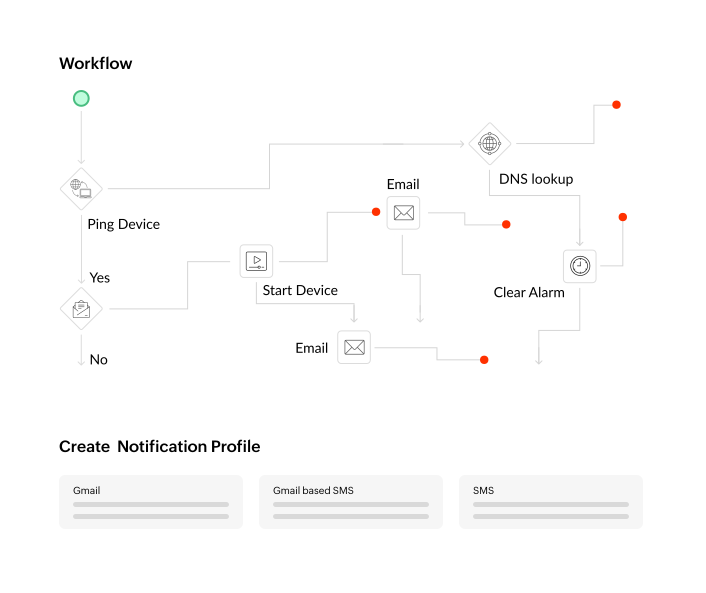
- Email/ SMS Alert
- Integration with helpdesk
- Switch Port Mapper
- SNMP MIB browser
- Service Level Management Dashboards
- Network Performance Reporting
- Top N reports
- Business Snapshot based reports
- Scheduled emailing of periodic reports
Installation and Setup
And lots more...Next Steps
We can now monitor and record true performance benchmarks on our production servers, over multiple time frames. This benchmarking has allowed us to set notices for unusual performance and pinpoint when the deviation began. This allows us lead time to address performance issues before the customer ever notices them
![]() Brian Blanchard, Chief Operations Officer, PROvalUSA.com |
|
Resources : Data Sheet | Whitepapers | Product Docs | How to Demos | Service Packs | Support Portal | Compare Editions | Videos Tour | Forums | Blogs
|
||
ManageEngine OpManager - Network Monitoring Software: Powerful network management made easy and affordable.
|
Features
Monitor Router | Monitor Switch | Monitor Firewall | Monitor wireless network | Monitor Network Port or Link | Monitor WAN latency | Monitor Network Traffic and bandwidth | Network Traffic Analysis & Forensic | NetFlow analysis | Monitor VoIP | Network maps | Manage Network Change and Configuration | Distributed Network Monitoring
Monitor VMware | Monitor Windows | Monitor Unix and Linux network | Monitor CPU, Memory, Disk and Monitor Process | Monitor network and server service | Monitor Windows service | Monitor CPU Temperature and Hardware health | Monitor website | Monitor Exchange | Monitor SQL | Monitor Active Directory | Monitor Lotus and Oracle | Monitor Printer | Monitor UPS | Monitor Storage device| Integrated Infrastructure Management
Network Monitoring Tools and other features
Free Network Monitoring Software: 10 devices, unlimited users, with basic monitoring functionalities.
|
||
| ||||||||||


Corp.