VMware is one of the most popular virtualization vendors in the market, sought after by businesses of all scales to setup and deploy virtual servers and VMs. Although their virtualized infrastructure offer a deluge of benefits, they can often be a handful to manage. Without a robust VMware monitoring software, they can run inefficiently and drain your resources. VMware performance monitoring tools have therefore become essential components of IT environments.
As VMware monitoring becomes an important practice in modern IT operations, Businesses require the right set of VMware monitoring tools to keep their VMware infrastructure in check. Monitoring VMware could help with capacity planning and forecasting, controlling VM sprawl and more. A dedicated and comprehensive VMware monitoring tool is exactly what an IT organization needs to improve their VMware network monitoring.
Learn more about OpManager's features & functions
VMware monitoring with ManageEngine OpManager
Best-in-class
VMware monitoring tool
using over 70 VMware performance monitorsOpManager’s VMware monitoring tool is an in-depth, agentless solution that provides a unified fault management and performance monitoring console for both physical and virtual server infrastructure. In addition to SNMP and WMI monitors, OpManageralso leverages VMware APIs to monitor VMware performance more accurately. Moreover, it provides a consolidated VMware dashboard which provides visibility into your VMware environment.
With the new ability within OpManagerto monitor our VMware ESXi hosts, we now have a quick portal to check in on our virtual machines/hosts and our physical servers as well, from one simple interface.
- Ryon Brubaker,
Information Systems Manager, Kemba Credit Union Inc.
VMware Server Monitoring
Monitor VMware servers right away with minimal configuration
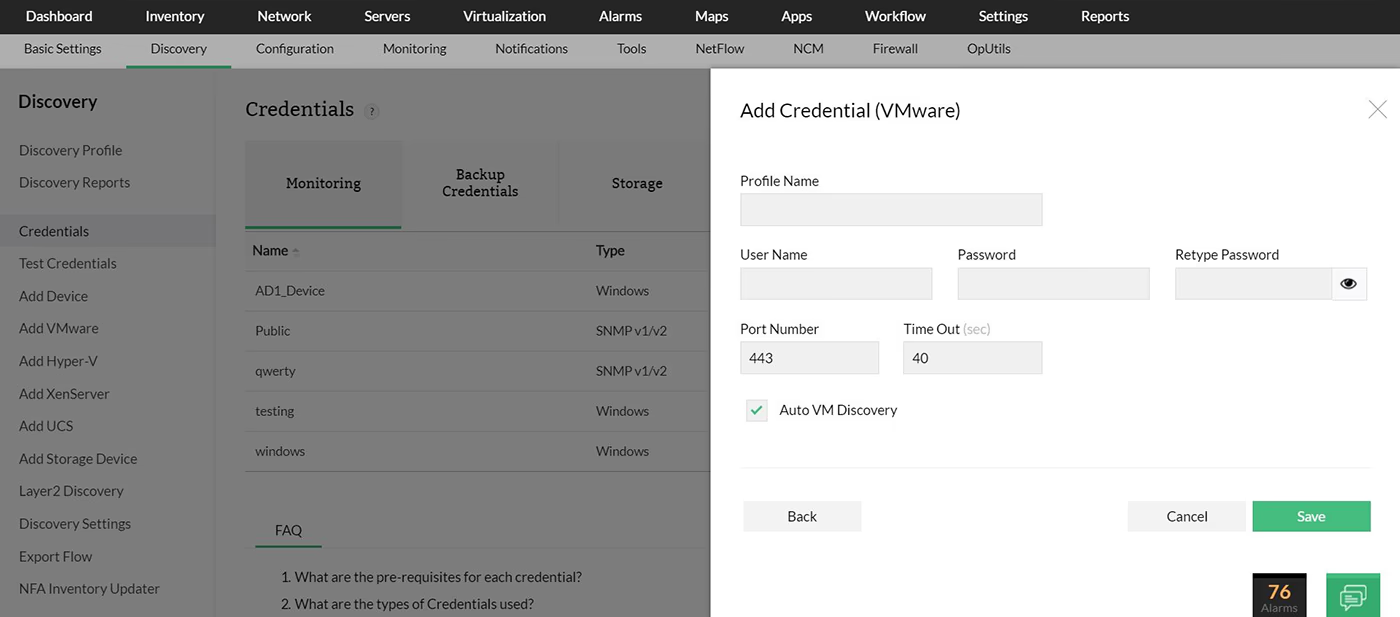
OpManager's VMware monitor needs minimal set up time or configuration to start monitoring VMware performance. Once you provide the ESX server host name and the right credentials, OpManager auto discovers VMs and datastores and adds them to your virtual inventory. Alternatively, you could also discover and add hosts, VMs, and datastores from your vCentre.
VMware Performance Monitoring
Be alerted when resource consumption crosses critical thresholds
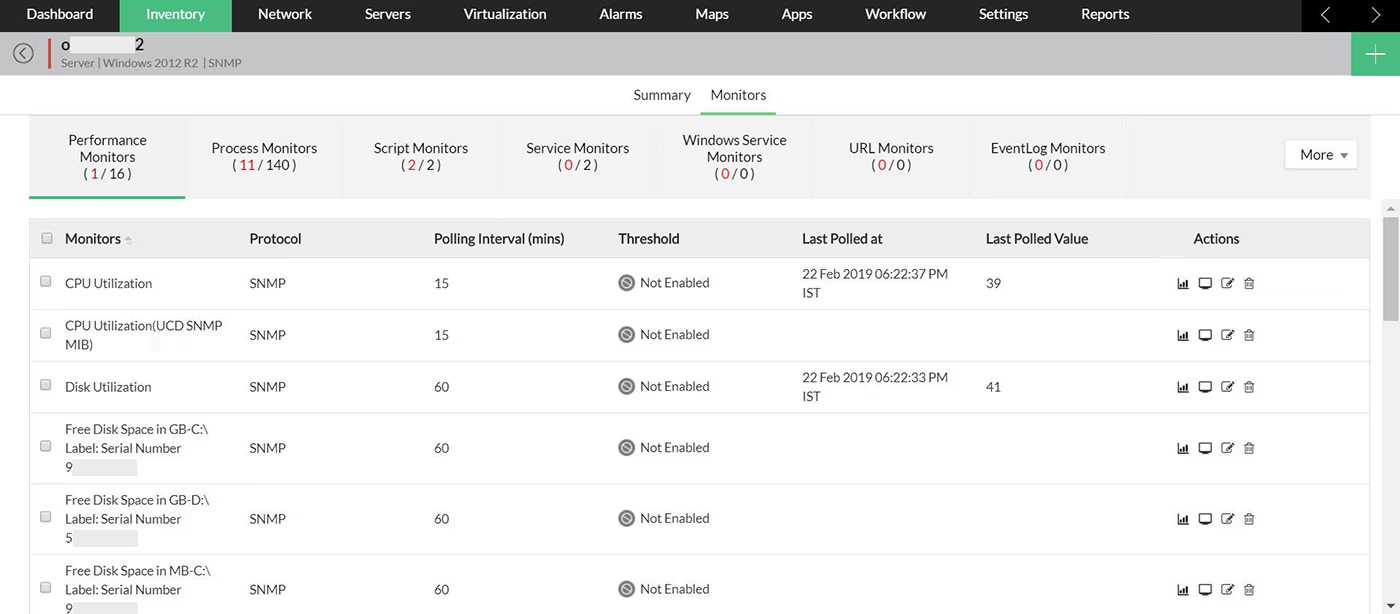
OpManager's VMware performance monitoring features allow you to monitor VMware real-time performance metrics as well as historical data. Over 30 metrics are pre-configured with set thresholds to monitor VMware performance and availability, once you assign the notification profiles, you'll be notified of any abnormalities in these metrics. Notification profiles can push alerts though SMS, emails, webhooks etc. You can also set up auto-remediation measures using custom scripts, for example- restart a Windows service in the VM instance when the CPU allocated cross 90%.
ESX server monitoring
Track the resource utilization of your ESX servers
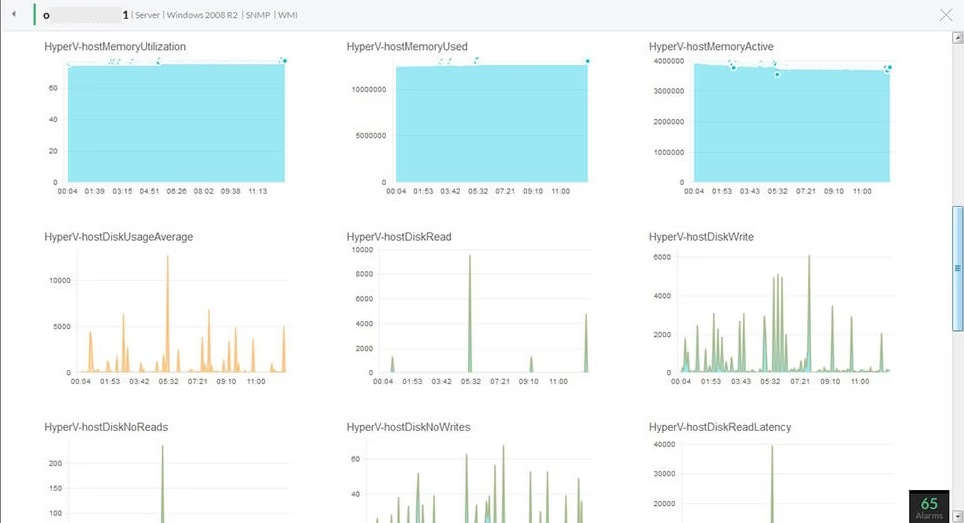
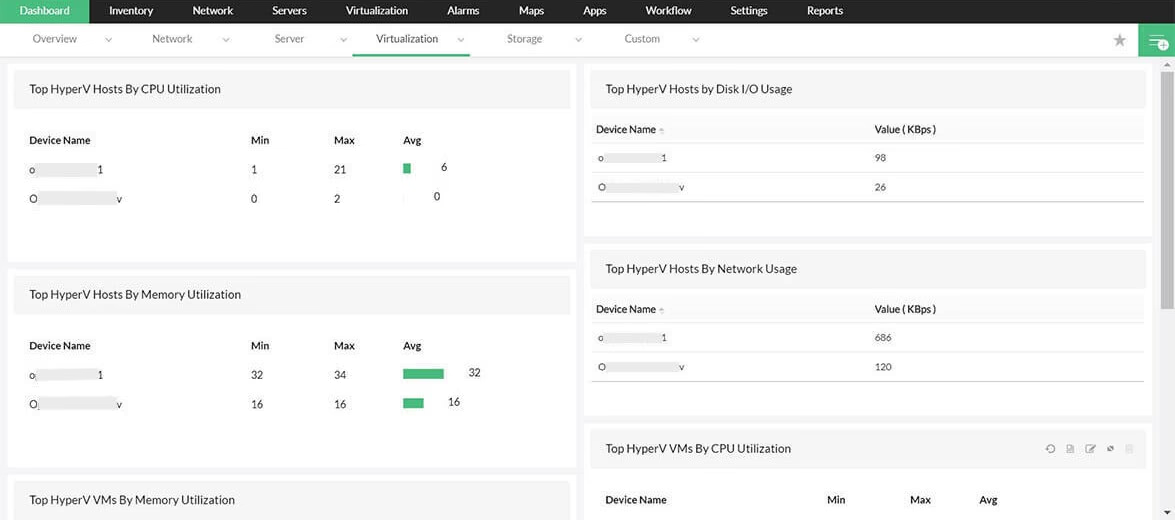
You can identify and track ESX servers based on their resource utilization for proper visibility and focus into the operations of unhealthy servers. OpManager's VMware monitoring software displays top hosts based on resources like CPU consumption, swap memory consumption, etc. Administrators can then drill down into individual ESX server dashboards to further investigate resource utilization for the VM inventory. The ‘recent alarms’ and ‘history reports’ found on the same snapshot page allows quick troubleshooting. For instance, an alarm on high CPU utilization leads to the reports showing which core CPU peaked and which VM contributed most at that time.
Prevent VM sprawl
Identify resource hungry VMs and eliminate VM sprawl
OpManager's virtual machine monitoring capabilities help administrators monitor VMware infrastructure to quickly identify problematic VMs through the ‘top VM’ lists and then drill down to identify the offending process or application that is affecting application performance. OpManager's VMware infrastructure monitoring tool has more than 70 VMware monitors such as CPU Wait/ Ready, Memory Balloon/ Shared/ Swapped/ Overhead etc. OpManagerensures identification and elimination of potential VM problems. Learn 5 actionable tips to prevent virtual machine sprawl.
VMware Reports
Get over 70 built-in reports on VMware infrastructure performance
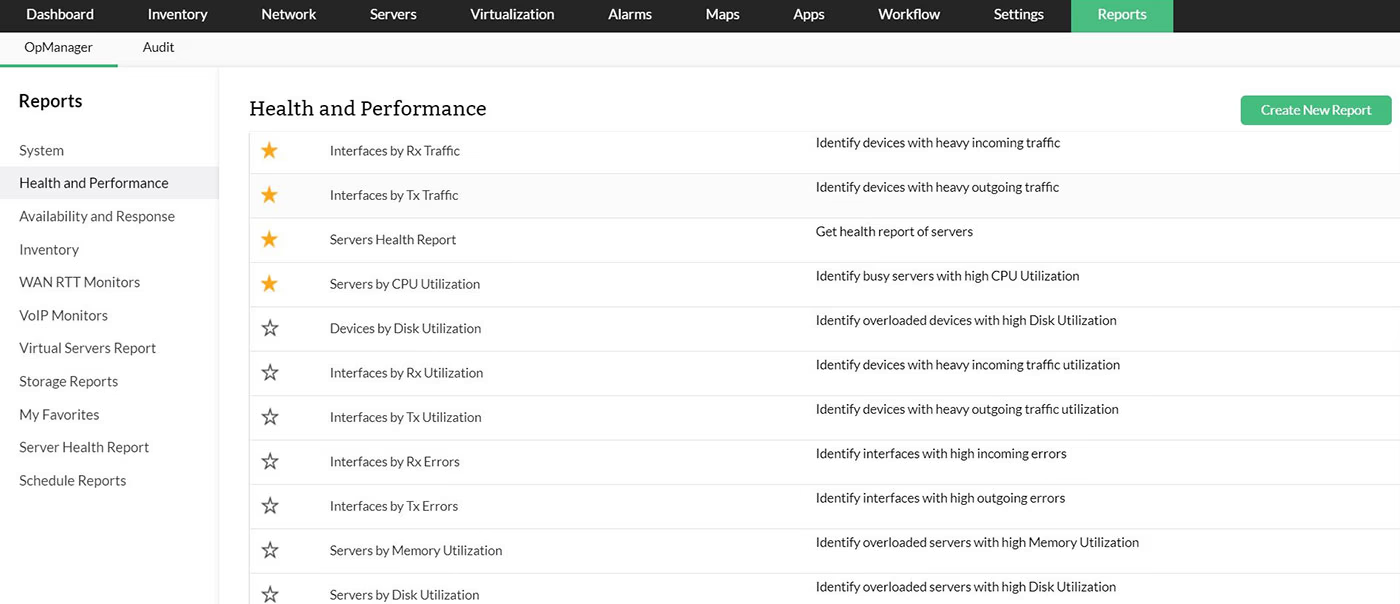
OpManager's VMware server monitoring tool has over 70 out-of-the-box reports on CPU, memory, disk , network utilization and other VMware performance metrics for hosts and VMs. These reports can be exported in pdf and xls format and come handy in troubleshooting utilization spikes(try the CPU utilization per VM report alongside CPU ready time reports), identifying resource utilization trends and in making the right capacity addition decisions. All the ‘top reports’ can be scheduled and automatically emailed to desired recipients.
VMware events
Get updates about the events in your VMware environment
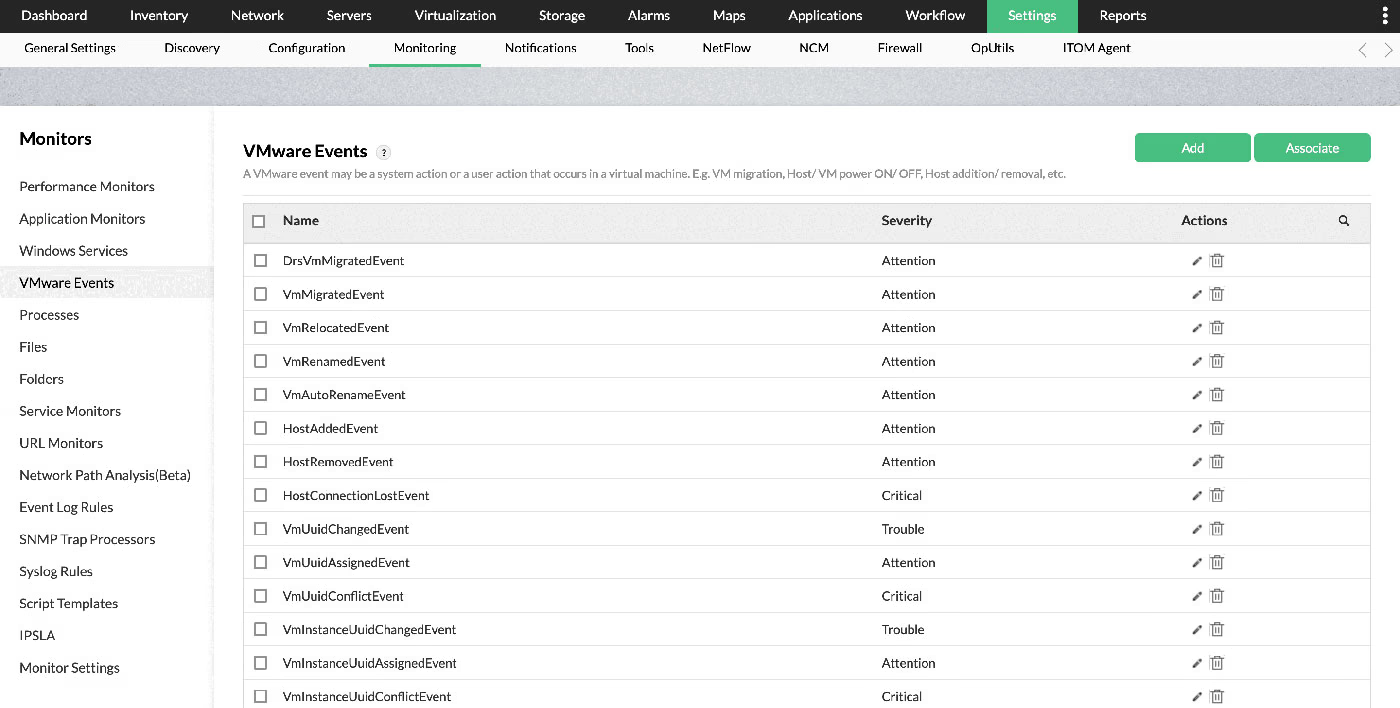
Be alerted of the events happening across your VMware vCenter, clusters, ESX hosts, and VMs. This includes events like VM migration, relocation, host addition, removal, and more. OpManager has around 24 events preconfigured for instant VMware Performance Monitoring with options to add more events. All you have to do is to configure the severity of each events and OpManager will do the rest.
VMware maps
Map virtual hosts, devices, and relationships
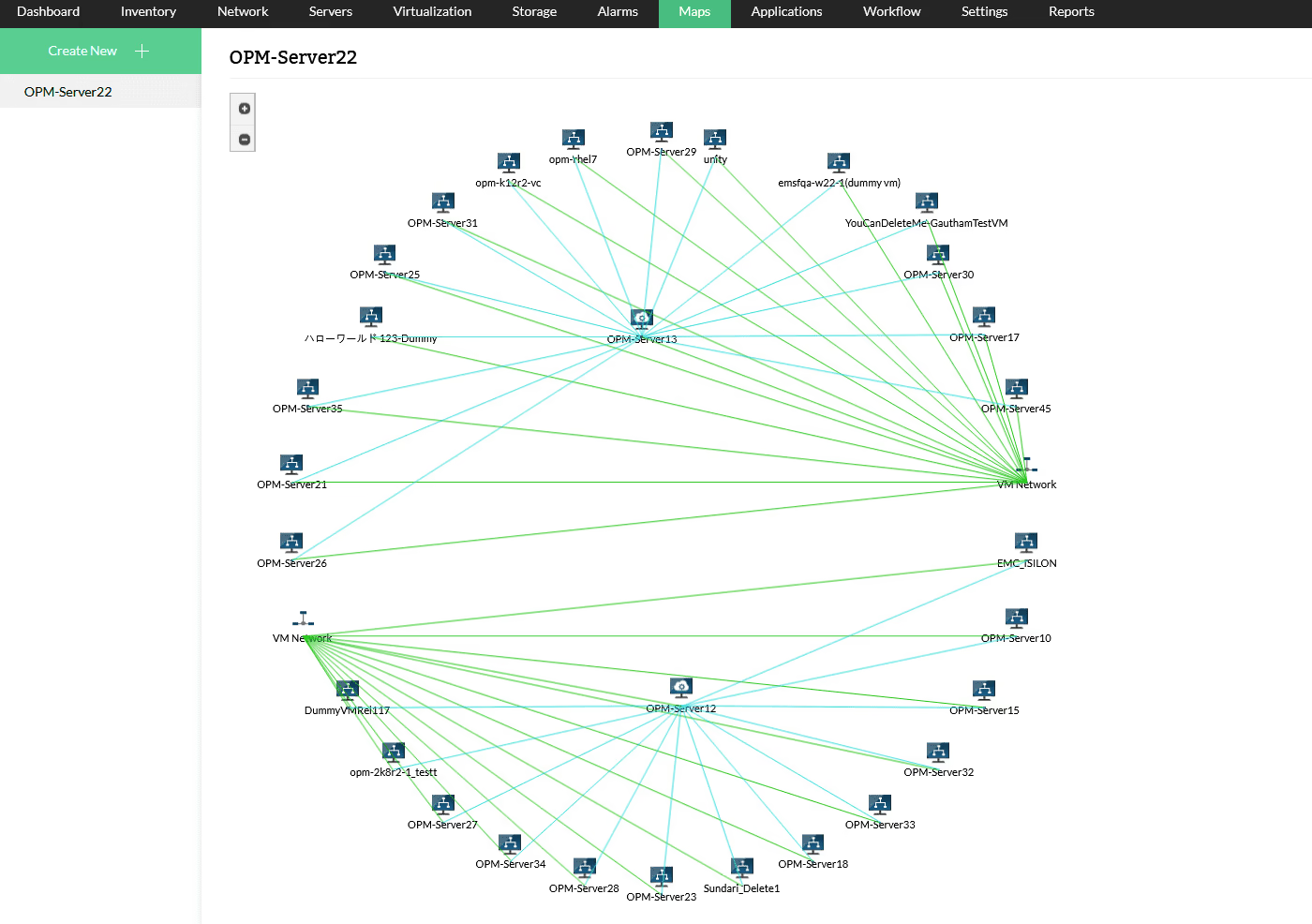
Virtual maps plot virtual hosts, VMs and the relationships between them to provide deep visibility into virtual environments. This brings about multiple advantages: You can track all the VMs running in your network, identify dependencies, and visualize the logical flow between your servers. OpManager can map hosts to VMs, hosts to the network, hosts to datastores, VMs to the network, and VMs to the datastores.
OpManager's VMware management toolalso helps monitor your vSphere environment proactively, and ensures that you obtain the best performance out of your network. Visit our page on vSphere monitoring to know more on how OpManagercan help you monitor your vSphere environment.
FAQs for Vmware monitoring
What is VMware monitoring?
+What are the benefits of monitoring VMware?
+How to monitor VMware performance?
+More on VMware/ vSphere monitoring
- Blog
- E-book
- Help
Critical metrics in VMware
Get to know the 5 essential metrics to monitor in your VMware environment.
Take me thereEssential VMware ESXi monitoring best practices
Grab this e-book to learn about the best practices in VMware ESXi monitoring
Take me thereMonitoring VMware with OpManager
Learn the pre-requisites for monitoring VMware ESX/ESXi servers with OpManager
Take me thereFeatured
More on OpManager



Simplify network monitoring with OpManager. Try it now for free.
Download Free 30 day TrialCustomer reviews
OpManager
OpManager - 10 Steps Ahead Of The Competition, One Step Away From Being Unequalled.
- Network Services Manager, Government Organization
Review Role: Infrastructure and OperationsCompany Size: Gov't/PS/ED 5,000 - 50,000 Employees
"I have a long-standing relationship with ManageEngine. OpManager has always missed one or two features that would make it truly the best tool on the market, but over it is the most comprehensive and easy to use the product on the market."

OpManager
Easy Implementation, Excellent Support & Lower Cost Tool
- Team Lead, IT Service Industry
Review Role: Infrastructure and OperationsCompany Size: 500M - 1B USD
"We have been using OpManager since 2011 and our overall experience has been excellent. The tool plays a vital role in providing the value to our organisation and to the customers we are supporting. The support is excellent and staff takes full responsibilities in resolving the issues. Innovation is never stopping and clearly visible with newer versions"
OpManager
Easy Implementation With A Feature Rich Catalogue, Support Has Some Room For Improvement
- NOC Manager in IT Service Industry
Review Role: Program and Portfolio ManagementCompany Size: 500M - 1B USD
"The vendor has been supporting during the implementation & POC phases providing trial licenses. Feature requests and feedback is usually acted upon swiftly. There was sufficient vendor support during the implementation phase. After deployment, the support is more than adequate, where the vendor could make some improvements."
OpManager
Great Monitoring Tool
- CIO in Finance Industry
Review Role: CIOCompany Size: 1B - 3B USD
"Manage Engine provides a suite of tools that have made improvements to the availability of our internal applications. From monitoring, management and alerting, we have been able to peak performance within our data center."
OpManager
Simple Implementation, Easy To Use. Very Intuitive.
- Principal Engineer in IT Services
Review Role: Enterprise Architecture and Technology InnovationCompany Size: 250M - 500M USD
"Manage Engine support was helpful and responsive to all our queries"