Free VM Health Monitor
–Free VMware Esx and VMware Esxi monitoring tool
- Monitor Vmware Esx server
- Monitor Vmware Esxi server
- Vmware host resources like CPU, Memory, Disk Details
- Monitor Virtual Machine(VM ) and Guest OS Resources
- Network Bandwidth Usage Monitoring
- Real time monitoring tool
- Easy to learn and use
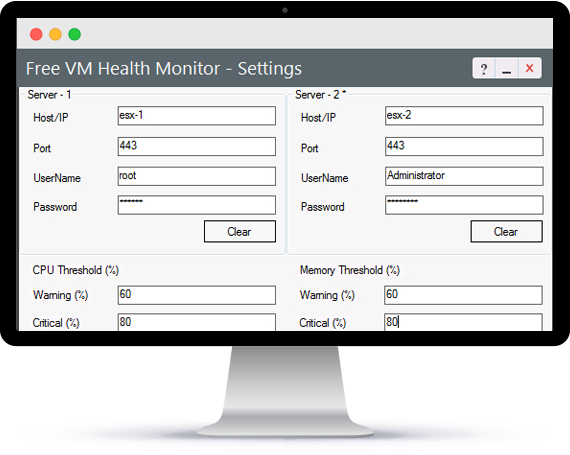
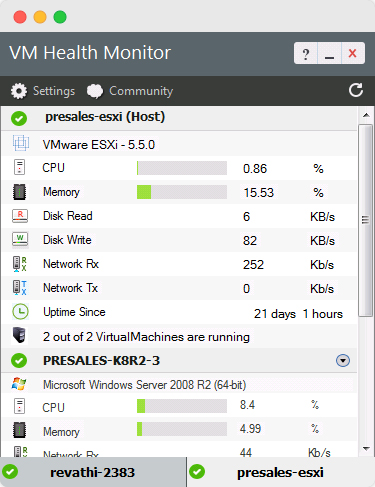
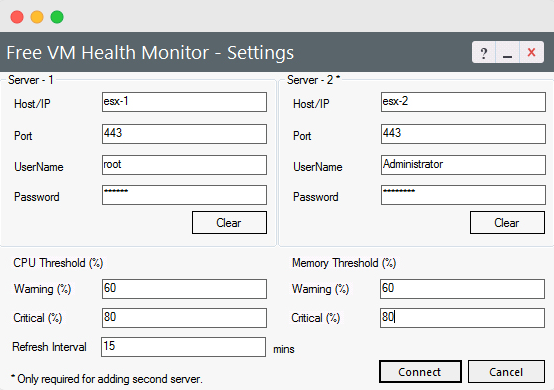
Free Vmware MonitoringOverviewVirtual servers, as opposed to real physical servers, provide great cost benefits. This encourages people to run many applications and services on the virtual servers. The applications, services, together with the virtual servers, need to be up and running all the time. Any outages or performance degradation in the virtual servers, will affect the applications and services running on them, resulting in a bad user–experience and eventually affecting many users. Hence it becomes imperative to monitor and manage those virtual servers continuously. The Free "ManageEngine VM Health Monitor" tool will address this monitoring requirement. The ManageEngine VM Health Monitor tool, as the name implies, monitors important parameters of VMWare ESX and VMWare ESXi servers. The tool fetches comprehensive data about the servers and presents them as visually elegant graphs and reports. The relevant data, graphs and reports are displayed in a desktop tool dashboard providing wealth of information about the real–time functioning of the virtual servers. The "ManageEngine VM Health Monitor" tool can monitor two VMWare servers simultaneously. The best part is that the tool is made available, absolutely FREE of cost. VMWare Monitoring with ManageEngine VM Health Monitor Free ToolManageEngine VM Health Monitor tool provides an exclusive VMWare ESX ⁄ VMWare ESXi monitoring, as a desktop tool dashboard. It shows the actual resource utilization of the virtual servers alongwith CPU and memory utilization for each guest OS on the VMWare ESX ⁄ VMWare ESXi server. The dashboard quickly shows how many virtual machines are present, how many are powered on⁄off or suspended, how much CPU and memory are allocated to ⁄ consumed by each virtual machine etc., in an intuitive bar graph. Using the tool, administrator can also set threshold values for CPU and memory usage, like critical and warning thresholds. If at all, the virtual servers behave abnormally and the CPU and memory utilization dangerously crosses the threshold limits, alert signals are shown in the dashboard tool. The IT administrator can then effortlessly manage instances to prevent server crash, or bring back the serveres to normal functioning state. The ManageEngine VM Health Monitor tool comes handy. The ManageEngine Free VM Health Monitor tool serves as a smart desktop tool that continuously monitors VMWare ESX and VMWare ESXi servers and their virtual machines, giving real–time monitoring. The tool helps to track virtual server’s health and ensures your mission–critical applications run smoothly. Read more Overview
|