Free VM Health Monitor
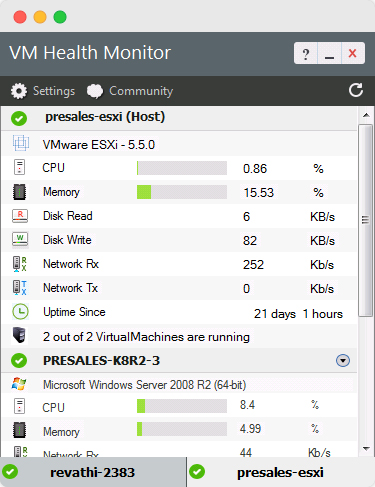
- Monitor the performance of VMware ESX & ESXi servers
- Get key virtual machine statistics like CPU, memory & disk utilization
- Keep a tab on both host and guest OS resources
- Get to know the network bandwidth usage
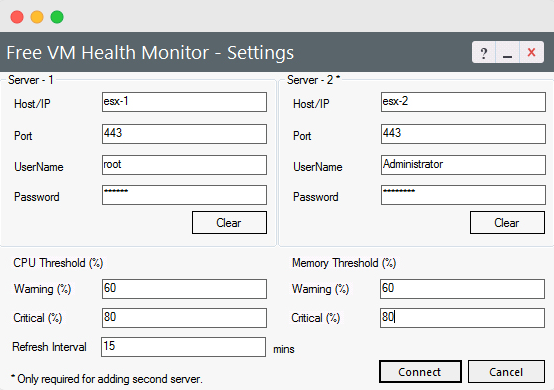
- Utilize the threshold settings and keep performance degradation at bay
- Refresh the VMware performance statistics in real time
White paper
AIOps 2.0: The future of IT operations
Learn to deliver resilient, high-performing IT ecosystems at scale with next-gen AIOps.
Report
State of Observability 2025
A report on adoption, challenges, and the path forward

Monitor virtual environments holistically using OpManager
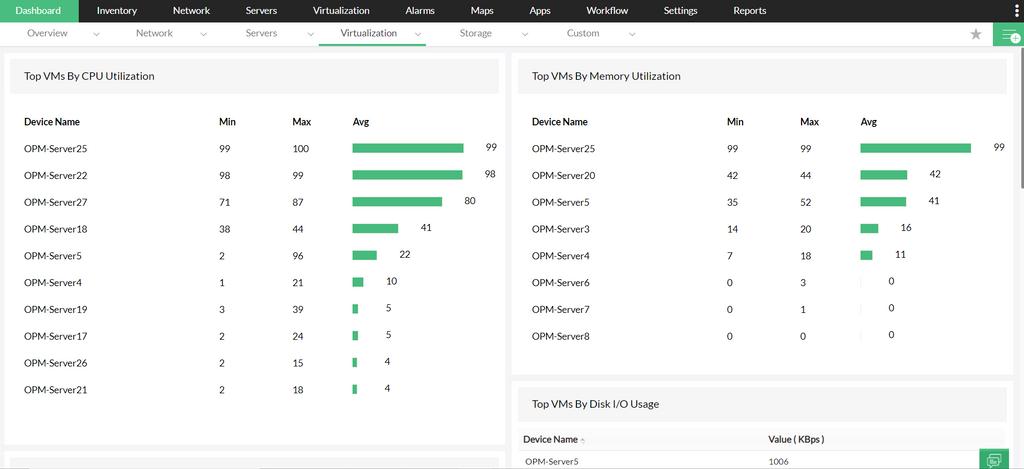
- VM monitoring functionalities to monitor VMware ESX/ESXi servers, HyperV, Xen servers and the related guest virtual machines.
- Detailed insights on the performance and health of the host servers
- Ensure peak performance of the ESX/ESXi servers, helping administrators extend the uptime of virtual servers with proactive monitoring
- Out-of-the-box reports, option to set thresholds, fault and alarm management and performance monitors for virtual machines



Monitor VMware ESXi servers on a large scale with Applications Manager
- Applications Manager offers VMware ESX/ESXi and Vcenter/Vsphere performance monitoring solutions with detailed insights into the server performance, instant alerts and a robust analytic module to ensure ideal performance of VMware services.