
- Overview
- Configuration
Have I Been Pwned
Ensure password security with ADSelfService Plus and HIBP integration
Security/Privacy Tool
Have I Been Pwned (HIBP) is an online service that lets users check whether their passwords have been exposed in known data breaches by cross-referencing a comprehensive database of compromised credentials. Integrating ADSelfService Plus with HIBP, organizations can enhance overall password security policies and safeguard accounts from potential risks, which stops users from choosing weak or hacked passwords during password resets and updates.
Identify compromised passwords
Check passwords against HIBP’s breached password database to ensure they have not been exposed in previous data breaches.
Enforce strong password practices
Restrict users from setting weak or compromised passwords, improving password security for account resets and updates.
Integrating Have I Been Pwned API service with ADSelfService Plus
Prerequisite:
- The firewall should have the outbound connection to api.pwnedpasswords.com
Steps to enable Have I Been Pwn
- Log in to ADSelfService Plus as default Admin.
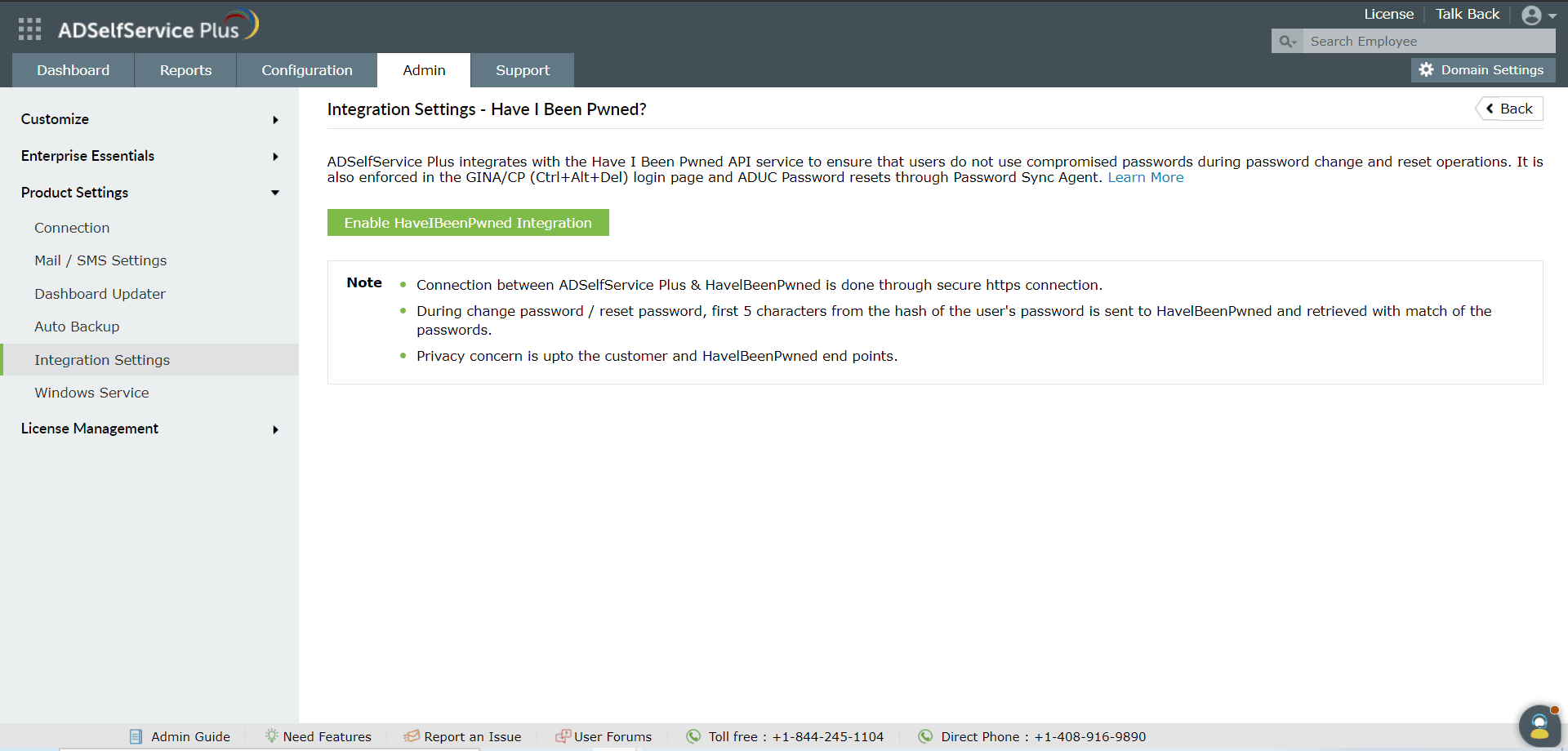
- Navigate to Admin → Product Settings → Integration Settings.
- Click the Have I Been Pwned? tile.
- Click Enable HaveIBeenPwned Integration