

- Free Edition
- Quick Links
- Highlights
- Exchange Online
- Exchange Online Management
- Exchange Online Reports
- Exchange Online Auditing
- Exchange Online Monitoring
- Shared Mailbox Management
- Mailbox Usage Reports
- Exchange Online Mailbox Auditing
- Shared Mailbox Reports
- Exchange Online Delegation
- Mailbox Size Reports
- Mail Traffic Reports
- Non-owner Mailbox Access Report
- Public Folder Reports
- OWA Reports
- Mailbox Content Reports
- Entra ID
- Entra ID Management
- Entra ID Reports
- Entra ID Monitoring
- Entra ID Auditing
- User Management
- Contact Reports
- Security Group Reports
- License Reports
- Entra ID Delegation
- Microsoft 365 User Provisioning
- User Reports
- Distribution Group Reports
- Group Reports
- Inactive Exchange Users
- Entra ID User Auditing
- Entra ID Group Auditing
- Entra ID Logon Auditing
- Microsoft Teams
- OneDrive for Business
- SharePoint Online
- Security and compliance
- Other Features
- Related Products
- ADManager Plus Active Directory Management & Reporting
- ADAudit Plus Hybrid AD, cloud, and file auditing and security
- ADSelfService Plus Identity security with MFA, SSO, and SSPR
- Exchange Reporter Plus Exchange Server Auditing & Reporting
- M365 Security Plus Microsoft 365 Auditing and Alerting
- EventLog Analyzer Real-time Log Analysis & Reporting
- SharePoint Manager Plus SharePoint Reporting and Auditing
- DataSecurity Plus File server auditing & data discovery
- RecoveryManager Plus Enterprise backup and recovery tool
- AD360 Integrated Identity & Access Management
- Log360 (On-Premise | Cloud) Comprehensive SIEM and UEBA
- AD Free Tools Active Directory FREE Tools
Managing Microsoft Teams using the native admin center can be a challenge, especially in environments with complex requirements or multiple tenants. Jumping between menus to tweak settings or manage users can eat up your time, especially if you’re juggling multiple tenants or trying to enforce consistent policies. Keeping everything organized, secure, and running efficiently can feel like an uphill battle when you’re stuck with limited tools and visibility.
That’s where M365 Manager Plus steps in. It brings everything you need into one place, helping you streamline these tedious admin tasks, enforce governance without the headache, and stay on top of security with ease. It’s the smarter, simpler way to keep your Teams environment and your admins active.
A simplified Microsoft Teams management tool
Navigating a maze of menus in Teams to make sure every user has the right permissions, the process can become tedious and error-prone. Even routine tasks, like creating teams or organizing channels, can quickly snowball into a time-consuming task that eats into your day.
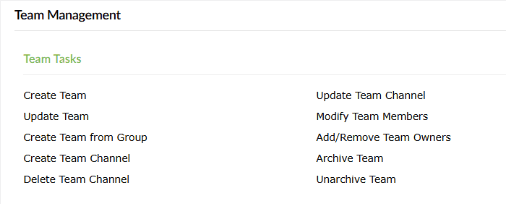
M365 Manager Plus brings all of your essential Teams management tasks in a single window and one-ups the Teams admin center with its bulk management using CSV. Create and manage Teams, channels, and their memberships without having to feed in data over and over.
Manage Microsoft Teams and channels with ease
- Execute bulk management tasks effortlessly
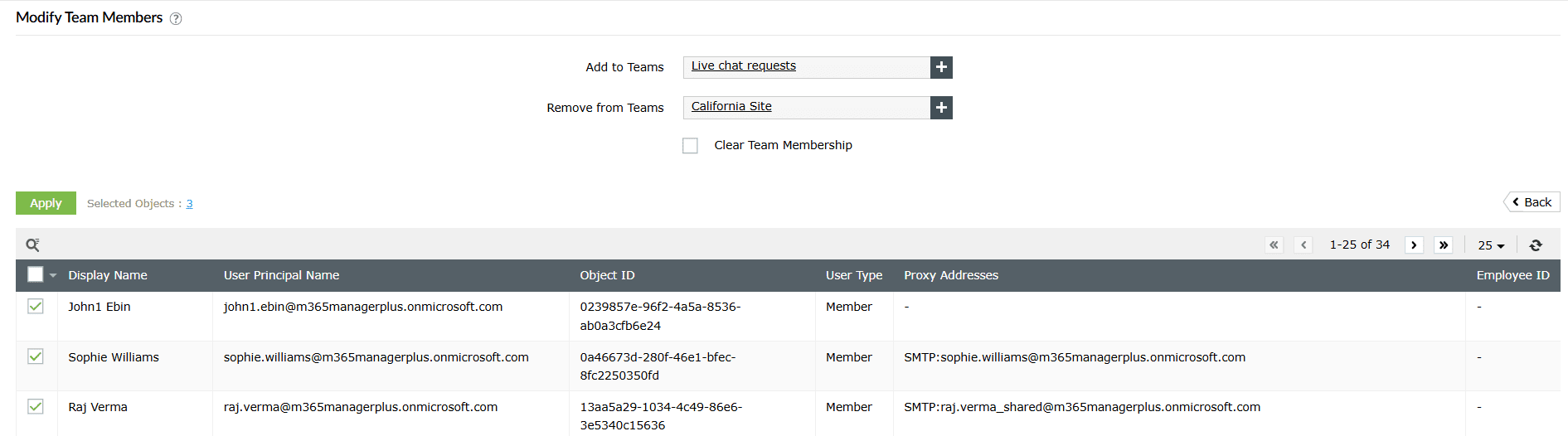
- Multitude of script-free tasks that can be run in a few clicks


Comprehensive and accessible Microsoft Teams analytics
Understanding how your organization uses Microsoft Teams is essential for making informed decisions.
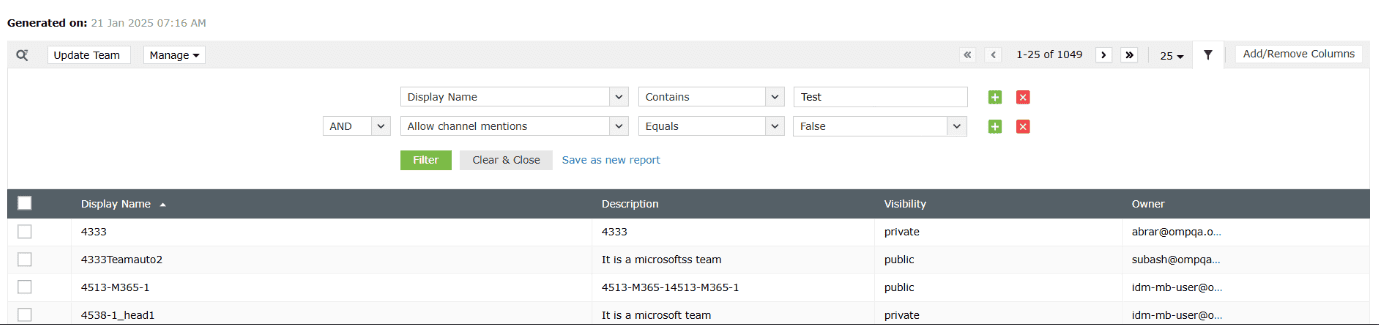
M365 Manager Plus provides detailed Teams usage reports on user activity, Teams channels, their statistics, team creation trends, inactive teams, and more, all in an easy-to-read format. With its customizable and exportable reports, M365 Manager Plus ensures your data is always accessible when you need it.
Visualize your Microsoft Teams insights
- Create your own personalized reports
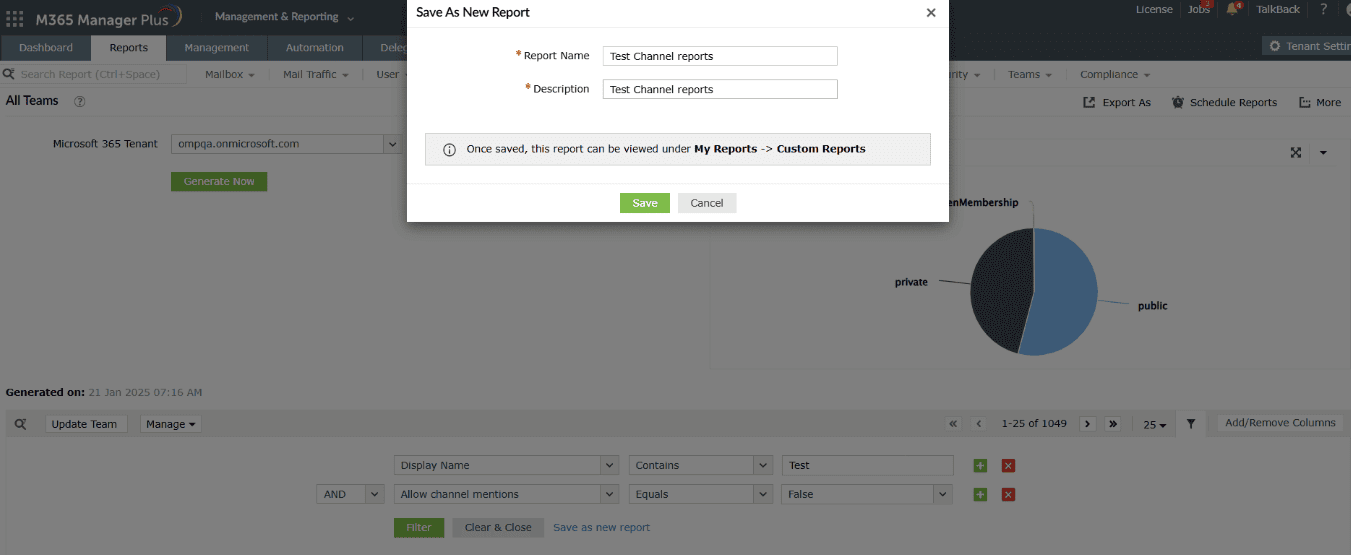
- Schedule reports and access them instantly

- Filter your reports to the letter


Real-time Microsoft Teams audits
Wouldn’t it be great to know exactly what’s going on in your Teams environment, as it happens? M365 Manager Plus' real-time audit reports keep you in the loop about important changes, such as a new member being added to your Teams, a setting being tweaked, or a channel being updated. You’ll always have a complete picture of what’s happening, so you can spot unusual activity early and stay ahead of the game.
Monitor Teams activity and prevent risks
- Create your own personalized audit profiles
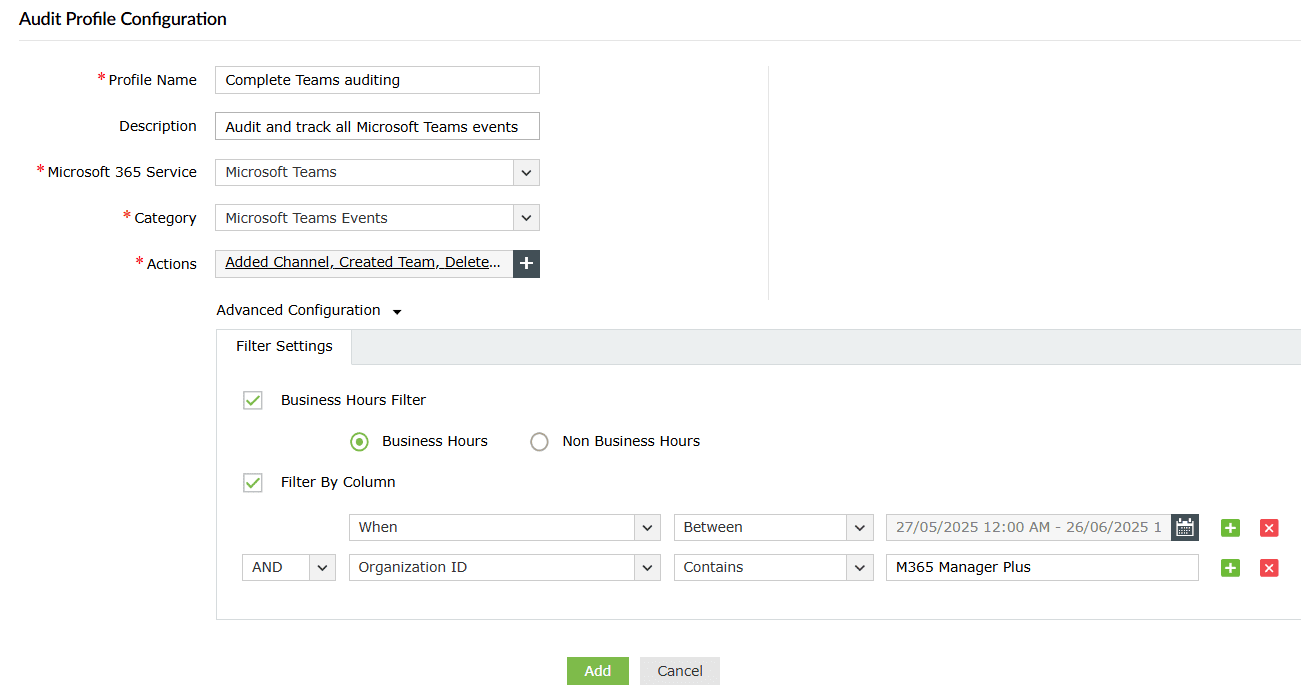
- Schedule audits and store them effortlessly
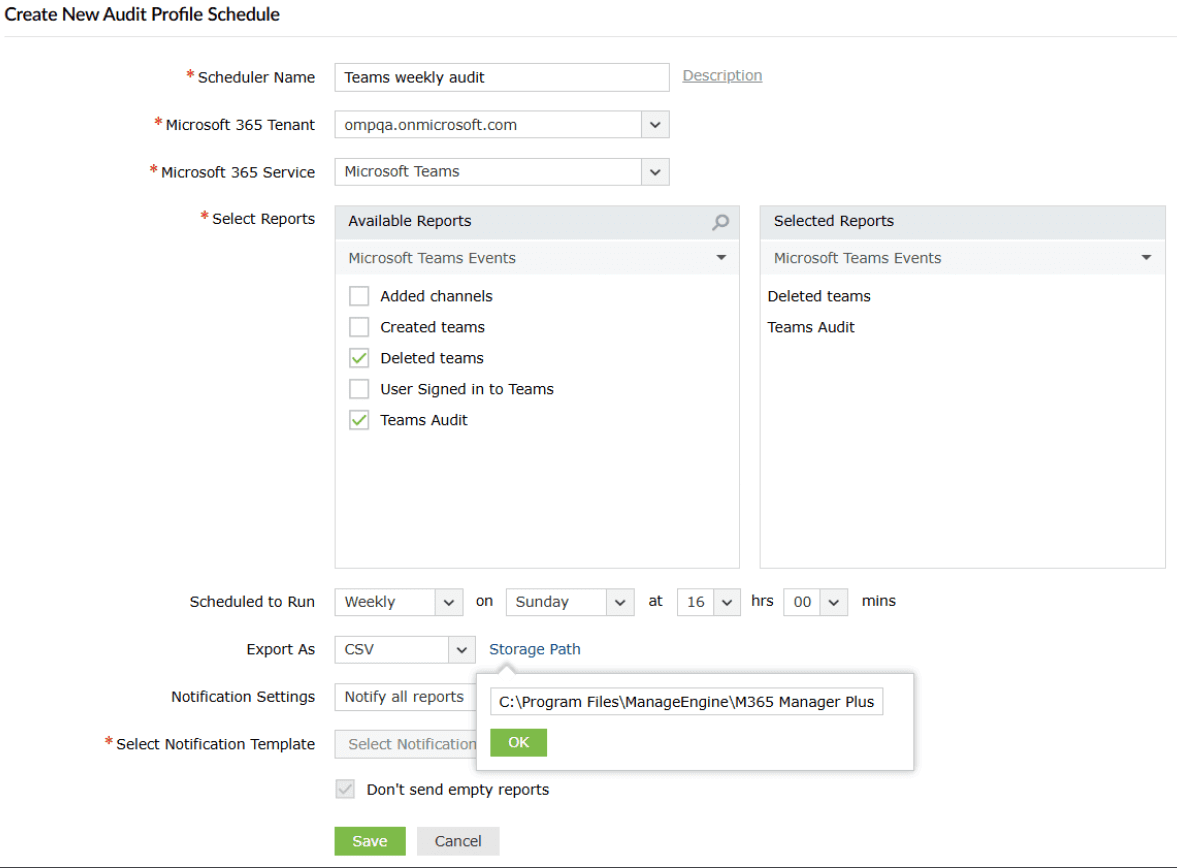
- Apply detailed filters to your audits
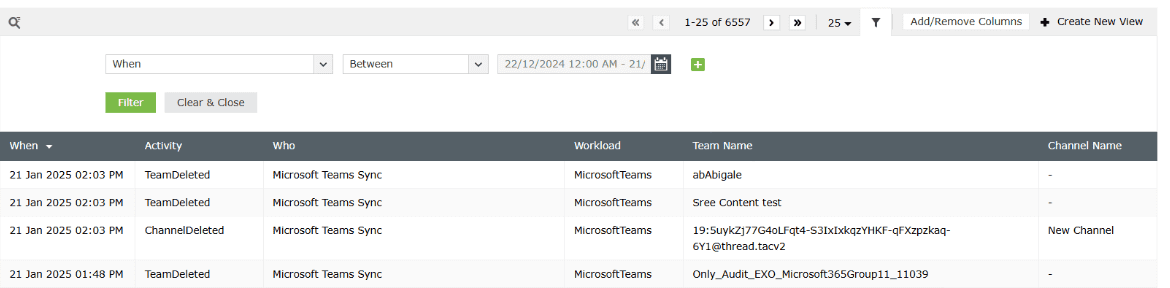
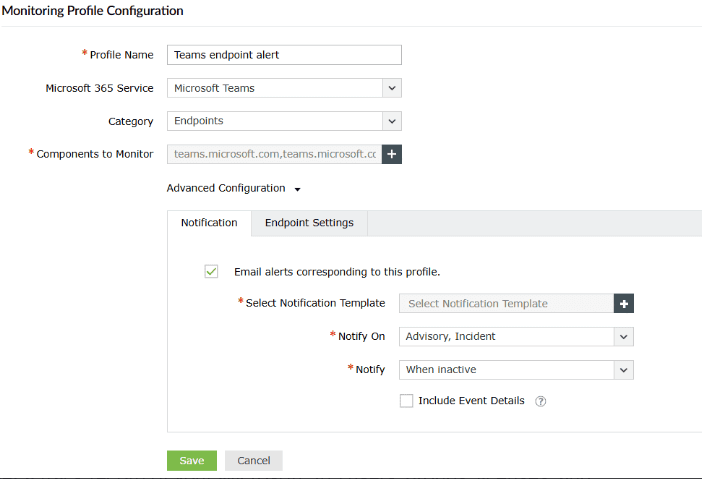
- Stay informed of crucial events with real-time alerts


Track availability and endpoints with Microsoft Teams monitoring
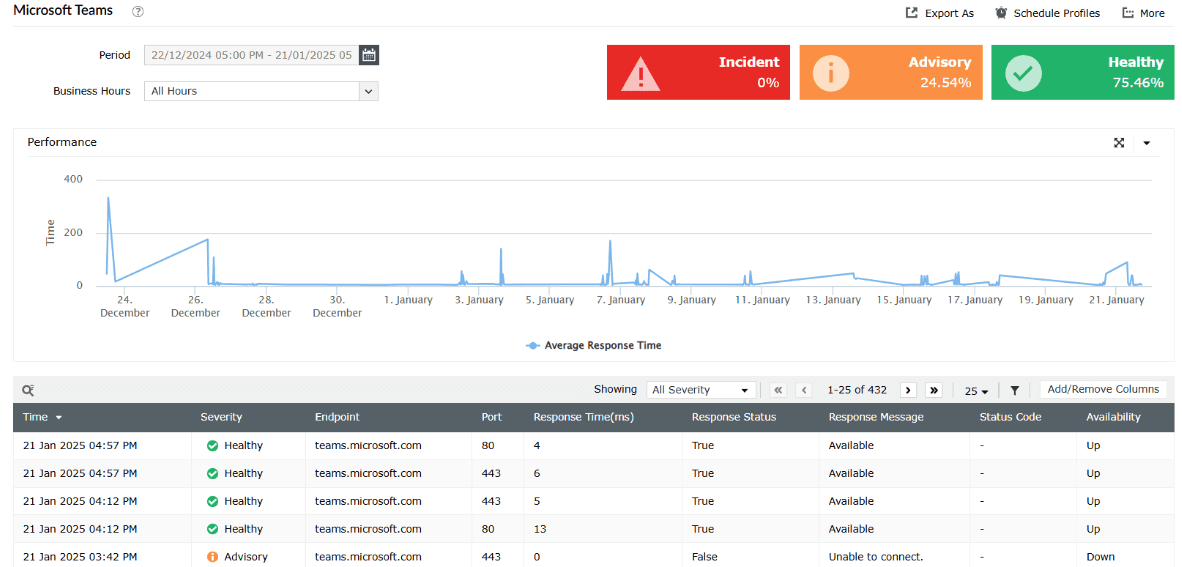
Nobody likes a bad surprise, especially when it comes to Teams downtime. M365 Manager Plus helps you keep an eye on things with real-time monitoring of service health and endpoint availability. With historic log retention, you can track past incidents and identify recurring issues, giving you the insights to prove your compliance.
Monitor Microsoft Teams availability and incidents
- Track issue history and service updates
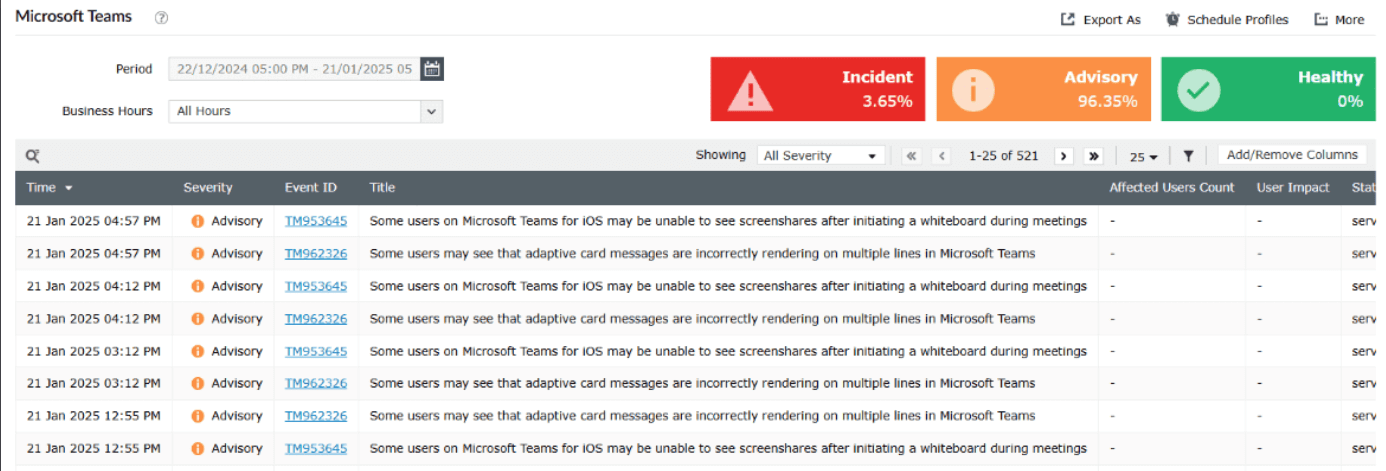
- Get response rates of endpoints in a few clicks
- Set up alerts for severe incidents and stay notified


Other services supported by M365 Manager Plus
- Microsoft Entra ID
Get a track record of your Microsoft 365 users, groups, licenses, and applications, and provision them seamlessly.
- Exchange Online
Monitor and manage mailboxes and their permissions, audit for changes to properties, and run scheduled Content search audits.
- SharePoint Online
Keep a close eye on file sharing and storage activities in your users' OneDrive for Business folders.
- OneDrive for Business
Keep a close eye on file sharing and storage activities in your users' OneDrive for Business folders.