Network inventory management for multi-vendor devices
Get a centralized, configuration-aware inventory of your routers, switches, firewalls, and other network devices in ManageEngine Network Configuration Manager
- Add devices through SNMP discovery, CSV import, or manual entry.
- Filter and group devices by vendor, model, hardware, and configuration status.
- Track configuration changes and export hardware, firmware, and audit reports.
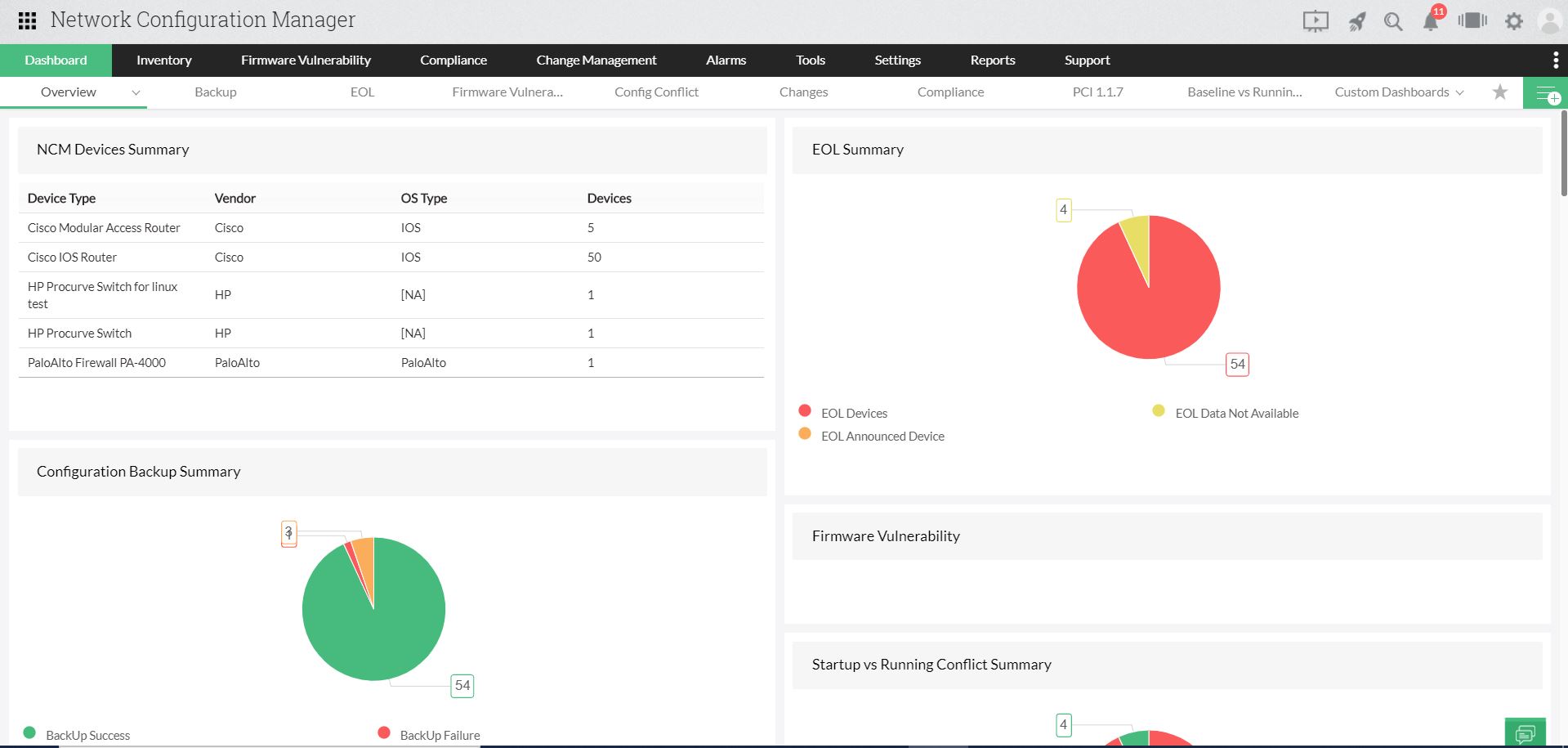
Why do you need network inventory management?
Networks constantly change as teams add, replace, and reconfigure switches, routers, and firewalls. Spreadsheet-based inventory quickly becomes outdated, leaving devices overlooked, firmware versions untracked, and configuration changes undocumented. When outages or audits occur, teams lack a reliable record of what changed. Network inventory management replaces manual tracking with a centralized record of every device, its hardware details, configuration status, and change history.
Your entire network device inventory, managed from one console
Build a centralized inventory without manual data entry
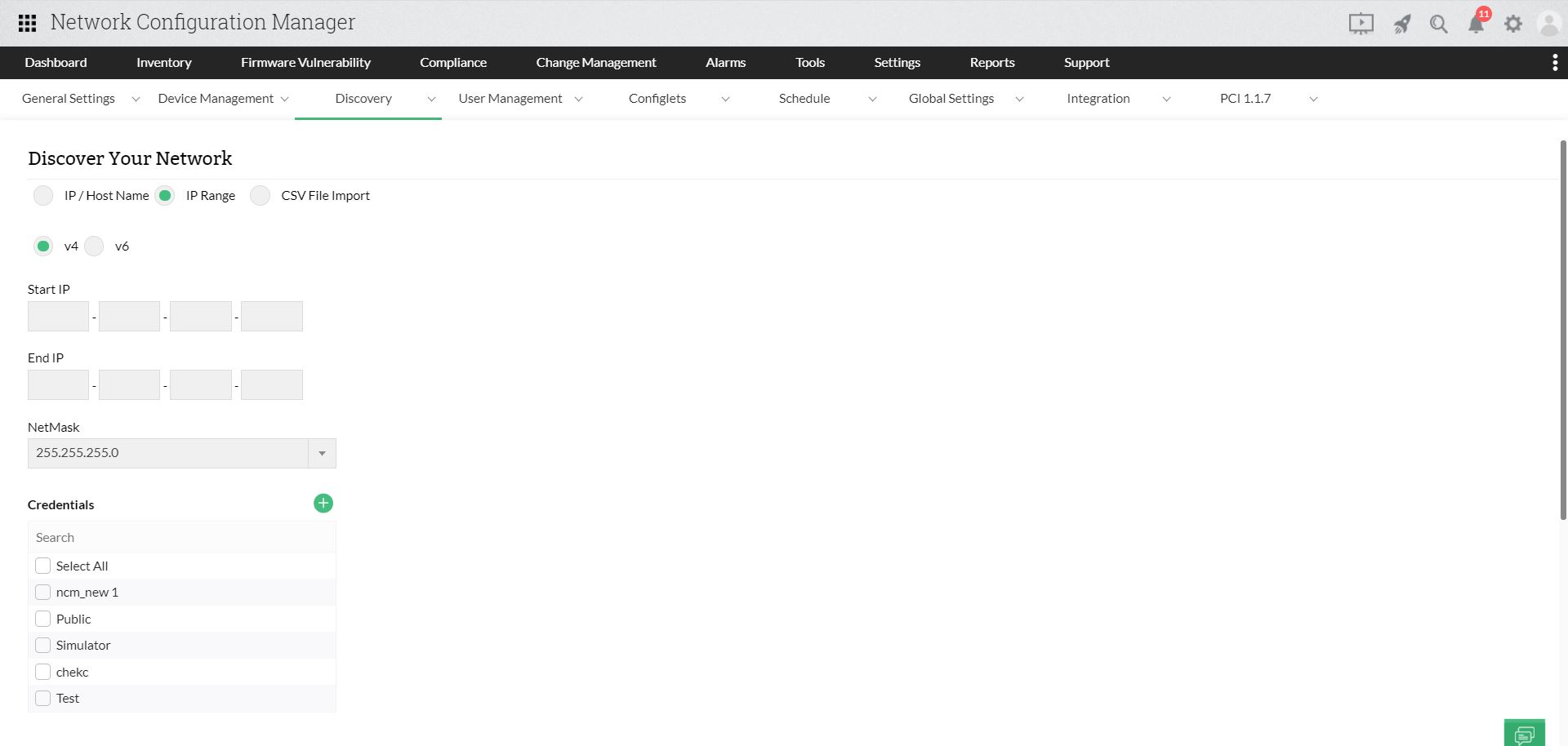
Onboard devices your way. Network Configuration Manager discovers SNMPv3,v2, and v1-enabled devices individually or in bulk, while allowing manual addition or import of devices SNMP cannot reach. All devices appear in one inventory with their hardware and configuration details.
- Discover a single device by IP address or host name, or scan an entire IP range.
- Import devices in bulk from a text or CSV file, or add non-SNMP devices manually.
- Add verified devices that failed discovery straight from the Discovery Reports tab.
- View hardware and configuration details in one place. Schedule automated discovery and periodic validation to identify newly connected devices and keep inventory details up to date.
Find the exact devices you need in seconds
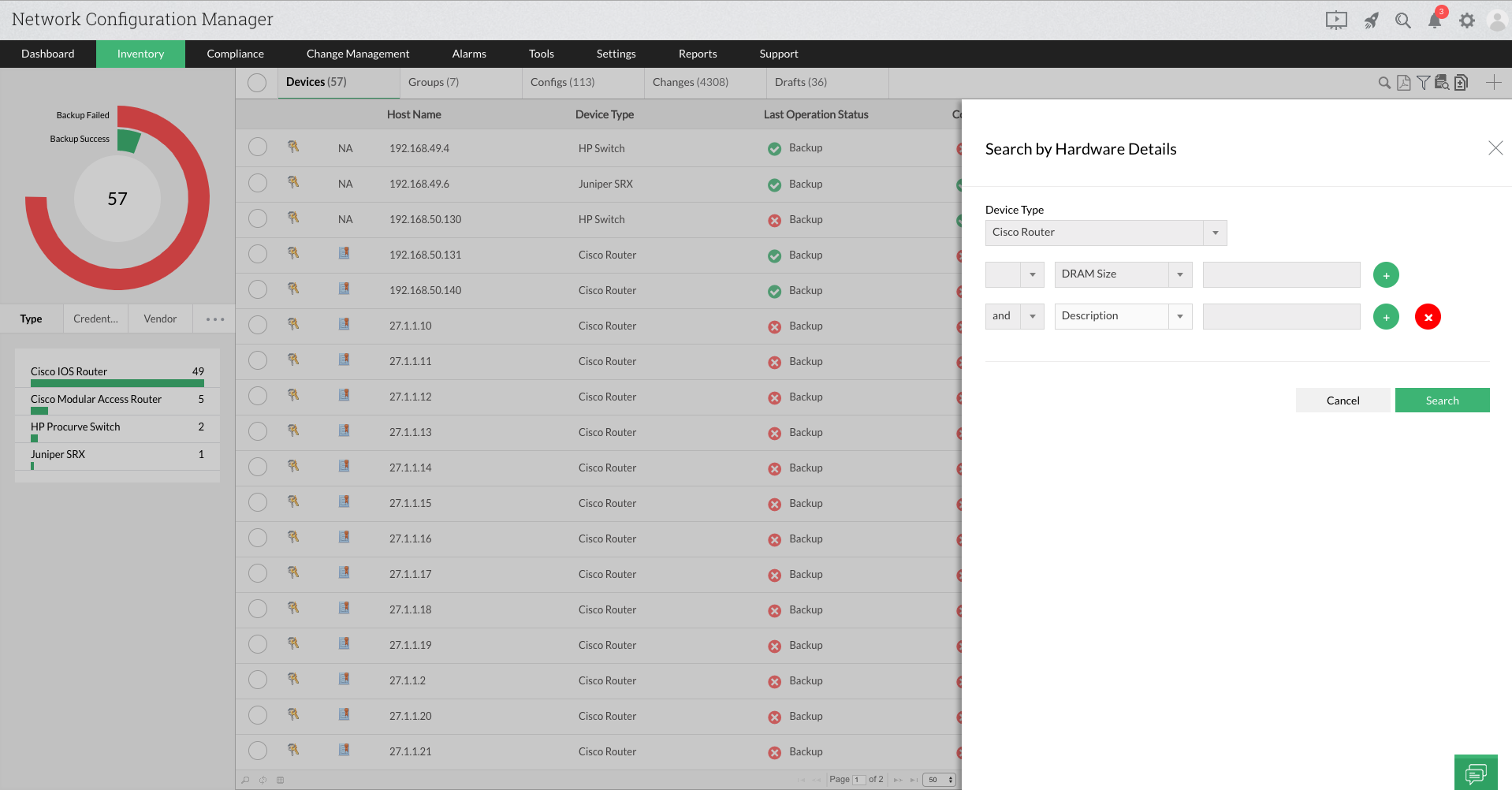
Instead of scrolling through hundreds of records, narrow your inventory with filters and show only the details your team needs. Pinpoint devices quickly during hardware replacements, upgrades, troubleshooting, and audits.
- Filter by vendor, device type, series, and model, for example, to list every Cisco switch.
- Search by hardware details and combine conditions with AND/OR criteria.
- Choose the columns you see, such as host name, series, and OS version.
- Keep your custom view across sessions and locations until you change it.
Organize devices into groups that update themselves
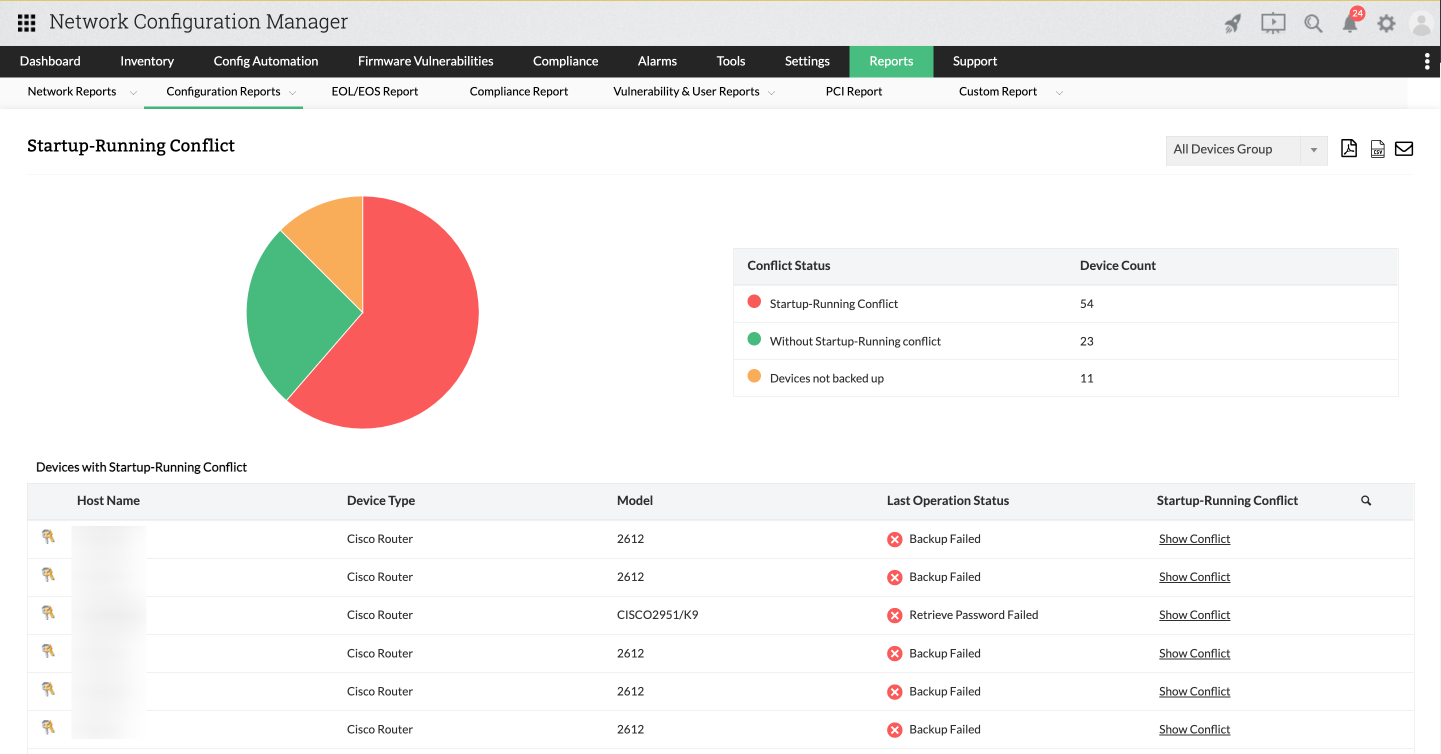
Group devices by vendor and type, or by operational status such as backups, compliance, and startup-running configuration conflicts. Groups update as status changes, so a device in the startup-running conflict group moves to the sync group once its configurations match.
- Build groups from criteria or hand-picked devices, and combine groups into a super group.
- Track backup status, compliance status, and configuration conflicts as live groups.
- Set credentials and run backups, configuration uploads, and change management for a whole group at once.
- Generate inventory reports for any single device group.

Know what changed, when, and whether it was authorized
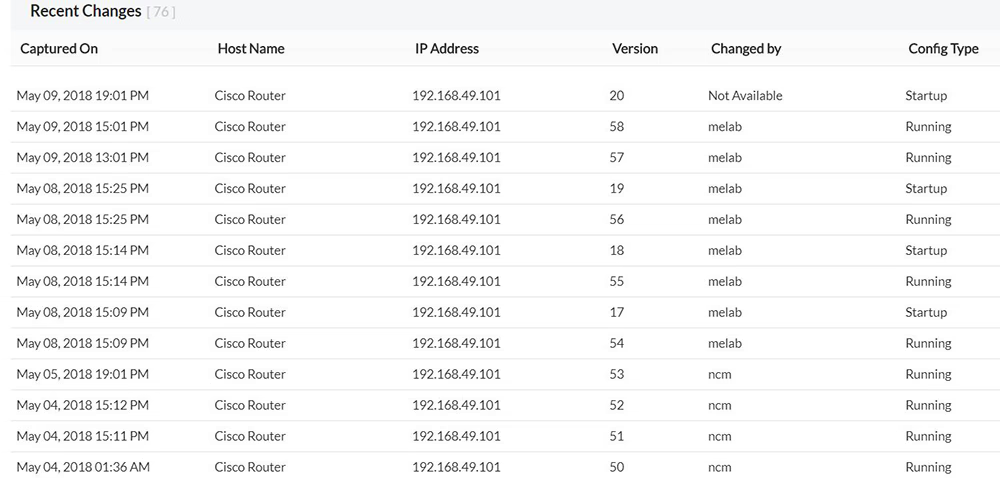
An inventory tells you what you have; change tracking tells you how it has changed. Review configuration activity from the Config and Changes views, and enable real-time change detection on supported devices to catch modifications as they happen.
- See what changed, in which configuration, and the exact date and time.
- See whether each change was authorized or unauthorized. By default, changes made through Network Configuration Manager are marked authorized, while changes made directly on devices are marked unauthorized. You can also configure specific device usernames as authorized.
- Analyze change trends over a chosen time span with the change trend chart.
- Use the Device Audit Report to see who ran each operation, what it did, and when.
Search every configuration and compare versions side by side
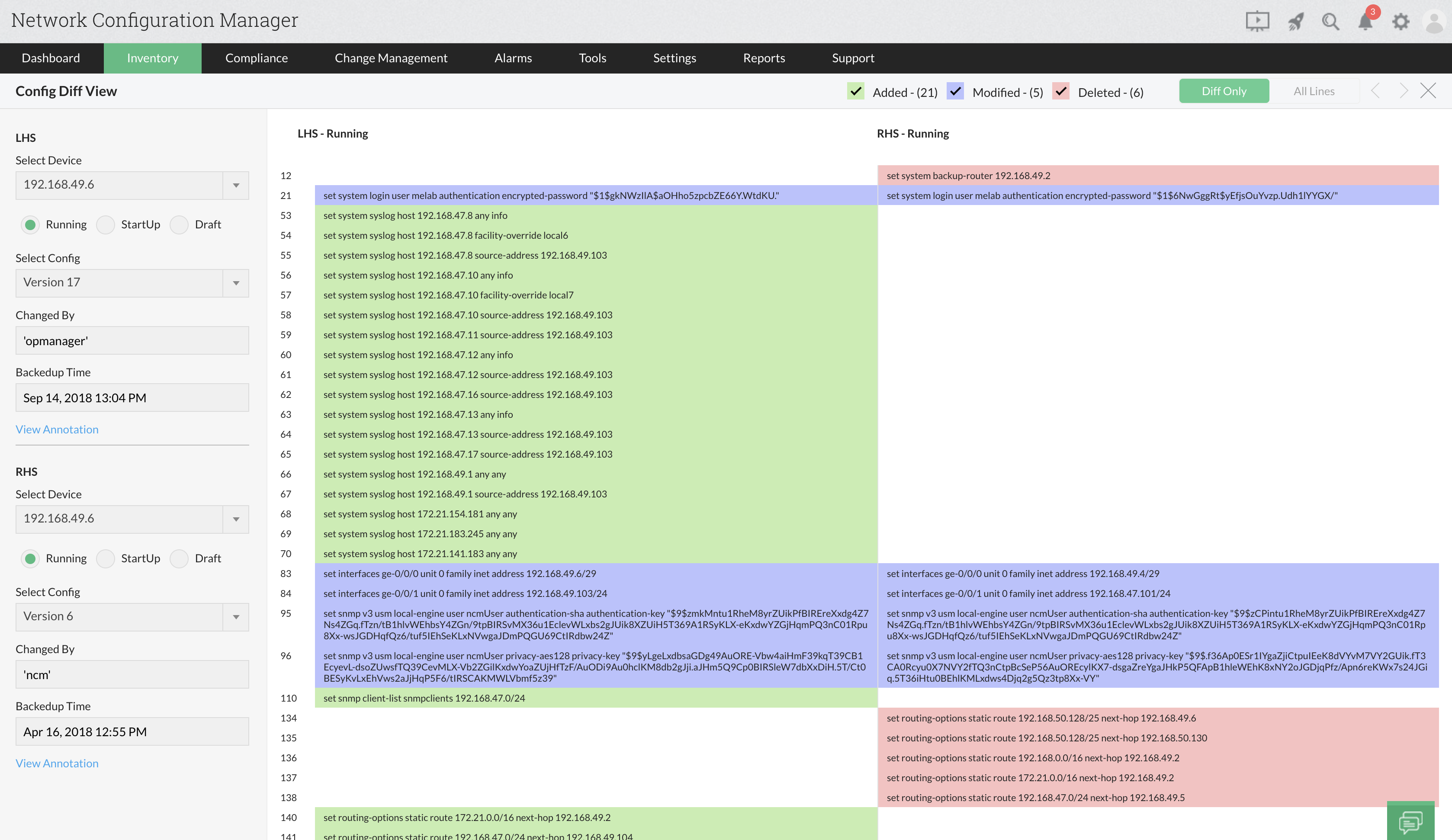
Find any command, string, or line across stored device configurations, then compare versions to see exactly what’s different. Use it to investigate unexpected changes or check consistency across devices.
- Search all stored configurations for a specific string or line.
- Build advanced searches with multiple strings, contains or does not contain, line starts or ends with, and AND/OR criteria.
- Compare two versions of one device’s configuration, or configurations from different devices, in Diff View.
- Read changes at a glance: added lines in green, deleted in red, and modified in blue.
Turn inventory data into audit-ready reports
Dedicated reports summarize device, hardware, firmware, and health details for your whole network or a single device group. Export them or email them to stakeholders in a few clicks.
- Hardware inventory report: View serial numbers, OS versions, CPU, DRAM, flash details, and end-of-life (EOL) and end-of-support (EOS) information.
- Device and firmware inventory reports: Summarize device counts by type, series, and model, and also track OS types and firmware versions across devices.
- Network health status report: Review last backup status, startup-running configuration sync, and compliance status in one view.
- Export reports as PDF or CSV (Excel for reports such as Hardware Inventory), or send them by email.
Multi-vendor support, out of the box
Built-in support for 7,000+ device models from 120+ vendors.
Routers and switches
- Cisco
- Juniper
- HPE
- Arista
- Extreme Networks
- Huawei
- Dell
Firewalls and security
- Palo Alto Networks
- Fortinet FortiGate
- Check Point
- Cisco ASA and Firepower
- Juniper SRX
- SonicWall
- WatchGuard
Wireless, load balancers, and more
- Aruba
- Ruckus
- Ubiquiti
- F5 BIG-IP
- Citrix ADC
- A10 Networks
- Riverbed
Get configuration management and network maps in one console
Network Configuration Manager is also available as an add-on for ManageEngine OpManager. Import the devices OpManager already monitors, then see where each one sits and how it connects.
Layer2 topology maps
Map device interconnections automatically using LLDP, CDP, ARP, FDB, and IPROUTE, and keep maps current with scheduled rediscoveries.
Geographic maps
Place devices on Zoho Maps or Google Maps to see how your network spreads across sites.
Business views
Drag devices onto custom backgrounds to map the services they support and check their status at a glance.
3D floor/rack views
Visualize data center floors and racks in 3D, locate devices, and identify faulty ones by color.
Frequently asked questions (FAQ) about network inventory management
Explore common questions about managing network inventory with Network Configuration Manager.
Resources to dig deeper
How to automate network configuration and change management
Learn how to take control of your network device configurations using ManageEngine Network Configuration Manager.
- » Network Configuration Manager Overview
- » Network Configuration Manager Features
- » 30-Day Free Trial
- » Release Notes
- » Upgrade Packs
- » Online Store
- » Get Quote
- » Live Demo
- » User Manual
- » Flyer
- » System Requirements
- » Supported Device Models
- » Blogs
- » White Paper Request
- » Best Practices
- » Customers
- » Testimonials
- » Contact Us
- » Schedule Configuration Backup
- » Configuration Versions
- » Firmware Upgrade
- » Configuration Change Tracking
- » Change Management Rules
- » User Activity Tracking
- » Compliance Monitoring
- » Intuitive Reports