Syncing Layer2 relationships from OpManager to ServiceDesk Plus
With SDP OD integrated with OpManager, users can sync the Layer 2 device relationships from OpManager to ServiceDesk Plus. The layer 2 devices and their corresponding relationships, can be viewed from ServiceDesk Plus console now. This integration, enables network admins to visualize the connected devices directly within ServiceDesk Plus's console.
Follow the below steps to sync devices from OpManager to ServiceDesk Plus
- Sync devices from OpManager to ServiceDesk Plus OP
- Sync devices from OpManager to ServiceDesk Plus cloud
How to sync devices from OpManager to ServiceDesk Plus OP?
You can sync devices from OpManager to ServiceDesk Plus by carrying out the following steps:
- Under OpManager console, navigate to "Settings -> General settings -> Third Party integrations"
- In the third party integrations page, click on ServiceDesk Plus and configure the ServiceDesk Plus settings.
- Now under the Asset settings, turn on the "Sync devices to SDP" and "Sync device relationships to SDP" options.
- Click on Save.
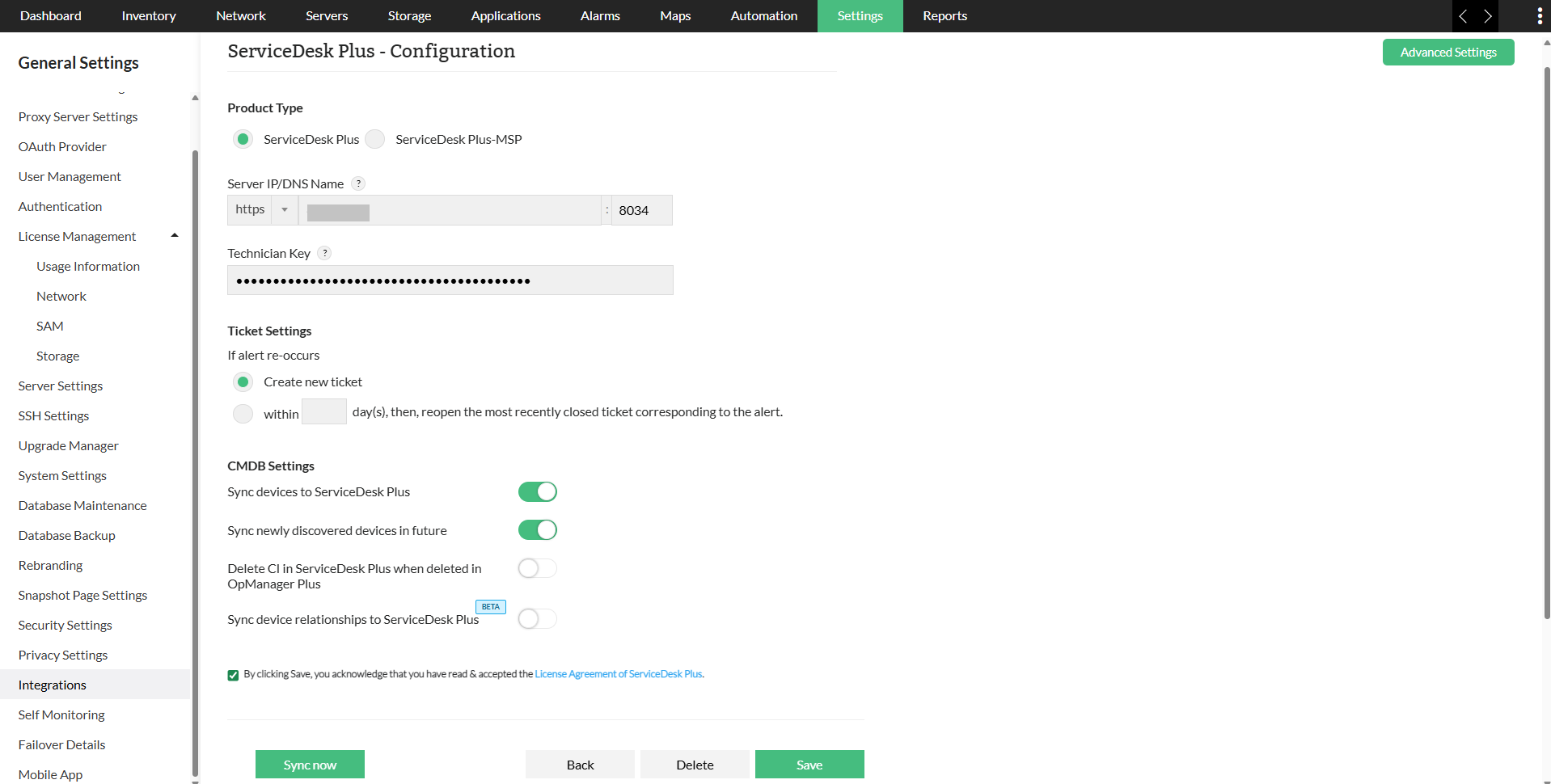
The devices and relationships are now successfully synced from OpManager to ServiceDesk Plus. You can now view the devices and their corresponding relationships from ServiceDesk Plus console.
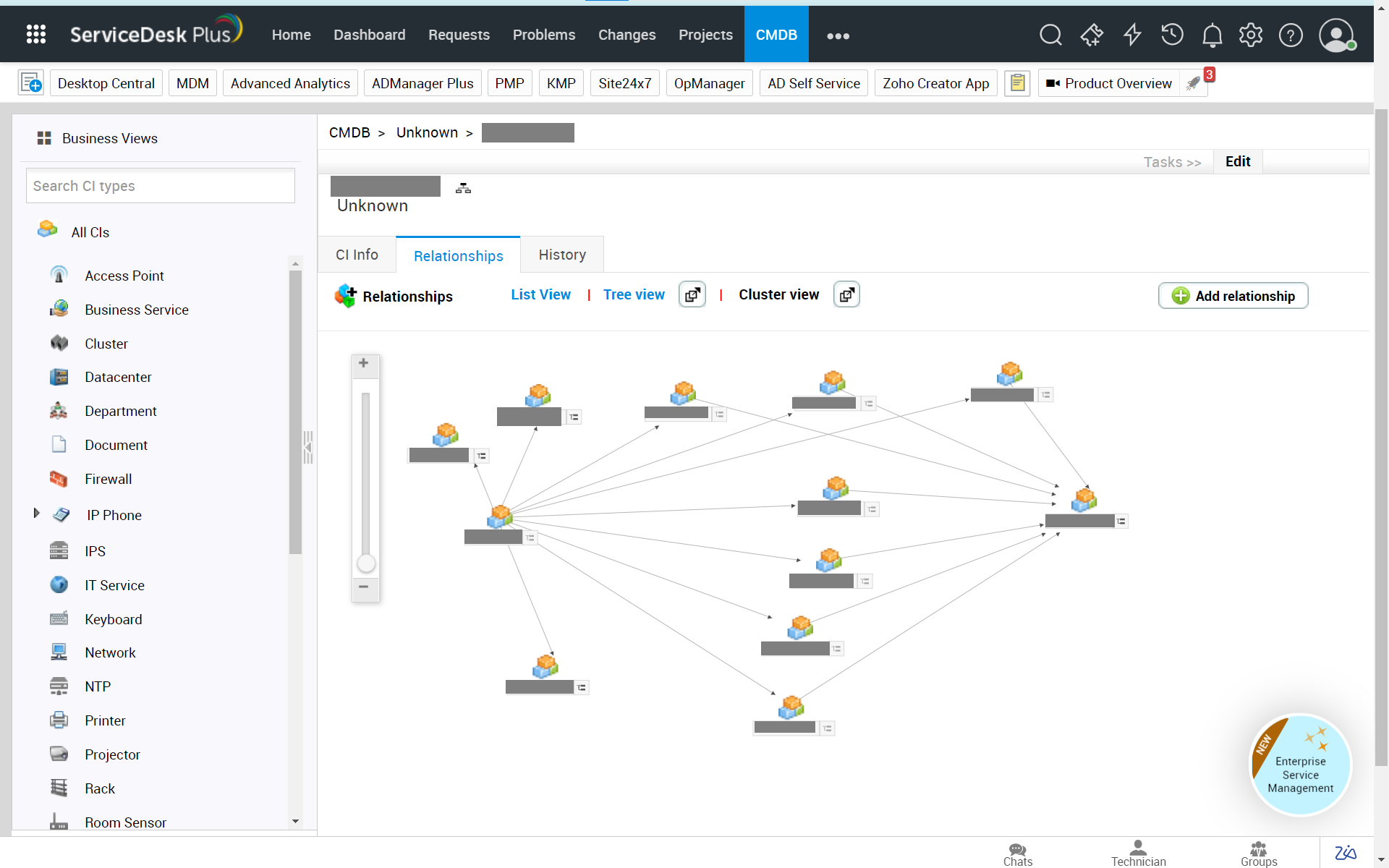
How to sync devices from OpManager to ServiceDesk Plus cloud?
You can sync devices from OpManager to ServiceDesk Plus cloud by carrying out the following steps:
- Under OpManager console, navigate to "Settings -> General settings -> Third Party integrations"
- In the third party integrations page, click on ServiceDesk Plus Cloud and configure the ServiceDesk Plus Cloud settings.
- Fill the portal settings and grant token details in the repsective fields.
- Now under the CMDB settings, turn on the "Sync newly discovered devices in future" and "Sync device relationships to SDP cloud" options.
- Click on Save.
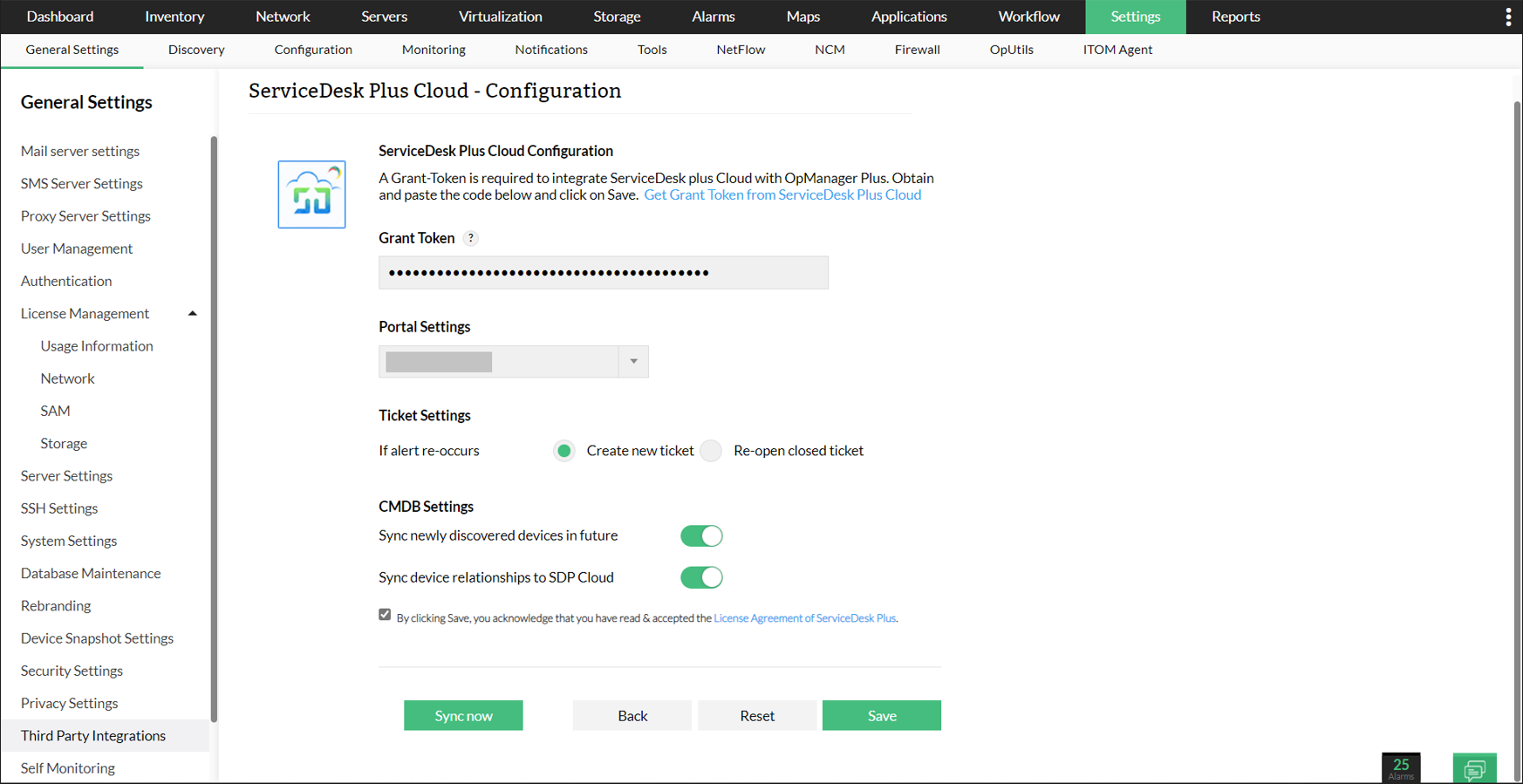
The devices and relationships are now successfully synced from OpManager to ServiceDesk Plus. You can now view the devices and their corresponding relationships from ServiceDesk Plus console.
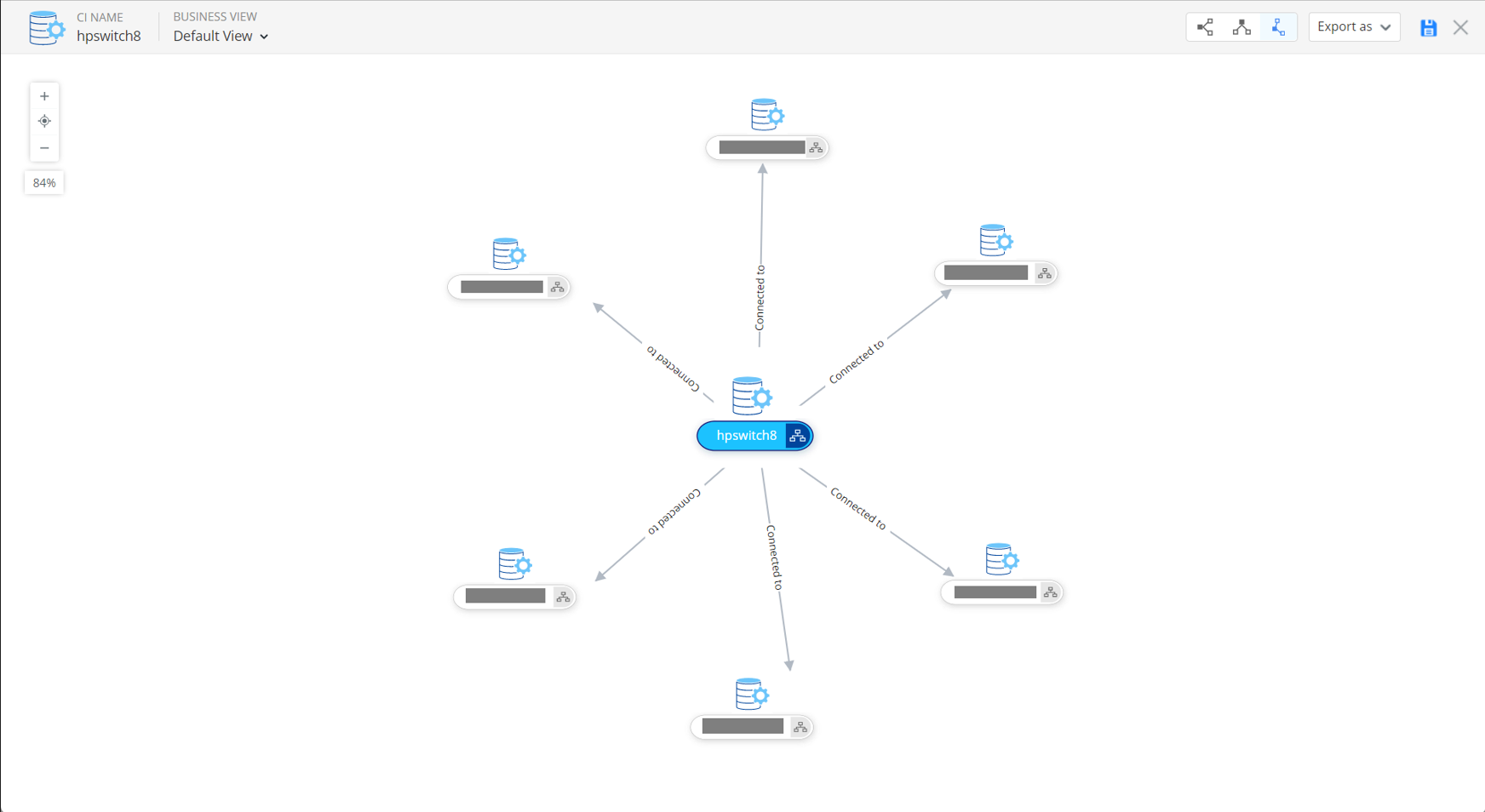
Advantages of syncing devices from OpManager to ServiceDesk Plus:
- Helps users with impact and root cause analysis.
- Provides users with a better visualization of the network, thereby helping them understand the topology of their network.
- With the relationships synced, users can now easily identify faults and rectify them at the earliest.
- The relationships are also now synced, which enables users to understand about the device connections.
To know about the steps to integrate OpManager with ServiceDesk Plus OP, click here. To know about the steps to integarte OpManager with ServiceDesk Plus Cloud, click here.