An Azure Active Directory (AD) manager refers to an individual who holds a managerial position in the organization. The manager's role primarily deals with organization hierarchy, access control, and delegation. If there is a change in the management structure, updating the manager for a particular user in Azure AD allows the organization to reflect the current management hierarchy accurately. ADManager Plus, a unified Active Directory, Microsoft 365, Exchange, and Google Workspace management and reporting tool, can also be used to accomplish this task. The cmdlet in the table below can be used to remove a user's manager in Azure AD.
The following table is a comparison on how to update a user's manager in Azure AD using PowerShell scripts and ADManager Plus.
Steps to update a user's manager using PowerShell scripts:
Where <ObjectId> refers to the ID of the user, <RefObjectId> refers to the ID of the Azure AD object that is to be designated as the owner, manager, or member, <ActionPreference> describes the way in which this cmdlet reacts to an information event, and refers to the information variable.
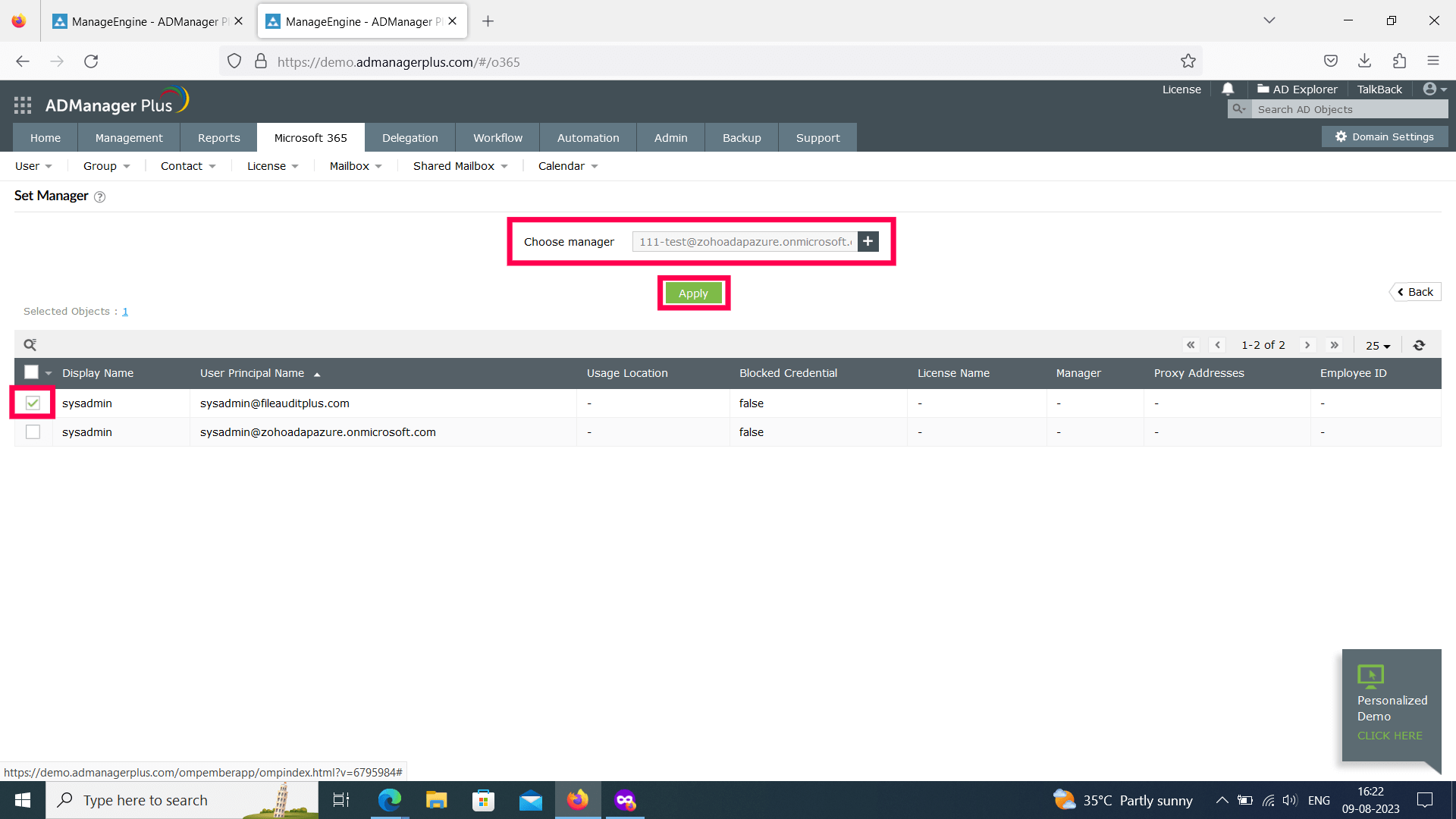
Steps to update a user's manager using ADManager Plus:
Simplify Azure AD management and reporting with ADManager Plus
Get 30-day free trial.Your download should begin automatically in 15 seconds. If not, click here to download manually.
For AD User Management
For AD User Reporting
For GPO Management
For Password Management
For AD Group Management
For File Access Management
For AD Computer Management
For Office 365 Management
For Exchange Management
For Microsoft Graph PowerShell
Entra ID user management
Entra ID reporting
Entra ID group management and reporting
Entra ID domain management
Entra ID contact management and reporting
Other Entra ID tasks
For Windows Powershell
For AD User Management
For AD User Reporting
For GPO Management
For Password Management
For AD Group Management
For File Access Management
For AD Computer Management
For Office 365 Management
For Exchange Management


