The following is a comparison between the steps required for generating a report on AD users that have a specific CN with the Get-ADUser cmdlet of Windows PowerShell and ADManager Plus.
Screenshot
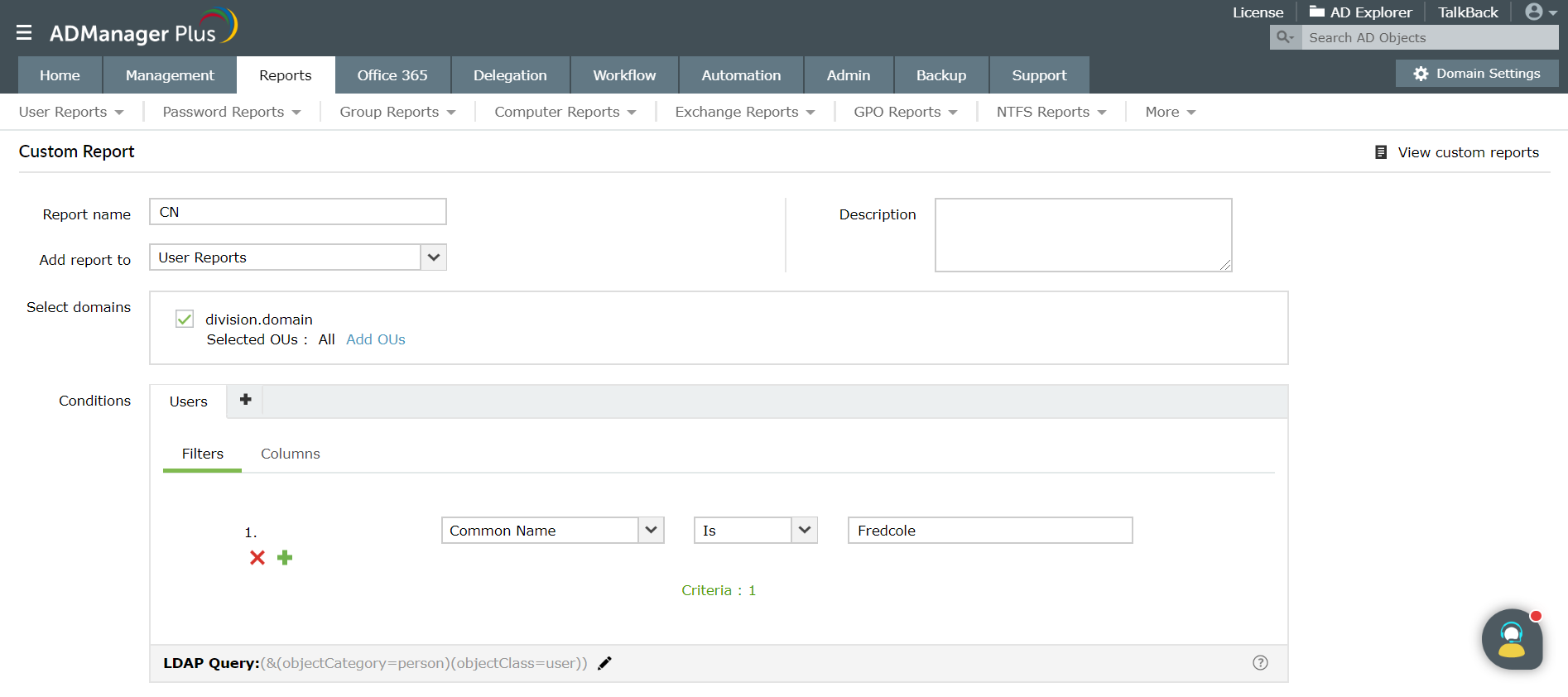
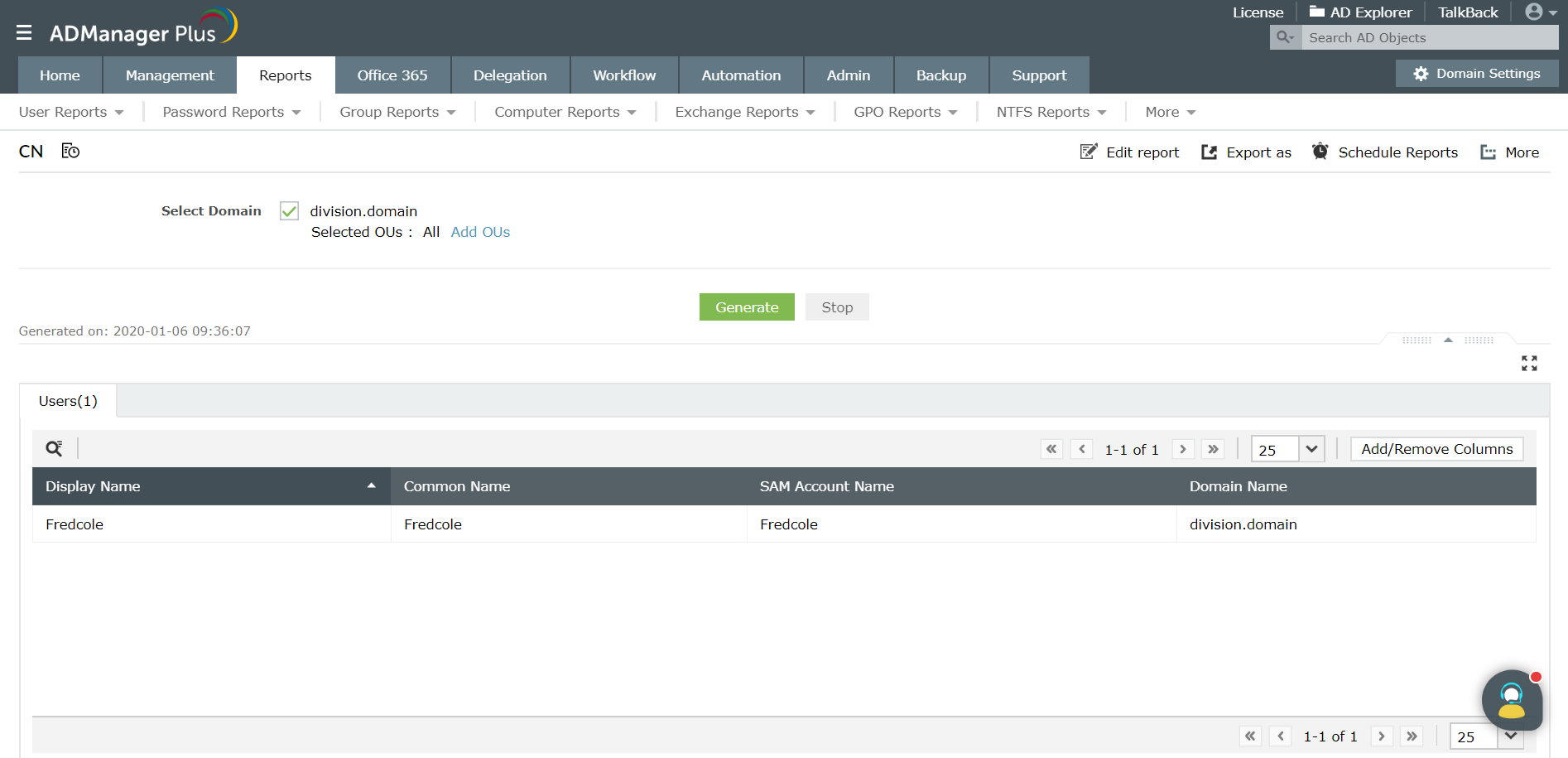
In Active Directory (AD), the Get-ADUser cmdlet performs a domain-wide search of the AD database using filters to retrieve users having a specific CN . However, using Get-ADUser cmdlet to retrieve the users with a specific CN can prove to be a difficult task because:
Therefore, a better and easier way to generate AD reports is by using ADManager Plus, an Active Directory management and reporting tool. ADManager Plus is a web-based solution for all your AD, Exchange, Skype for Business, Google Workspace, and Office 365 management needs. It simplifies several routine tasks such as provisioning users, cleaning up dormant accounts, managing NTFS and share permissions, and more. Besides reporting, you can also build a custom workflow structure that will assist you in ticketing and compliance, automate routine AD tasks such as user provisioning and de-provisioning, and more. Download a free trial today to explore all these features.
ADManager Plus simplifies the process of AD reporting by:
Retrieve Active Directory user information with script-free reports from ADManager Plus.
Get 30-day free trial.Your download should begin automatically in 15 seconds. If not, click here to download manually.
For AD User Management
For AD User Reporting
For GPO Management
For Password Management
For AD Group Management
For File Access Management
For AD Computer Management
For Office 365 Management
For Exchange Management
For Microsoft Graph PowerShell
Entra ID user management
Entra ID reporting
Entra ID group management and reporting
Entra ID domain management
Entra ID contact management and reporting
Other Entra ID tasks
For Azure AD PowerShell
Entra ID user management
Entra ID reporting
Entra ID group management
Entra ID group reporting
Entra ID domain management
Entra ID contact management and reporting
Other Entra ID tasks


