Free Edition
Outlook Web Access (OWA) is the widely used web-client for Exchange Server and Exchange Online. When users are complaining of slow Exchange, administrators need to find the root cause and troubleshoot the issue. Without maintaining logs of OWA, it's difficult to perform these tasks.
Exchange Reporter Plus, a comprehensive Exchange reporting, auditing and monitoring tool analyzes and monitors OWA logs and offers detailed and intuitive reports on OWA user logons and other Exchange user (owner, non-owner, delegate) activities. This page explains how you can use Exchange Reporter Plus to collect OWA logs, generate comprehensive reports with these logs and analyze them.
This will create a new Outlook Web Access Info (IIS) Log gathering schedule. IIS Logs are gathered from Exchange Servers from the default log path. If there is any change in the log path you can update it using the log path configuration option of Exchange Reporter Plus.
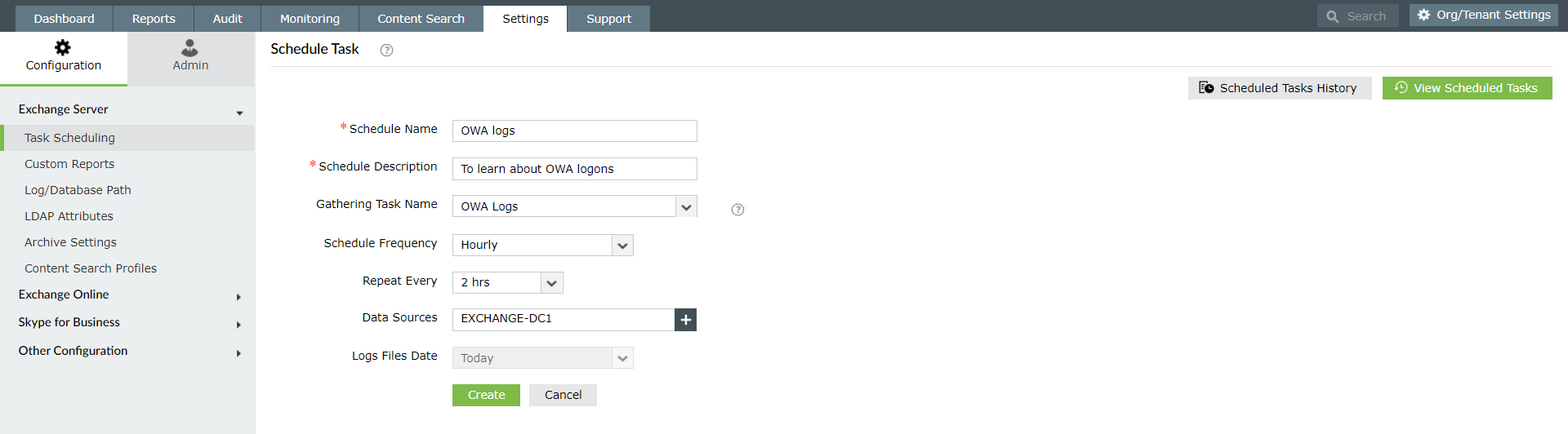
Exchange Reporter Plus offers various built-in reports that give information on OWA user logons based on users, browsers, client IP, and more. This section elaborates the steps to generate such OWA reports. For illustration purpose, let's take Log on Specifics and failed logonreports. Follow the steps given below to generate this report.
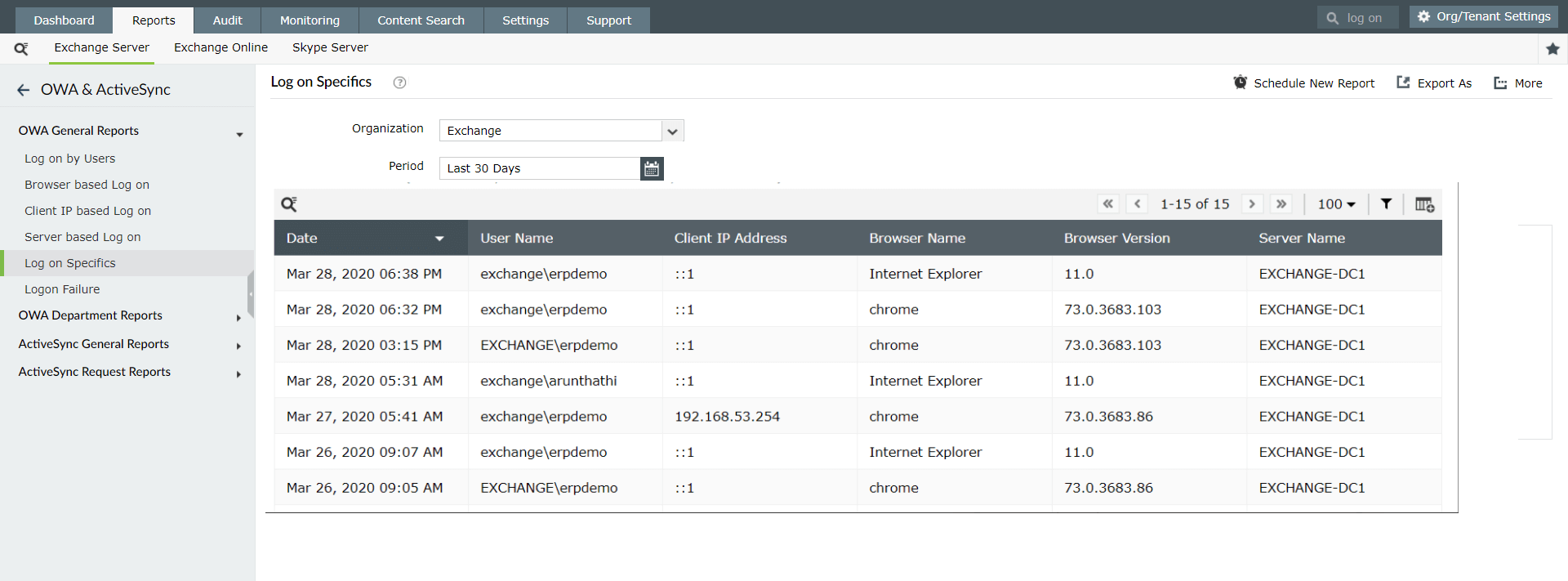
Note: Use the filtericon above the report header to search for specific information you are looking for.
Exchange Reporter Plus offers various other reports to fetch information about the count of user logons, logons based on server, browser, clientIP and so on. Learn more about the types of OWA reports available in Exchange Reporter Plus for Exchange Servers and for Exchange Online.
Fill this form, and we'll contact you rightaway.
Our technical support team will get in touch with you at the earliest."