
Modern networks are complex, distributed, and constantly under pressure from bandwidth growth, cloud workloads, remote access, and evolving cyberthreats. To keep them running smoothly, you need more than basic monitoring, you need deep visibility. That’s where a network analyzer comes in.
What is a network analyzer?
A network analyzer is a monitoring and diagnostic tool that helps you capture, inspect, and analyze network traffic in real time. It provides visibility into how data flows through your network showing which devices are communicating, what applications are consuming bandwidth, and how network performance is trending over time. By examining packets, flows, and performance metrics, a network analyzer gives you the visibility needed to understand what’s happening and why. Not just that, IT teams can effortlessly optimize performance, and strengthen network security as well.
Why do you need a network analyzer?
In today’s networks, issues can arise anywhere, from slow applications to unexpected bandwidth spikes or security anomalies. Without clear visibility, identifying the root cause is like finding a needle in a haystack. A network analyzer turns that guesswork into actionable insight.
For example, an IT team might notice a drop in video call quality across the office. With a network analyzer, they can quickly see which application or device is consuming excessive bandwidth and resolve the congestion before productivity suffers. Similarly, if unusual traffic patterns appear, such as repeated failed login attempts or spikes in data transfer, a network analyzer highlights these anomalies in real time, enabling faster investigation and mitigation.
Even routine planning benefits from this visibility. By tracking historical traffic trends, teams can anticipate future bandwidth needs, prevent outages during peak hours, and ensure that critical applications maintain consistent performance. In short, a network analyzer helps IT teams see what is happening, respond quickly, and plan intelligently, keeping networks secure, efficient, and reliable.
Key functions of a network analyzer
- Traffic monitoring: With the help of traffic monitoring one can identify which applications, users, or devices are consuming more bandwidth in real time.
Example: Detect a sudden spike in video streaming affecting business-critical apps. - Performance analysis: Track latency, jitter, and packet loss to ensure smooth application delivery.
Example: Monitor payment processing times for e-commerce systems. - Security monitoring: Identify potential threats early, gain full context about each incident, including the users, devices, applications, and traffic involved.
Example: Detect a sudden surge in traffic from a compromised device and immediately see which applications, users, and interfaces are affected. - Troubleshooting: Pinpoint slow links or failing devices quickly to reduce downtime.
Example: Trace intermittent connectivity issues to a specific router or switch. - Capacity planning: Analyze historical trends to forecast bandwidth needs and prevent future congestion.
Example: Decide if a branch office WAN link can handle seasonal traffic increases.
How a network analyzer works
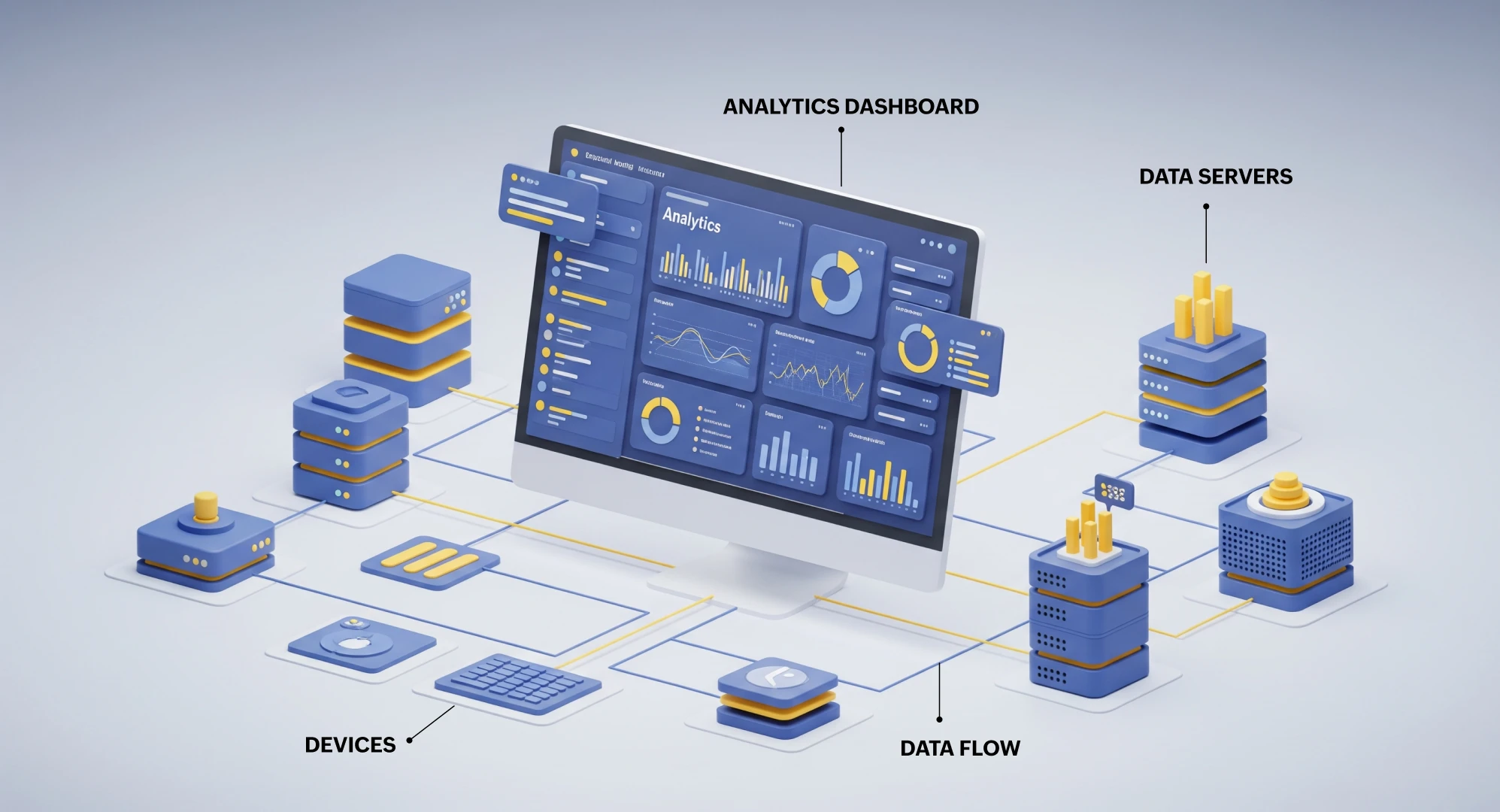
A network analyzer collects and processes data about the traffic flowing through your network to provide actionable insights. Devices such as routers, switches, and firewalls export flow information, which the analyzer gathers and organizes. This metadata is then processed to reveal usage patterns, performance metrics, and potential anomalies. The results are presented through intuitive dashboards and reports, giving IT teams real-time visibility into network behavior and historical trends. By continuously monitoring these flows, a network analyzer helps ensure that networks operate efficiently, securely, and predictably.
Benefits of using a network analyzer
A network analyzer gives IT teams complete visibility into network traffic, performance, and security. It helps optimize resources, detect issues early, and plan for future growth efficiently. The key benefits include,
- Faster troubleshooting: Quickly identify performance bottlenecks and reduce downtime.
- Optimized bandwidth usage: Monitor and manage traffic to ensure critical applications run smoothly.
- Enhanced security: Detect anomalies and potential threats early for proactive mitigation.
- Data-driven capacity planning: Use historical trends to forecast bandwidth and plan upgrades.
- Improved operational efficiency: Streamline network management with centralized dashboards and actionable insights.
Essential best practices for network analysis
To get the most value from a network analyzer, IT teams should adopt practices that ensure accurate monitoring, proactive issue detection, and effective planning. Start by,
- Identifying and monitoring the most critical applications, devices, and interfaces.
- Ensure all relevant flow exports are enabled and properly configured.
- Configure adaptive thresholds and automated alerts for anomalies.
- Review traffic trends periodically to optimize network performance.
- Integrate with ITSM or security platforms for efficient incident management.
How a network analyzer solves real-world network challenges
A network analyzer is not just a monitoring tool, it actively helps IT teams address daily network challenges and improve overall efficiency. Some of the key use cases include
- Bandwidth monitoring: Where teams can track application, device, and user-level traffic to prevent congestion and ensure critical applications perform reliably.
- Security monitoring: Network analyzer can detect advanced threats before they cause damage. It continuously builds behavioral baselines for each asset, tracks devices and adaptively calibrates thresholds to reduce false positives. Context-aware event scoring provides complete insight into each incident helping teams prioritize the most urgent threats and respond proactively.
- Troubleshooting network slowdowns: As administrators can pinpoint problem areas such as overloaded links, misconfigured devices, or high-latency paths. For organizations managing distributed or hybrid networks, a network traffic analyzer provides centralized visibility across multiple sites and cloud environments, ensuring consistent performance and security across the entire infrastructure.
Choosing the right network analyzer
When selecting a network analyzer, consider your organization’s size, network complexity, and monitoring requirements. Key factors include:
- Analysis Approach:
- Flow-based analyzers provide scalable, high-level traffic insights across devices and applications, ideal for large networks and long-term performance monitoring.
- Packet-based analyzers capture and inspect full packets, offering detailed, low-level visibility, useful for troubleshooting complex issues or deep security investigations.
- Hybrid analyzers combine both approaches to deliver broad visibility with the option for deep packet inspection when needed.
- Scalability: Ensure the solution can handle single-site, multi-site, and hybrid networks as your organization grows.
- Compatibility: Check support for common flow protocols such as NetFlow, sFlow, IPFIX and more.
- Visualization and reporting: Look for intuitive dashboards, customizable reports, and actionable insights.
- Integration: Verify if it works seamlessly with existing NMS, ITSM, or SIEM tools.
- Licensing and cost flexibility: Choose a solution that fits your budget while offering room for expansion.
Selecting the right network analyzer ensures accurate monitoring, faster troubleshooting, and proactive security across your network infrastructure.
ManageEngine NetFlow Analyzer: A trusted solution
ManageEngine NetFlow Analyzer is a comprehensive, flow-based network analyzer designed to give IT teams complete visibility, performance insights, and security monitoring across on-premises, cloud, and hybrid environments. It combines real-time analysis, intuitive dashboards, and advanced security features to help organizations monitor, troubleshoot, and optimize their networks efficiently.
Why choose ManageEngine NetFlow Analyzer
- Real-time, flow-based analysis: Continuously monitor network traffic, bandwidth consumption, and application performance across all devices. Gain insights into who is using the network, which applications are consuming resources, and where potential congestion or bottlenecks may occur.
- Simplified anomaly detection: NetFlow Analyzer's ML-based security analytics proactively detects anomalies and potential threats. MITRE ATT&CK mapping provides context for every event, helping teams understand not only what happened but why it matters, reducing false positives and prioritizing real risks.
- Multi-vendor and hybrid support: Get comprehensive visibility across networks of any size, whether single-site, multi-site, or hybrid cloud environments. The analyzer integrates seamlessly with a variety of devices and vendors to provide a unified view of the entire network.
- Intuitive dashboards and automated reports: Visualize network trends, traffic patterns, and security events in an easy-to-understand format. Automated reports provide actionable insights for performance optimization, capacity planning, and compliance reporting without manual effort.
- Scalable for enterprises of all sizes: Handle growing volumes of network traffic efficiently without compromising on performance or accuracy. Whether you manage a small office or a large enterprise network, NetFlow Analyzer scales to meet your requirements.
FAQs
What is a network analyzer used for?
It’s used to monitor, analyze, and troubleshoot network traffic, helping IT teams ensure performance, security, and bandwidth efficiency.
Is a network analyzer only for large enterprises?
No. It benefits SMBs, mid-sized networks, and large enterprises alike. Any environment that needs visibility and faster troubleshooting can benefit from a network analyzer.
How is a network analyzer different from a packet sniffer?
A packet sniffer inspects raw packets, while a network analyzer provides broader insights on applications, devices, traffic patterns, and performance trends.
Can it help with both performance and security?
Yes. A network analyzer improves performance by identifying congestion, slow links, and application delays, while also strengthening security by detecting anomalies such as unusual traffic patterns, port scans, brute-force attempts, or data exfiltration.
What are the top benefits of using a network analyzer?
A network analyzer gives IT teams end-to-end visibility into network traffic, helping them monitor performance, troubleshoot faster, and strengthen security. It reduces downtime, accelerates root cause analysis, detects anomalies early, and simplifies capacity planning, ultimately improving application performance and user experience.
Have more questions? Schedule a one-on-one session with our product experts for personalized guidance.

By Gladius,
Product marketer, ManageEngine