Site24x7's mobile app on iOS 27 keeps you updated on the go
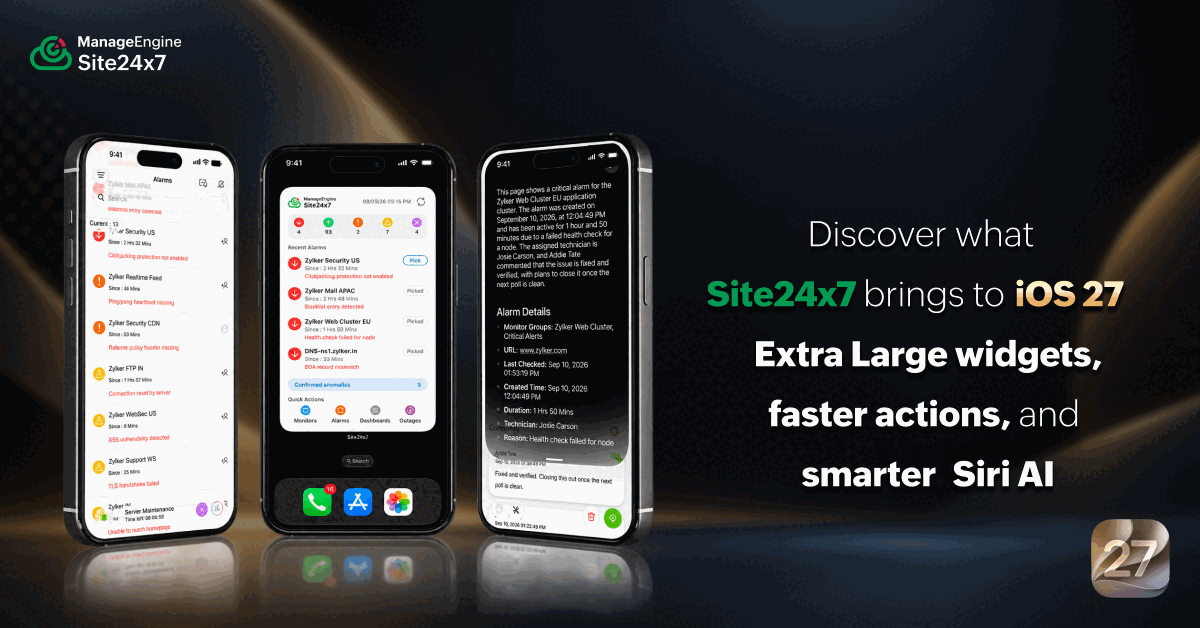 An observability app should work faster than the problem it's alerting you about.
That's the direction ManageEngine Site24x7 has been heading with every iOS update, and iOS 27 takes it further than before. This release is not about a single headline feature. It's about small, smart improvements—the kind that make monitoring feel less like a task and more like second nature, whether you're at your desk, between meetings, or nowhere near a laptop.
Here's what's new, and why it matters for anyone who relies on Site24x7 to keep their IT environment healthy.
What's new in Site24x7 for the iOS 27 update
IT observability on mobile has a friction problem. Every extra tap is an SLA countdown you did not budget for. iOS 27 reduces that friction at the operating system level, and Site24x7's mobile app on iOS 27 is built to take full advantage of these capabilities.
Apple's iOS 27 is a meaningful upgrade for IT teams that need monitoring to work as fast as incidents unfold. The headline addition is Siri AI, a rebuilt version of Siri that functions more like a conversational AI assistant than the voice shortcut tool it used to be. Siri AI understands context, reads what's on your screen, and can take action inside apps—which is exactly the kind of capability that makes a monitoring app genuinely more useful on mobile.
Combined with refinements to the liquid glass interface introduced in iOS 26 and a new class of extra-large widgets, Site24x7's updated app gives IT teams a noticeably smoother experience for staying on top of alerts, monitor health, and incident response. So, now that we have the overall picture, let's take a closer look at each feature.
See your IT health without opening the app
When an alert fires, every navigation step between you and the details slows down incident resolution. Extra-large widgets cut that distance entirely, placing your most critical monitoring data on your home screen before you even open Site24x7 app.
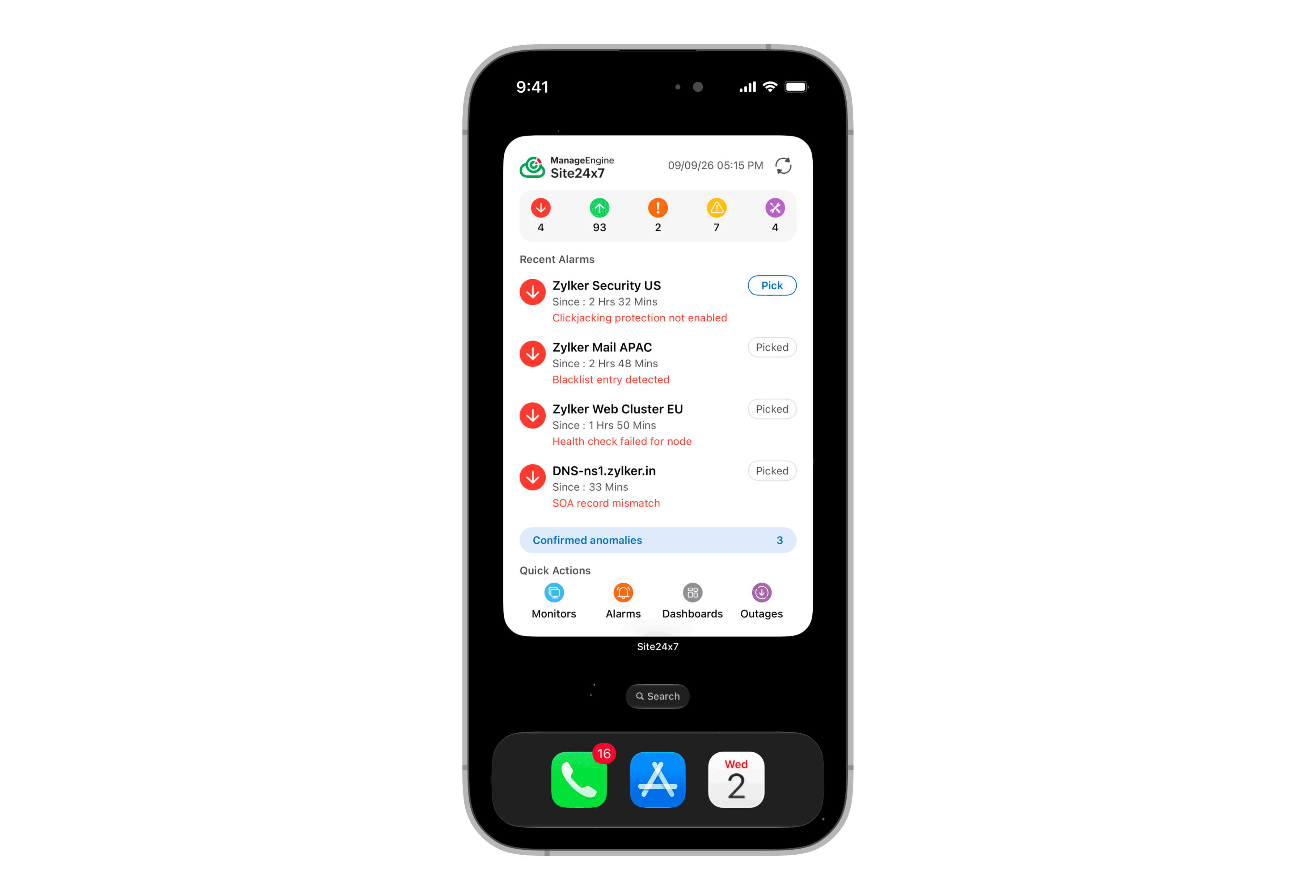
The Site24x7 iOS 27 update introduces two extra-large widget layouts built specifically for mobile observability:
The Operations View widget gives you a live snapshot of monitor status counts at the top and recent alarms at the bottom. You can see alarms assigned to you, assigned to another technician, or sitting unassigned. Tap any alarm and you go straight to the Alarm Details page. If an alarm is mapped to you, you can act on it directly from the widget without ever opening the app. Also, if you want to work on an unassigned alarm, you can claim it directly from the widget.
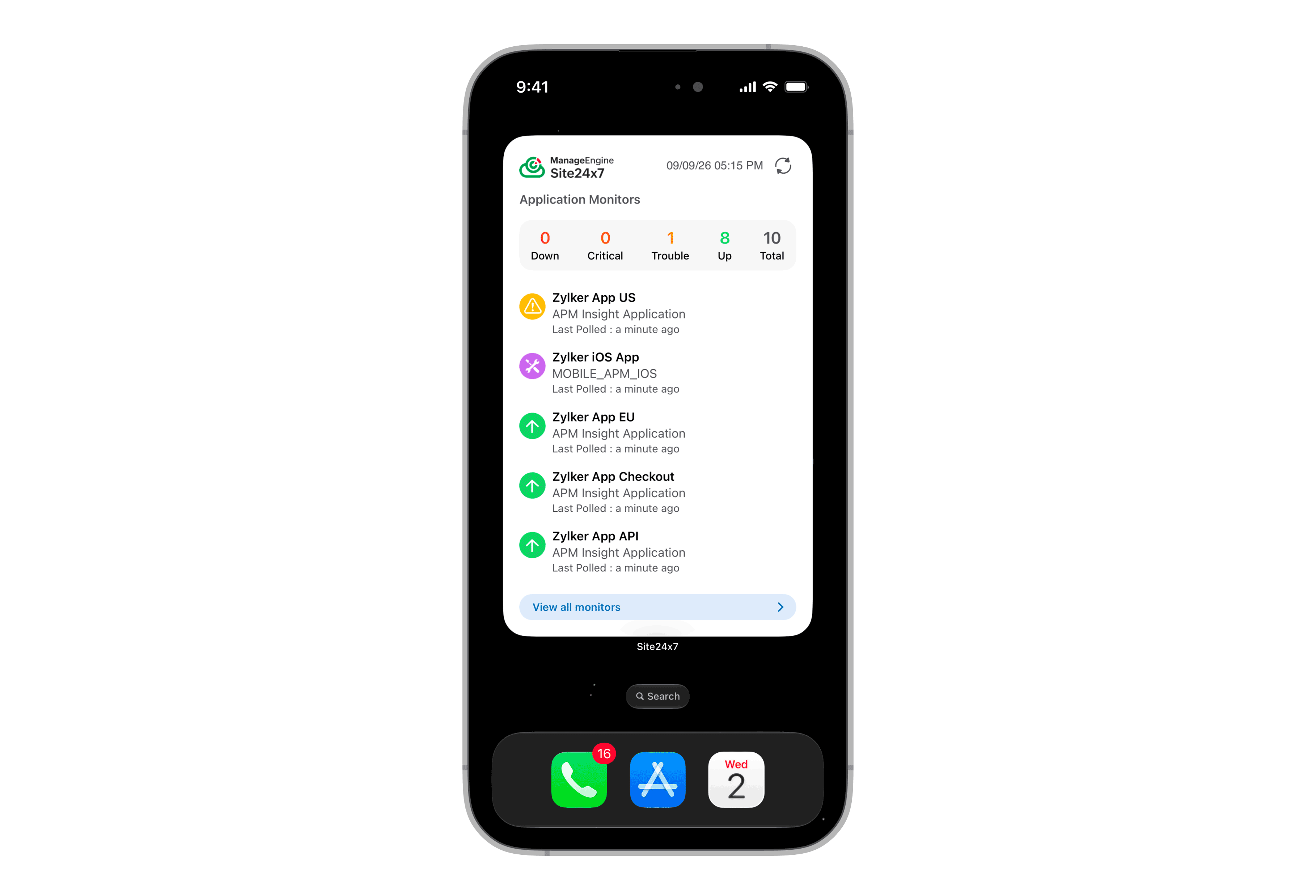
The Monitor Groups widget works similarly. Select a monitor group when you set up the widget, and the card shows status counts for every monitor in that group. You can also view the statuses of all monitor groups at once. You can switch to a different monitor group anytime using the Edit Widget option.
Both widgets give distributed IT teams a way to stay informed without context-switching. For anyone who monitors multiple environments or manages on-call responsibilities, having this level of visibility one glance away is genuinely useful. Extra-large widgets are also supported on iPad, where the larger screen makes the 4x6 canvas even more useful for NOC teams monitoring multiple environments at once.
Understand any IT alert in seconds
Reading through dense alarm details under pressure is where response time gets lost. Siri AI changes that by turning the Site24x7 screen in the mobile app into a conversation.
Use Siri AI to understand monitor and alarm details instantly
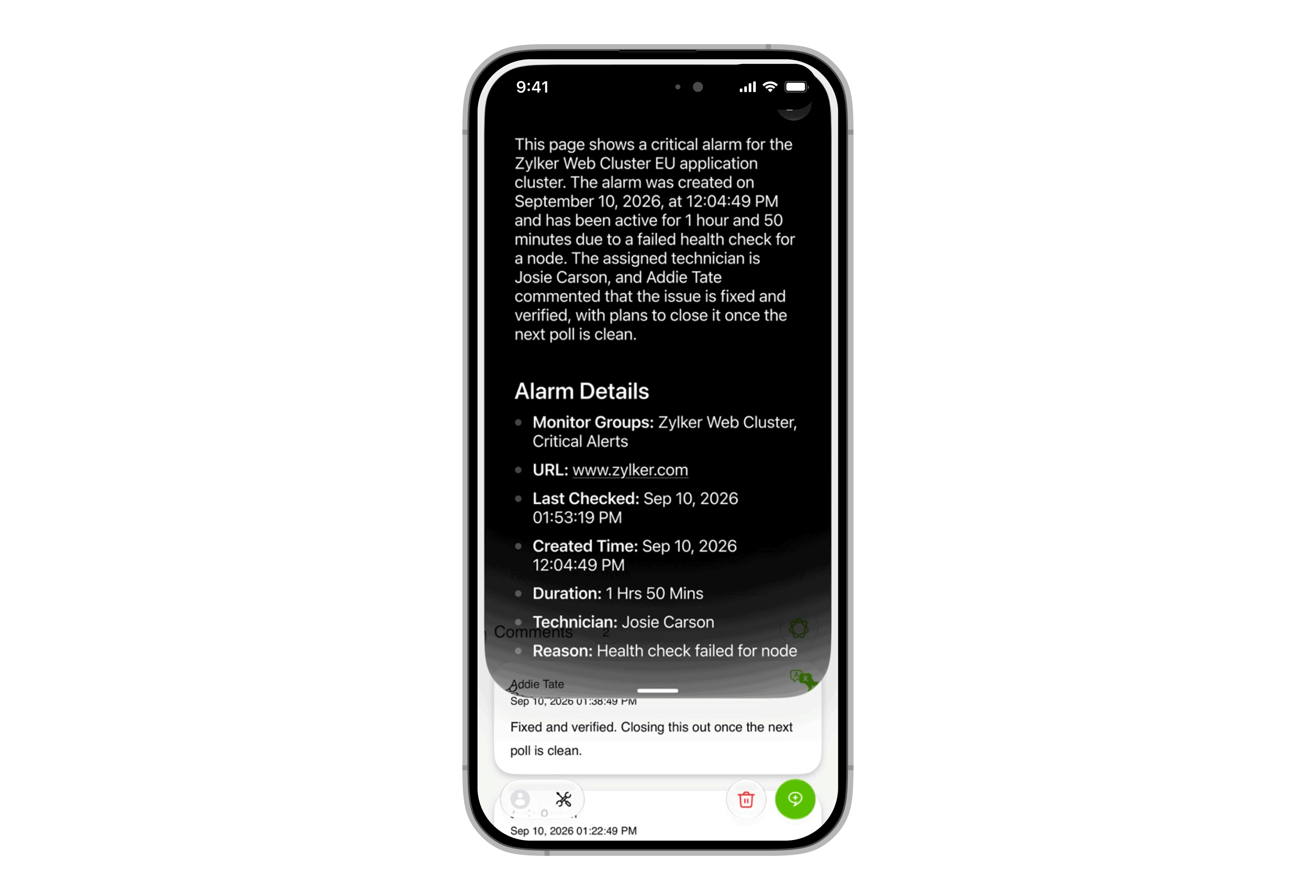
Siri AI in iOS 27 can read what's on your Site24x7 screen and summarize it. This means that you can open a Monitor Details, Alarm Details, or Anomaly Details page and ask Siri to explain what it sees. Siri AI analyzes the displayed information and gives you a concise summary. No manual reading through dense technical details. No cross-referencing multiple fields.
You can also ask follow-up questions. If Siri's summary raises something you want to dig into, you can keep the conversation going. All of those conversations are saved automatically in the Siri app, giving your team a clean record of what was surfaced during triage. These records are useful for post-incident reviews and shift handoffs.
Take action on alarms through spotlight with Siri AI
The spotlight integration goes one step further. Instead of just surfacing information, Siri AI in spotlight lets you act on it.
Using Siri AI in spotlight, you can add comments or assign technicians to alarms directly. You can also open monitors filtered by status: type open down monitors, open trouble monitors, or open critical monitors and the app takes you straight there.
Note: Spotlight actions for adding comments and assigning technicians are available to super admins, admins, and operators only.
How Siri AI makes on-the-go incident management easier
The practical benefit of this iOS 27 update is speed. During incident response, the time between spotting a problem and taking the right action matters. Here is what that looks like in practice: An engineer receives a critical alarm notification, opens the Alarm Details page in Site24x7, and asks Siri to summarize what is on screen. Siri AI reads the displayed metrics and delivers a plain-language summary in seconds. The engineer then pulls up spotlight, types assign technician, selects the alarm, and assigns ownership—all without navigating through a single menu. Siri AI gets you there faster.
An observability interface that adapts to how you work
Observability happens in all kinds of environments, like bright offices, dim server rooms, and outdoor locations. The app should look right in all of them.
Customize Site24x7 app transparency to suit your viewing environment
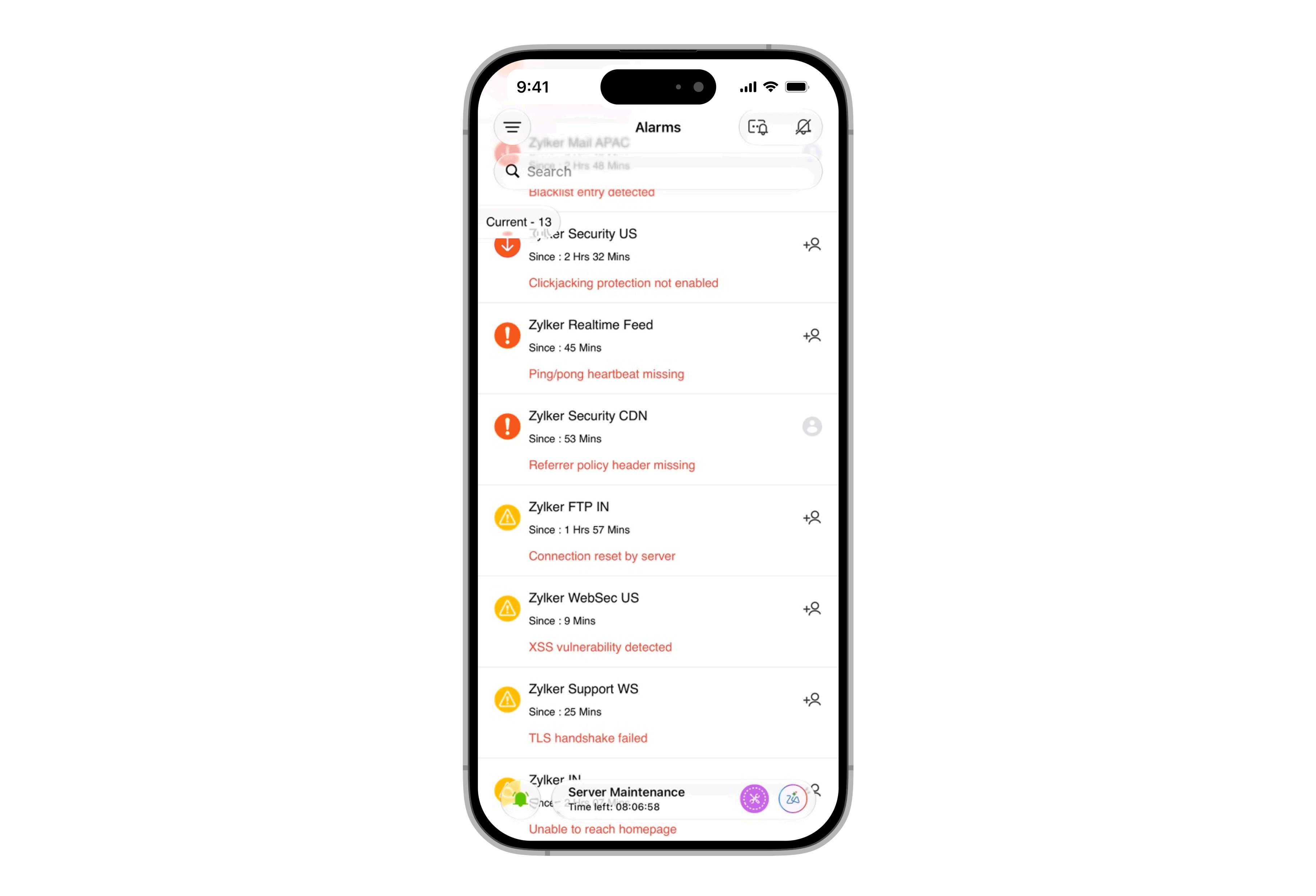
iOS 26 introduced Apple's liquid glass design language, and Site24x7 leaned into it fully. iOS 27 refines that experience with a practical addition: The app's transparency and opacity now adapt automatically to your device's system settings.
If you adjust opacity in your iPhone's system settings, that change applies directly to Site24x7. The result is that you can tune the visual appearance of the app to match your environment. Reducing transparency removes the layered effect if you find it distracting or keeps it fluid if you prefer the immersive look. Think of an engineer running a morning infrastructure check from a sunlit open-plan office or reviewing anomaly details in a dimly lit NOC room during a late shift. The app adapts to both without you changing a setting inside Site24x7.
How the iOS 27 update changes how your team responds
Each feature in the iOS 27 update targets a specific friction point in mobile incident management. Together, they shift Site24x7 from a notification receiver to an active response tool. Here's how the experience compares before and after the iOS 27 update:
Workflow phase | Traditional mobile monitoring | Site24x7 on iOS 27 | What changes |
Status inspection | Open app, navigate to monitor group, scroll to status. | View live status counts on the home screen widget. | Zero app opens required for status visibility. |
Alert triage | Read through Alarm Details page manually. | Ask Siri AI to summarize on-screen details instantly. | Get an immediate natural language summary. |
Incident action | Open menu, find alarm, assign technician. | Type assign technician in spotlight, select alarm. | Mean time to acknowledge (MTTA) that gets better the more your team uses it. |
Navigation steps | There are multiple navigation steps per alert. | Single-touch interaction from OS system surfaces. | Eliminates menu friction during critical outages. |
Ready to experience effortless observability?
IT observability on mobile has always promised to put IT visibility in your pocket. iOS 27 is where that promise gets its sharpest expression yet; fewer taps to get from alert to action, and faster time-to-context when it counts.
Extra-large widgets that surface live monitor status on your home screen, Siri AI that reads any alert page and answers your questions in plain language, spotlight actions that let you assign technicians without opening a menu—Site24x7 on iOS 27 keeps you on top of your IT environment, wherever you are.
If you're already using Site24x7, update to the latest version from the App Store and explore what iOS 27 makes possible. If you're new to Site24x7, there's no better time to see what full-stack mobile observability feels like when it's built to work with your phone, not just on it.
Download the Site24x7 app and try it today: https://apple.co/4pu3jj8. Here's to fewer taps and faster resolutions!
Frequently asked questions
1. Which iPhones support Siri AI features in Site24x7 on iOS 27?
Siri AI features in iOS 27, including on-screen awareness and spotlight actions, require an iPhone 15 Pro or newer. Basic iOS 27 features such as extra-large widgets and liquid glass optimization are available on iPhone 11 and later models running iOS 27.
2. How do I set up extra-large widgets for Site24x7 on my iPhone?
To set up an extra-large widget, long-press an empty area on your iPhone home screen to enter edit mode, tap the plus icon, and search for Site24x7. Select the extra-large widget size and choose either the Operations View or Monitor Groups layout. Once placed, tap the widget card to configure which monitor group or alarm feed you want to display. Extra-large widgets require iOS 27 and are supported on iPhone 11 and later.
3. What is the difference between Site24x7 on iOS 26 and iOS 27?
iOS 26 introduced Apple's liquid glass design language to Site24x7, giving the app a redesigned visual experience. iOS 27 builds on that foundation with three new capabilities: extra-large widgets for at-a-glance IT visibility on the home screen, Siri AI on-screen awareness for instant alarm and monitor summaries, and spotlight actions for assigning technicians and adding comments without opening the app. iOS 27 also adds automatic opacity adaptation so the app's transparency adjusts to your system settings.