Direct Inward Dialing: +1 408 916 9892
Written by Mahidhar Adarsh, IT security team, ManageEngine Updated on June 2025
Start your free trialA free, fully functional, 30-day trial
File and folder permissions determine who can view, edit, delete, or execute a file or folder. By modifying permissions, you can control access for specific users or groups, helping prevent unauthorized changes or accidental deletions. This is particularly useful in shared environments, such as workplaces or multi-user systems, where managing permissions ensures data integrity and privacy.
The steps below show how to change file permissions in Windows 10 and 11.
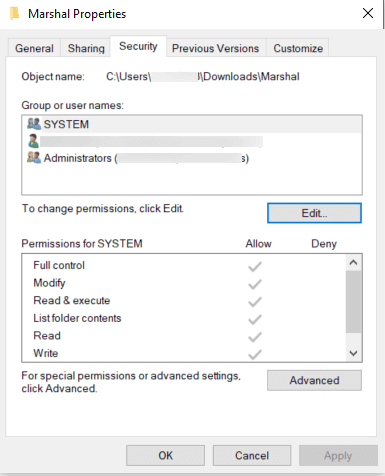
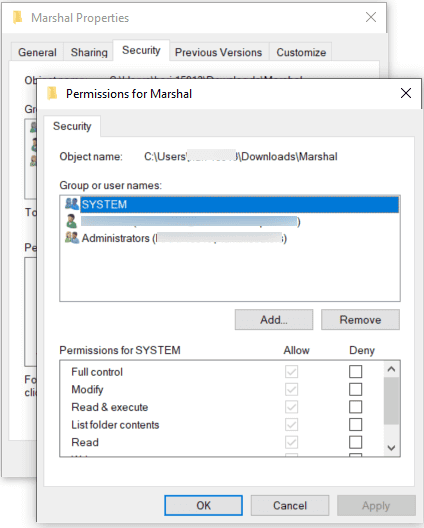
If you are in an enterprise environment, file permissions are often changed since multiple users or systems need to access shared resources. Administrators may need to modify permissions to grant or restrict access, address security vulnerabilities, or adapt to organizational changes. However, improper changes can lead to unauthorized access, data breaches, or an unintentional loss of access. Auditing these changes is crucial for tracking who modified permissions, when, and why.
With ADAudit Plus, you can keep complete track of file and folder permission changes; get details about who, when, and where; and track the new and old values of the ACL with detailed attributes. You can also automate periodic reporting of this data and investigate if certain permission changes are malicious and need to be addressed.
A free, fully functional, 30-day trial