- Free Edition
- Quick Links
- Active Directory Auditing
- Active Directory auditor
- Active Directory monitoring
- Account lockout analyzer
- Login monitoring software
- Active Directory change notifier
- User logon audit reports
- AD logon logoff tracker
- User logon failure auditing
- Login history tracking tool
- AD change auditor
- Insider threat detection software
- Permissions change auditing
- Entra ID reporting
- Privileged user monitoring
- User behavior analytics tool
- Active Directory security monitoring
- Group Policy auditing tool
- GPO change auditor
- Entra ID auditing
- Audit user account management
- OU change auditor
- Audit group membership changes
- Active Directory auditing and reporting tool
- GPO reporting tool
- Remote desktop monitoring software
- PowerShell logging and auditing
- Azure password protection auditing
- Azure sign-in risk detection
- File Server Auditing
- Windows Server Auditing
- Employee Tracking
- Workstations Auditing
- Compliance Auditing
- Other features
- SIEM Integration
- Windows DNS - Schema Auditing
- Windows security event log monitoring
- SIEM audit solution
- Schedule Active Directory change reports
- Reports from Archived Data
- Aggregated summary reports
- AD new/old attribute changes
- Audit trail
- Audit Active Directory LAPS
- Scheduled Reports & Alerts
- Account lockout examiner
- Industry
- Documents
- Success Stories
- Related Products
- Log360 (On-Premise | Cloud) Comprehensive SIEM and UEBA
- ADManager Plus Active Directory Management & Reporting
- EventLog Analyzer Real-time Log Analysis & Reporting
- ADSelfService Plus Identity security with MFA, SSO, and SSPR
- DataSecurity Plus File server auditing & data discovery
- Exchange Reporter Plus Exchange Server Auditing & Reporting
- M365 Manager Plus Microsoft 365 Management & Reporting Tool
- RecoveryManager Plus Enterprise backup and recovery tool
- SharePoint Manager Plus SharePoint Reporting and Auditing
- AD360 Integrated Identity & Access Management
- AD Free Tools Active Directory FREE Tools
How to remove Active Directory in Windows Server 2008?
Written by Mahidhar Adarsh, IT security team, ManageEngine Updated on July 2026
- Run "dcpromo" in your Windows Active Directory environment.
- This opens up the Active Directory Installation Wizard. This wizard is used to promote a server to a DC, as well as remove Active Directory from a server.
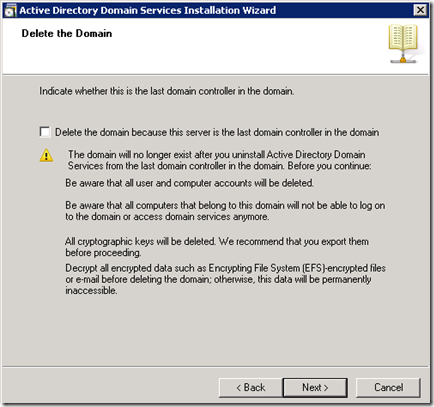
- Delete the domain - If this is the last Domain controller in your domain, then this domain will
be deleted.
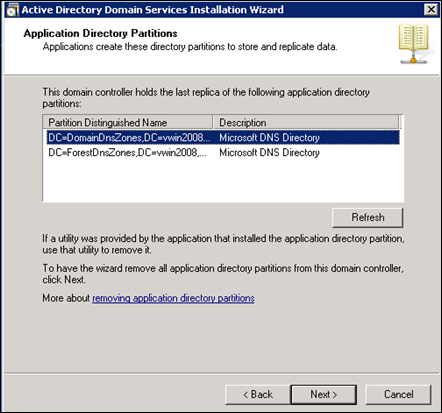
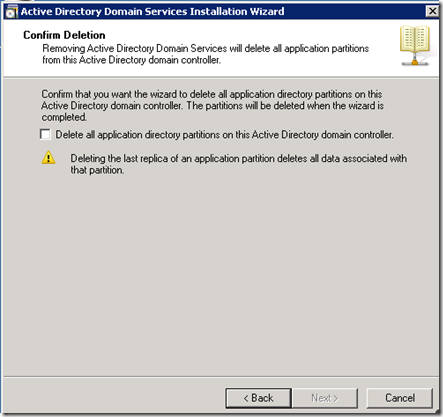
- Remove Application directory partitions - Remove all replicas of the directory partitions
stored in this domain controller. Confirm complete removal of all directory partitions in this domain
controller.
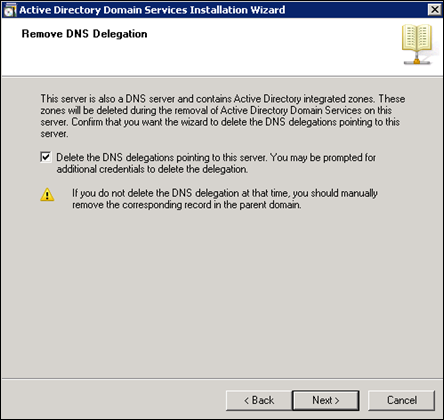
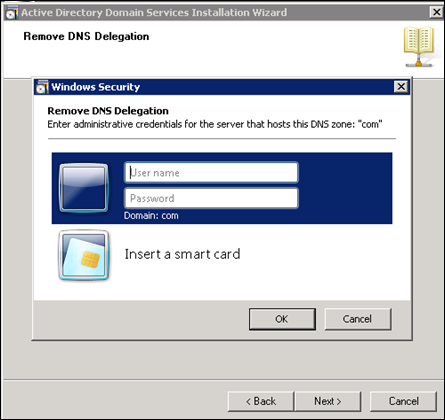
- Remove DNS delegation - This domain controller contains Active Directory integrated DNS zones
that need to be removed along with Active Directory Domain Services. This requires administrative privileges.
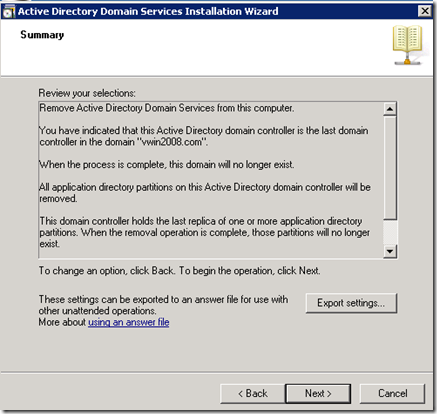
- Review your selections- After completing all the steps, confirm all the selections you have
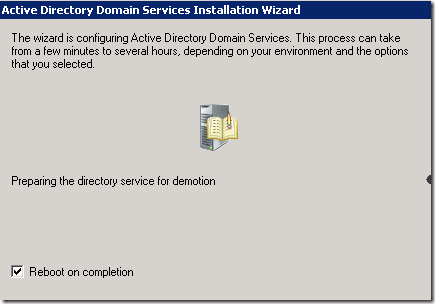
made and click Next. This wizard is configuring Active Directory Domain Services. This process can take from a
few minutes to several hours, depending on your environment and the options that you selected.
- The computer is rebooted to complete the removal of Active Directory from your Windows 2008 Server.