- Free Edition
- Quick Links
- MFA
- Microsoft Entra ID Security
- Self-Service Password Management
- Single Sign-On
- Password Synchronizer
- Password Policy Enforcer
- Employee Self-Service
- Reporting and auditing
- Integrations
- Related Products
- ADManager Plus Active Directory Management & Reporting
- ADAudit Plus Real-time Active Directory Auditing and UBA
- Exchange Reporter Plus Exchange Server Auditing & Reporting
- EventLog Analyzer Real-time Log Analysis & Reporting
- M365 Manager Plus Microsoft 365 Management & Reporting Tool
- DataSecurity Plus File server auditing & data discovery
- RecoveryManager Plus Enterprise backup and recovery tool
- SharePoint Manager Plus SharePoint Reporting and Auditing
- AD360 Integrated Identity & Access Management
- Log360 (On-Premise | Cloud) Comprehensive SIEM and UEBA
- AD Free Tools Active Directory FREE Tools
What is account takeover?
Account takeover (ATO) is a form of identity theft in which attackers take over user accounts using stolen credentials. Simply put, this attack gives cybercriminals full ownership of user accounts with which they can perform endless malicious activities posing as the real user.
How and why do account takeovers happen?
Security vulnerabilities are one of the main reasons why organizations face account takeover threats. Attackers cleverly leverage these vulnerabilities through techniques like phishing, social engineering, brute force, and credential stuffing to steal users' credentials. In most cases, vulnerabilities are the result of users' ignorance, such as creating obvious and easy-to-guess passwords, repetition of passwords across multiple identities, and using the same password over extended periods. Organizations without robust protections like Active Directory MFA are particularly susceptible to these credential-based attacks.
Another less likely reason for account takeover attacks is the illegal sale of verified credentials on the dark web. Hackers profit from either selling stolen credentials or taking over accounts using those stolen credentials.
Impact of account takeovers on cybersecurity
Bulk stealing of sensitive data to take over more user accounts, sending out phishing emails from privileged accounts, and infiltrating the network with ransomware are some examples of how account takeovers can impact cybersecurity. Moreover, these attacks can injure an organization's overall reputation to the point where recovery from an attack can be quite challenging.
You can protect your organization against account takeovers by implementing the right identity security measures to eliminate loopholes. Safeguarding your user accounts with MFA rather than just passwords amps up your line of defense. Moreover, enforcing strong password policies ensures your employees create tough passwords.
Preventing account takeovers with adaptive MFA
ManageEngine ADSelfService Plus offers context-based MFA with 19 different authenticators to verify your users' identities before giving them access to their accounts. It lets you customize the MFA authentication flow for different accounts, so you can more tightly secure privileged accounts.
ADSelfService Plus' self-service password reset feature allows users to reset their own passwords in only a few simple steps, which eliminates unsafe credential transfers between users and the help desk. The password policy enforcement feature of ADSelfService Plus lets you enforce strong, custom password policies, like mandating the number of special characters to use, restricting consecutive characters from usernames or previous passwords, and restricting custom password patterns.
Adaptive MFA
-
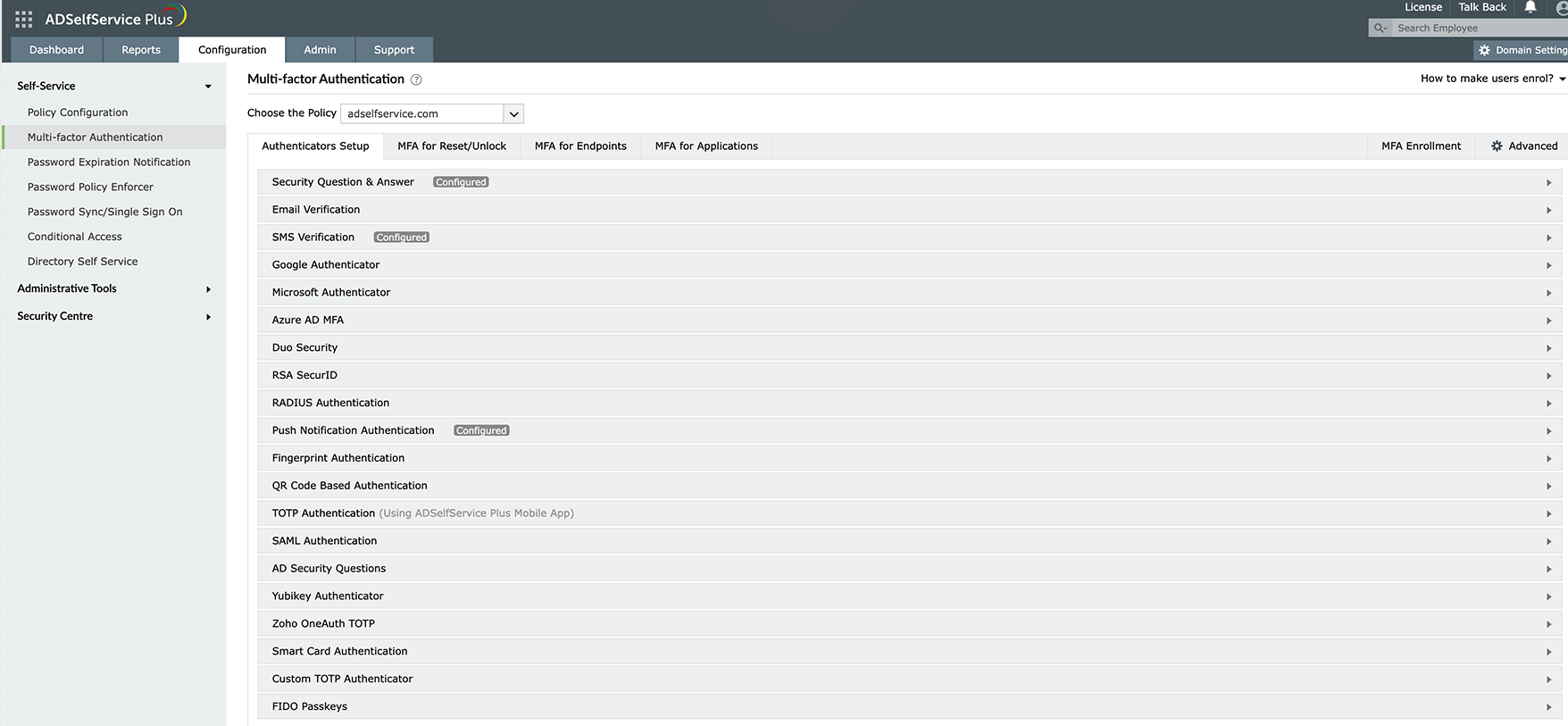
Choose from nearly 20 different authenticators to verify your users' identities.
Set up different MFA flows for different groups or departments in your organization.
-
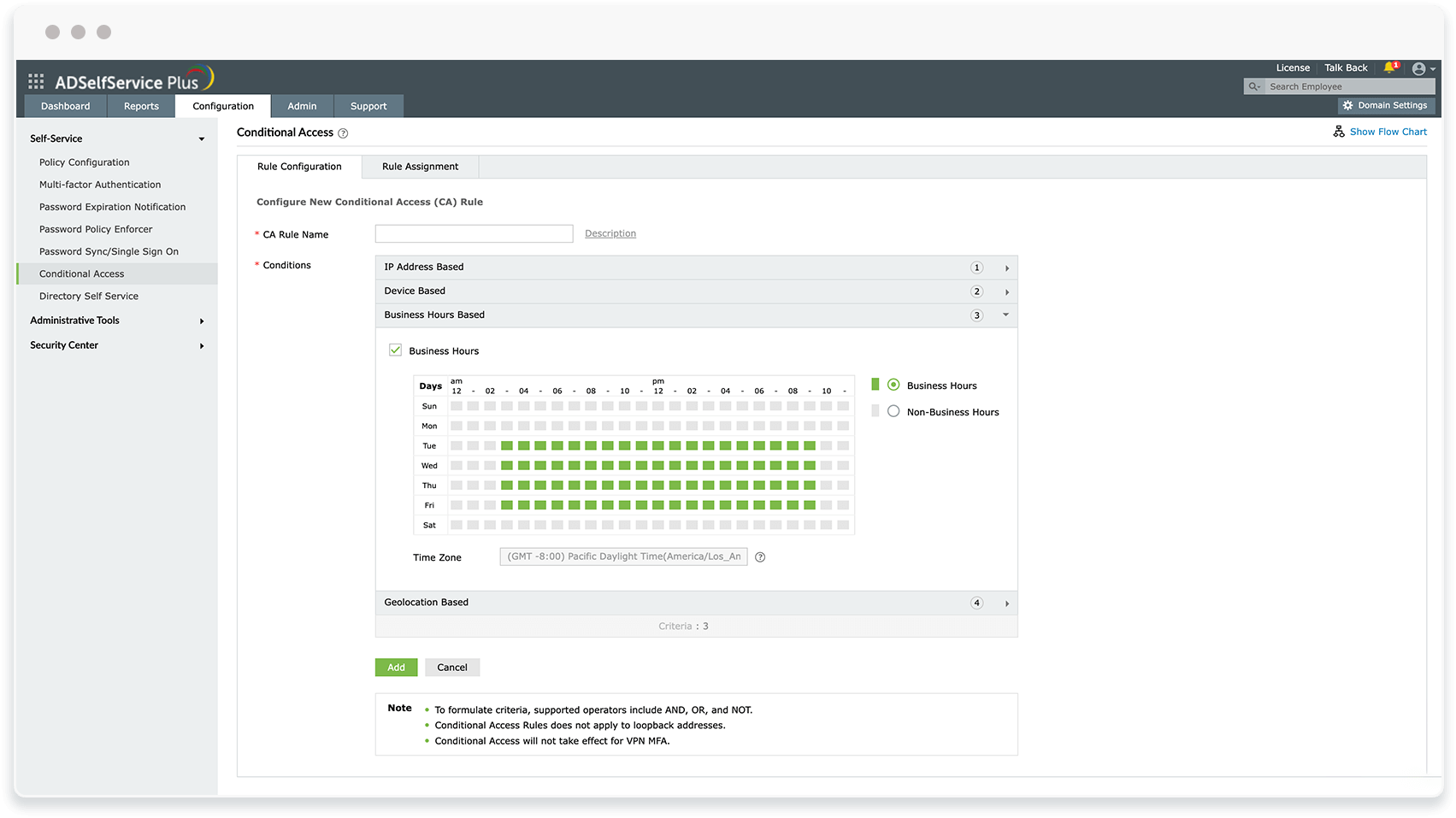
Create your own rules based on which adaptive authentication takes place.
Choose from a wide range of conditions, such as IPs, business hours, and geolocation.


Password policy enforcer
-
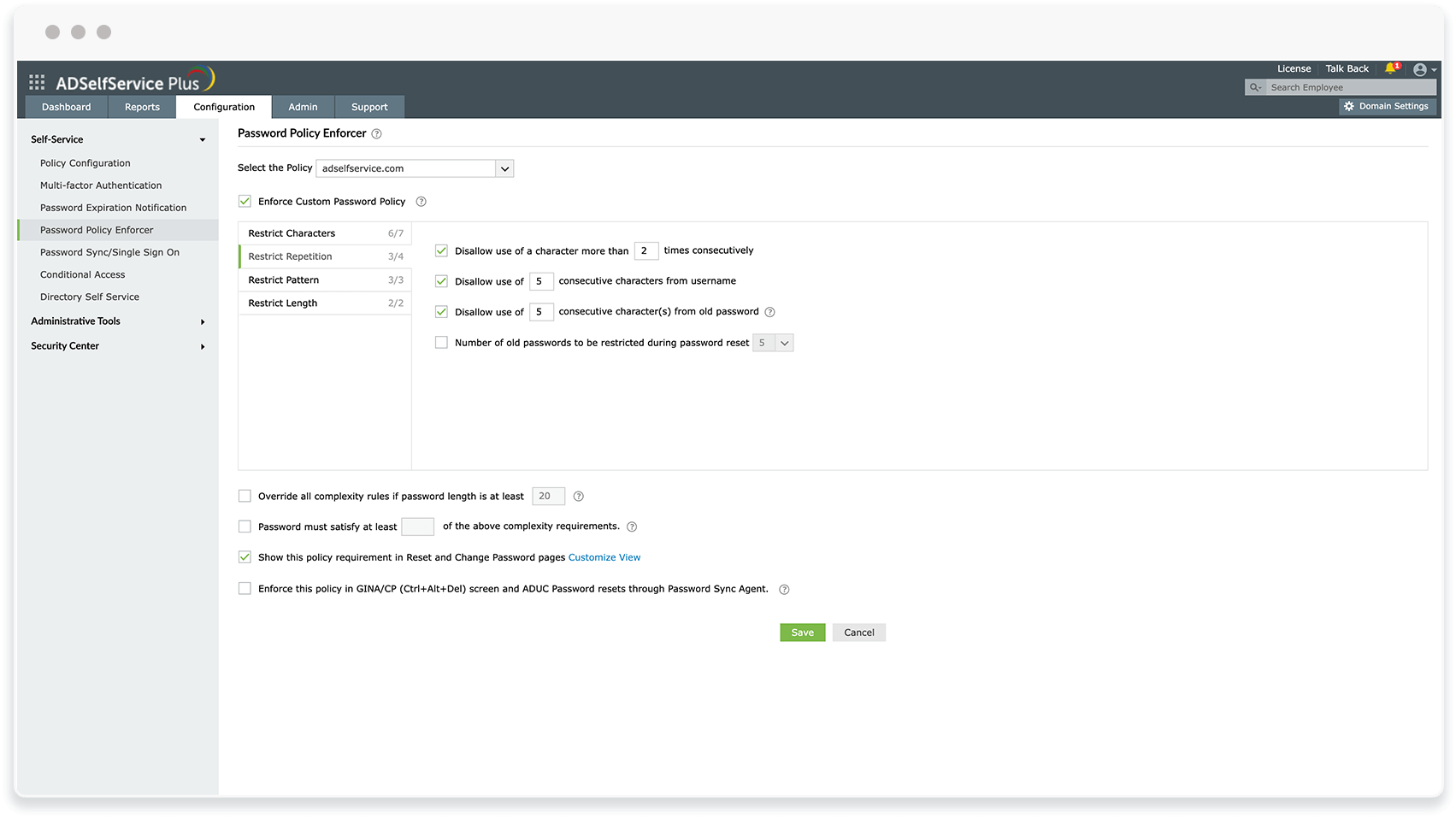
Restrict users from reusing their previous passwords during password creation.
-
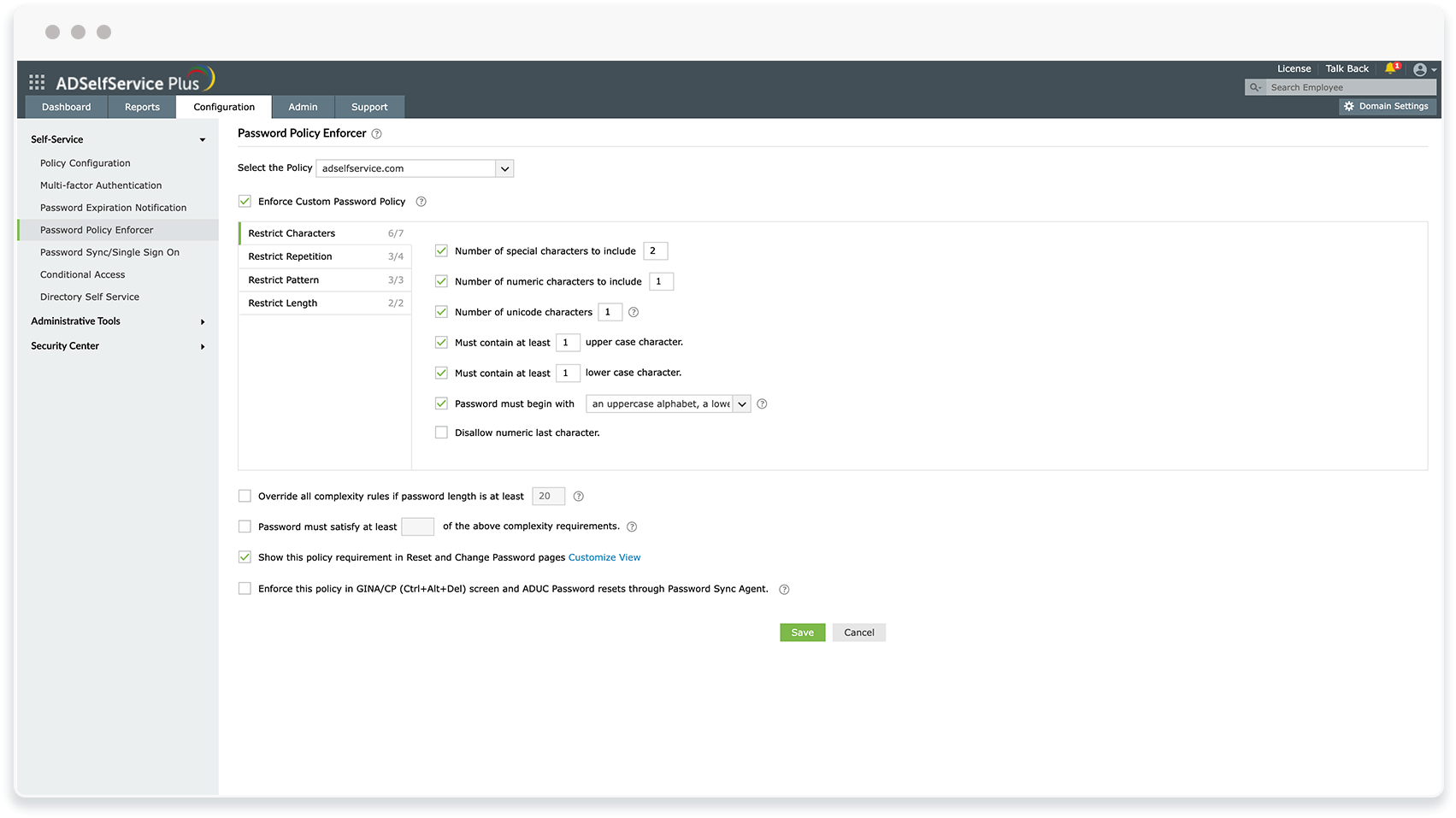
Increase password complexity by configuring the inclusion of alpha-numeric characters in passwords.


Benefits of defending against ATO attacks using ADSelfService Plus
-
Multiple identities secured with MFA
Implement adaptive MFA for endpoints, cloud and on-premises applications, VPNs, and OWAs.
-
Different authenticators for different users
Customize MFA for users based on their OU, group, and domain memberships so that they are authenticated with different authenticators that vary based on their privileges.
-
Compliance with regulatory norms
With adaptive MFA and strong password policies in place, make your organization comply with various regulatory standards including NIST SP 800-63B, the PCI DSS, and HIPAA.
Highlights of ADSelfService Plus
Adaptive MFA
Enable context-based MFA with 19 different authentication factors for endpoint and application logins.
Enterprise single sign-on
Allow users to access all enterprise applications with a single, secure authentication flow.
Remote work enablement
Enhance remote work with cached credential updates, secure logins, and mobile password management.
Powerful integrations
Establish an efficient and secure IT environment through integration with SIEM, ITSM, and IAM tools.
Enterprise self-service
Delegate profile updates and group subscriptions to end users and monitor these self-service actions with approval workflows.
Zero Trust
Create a Zero Trust environment with advanced identity verification techniques and render your networks impenetrable to threats.