Multi-factor authentication using email OTPs
Traditional usernames and passwords will no longer suffice to protect the identities in your organization. Cyberattackers have figured out countless ways to perform credential harvesting, including sophisticated social engineering attacks, brute-force tactics, and spraying.
Multi-factor authentication (MFA) adds an additional layer of security that significantly reduces the chances of a successful account takeover. Even if a cyberattacker manages to figure out a user's password, with MFA, they still have to penetrate other concrete layers of security. In addition, MFA is also a key component to achieving regulatory compliance such as GDPR, HIPAA and PCI DSS, Zero Trust, and purchasing cyber insurance premiums.
How email OTPs can help
Email verification codes are one of the easiest ways to implement MFA across your organization. Let's see how identity verification works when email verification is used for MFA.
- The user enters their traditional username and password.
- The MFA prompt is triggered after successful verification, and a OTP is sent to the user's email.
- The user enters the OTP in the MFA prompt.
- User logs in successfully after the OTP is verified.
Benefits of using email OTPs for MFA
- Improves user experience: Email is a common mode of communication and most users already have access to a mailbox. Email OTPs will be a comfortable mode of MFA, since it lowers the learning curve and eases the experience for users.
- Reduces IT workload: Admins don't have to worry about installing new solutions and educating users on how to use them. This saves time and improves productivity for IT admins, helping them to focus on other critical tasks.
- Cost-efficient: Enabling email OTPs will not incur additional costs since most organizations already have an existing email infrastructure. Unlike hardware authenticators and other applications, email OTPs can be hassle-free and yield better returns.
- Enhances accessibility: An email inbox can be accessed anywhere and at any time. Unlike hardware authenticators that requires users to carry them around or SMS-based MFA where users always require access to their mobiles, emails can be accessed from any device with an internet connection.
Steps to configure email-based MFA with ADSelfService Plus
ManageEngine ADSelfService Plus is an identity security solution with MFA, SSO, and password reset capabilities. With ADSelfService Plus, you can enable email-based MFA for all your endpoints such as workstations (Windows, macOS, and Linux), RDP VPN, servers, UAC, and cloud application logons.
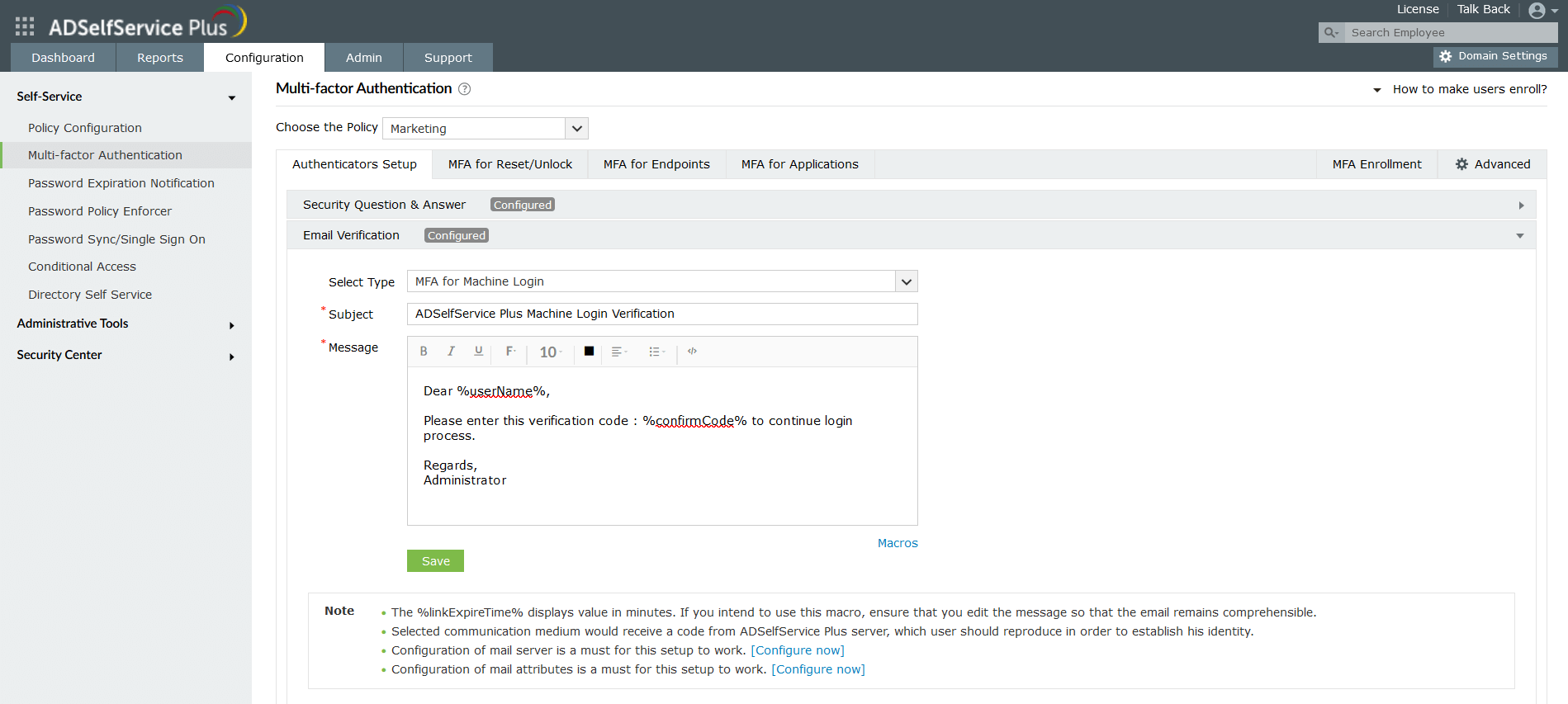
- Login to the ADSelfService Plus admin console.
- Click Configuration > Multi-factor Authentication > Email Verification.
- Select the type of MFA from the drop-down.
- Enter the subject of the message.
- Customize the content of the message as required.
- Click Save.
The cons of email-based MFA and what you can do about it
Email verification can be a great MFA factor, however, it can't be denied that it also has a downside. Cybercriminals have figured out sophisticated tactics to bypass email-based MFA such as social engineering techniques, brute-force, etc. Humans tend to make errors and cybercriminals leverage this to manipulate users into giving away their email codes.
Here's what you can do to make your email-based MFA cyber resilient:
- Raise awareness: Educate users about the social engineering techniques employed by cyberattackers and the importance of staying vigilant. If the user encounters any suspicious activity such as phone calls requesting MFA codes or a malicious website, they must report it immediately.
- Session timeout: Implement an MFA session timeout, which limits the timeframe for cyberattackers to execute an attack. With ADSelfService Plus, you can implement this by simply selecting a checkbox.

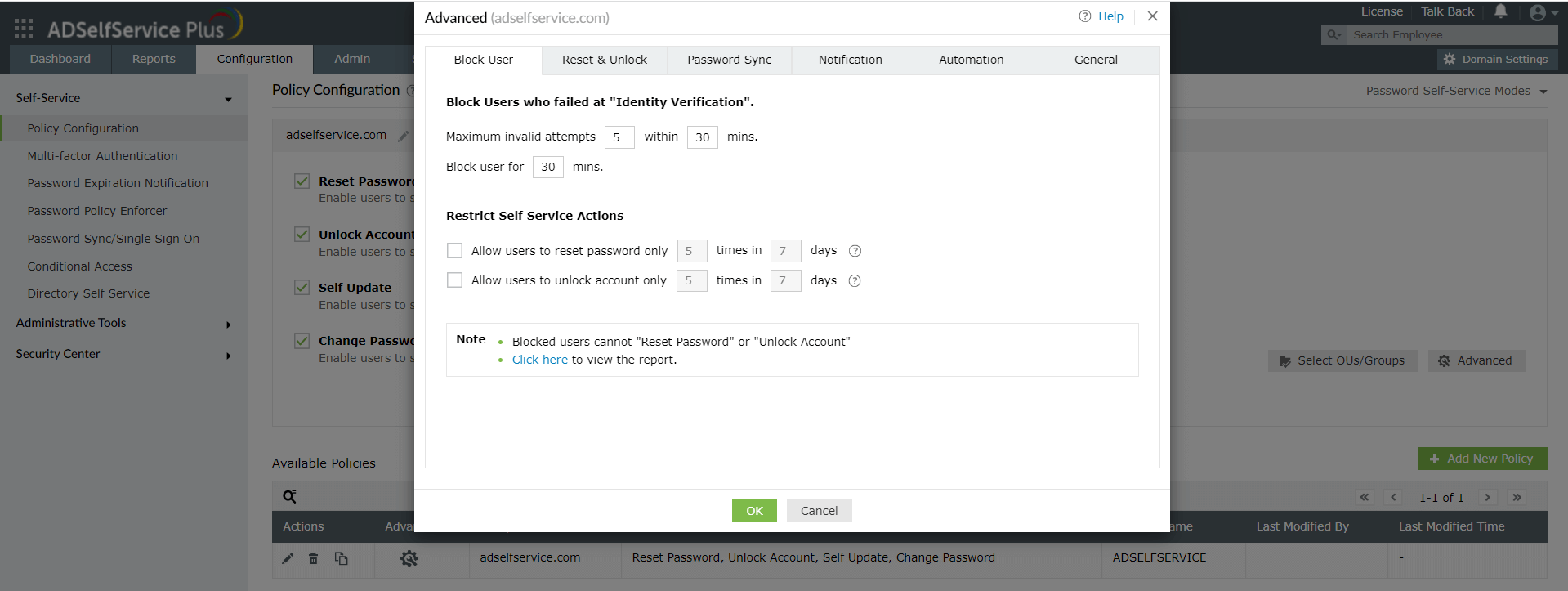
- Limit login attempts: Block users who've consecutively failed with identity verification. This will prevent brute-force attacks and MFA bombing. Here's how ADSelfService Plus makes this easy for you:
- Audit reports: Watch out for suspicious activities with insightful reports from ADSelfService Plus. These reports provide comprehensive information about MFA login attempts, email notification delivery, identity verification failures, and more, in a straight-forward UI that helps you identify anomalous activities at a glance.
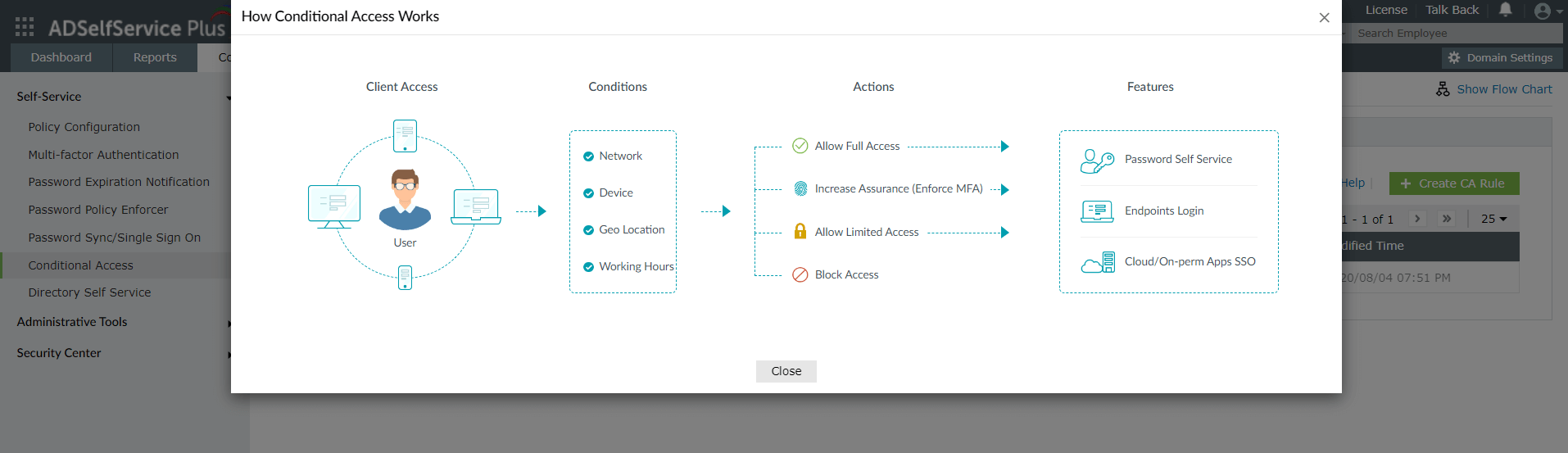
- Adaptive MFA: Leverage ADSelfService Plus' intelligence to perform risk-based MFA. You can calculate the risk of a particular login and adapt the number and type of MFA methods accordingly. For example, you can implement email-based MFA for all the users in your organization and require additional factors such as hardware authenticators and biometric for high-risk logins. In addition to enhancing security, this is also cost-efficient and smoothens the user experience.
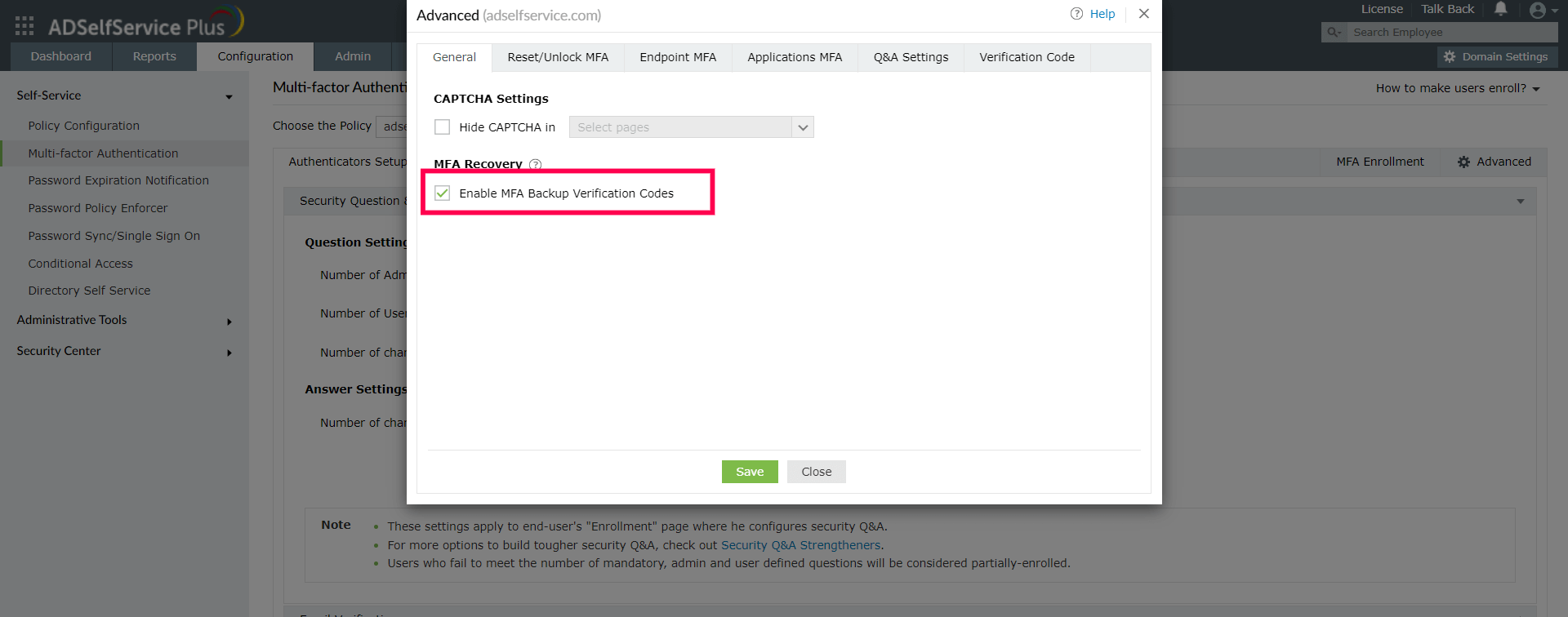
- MFA backup verification codes: This will help ease account recovery even if your users are locked out of their accounts.
Highlights of ADSelfService Plus
Allow Active Directory users to self-service their password resets and account unlock tasks, freeing them from lengthy help desk calls.
Get seamless one-click access to 100+ cloud applications. With enterprise single sign-on, users can access all their cloud applications using their Active Directory credentials.
Intimate Active Directory users of their impending password and account expiry via email and SMS notifications.
Synchronize Windows Active Directory user passwords and account changes across multiple systems automatically, including Microsoft 365, Google Workspace, IBM iSeries, and more.
Strong passwords resist various hacking threats. Enforce Active Directory users to adhere to compliant passwords by displaying password complexity requirements.
Enable Active Directory users to update their latest information themselves. Quick search features help admins scout for information using search keys like contact numbers.
 Free Edition