Performance Tuning in MSSQL
Leverage Applications Manager's Performance Tuning Capabilities
Most businesses that use MSSQL servers demand high availability, and hence unexpected server downtime or sudden performance degradation can directly impact the business and its end users. Comprehensive MSSQL monitoring tools such as Applications Manager not only gives visibility into every component of your enterprise infrastructure, but also helps identify issues, and aids the process of performance tuning in SQL servers.
What is SQL performance tuning?
SQL performance tuning is the process of optimizing SQL queries to run as efficiently as possible, thereby reducing the load on the database and improving overall system performance. This is achieved through various techniques, such as analyzing query execution plans, optimizing indexes, and rewriting queries to ensure optimal execution paths. The goal is to minimize the time and resources required to execute a query, ensuring faster and more efficient data retrieval and processing. By implementing performance tuning in SQL, organizations can significantly improve the overall efficiency of their database systems, leading to faster response times, better resource utilization, and improved overall user experience.
How can Applications Manager help in SQL performance tuning?
Identify problematic queries
A major aspect of the performance tuning process involves implementing processes and procedures to help optimize database queries in order to ensure that they run efficiently. Wondering where to start? Applications Manager's SQL server performance monitoring facilitates the first major step of the performance tuning process: it identifies problematic queries.
The Performance Dashboard in Applications Manager enables SQL query performance monitoring by acting as a pit stop to discover and detect queries that contribute to performance degradation of your MSSQL server. It helps identify the following categories of queries:
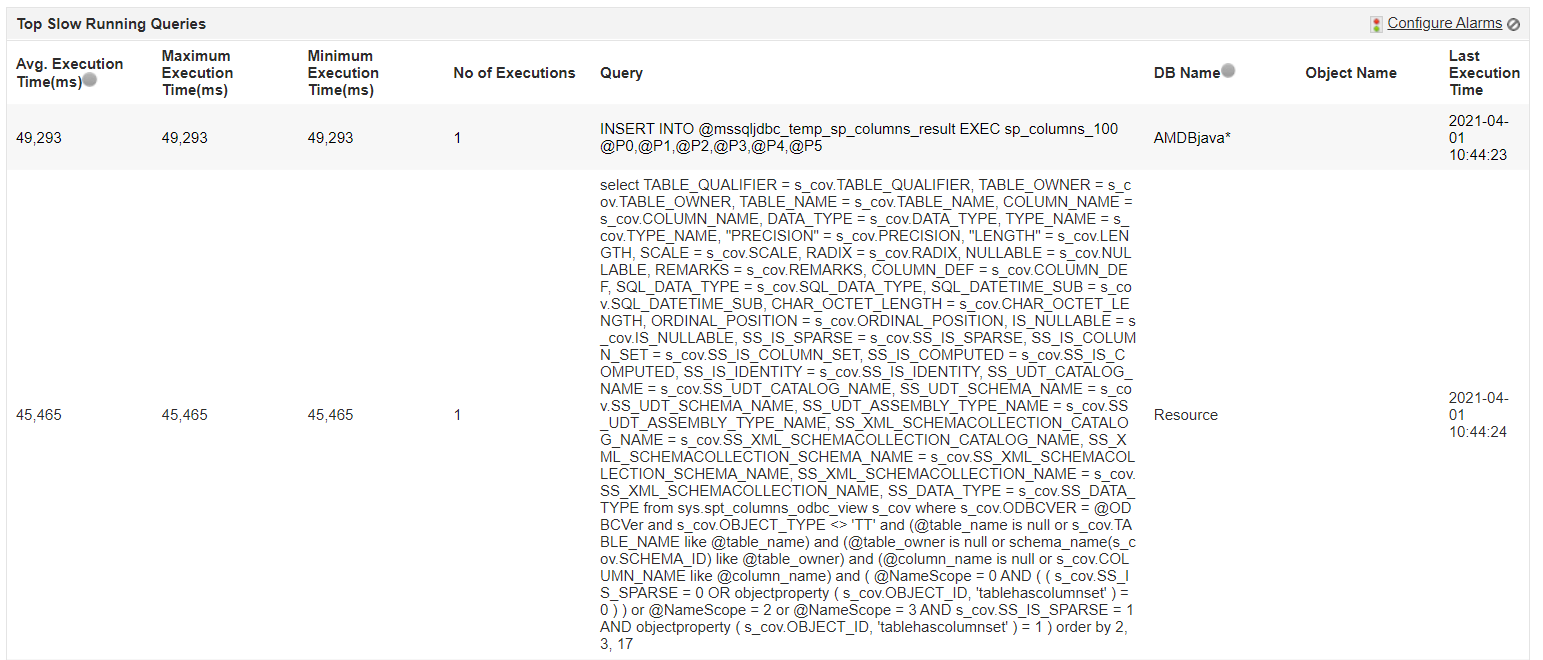
- Slow Running Queries: These queries contribute to maximum percentage of performance degradation in the MSSQL servers as they take a long time to execute. Applications Manager identifies the Top Slow Running Queries and helps you become aware of important performance metrics such as the minimum and maximum execution times of these queries to help you understand the extent of performance degradation that has been caused.
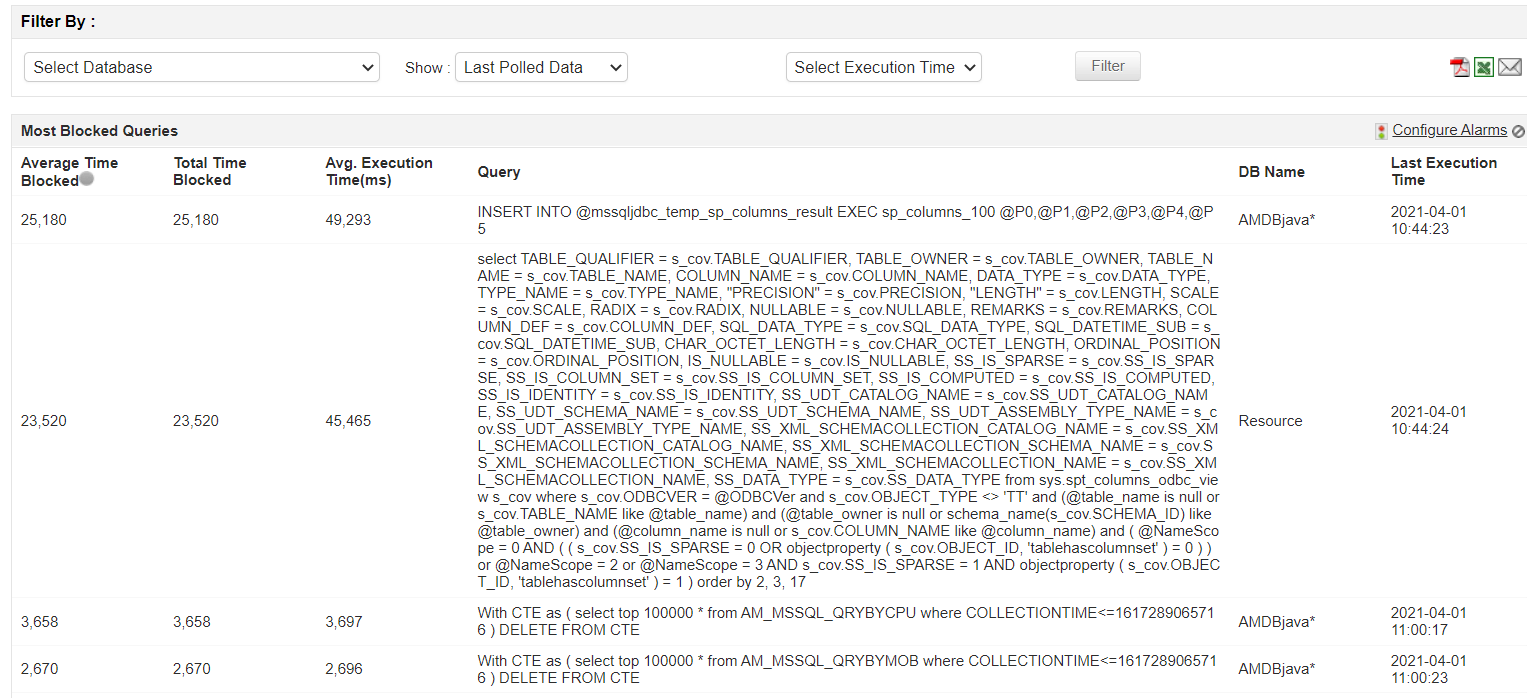
- Most Blocked Queries: Although blocking locks is an inherent characteristic used to maintain data integrity in databases while executing transactions, frequent blocking can have an adverse effect on database server performance. Applications Manager helps you monitor the Most Blocked Queries by tracking critical metrics of blocking information such as Average Time Blocked and Total Time Blocked. Get to know the database in which these queries are executed and analyze the same to improve server performance.
- Most Frequently Executed Queries: These queries may not necessarily be problematic, but since they are frequently executed, they may have a huge impact on server performance if they start to perform poorly. Hence, monitoring them becomes pivotal.
Applications Manager tracks metrics such as Execution Count, Execution Time, and Last Executed Time of these queries to help detect performance deterioration instantly.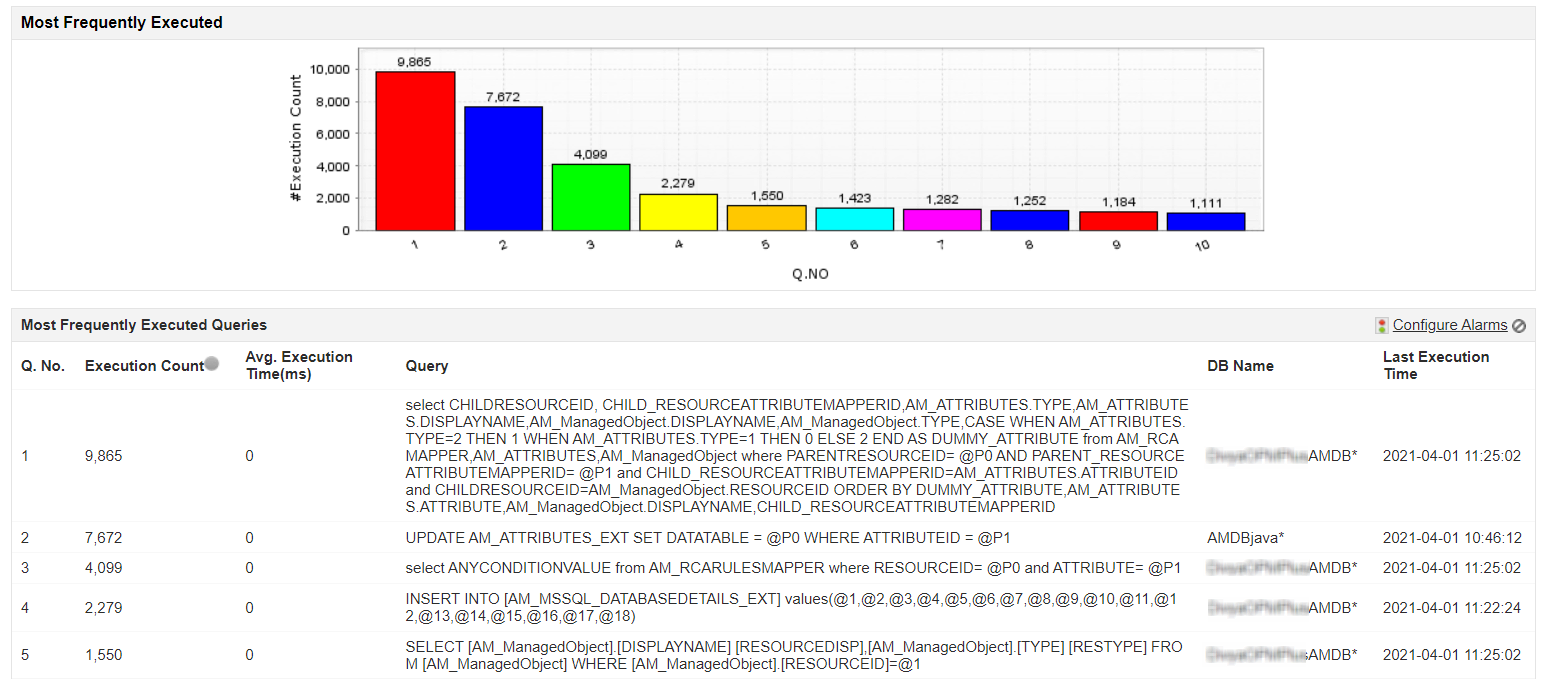
Keep an eye on indexes
Indexes are distinguished lookup tables databases used to accelerate data retrieval. Similar to an index in a book, it acts as a pointer to the data in the tables. Simply put, indexes act as navigating compasses to facilitate faster data access.
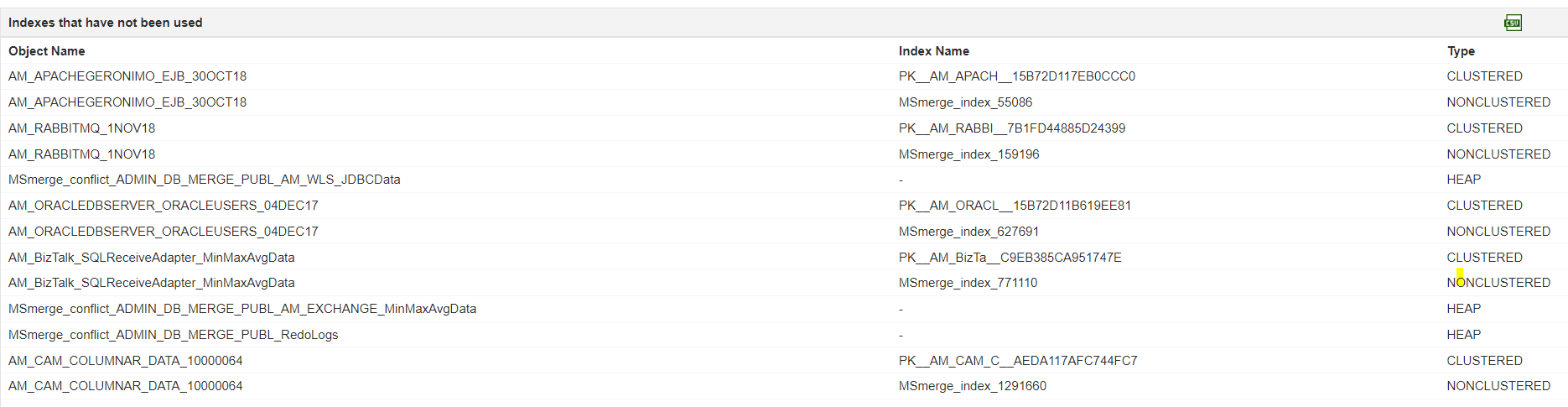
Hence, tracking and monitoring database indexes can also help DBAs tune the performance of MSSQL servers. Applications Manager's SQL server monitoring tracks unused indexes for all databases. Removing these unused indexes can not only free disk space but can also tune MSSQL server performance.
Keep track of transactions and prevent server overload
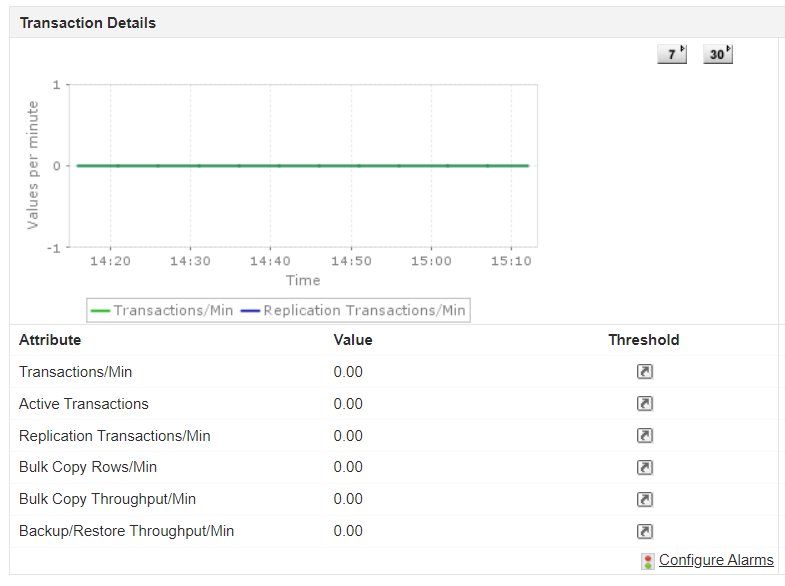
It is important to keep track of transactions occurring in the server in order to fine tune the performance and efficiency of your MSSQL server. Too many transactions occurring simultaneously can not only degrade the performance of the server, but can also cause latency and increased response time.
With Applications Manager, become aware of the load that your server is handling by tracking Transactions/min in all the databases.This helps avoid sudden server overload and prevents server unavailability.
Identify Blocking Sessions
Enterprise MSSQL servers usually consist of numerous databases that have multiple sessions trying to access specific resources. Although blocking sessions are common in relational databases, multiple blocking sessions can cause severe performance degradation. This can result in longer response times and transaction failures that can impact the user experience.
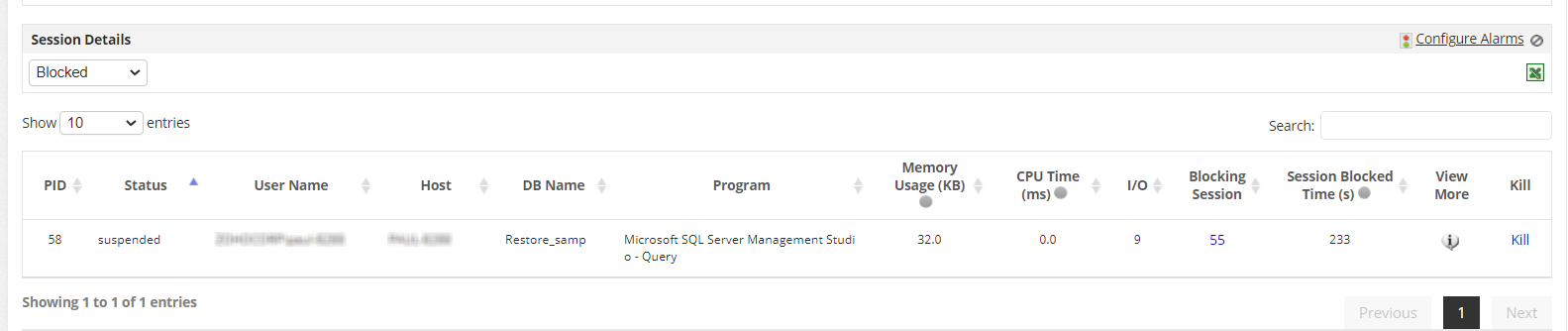
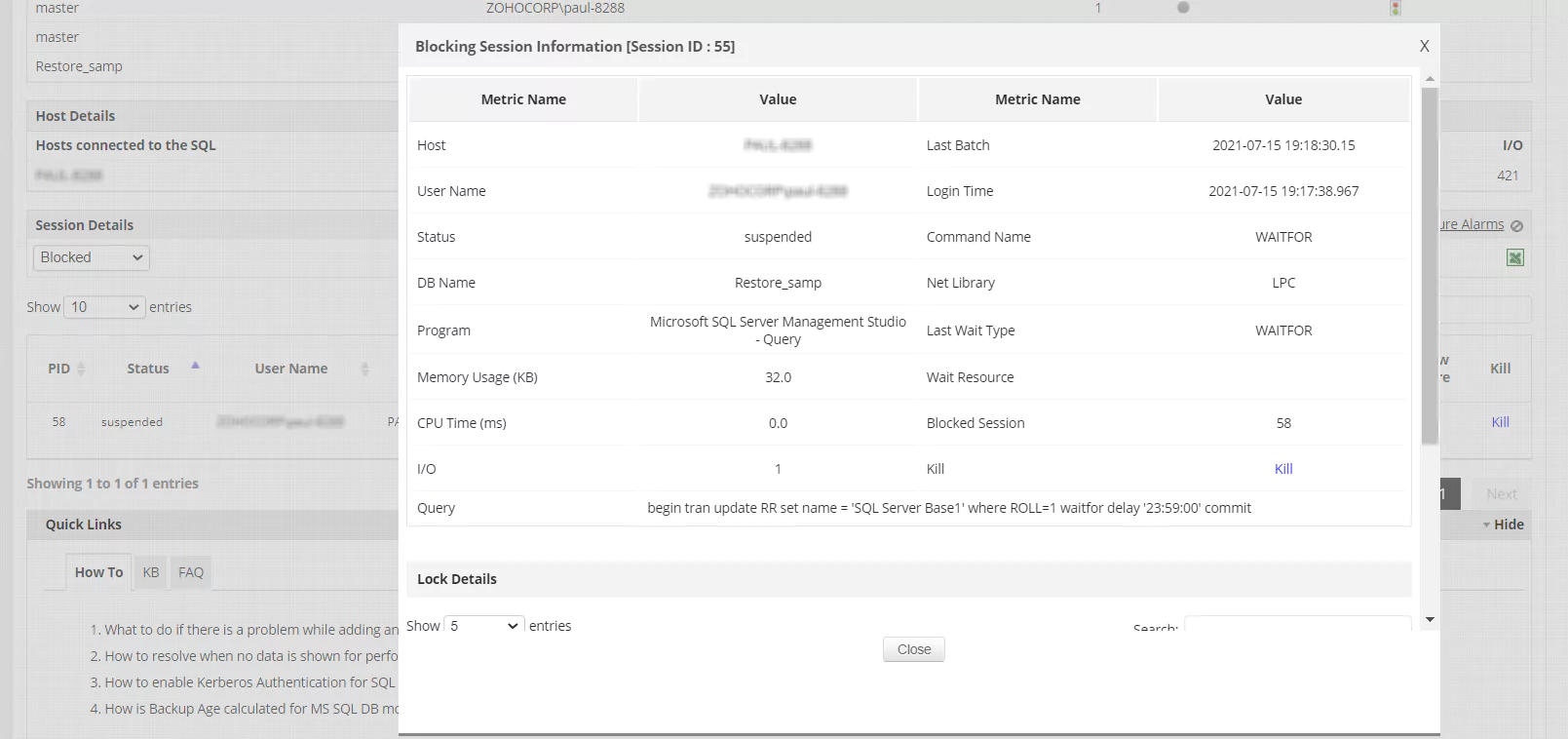
Applications Manager helps you proactively identify blocking sessions and alerts you when memory usage and CPU time crosses a specified threshold. This paves the way towards SQL server performance tuning where you can even kill blocked sessions instantly to free up memory and tune the performance of the server.
Achieve Holistic SQL Performance Management with ManageEngine Applications Manager
ManageEngine Applications Manager transcends traditional monitoring by offering a comprehensive platform for holistic SQL performance management. It integrates deep visibility into your SQL Server, MySQL, Oracle, PostgreSQL, and other database environments, combining proactive real-time database monitoring with powerful diagnostic capabilities. The solution meticulously tracks key performance indicators (KPIs) like response time, throughput, resource utilization, and error rates, providing a complete health overview. Its advanced features include intelligent alert mechanisms that notify you of impending performance issues, historical data analysis for trend identification and capacity planning, and automated root cause analysis.
For instance, its ability to meticulously track individual SQL queries and their execution plans allows for precise SQL query optimization techniques. By leveraging Applications Manager, organizations can transition from reactive problem-solving to proactive tuning, minimizing downtime, maximizing application efficiency, and significantly reducing operational overhead, ultimately ensuring that their SQL databases consistently deliver optimal performance.
Start your MSSQL performance tuning journey now!
In order to facilitate SQL server performance tuning, the best solution would be to employ the services of a monitoring tool that can give you visibility into your SQL enterprise infrastructure. Applications Manager is one such tool that is both easy to use and set up in just a few minutes.
Explore all the features of Applications Manager to see how it can solve your monitoring needs and pave the way for a seamless SQL performance tuning experience. Download a 30-day, free trial now to experience it hands-on!

