COMPLIANCE > Cyber Essentials
UK Cyber Essentials is a cybersecurity certification programme designed to help organizations safeguard against cyber threats. It is endorsed by the National Cyber Security Centre (NCSC) of the United Kingdom Government. Built around five essential technical controls, it involves a self-assessment certification process overseen by IASME, the official certification partner.
As part of the certification process, organizations must complete a self-assessment questionnaire, which needs to be reviewed and signed by a board member or a competent authority from the organization. Once signed, the assessment must be submitted to a certification body licensed by IASME for review and certification. The certification remains valid for 12 months, requiring annual renewal to ensure ongoing compliance.
We're proud to share that ManageEngine is certified under Cyber Essentials and Cyber Essentials Plus. These certifications reflect our commitment to upholding the same cybersecurity standards we advocate, demonstrating our dedication to robust security practices and leading by example.
- Why Endpoint Central
- Two Levels of Certification
- Controls mapping
- Deadlines & Penalties
Three reasons Endpoint Central is poised to help you achieve UK Cyber Essentials certification
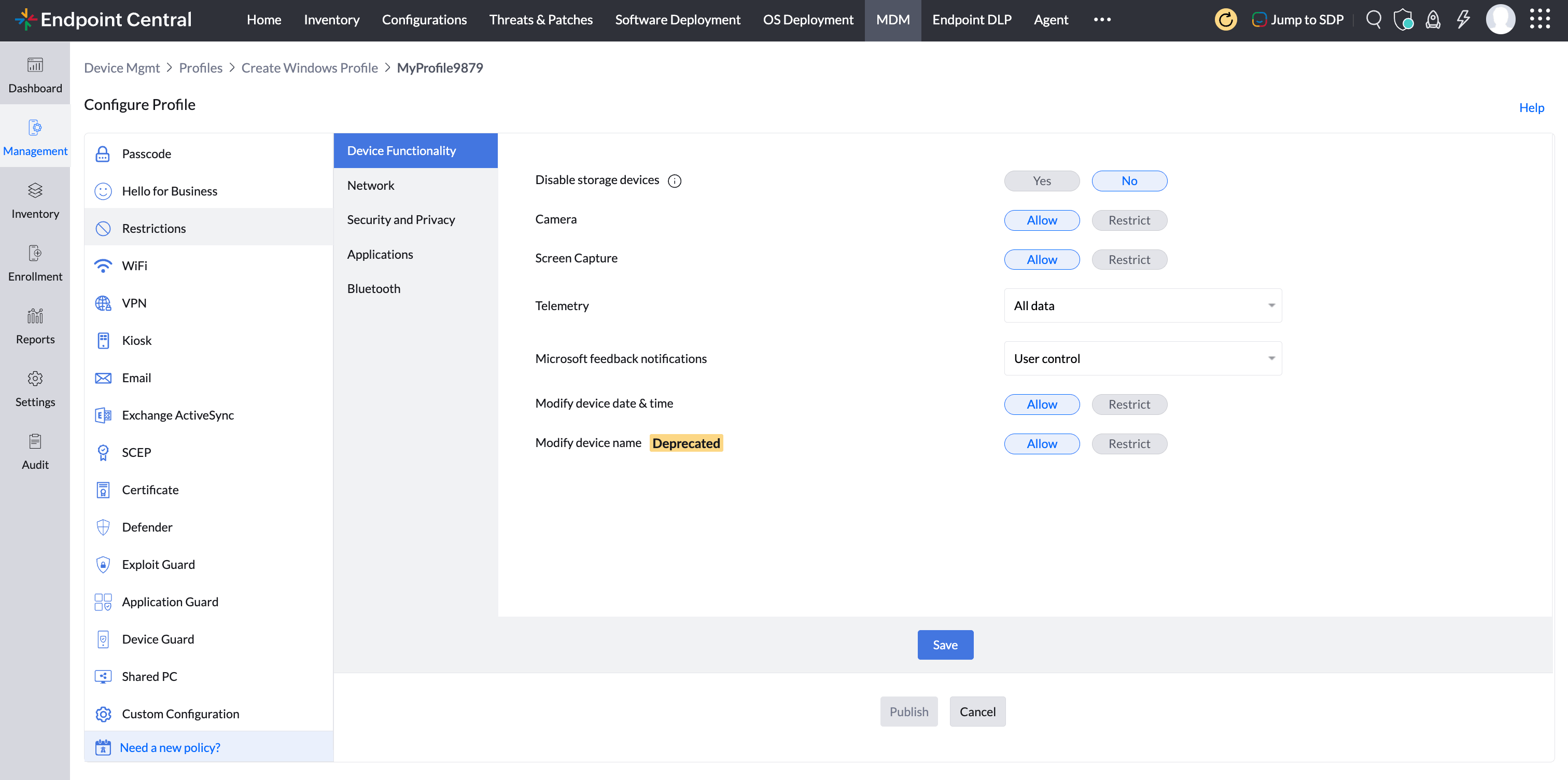
- Secure configurations - Assured protection
- Seamless updates across all devices
- Total IT visibility with Endpoint Central
Endpoint Central empowers your organization to uphold strong cyber hygiene through robust security measures. From data encryption to preventing unauthorized privilege escalation, blocking data leaks, and managing USB access, Endpoint Central ensures your systems remain secure, compliant, and resilient against evolving cyber threats.
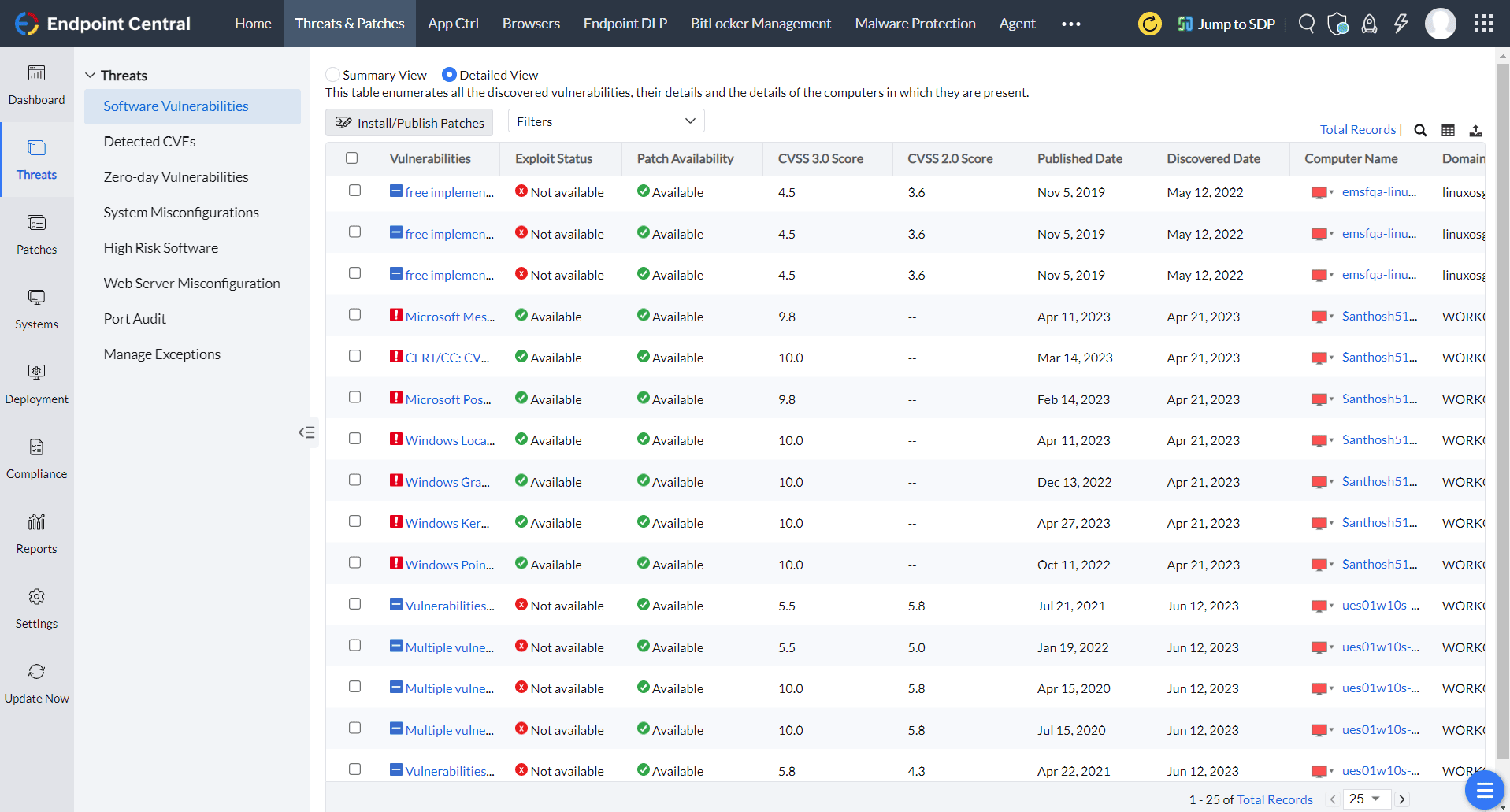
Stay ahead of vulnerabilities with Endpoint Central's comprehensive patch management. It supports updates for Windows, Mac, and Linux devices, along with over 1,000 third-party applications. Beyond traditional endpoints, it streamlines mobile device updates - covering Apple, Android, and both store and in-house applications - ensuring every device stays secure and up-to-date.
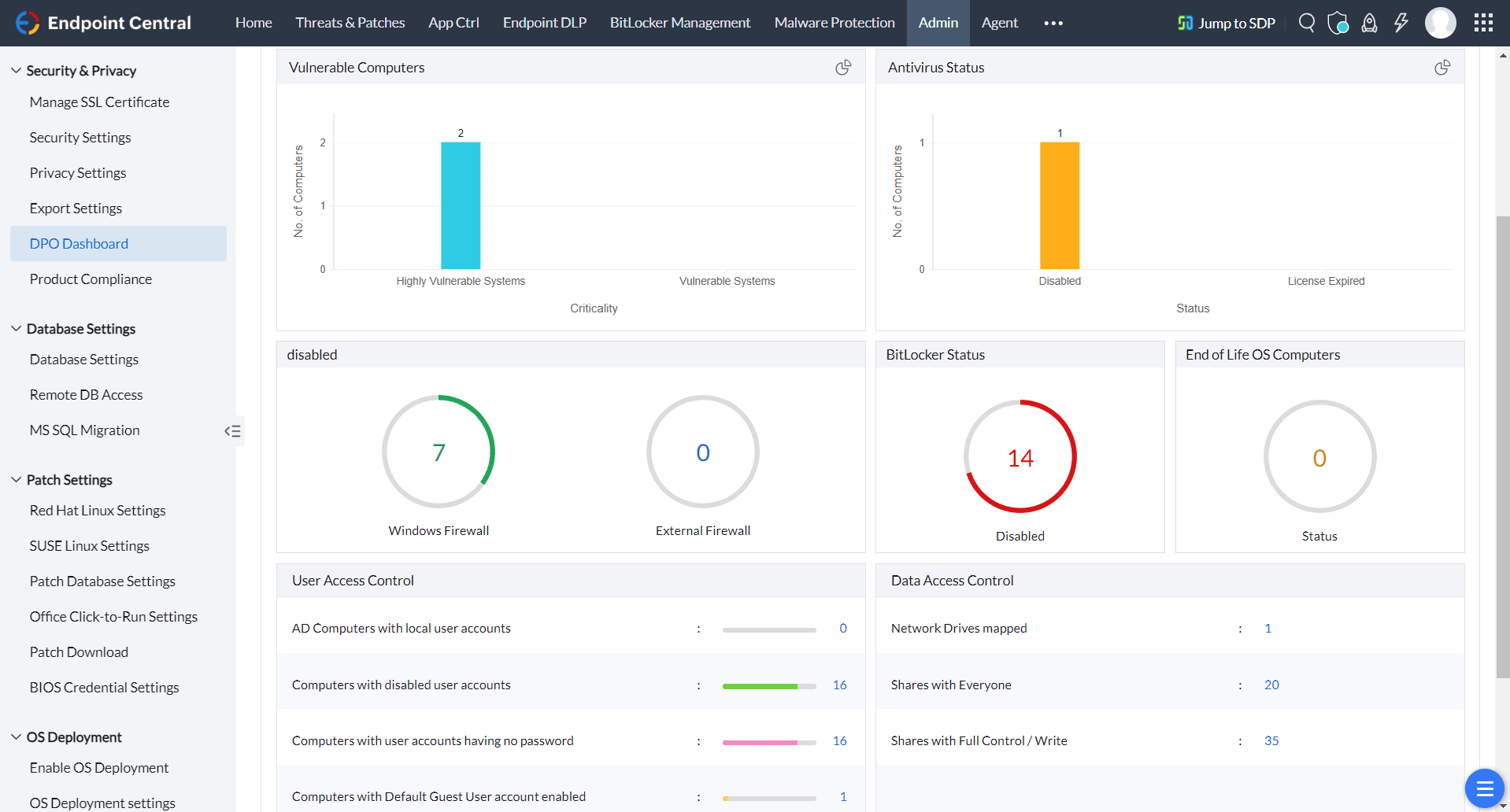
Gain complete visibility into your IT infrastructure with Endpoint Central's advanced asset management tools. Proactively monitor, manage, and secure your assets while leveraging powerful anti-malware capabilities. With features like one-click data restoration and endpoint quarantine, Endpoint Central minimizes business disruptions, keeping your operations seamless and resilient.
Two levels of Cyber Essentials certification
Organizations can choose the level that best aligns with their cybersecurity needs and assurance requirements.
- Cyber Essentials: A basic-level certification based on self-assessment and verification of the five key technical controls.
- Cyber Essentials Plus: Includes a hands-on technical audit of your IT systems to verify the proper implementation of the required controls.
The latest version of Cyber Essentials: Requirements for IT Infrastructure (v3.1) emphasizes the importance of asset management in effectively implementing the five key technical controls, even though it is not officially listed as one of them. Drawing from NCSC's guidance on asset management, we've outlined how Endpoint Central is uniquely equipped to support your organization in achieving efficient and comprehensive asset management. Click here to learn more.
Similarly, the latest version of Cyber Essentials: Requirements for IT Infrastructure (v3.1) includes Bring Your Own Device (BYOD) within its scope. This means organizations seeking UK Cyber Essentials certification must ensure that BYOD devices are effectively managed and secured in alignment with the framework's requirements. Referencing NCSC's guidance on BYOD management, Endpoint Central is well-equipped to help your organization establish robust controls for BYOD security and compliance.Click here to learn more.
Endpoint Central mapping to Cyber Essentials controls
The table below provides a detailed overview of how Endpoint Central is strategically positioned to help your organization effectively implement and excel in each of the five key technical controls.
| Control | Description (Cyber Essentials: Requirements for IT Infrastructure v3.1) | How Endpoint Central helps |
|---|---|---|
Firewall | Requirements You must protect every device in scope with a correctly configured firewall (or network device with firewall functionality). Information: Most desktop and laptop operating systems now come with a software firewall preinstalled; we advise that these are turned on in preference to a third-party firewall application. For all firewalls (or network devices with firewall functionality), your organization must:
Make sure you use a software firewall on devices which are used on untrusted networks, such as public wifi hotspots. | Endpoint Central comes handy for admins to configure Windows Firewall for the end-users, applying consistent inbound and outbound rule sets across the managed endpoint estate. |
Secure Configuration | Requirements - Computers and network devices Your organization must proactively manage your computers and network devices. You must regularly: Remove and disable unnecessary user accounts (such as guest accounts and unused administrative accounts). Change any default or guessable account passwords. Remove or disable unnecessary software (including applications, system utilities, and network services). Disable any auto-run feature which allows file execution without user authorization. Ensure users are authenticated before allowing them access to organizational data or services. Ensure appropriate device locking controls for users that are physically present. Device unlocking credentials If a device requires a user’s physical presence to access a device’s services (such as logging on to alaptop or unlocking a mobile phone), a credential such as a biometric, password or PIN must be inplace before a user can gain access to the services. You must protect your chosen authentication method (which can be biometric authentication,password or PIN) against brute-force attacks. When it's possible to configure, you should apply oneof the following: ‘Throttling' the rate of attempts, so that the number of times the user must wait between attempts increases with each unsuccessful attempt. You shouldn’t allow more than 10 guesses in 5 minutes Locking devices after more than 10 unsuccessful attempts. When the vendor doesn't allow you to configure the above, use the vendor’s default setting. Technical controls must be used to manage the quality of credentials. If credentials are just to unlocka device, use a minimum password or PIN length of at least 6 characters. When the device unlockingcredentials are also used for authentication, you must apply the full password requirements to thecredentials described in ‘user access controls.’ | Revoke administrative rights from unintended users and enforce the principle of least privilege using Endpoint Central's endpoint privilege management. Admins can prohibit users from installing unnecessary software and can create list of software which areallowed/ blocked in their IT environment Endpoint Central also can block executables feature, preventing the files from automatically getting executed. Endpoint Central also empowersadmins to control the Child processes arising out of other applications. To ensure safe access to corporate application, Endpoint Central leverages enterprise SSO using kerberos protocol. Endpoint Central also leverages Certificate Based Authentication using SCEP Endpoint Central enables administrators to set passcode policies for mobile devices running on Android, Apple, and Windows, ensuring end-users create strong passcodes for their devices. The policy enables admins to configure maximum number of failed passcode attempts, maximum idle time allowed before auto-lock and many other configurations. |
Security Update | Requirements You must make sure that all software in scope is kept up to date. All software on in-scope devices must: Be licensed and supported. Be removed from devices when it becomes unsupported or removed from scope by using a defined sub-set that prevents all traffic to/from the internet. Have automatic updates enabled where possible. Be updated, including applying any manual configuration changes required to make the update effective, within 14 days* of an update being released, where:
Please note:For optimum security, we strongly recommend (but it’s not mandatory) that all released updates are applied within 14 days of release. *It's important that updates are applied as soon as possible. 14 days is considered a reasonable period to be able to implement this requirement. Any longer would constitute a serious security risk while a shorter period may not be practical. Information: If the vendor uses different terms to describe the severity of vulnerabilities, see the precise definition in the Common Vulnerability Scoring System (CVSS). For the purposes of the Cyber Essentials scheme, ‘critical’ or ‘high risk’ vulnerabilities are those with a CVSS 3.0 score of 7 or above or are identified by the vendor as 'critical or high risk'. Caution: Some vendors release security updates for multiple issues with differing severity levels as a single update. If such an update covers any ‘critical’ or ‘high risk’ issues then it must be installed within 14 days. | Endpoint Central provides comprehensive vulnerability management in terms of constant assessment and visibility of threats from a single console. Apart from vulnerability assessment, it also provides built-in remediation of the vulnerabilities detected. Endpoint Central provides risk-based vulnerability management so that admins can prioritize the vulnerabilities based on metrics like CVSS score, CVE impact type, patch availability, and more. A unified console serves both ITops and SecOps, with role-based access control so security functions can be assigned to independent security experts. Endpoint Central has a vulnerability age matrix and vulnerability severity summary, providing rich insights about the impact of patch implementation. Comprehensive reports cover vulnerable systems and missing patches. Test and Approve lets IT admins validate patches within a small group of computers before broader deployment. Endpoint Central provides comprehensive patch support for Windows, Linux, macOS, and Windows Server OS, along with 1,000+ third-party applications, hardware drivers, and BIOS. Endpoint Central's patch SLA:
|
User Access Control | Requirements Your organisation must be in control of your user accounts and the access privileges that allow access to your organisational data and services. It’s important to note that this also includes third party accounts — for example, accounts used by your support services. You also need to understand how user accounts authenticate and manage the authentication accordingly. This means your organization must:
Password-based authentication All user accounts require the user to authenticate.Where this is carried out using a password, you should put in place the following protective measures: Passwords are protected against brute-force password guessing by implementing at least one of: Multi-factor authentication (MFA) Throttling' the rate of attempts, so that the number of times the user must wait between attempts increases with each unsuccessful attempt — you shouldn’t allow more than 10 guesses in 5 minutes Locking accounts after no more than 10 unsuccessful attempts Use technical controls to manage the quality of passwords. This will include one of the following: Using multi-factor authentication (see below)
Support users to choose unique passwords for their work accounts by: Educating people about avoiding common passwords, such as a pet's name, common keyboard patterns or passwords they have used elsewhere. This could include teaching people to use the password generator feature built into some password managers. Encouraging people to choose longer passwords by promoting the use of multiple words (a minimum of three) to create a password (such as the NCSC’s guidance on using three random words) Providing usable secure storage for passwords (for example a password manager or secure locked cabinet) with clear information about how and when it can be used. Not enforcing regular password expiry Not enforcing password complexity requirements You should also make sure there is an established process in place to change passwords promptly if you know or suspect a password or account has been compromised. Multi-factor authentication (MFA) As well as providing an extra layer of security for passwords that aren’t protected by the othertechnical controls, you should always use multi-factor authentication to give administrative accountsextra security, and accounts that are accessible from the internet. The password element of the multi-factor authentication approach must have a password length ofat least 8 characters, with no maximum length restrictions. There are four types of additional factor to consider:
Additional factors should be chosen so that they are usable and accessible. You might need to carryout user testing to decide what is best for your users. For more information see NCSC’s guidance onMFA. | Revoke administrative rights from unintended users and enforce the principle of least privilege using Endpoint Central, separating administrative and standard user activity through endpoint privilege management. Endpoint Central enables administrators to set passcode policies for mobile devices running Android, Apple, and Windows, ensuring end-users create strong passcodes. The policy enables admins to configure the maximum number of failed passcode attempts, maximum idle time before auto-lock, and many other parameters. Zoho offers Zoho OneAuth for multi-factor authentication requirements, covering the additional-factor options accepted under Cyber Essentials. Zoho also offers Zoho Vault- an enterprise password manager - for usable secure storage of credentials. |
Malware Protection | Requirements You must make sure that a malware protection mechanism is active on all devices in scope. For each device, you must use at least one of the options listed below. In all cases the software must be active, kept up to date in accordance with the vendor's instructions, and configured to work as detailed below. Anti-malware software (for in-scope devices running Windows or macOS, including servers, desktop computers, laptop computers): if you use anti-malware software to protect your device it must be configured to be updated in line with vendor recommendations, prevent malware from running, prevent the execution of malicious code, and prevent connections to malicious websites over the internet. Application allow listing (for all in-scope devices): only approved applications, restricted by code signing, are allowed to execute on devices. You must actively approve such applications before deploying them, and maintain a current list of approved applications. Users must not be able to install any application that is unsigned or has an invalid signature. | Endpoint Central has a built-in next-gen antivirus engine that proactively detects cyber threats such as malware using AI-assisted, real-time behaviour detection and deep learning technology. Apart from real-time malware detection, Endpoint Central also actively performs incident forensics so that SecOps can analyze root cause and severity. If the next-gen antivirus engine detects suspicious behaviour or malware on an endpoint, it can quarantine the affected device and, after thorough forensic analysis, redeploy it back into production. Endpoint Central also provides instant, non-erasable backup of files on the network every three hours by leveraging Microsoft's Volume Shadow Copy Service. If a file is infected with ransomware, it can be restored from the most recent backup copy. Endpoint Central's Application Control module allows admins to allowlist and blocklist software applications, |
Deadlines and consequences of non-compliance
Cyber Essentials certification is valid for 12 months and must be renewed annually to maintain certification status. While the scheme does not impose statutory deadlines or regulatory fines, many UK public-sector organizations, government departments, NHS bodies, and supply-chain partners require Cyber Essentials certification as a condition for procurement, contract eligibility, or continued supplier engagement.
Failure to obtain or maintain Cyber Essentials certification can result in exclusion from government and public-sector contracts, loss of business opportunities, increased cyber insurance costs, and reduced customer confidence. Organizations without Cyber Essentials may also face greater exposure to cyberattacks due to weaknesses in areas such as patch management, access control, malware protection, and secure configuration. In the event of a security incident, the absence of recognized baseline security controls can increase operational disruption, financial losses, and reputational damage.
Endpoint Central helps in achieving the following compliances
CIS

FERPA
NIST 800-171
UK CYBER ESSENTIALS

NCA
ISO 27001
PCI DSS
NIST 2.0 CSF

HIPAA

DORA

GDPR

NIS2

RBI
Essential 8
Recommended reads
Real Stories, Real Impact: Endpoint Central and Compliance

"Endpoint Central has allowed us to move towards our goal of a centralized application to cover off IT support activities. The deployment was really simple with no real issues. We use it mainly for the integration with ServiceDesk Plus and the reports it provide for our ISO implementation"

Talk to Us About Your Compliance Needs
Feel free to connect with our experts to address your specific queries and discover how Endpoint Central can assist you in meeting Cyber Essentials requirements.