Steps to configure SAML SSO for SugarCRM
About SugarCRM
SugarCRM is a CRM platform that helps businesses manage customer interactions, streamline processes, and drive sales growth. It offers a range of tools for sales automation, marketing, and customer support, with a focus on providing a highly customizable and scalable solution.
Please note that SugarCRM supports two types of SAML configuration—one with SugarIdentity and one without. The following steps will help you enable SSO for SugarCRM from Identity360.
Prerequisites
- The MFA and SSO license for Identity360 is required to enable SSO for enterprise applications.
- Log in to Identity360 as an Admin, Super Admin, or Technician with a role that has Application Integration and Single Sign-on permissions.
- Navigate to Applications > Application Integration > Create New Application, and select SugarCRM from the applications displayed.
Note: You can also find SugarCRM from the search bar located at the top.
- Under the General Settings tab, enter the Application Name and Description.
- Under the Choose Capabilities tab, select SSO and click Continue.
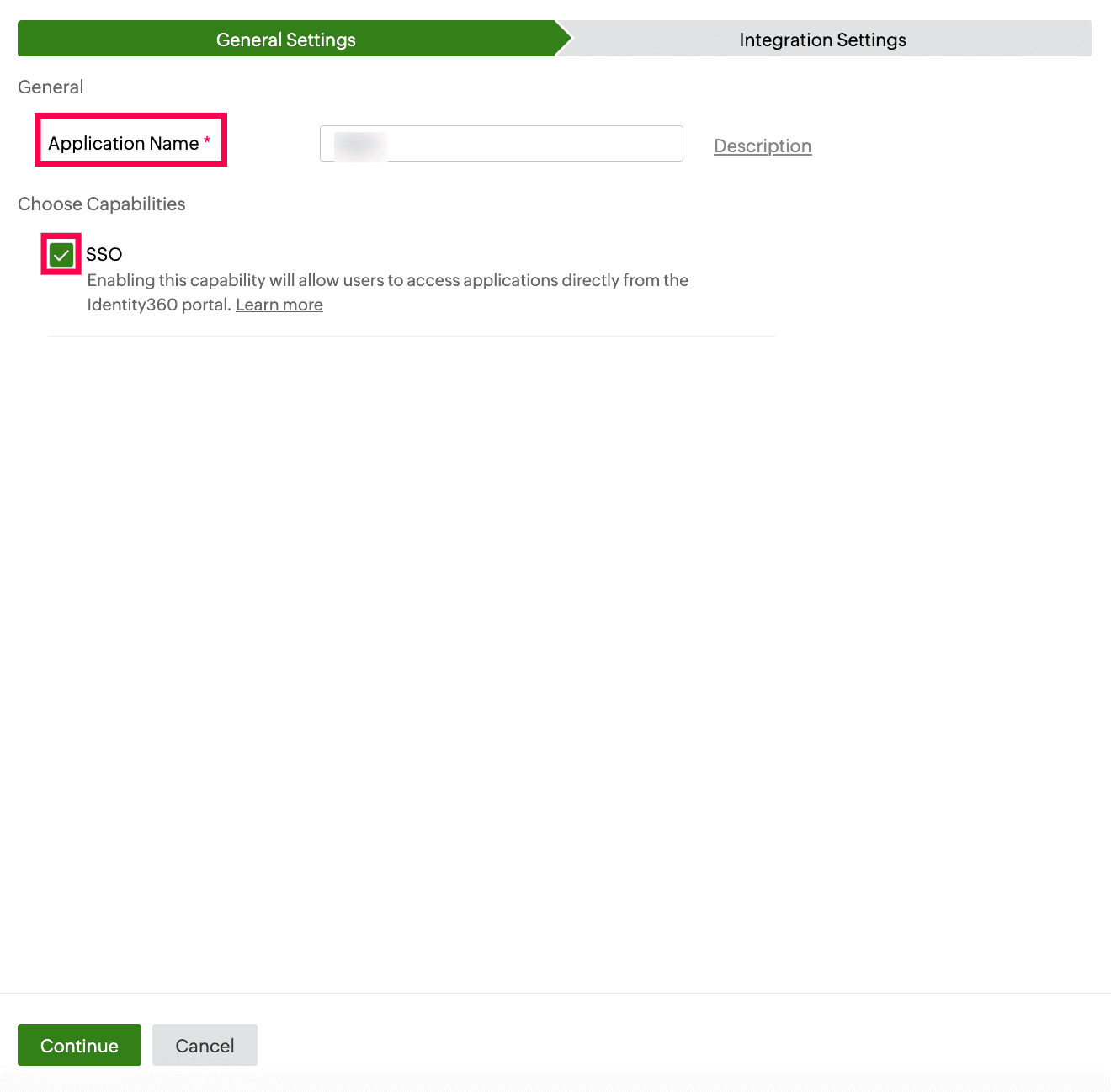 General Settings of SSO configuration for SugarCRM
- Under Integration Settings, navigate to the Single Sign On tab, click Metadata Details. You can configure SugarCRM by either uploading the metadata file or entering the details manually.
- For uploading a metadata file: Download the metadata file to be uploaded during the configuration of SugarCRM in Identity360 by clicking Download from the Metadata field.
- For manual configuration: Copy the Login URL, Logout URL, Entity ID, and Signing Certificate, which will be used during the configuration of SugarCRM.
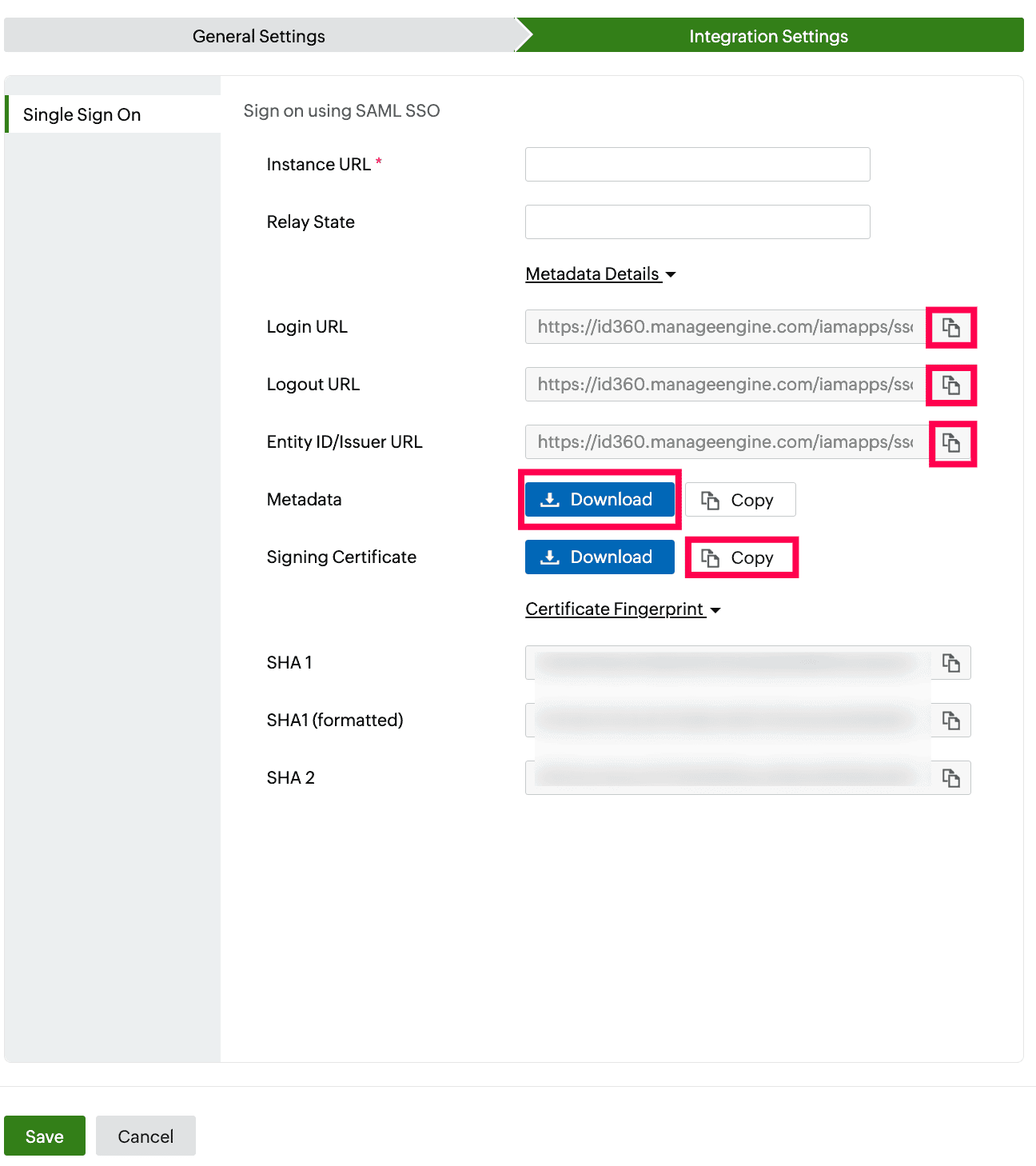 Integration Settings of SSO configuration for SugarCRM
SugarCRM (service provider) configuration steps
- Log in to SugarCRM with administrator’s credentials.
- Navigate to your profile icon and click Admin.
- In the Administration section, select Password Management.
- Under SAML Authentication, check Enable SAML Authentication.
- (a). If you choose the Upload Metadata File option, perform the following steps:
- Click Import IdP Metadata File.
- Click Open and upload the metadata file you downloaded from step 6(a) of prerequisites.
- Certain fields, such as the Login URL, SLO URL, Entity ID, and X.509 Certificate, will be auto-populated with data from the file.
- (b). If you choose the Manual Configuration option, perform the following steps:
- Click Save.
Identity360 (IdP) configuration steps
- Switch to Identity360's application configuration page.
- Enter your SugarCRM Instance URL. For example, if your SugarCRM URL is https://kiteworks.sugarcrm.com, then kiteworks.sugarcrm.com is your Instance URL.
- Enter the Relay State parameter, if necessary.
Note: Relay State is an optional parameter used with a SAML message to remember where you were or to direct you to a specific page after logging in.
- Click Save.
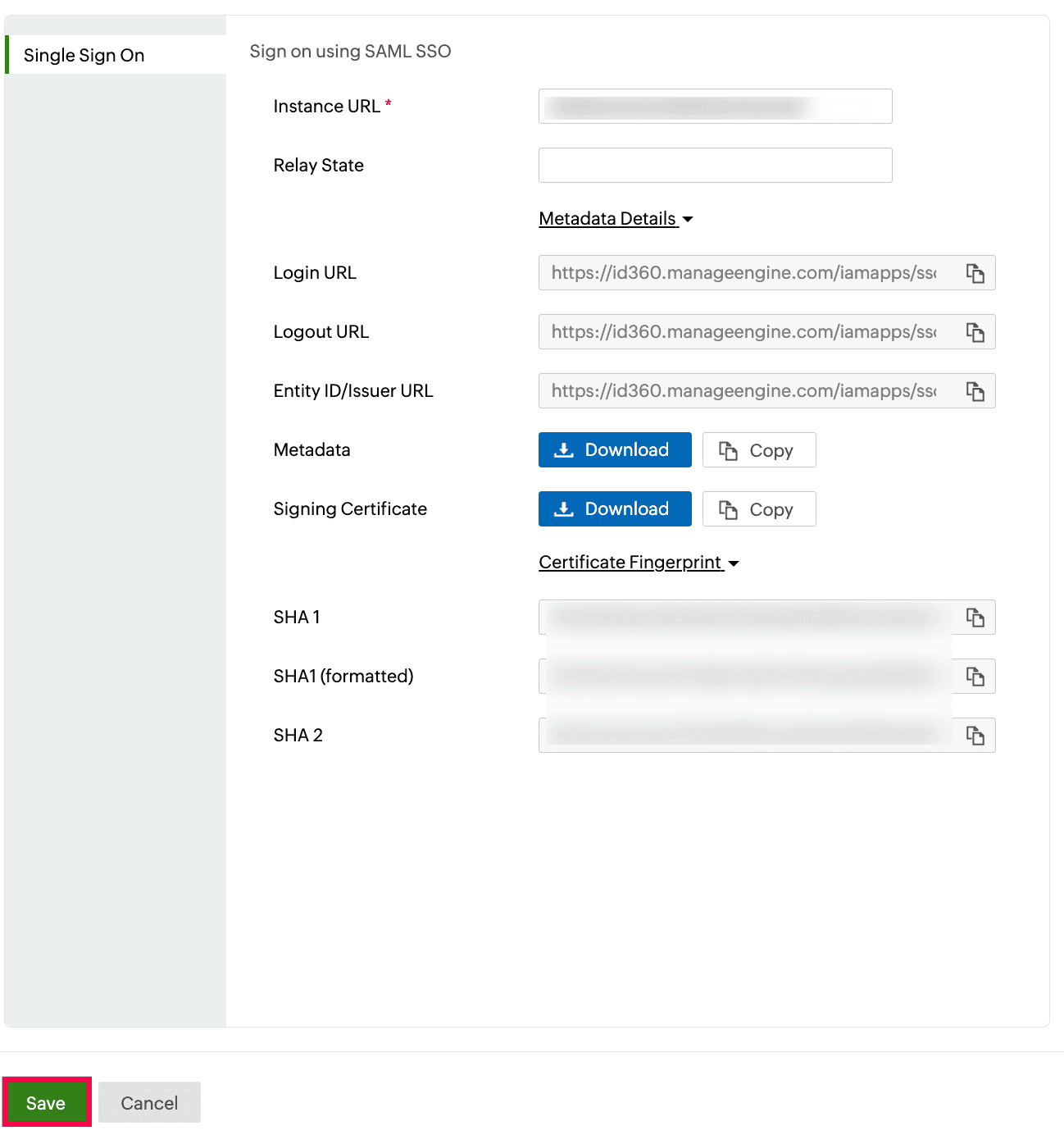 Integration Settings of SSO configuration for SugarCRM
- To learn how to assign users or groups to one or more applications, refer to this page.
Your users will now be able to sign in to SugarCRM through the Identity360 portal.
Note: For SugarCRM, both SP-initiated and IdP-initiated flows are supported.
Steps to enable MFA for SugarCRM
Setting up MFA for SugarCRM using Identity360 involves the following steps:
- Set up one or more authenticators for identity verification when users attempt to log in to SugarCRM. Identity360 supports various authenticators, including Google Authenticator, Zoho OneAuth, and email-based verification codes. Click here for steps to set up the different authenticators.
- Integrate SugarCRM with Identity360 by configuring SSO using the steps listed here.
- Now, activate MFA for SugarCRM by following the steps mentioned here.
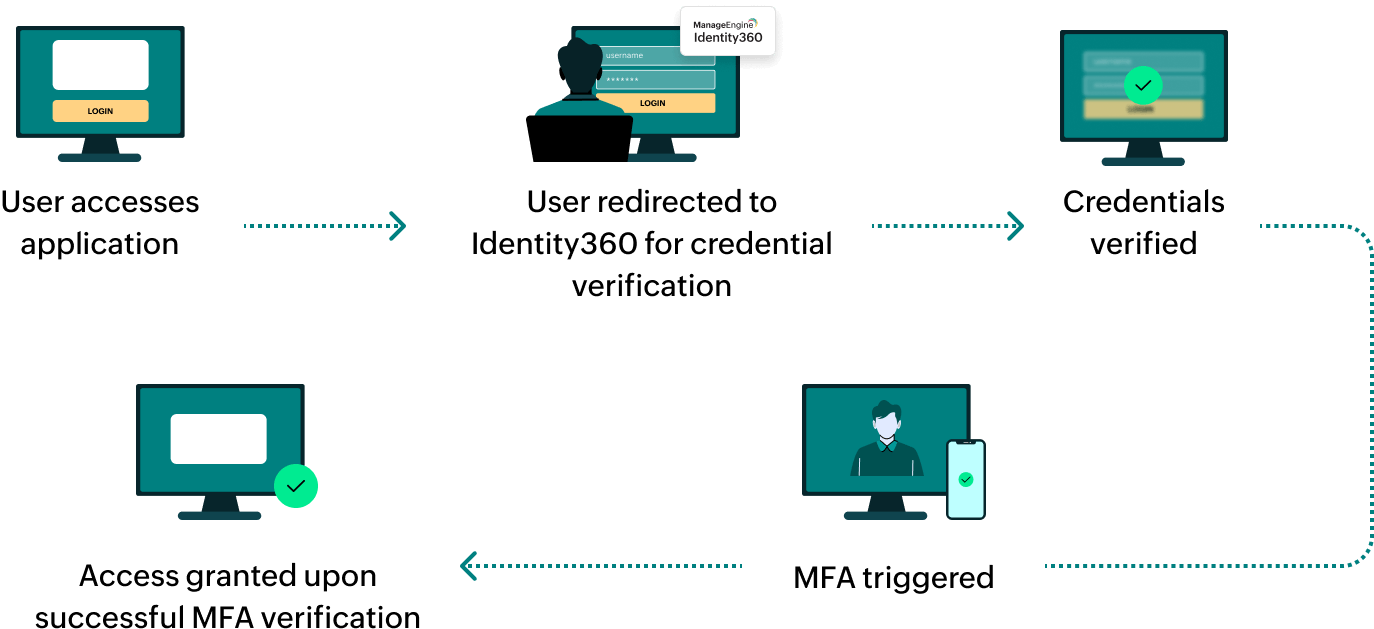
How does MFA for applications work in Identity360?