Steps to configure SAML SSO for Zoho Analytics
About Zoho Analytics
A self-service BI and data analytics platform that transforms raw data into insightful reports and dashboards. It supports AI-powered analytics and data blending.
Bookmarks
You can add Zoho Analytics to the Identity360 end-user portal by creating a simple bookmark for the application and assigning it to users. The bookmark method enables users to directly login to Zoho Analytics from the Identity360 portal, allowing single-click access.
Note: ManageEngine Identity360 is part of the Zoho suite. So, logging into Identity360 enables SSO for all of the Zoho applications.
Steps to configure Bookmark for Zoho Analytics
- Log in to Identity360 as an Admin, Super Admin, or Technician with a role that has Application Integration and Single Sign-on permissions.
- Navigate to Applications > Application Integration > Create New Application, and select Zoho Analytics from the applications displayed.
Note: You can also find Zoho Analytics from the search bar located at the top.
- Under the General Settings tab, enter the Application Name and Description.
- Under the Choose Capabilities tab, choose Single Sign-On and click Continue.
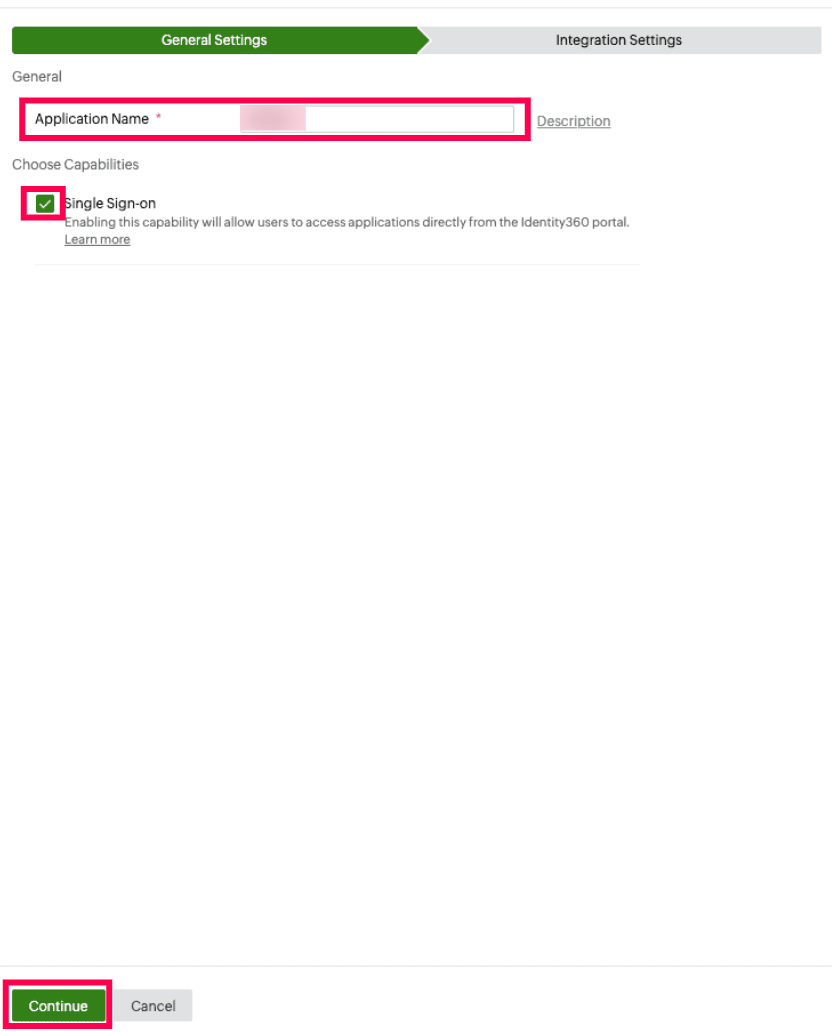 General Settings of SSO configuration for Zoho Analytics
- Under Integrations Settings tab, from Bookmark Configuration, select the respective Data Center.
Note: A data center is a facility that stores your enterprise data and from which the user can access the same. At Zoho, we host data in best-in-class data centers across the globe.
- Click Save.
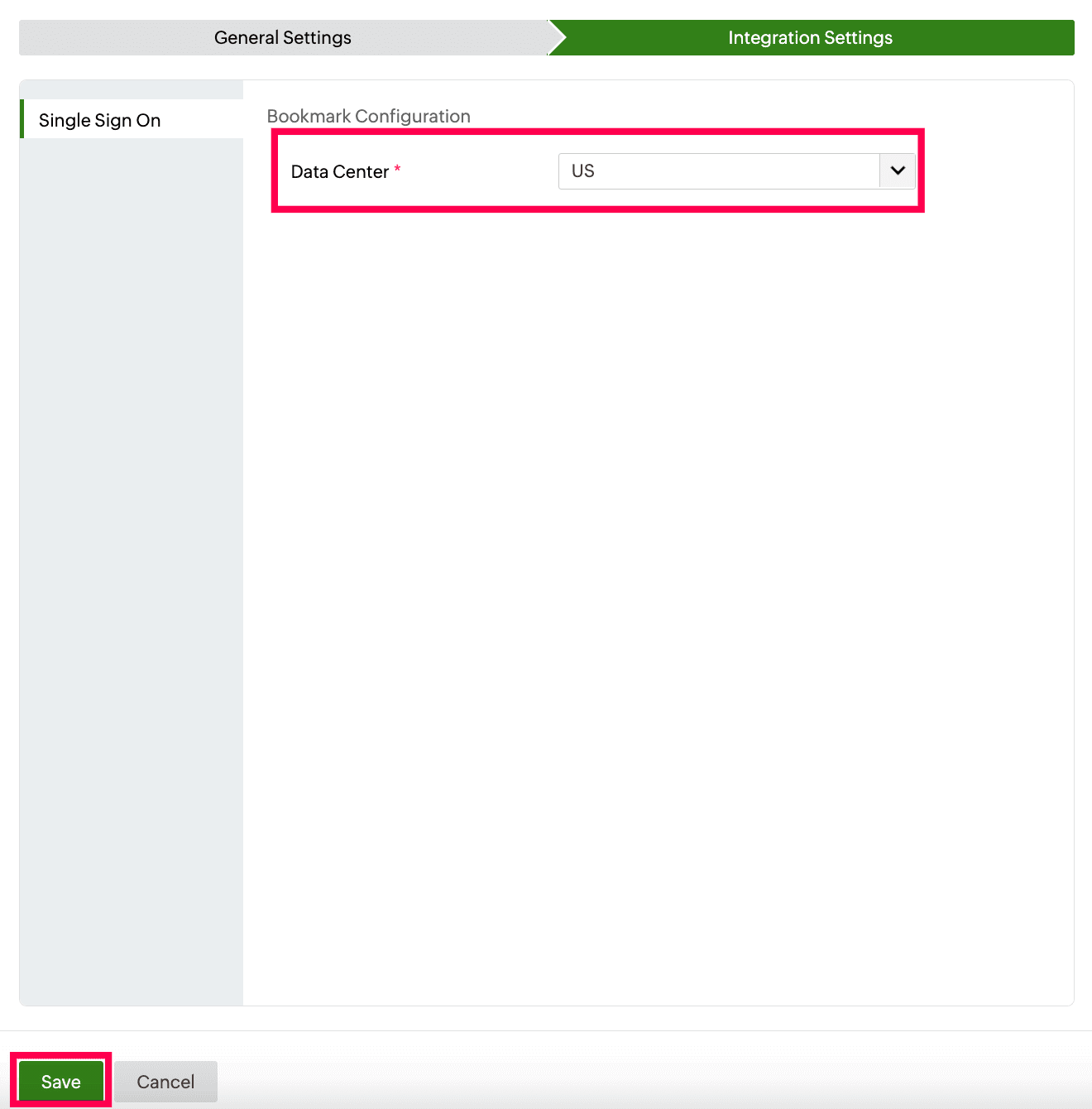 Data region selection for bookmark configuration of Zoho Analytics
To learn how to assign users or groups to one or more applications, refer to this page.
Note: No additional configuration settings are required on the Zoho Analytics end.
Steps to enable MFA for Zoho Analytics
Setting up MFA for Zoho Analytics using Identity360 involves the following steps:
- Set up one or more authenticators for identity verification when users attempt to log in to Zoho Mail. Identity360 supports various authenticators, including Google Authenticator, Zoho OneAuth, and email-based verification codes. Click here for steps to set up the different authenticators.
- Integrate Zoho Analytics with Identity360 by configuring SSO using the steps listed here.
- Now, activate MFA for Zoho Analytics by following the steps mentioned here.
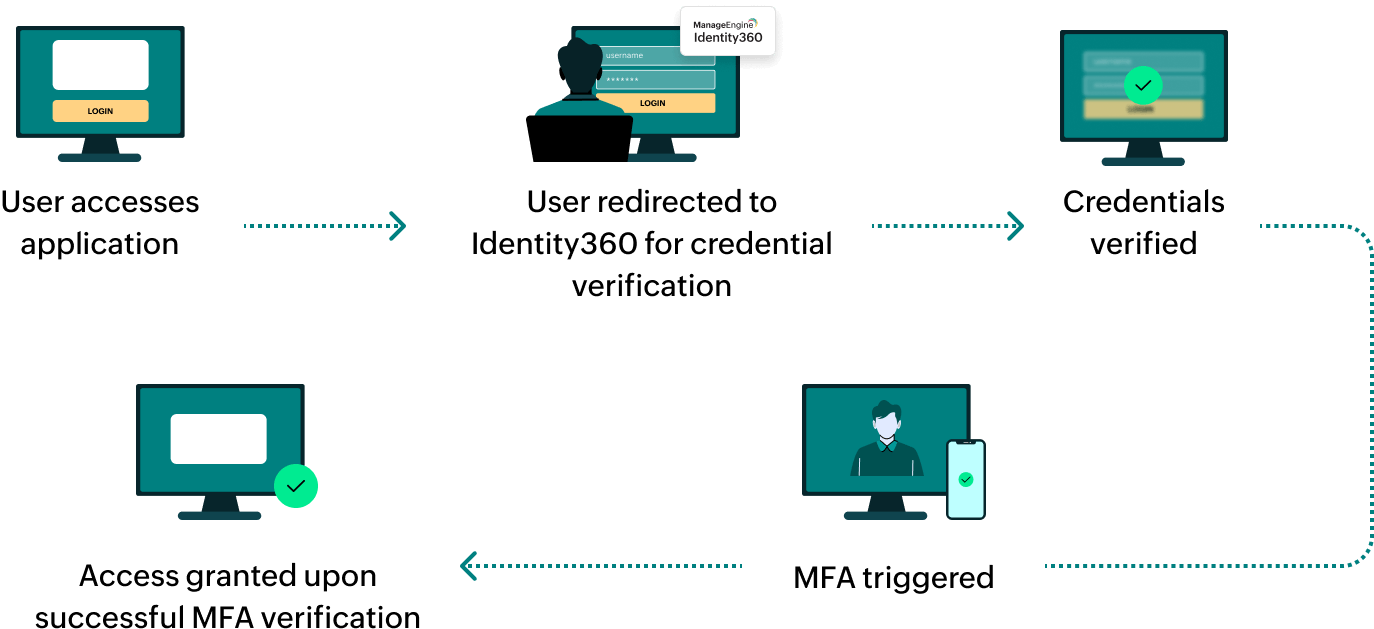
How does MFA for applications work in Identity360?