

- Free Edition
- Quick Links
- Highlights
- Exchange Online
- Exchange Online Management
- Exchange Online Reports
- Exchange Online Auditing
- Exchange Online Monitoring
- Shared Mailbox Management
- Mailbox Usage Reports
- Exchange Online Mailbox Auditing
- Shared Mailbox Reports
- Exchange Online Delegation
- Mailbox Size Reports
- Mail Traffic Reports
- Non-owner Mailbox Access Report
- Public Folder Reports
- OWA Reports
- Mailbox Content Reports
- Entra ID
- Entra ID Management
- Entra ID Reports
- Entra ID Monitoring
- Entra ID Auditing
- User Management
- Contact Reports
- Security Group Reports
- License Reports
- Entra ID Delegation
- Microsoft 365 User Provisioning
- User Reports
- Distribution Group Reports
- Group Reports
- Inactive Exchange Users
- Entra ID User Auditing
- Entra ID Group Auditing
- Entra ID Logon Auditing
- Microsoft Teams
- OneDrive for Business
- SharePoint Online
- Security and compliance
- Other Features
- Related Products
- ADManager Plus Active Directory Management & Reporting
- ADAudit Plus Hybrid AD, cloud, and file auditing and security
- ADSelfService Plus Identity security with MFA, SSO, and SSPR
- Exchange Reporter Plus Exchange Server Auditing & Reporting
- M365 Security Plus Microsoft 365 Auditing and Alerting
- EventLog Analyzer Real-time Log Analysis & Reporting
- SharePoint Manager Plus SharePoint Reporting and Auditing
- DataSecurity Plus File server auditing & data discovery
- RecoveryManager Plus Enterprise backup and recovery tool
- AD360 Integrated Identity & Access Management
- Log360 (On-Premise | Cloud) Comprehensive SIEM and UEBA
- AD Free Tools Active Directory FREE Tools
Managing Exchange Online should not feel like a chore. But with the Exchange Admin Center hiding essential features behind endless menus and PowerShell scripts, even routine tasks can become frustrating. Whether you are trying to update mailbox permissions, run audits, or handle shared mailboxes, the complexity adds risk and wastes time.
ManageEngine M365 Manager Plus helps you reduce any inefficiencies in your Exchange Online administration with its detailed reports on mailbox usage, storage, and email traffic. From simplifying bulk mailbox tasks to tracking email activity and backing up crucial data, it gives you everything you need to manage Exchange Online—secure, efficient, and script-free Exchange Online management.
Simplified Exchange Online management tool
Exchange Online is packed with features and useful actions—permission updates, litigation holds, group settings, but most are buried or limited. Even simple tasks like setting auto-replies at scale require scripting or deep menu navigation on a user-by-user level.
M365 Manager Plus removes the complexity of Exchange Online management with an intuitive interface designed for effortless control. Whether it’s managing mailboxes, updating permissions, or configuring policies in bulk, streamline your tasks—no PowerShell scripts, no hassle—just efficient, seamless Exchange Online administration tailored to your needs.
A smarter way to manage your Exchange Online environment
- Execute bulk management tasks effortlessly
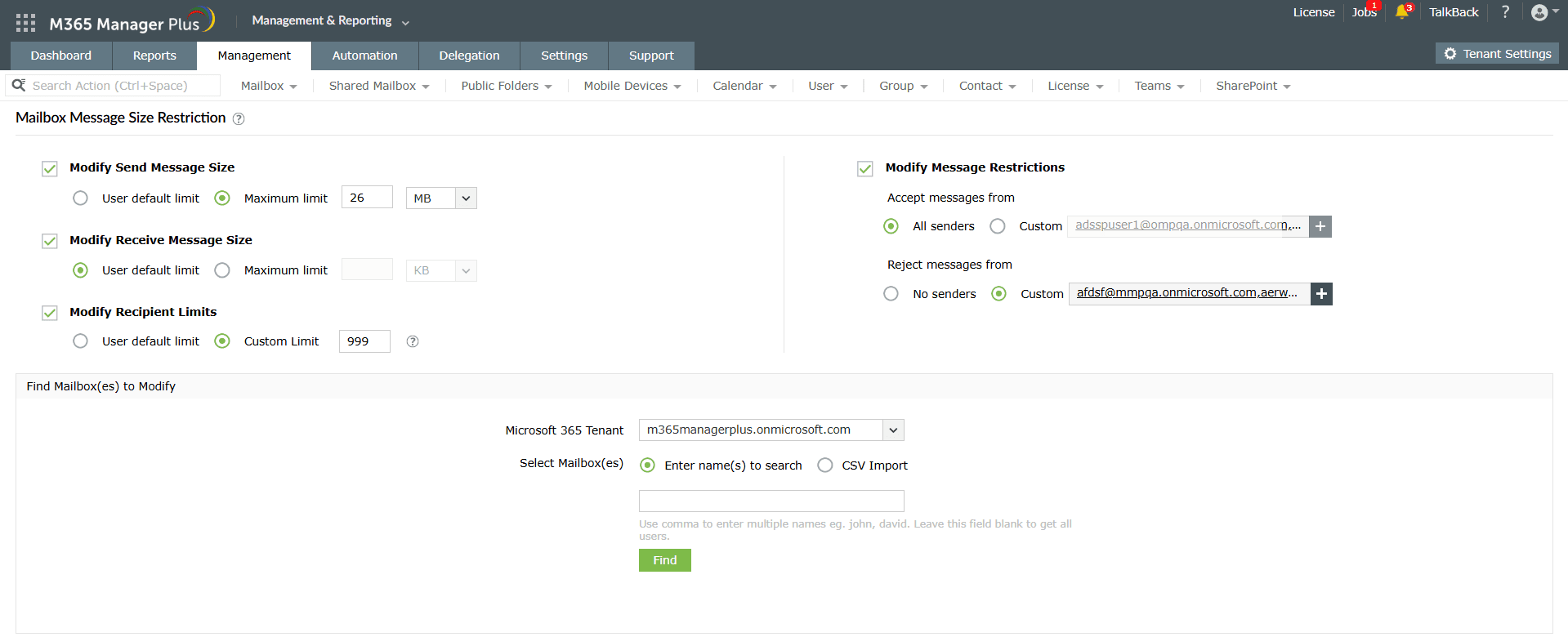
- Multitude of PowerShell-free tasks that can be run in a few clicks
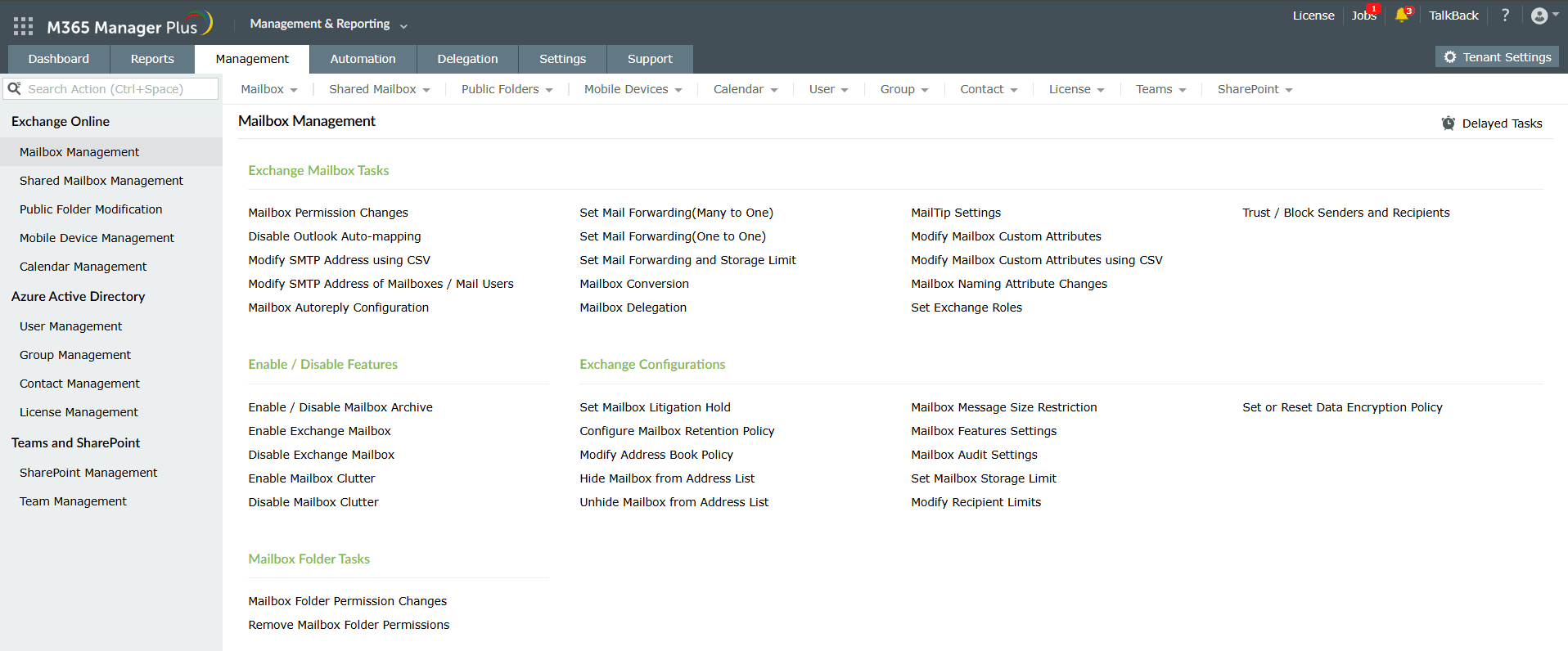


Actionable Exchange Online reporting
Getting a comprehensive bird's eye view of your data in the Exchange Admin Center is possible. However, only niche requirements like mail flow and migration are shown by default. The data to support your daily activities such as mailbox permissions changes, stats on your users, shared mailbox size limits, and your mail and spam activity require you to check them mailbox by mailbox, are either missing, or require GraphAPI scripting to access and export them.
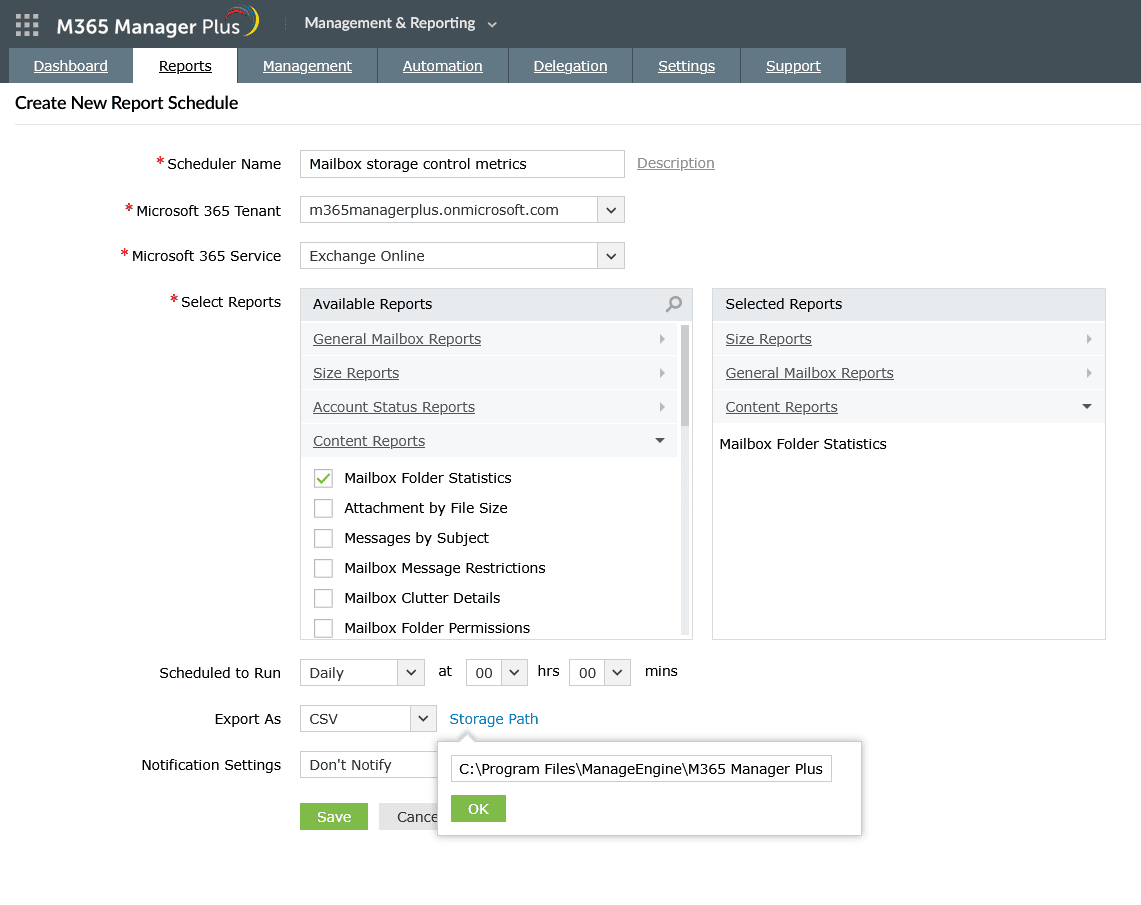
M365 Manager Plus provides over 700 preconfigured reports across Microsoft 365, including powerful Exchange Online insights. These reports cover everything from mailbox usage, size limits on shared mailboxes, and email traffic, to security settings and user activity trends. It includes customization options and the ability to schedule and generate reports that deliver the right insights at the right time, empowering you to make quicker, more informed decisions.
Get a better view of your Exchange Online environment
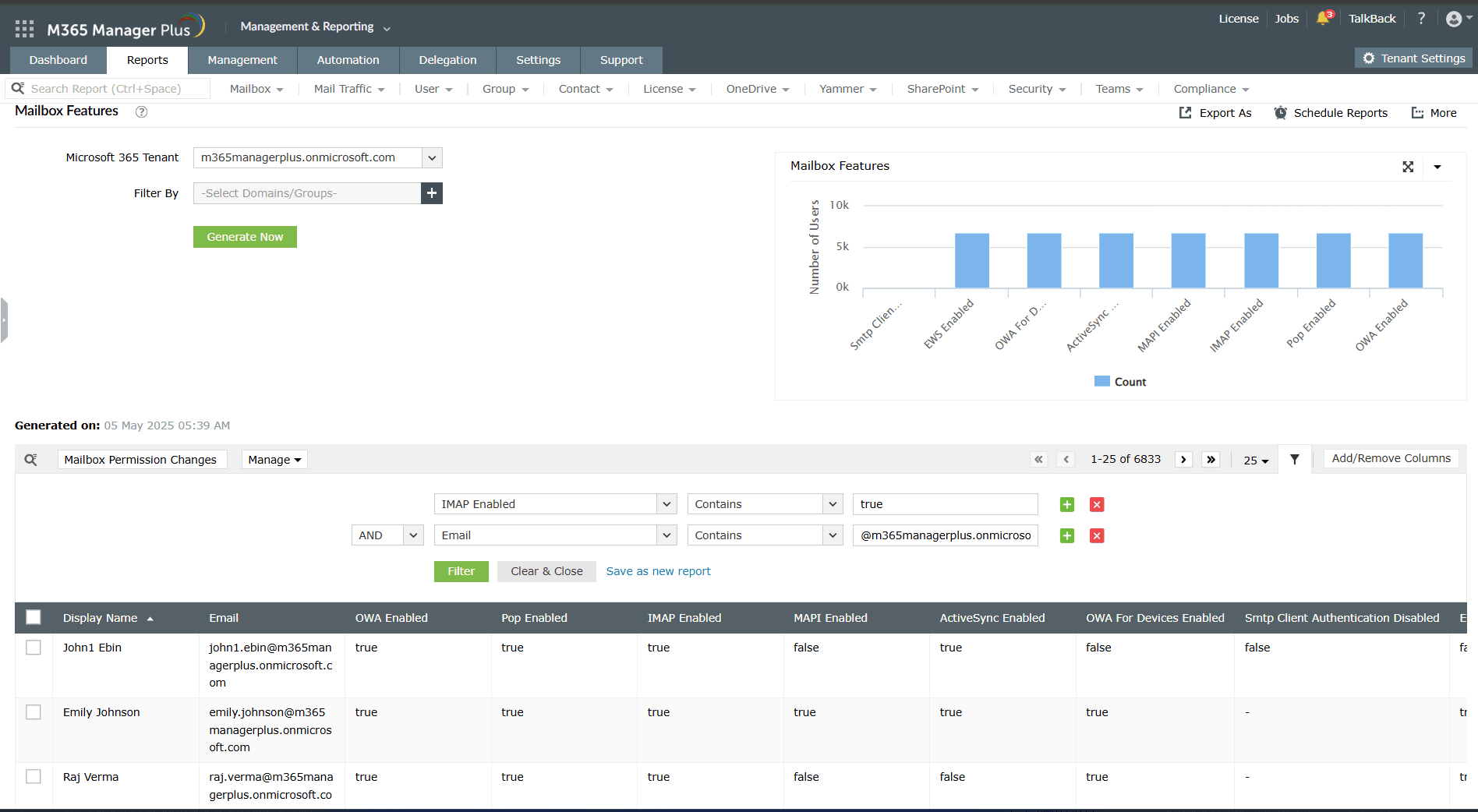
- Create your own personalized reports
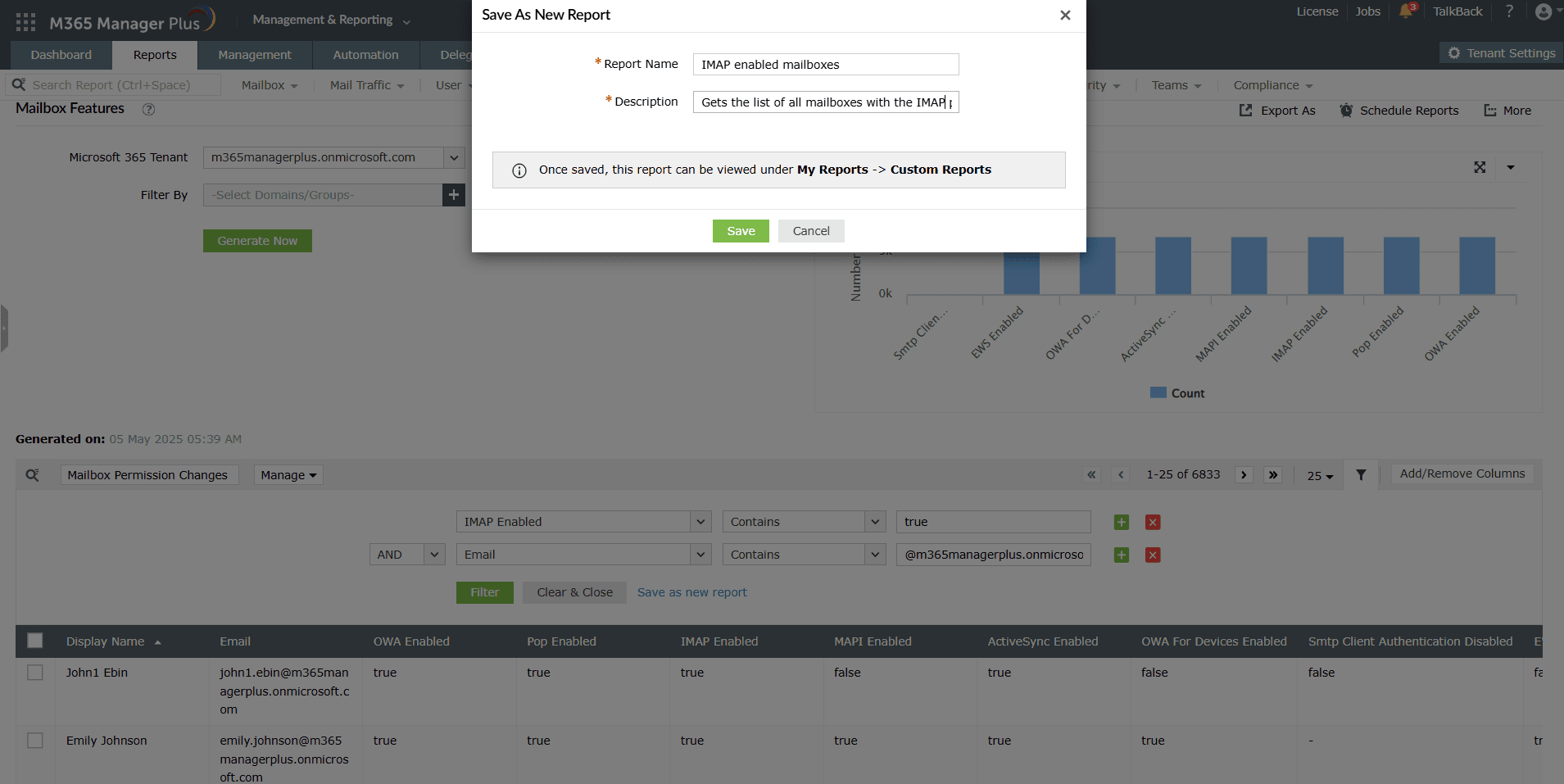
- Schedule reports and access them instantly
- Filter your reports to the letter


A friendlier Exchange Online auditing tool
Auditing Exchange Online can be a daunting task, with raw activity logs that are hard to filter or interpret, and especially when you need your data sorted for audits. M365 Manager Plus streamlines this process by delivering preconfigured profiles that continuously track changes across your Microsoft 365 environment and presenting them in intuitive audit reports.
You can easily monitor mailbox permission updates, message traces, spam filters, and more. M365 Manager Plus ensures unlimited log archiving, so you benefit by being audit-ready without the stress--and without the restrictions of Exchange Online’s 180-day retention limit.
Analyze your Exchange Online environment in depth
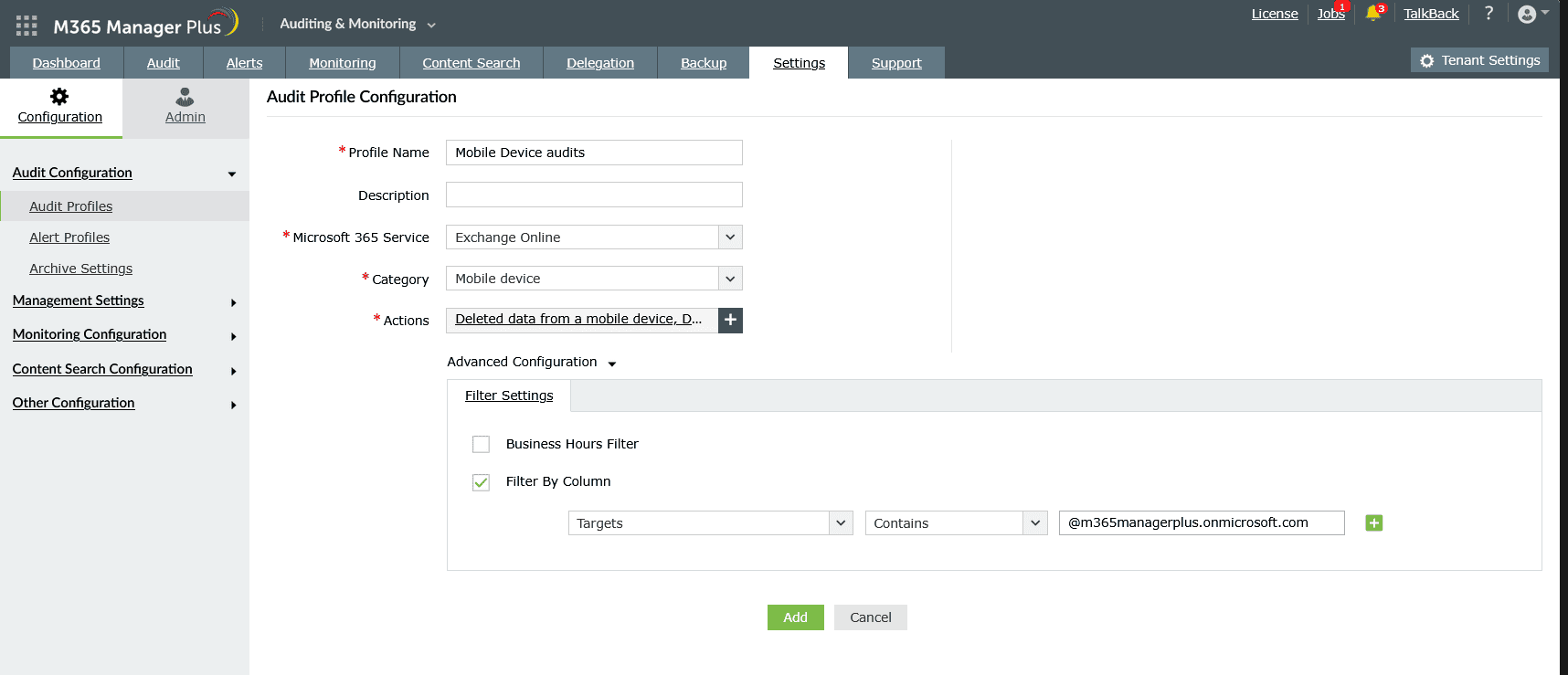
- Create your own personalized audit profiles
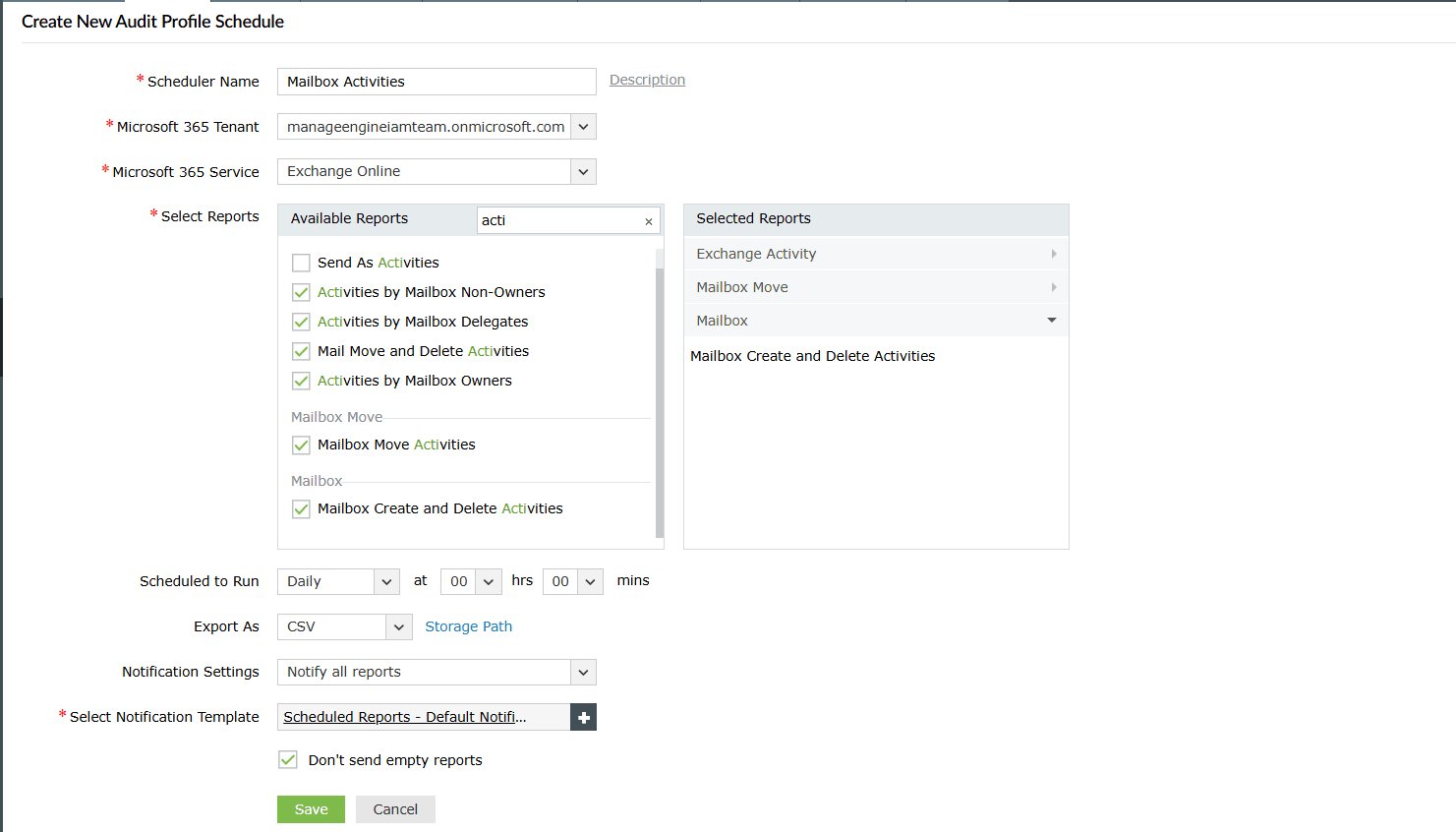
- Schedule audits and mail them effortlessly
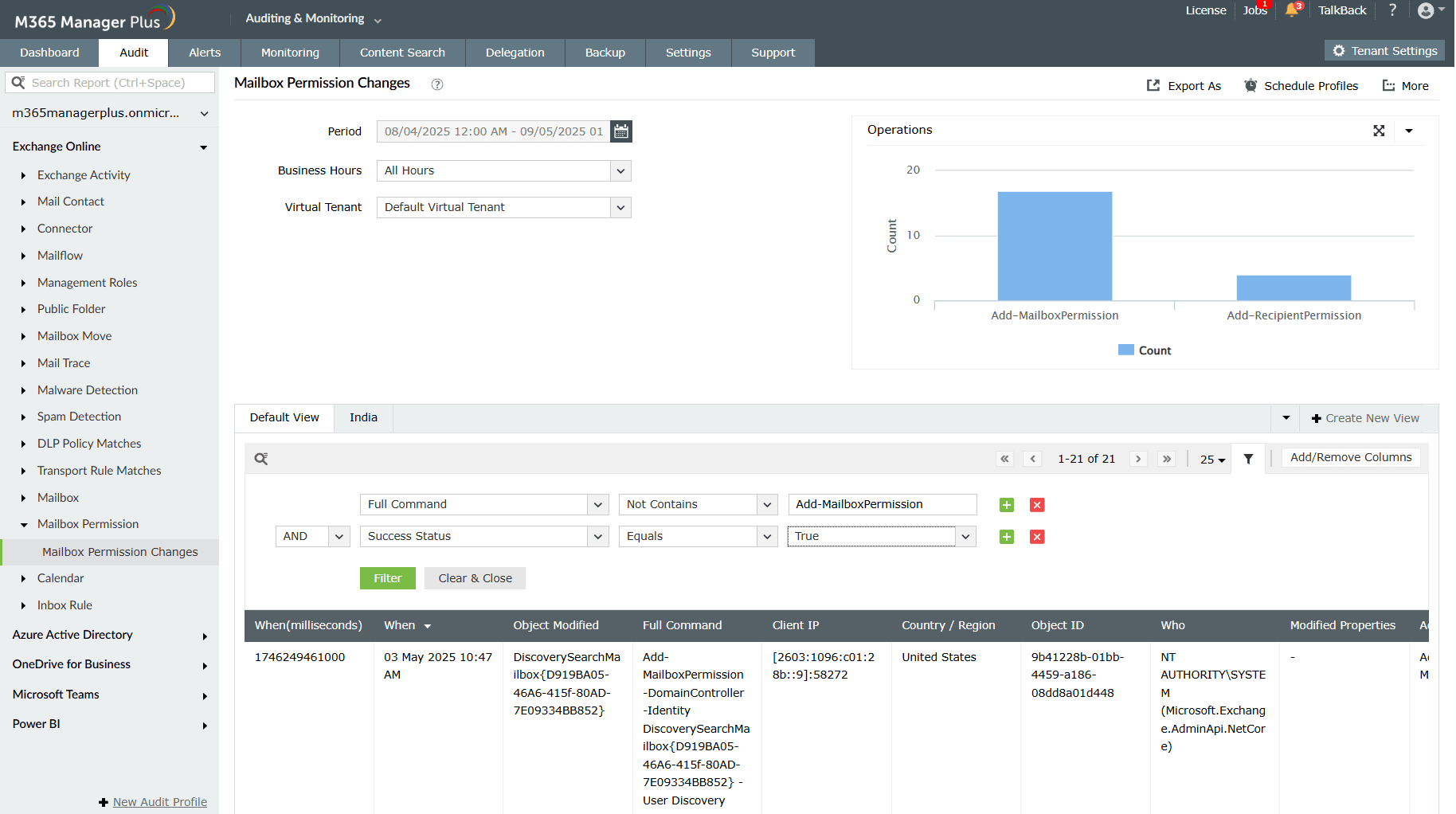
- Filter your audits to the letter
- Stay informed of crucial events with real-time alerts
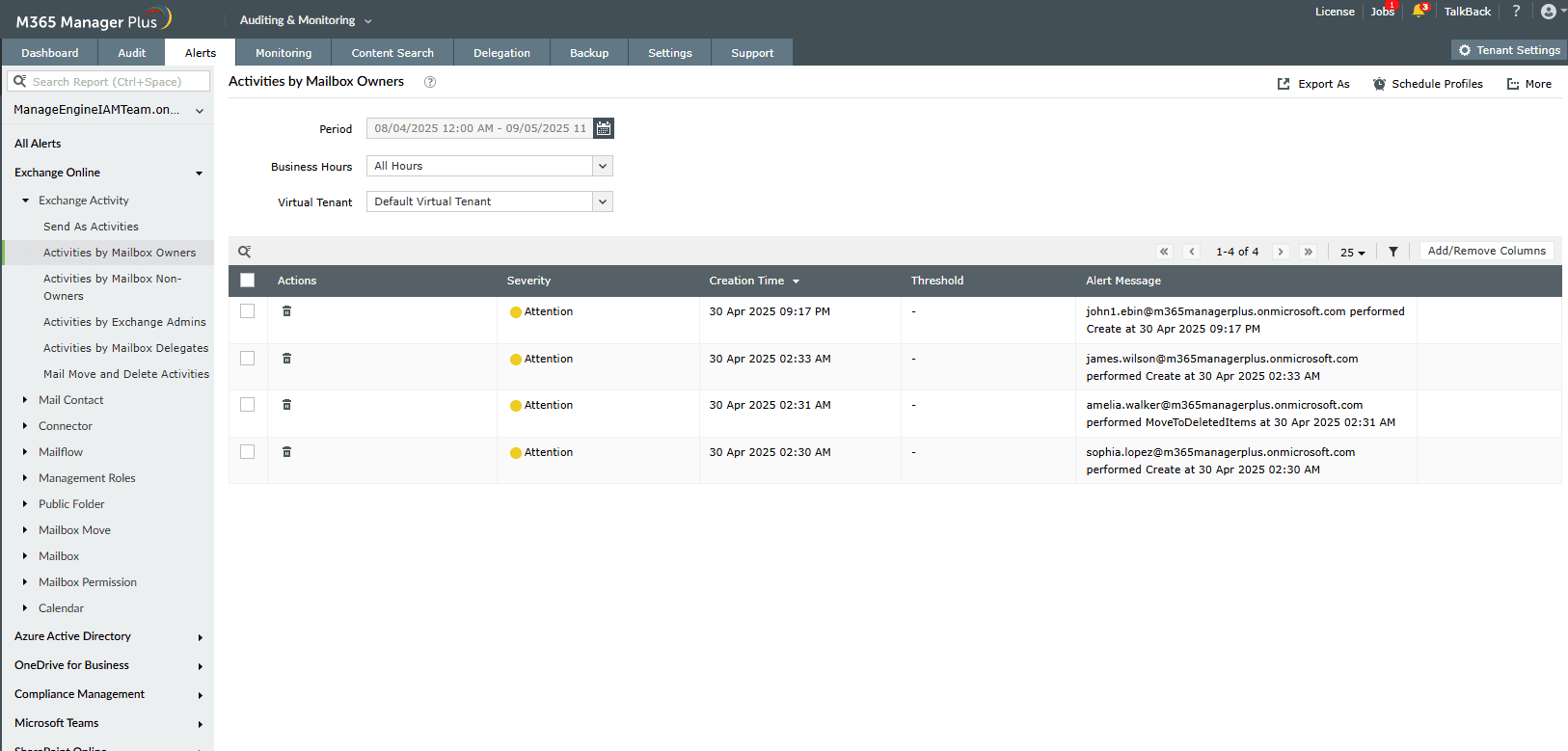


Smart Content search for Exchange Online
Searching for specific emails across mailboxes using Exchange Admin Center can be slow, manual, and inconsistent. It can only support one Content search at a time and lacks scheduling options, making repeated searches time-consuming and harder to track.
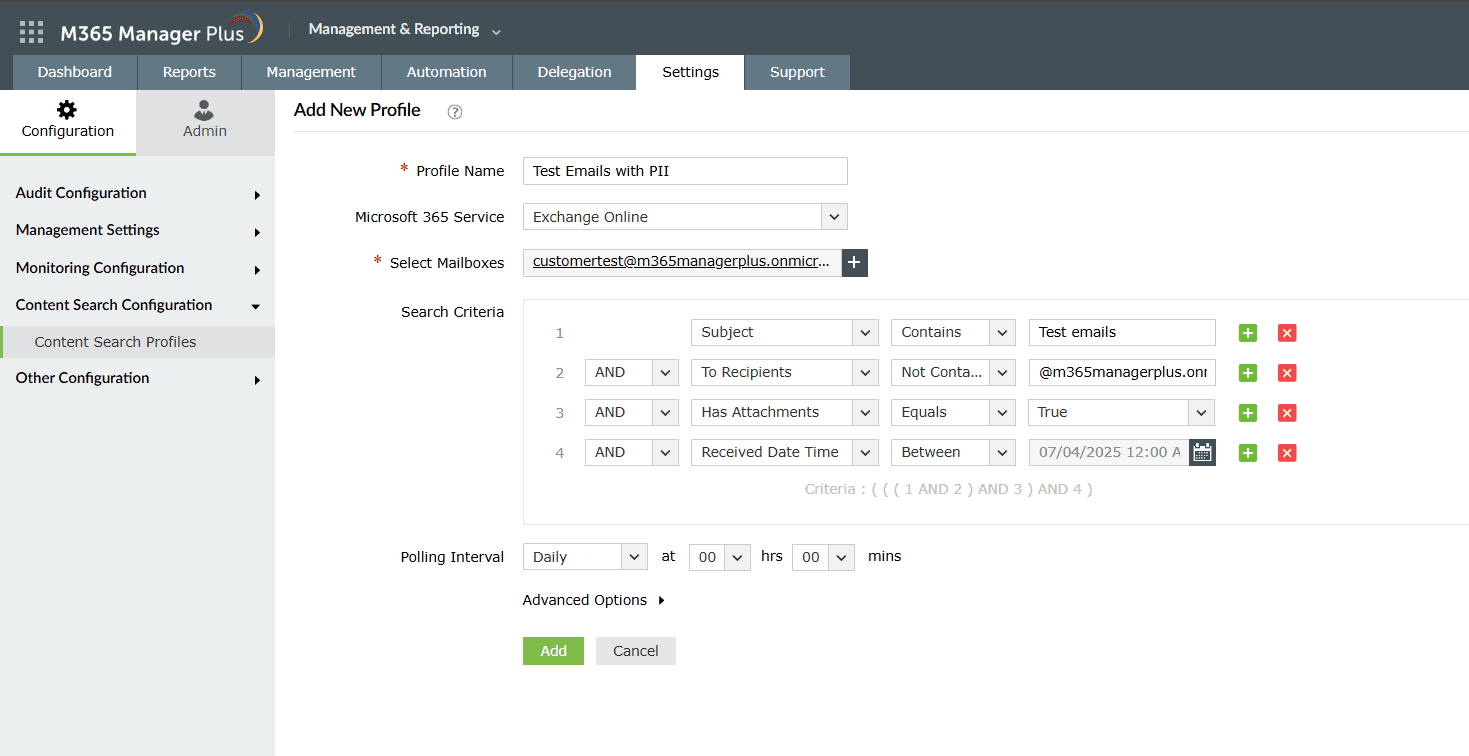
M365 Manager Plus removes those limits. Utilizing this solution, you can run multiple mailbox Content search profiles in parallel, apply advanced filters, and schedule them to simplify investigations, reviews, and audits.
Search your emails smarter and faster
- Filter by sender, subject, keyword, or date range
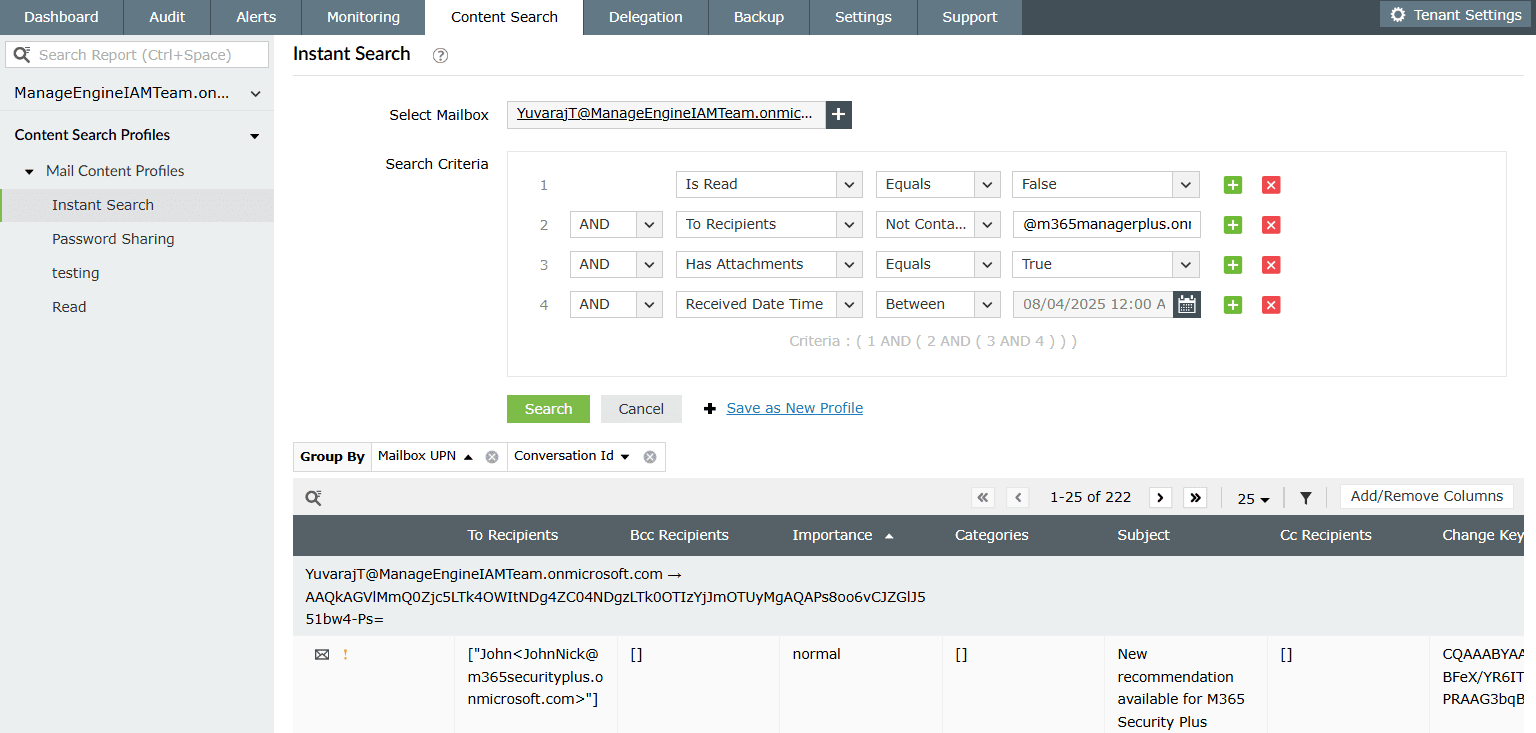
- Schedule searches to run at regular intervals and export results


Reliable Exchange Online backup
Accidental deletions, policy misconfigurations, and insider threats can lead to permanent loss of critical emails. When that happens, quick and reliable recovery is essential. While Microsoft 365 Backup is a native option, it is a cloud-managed solution with limited visibility and admin control. Relying solely on a cloud-based backup managed by the same platform that hosts your data can come with trade-offs. These include limited control over storage or the availability of the backup itself.
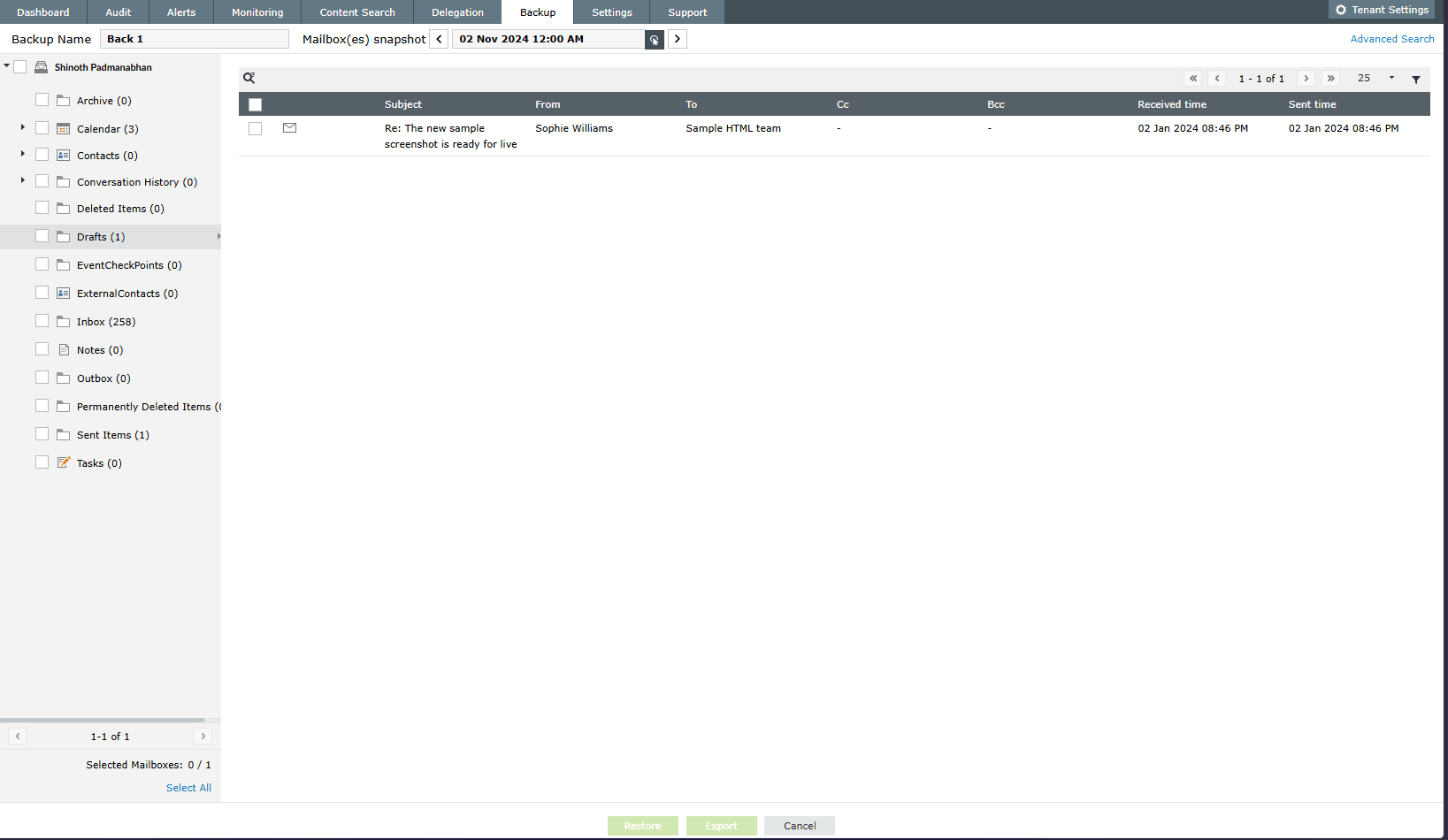
M365 Manager Plus delivers a balanced alternative. It provides scheduled, admin-controlled backups of Exchange Online mailboxes, letting you restore data on your terms—whether it is a full mailbox, a specific folder, or just one calendar entry. No dependence on external retention policies. No hassle with infrastructure as you will be the one controlling it.
Restore what matters, when it matters
- Schedule automatic mailbox backups and archival at flexible intervals
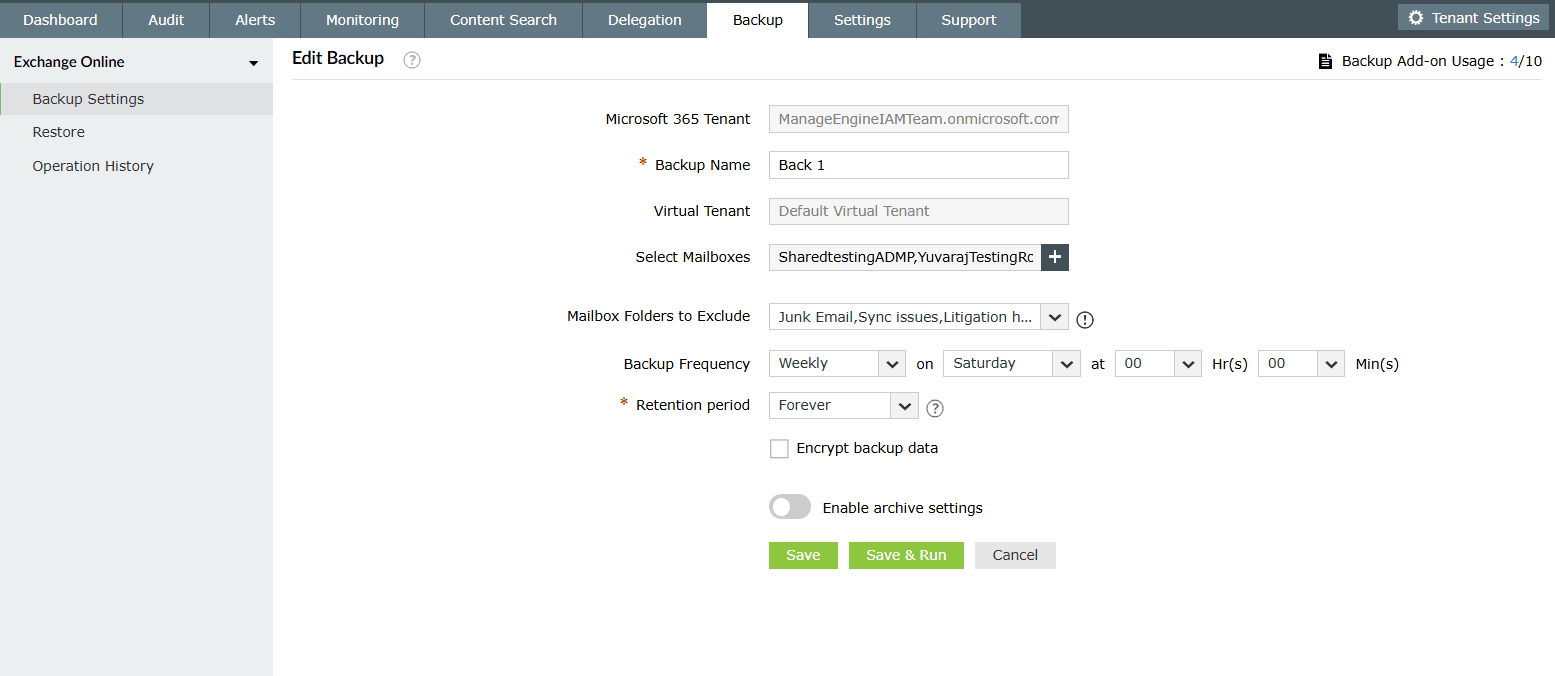
- Restore mailboxes, folders, or individual emails instantly


Real-time Exchange Online health monitoring
Your Exchange Online monitoring plan needs to go beyond scanning for suspicious activities and spam. Tracking the service health of your Exchange Online features such as sign in, emails, and calendars helps you verify downtimes and track them across different regions.
M365 Manager Plus serves as your safety net during outages, delivering real-time insights into service health and endpoint performance. With instant issue detection, response time analysis, and timely alerts, it empowers you to tackle problems before they impact your operations.
Monitor the functionality of Exchange Online and its service endpoints
- Monitor Exchange Online's service health and issue history with intuitive dashboards
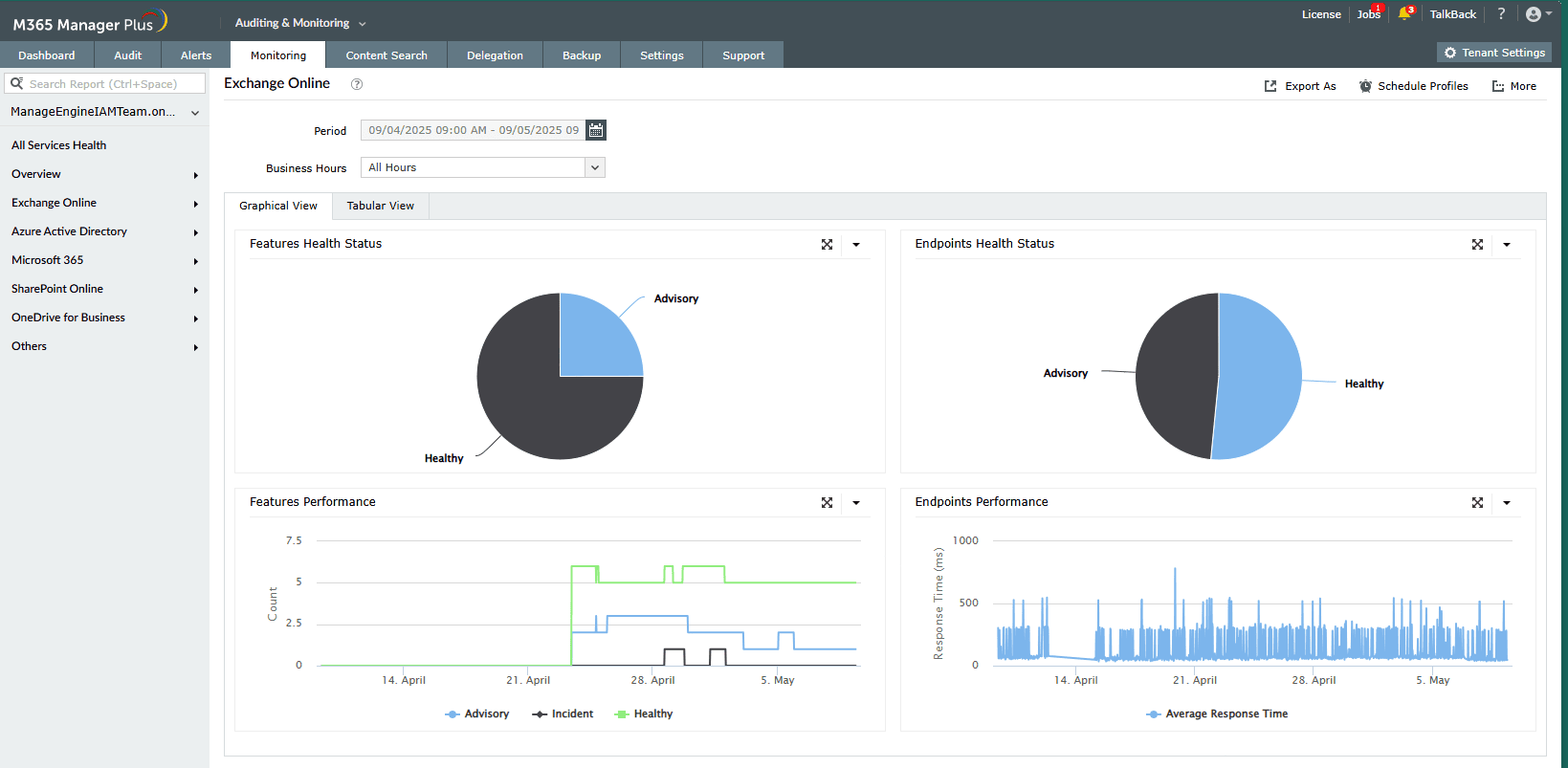
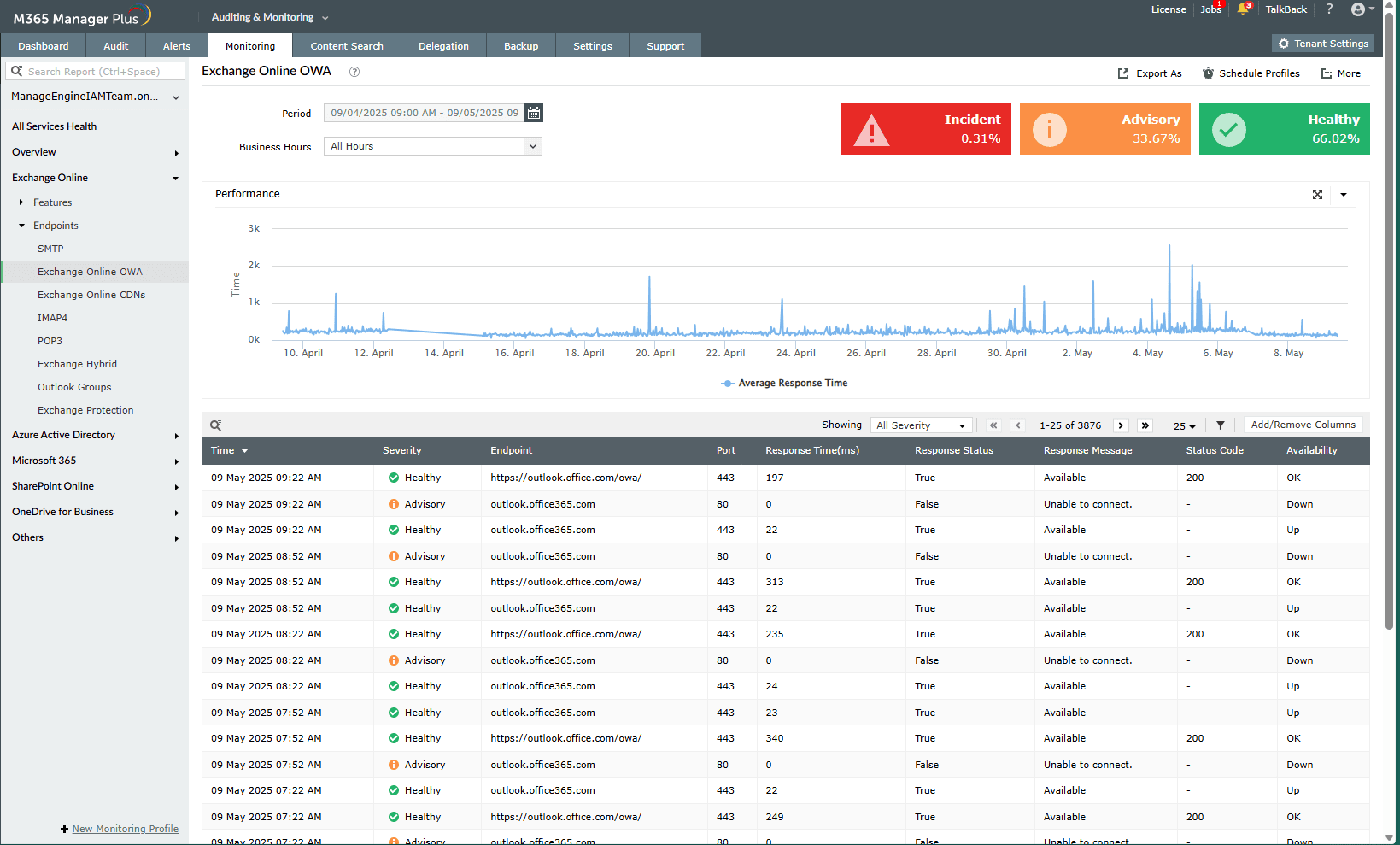
- Obtain the response rates for endpoints in a few clicks
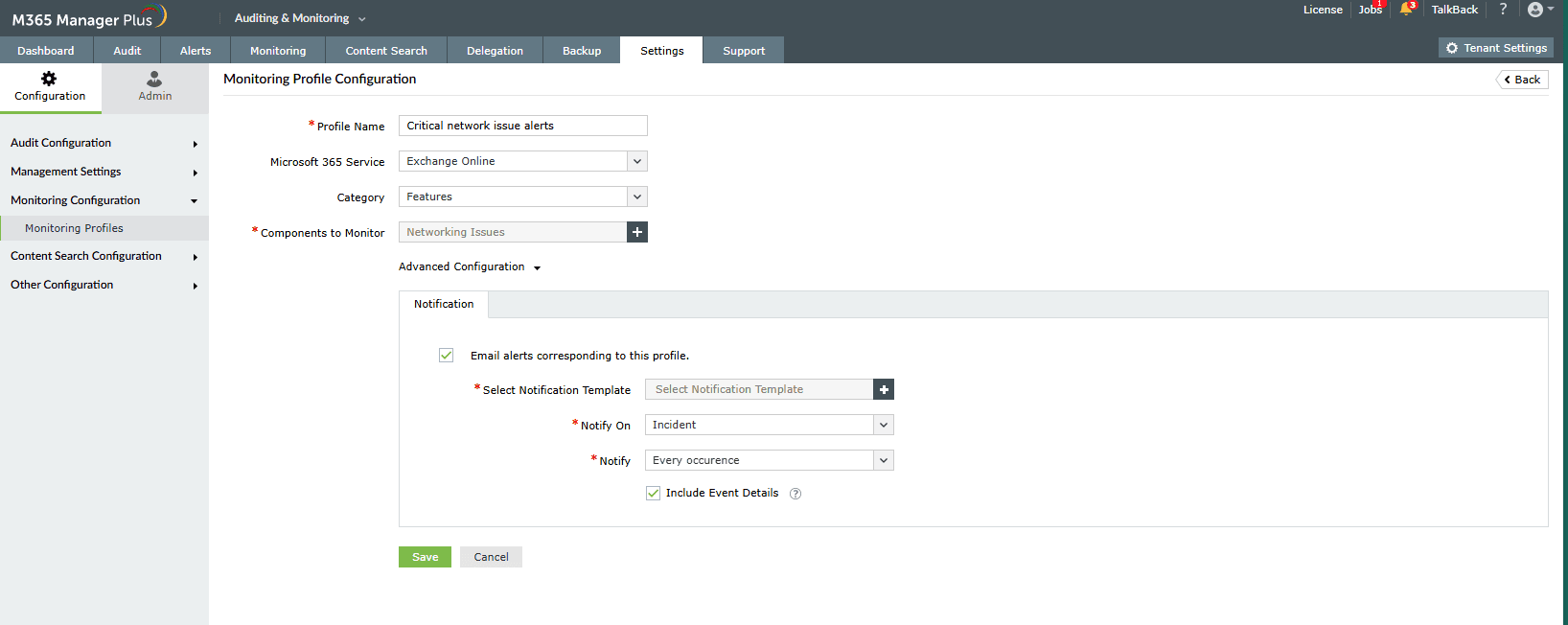
- Set up alerts for severe incidents and stay notified


Other services supported by M365 Manager Plus
- Microsoft Entra ID
Obtain a track record of your Microsoft 365 users, groups, licenses, and applications, and provision them seamlessly.
- Microsoft Teams
Keep tabs on your Microsoft Teams activities for any changes effortlessly.
- SharePoint Online
Secure, track, and control access and permissions to your SharePoint Online sites.
- OneDrive for Business
Monitor file sharing and storage activities in your users' OneDrive for Business folders.