

- Free Edition
- Quick Links
- Active Directory Auditing
- Active Directory auditor
- Active Directory monitoring
- Account lockout analyzer
- Login monitoring software
- Active Directory change notifier
- User logon audit reports
- AD logon logoff tracker
- User logon failure auditing
- Login history tracking tool
- AD change auditor
- Insider threat detection software
- Permissions change auditing
- Entra ID reporting
- Privileged user monitoring
- User behavior analytics tool
- Active Directory security monitoring
- Group Policy auditing tool
- GPO change auditor
- Entra ID auditing
- Audit user account management
- OU change auditor
- Audit group membership changes
- Active Directory auditing and reporting tool
- GPO reporting tool
- Remote desktop monitoring software
- PowerShell logging and auditing
- Azure password protection auditing
- Azure sign-in risk detection
- File Server Auditing
- Windows Server Auditing
- Employee Tracking
- Workstations Auditing
- Compliance Auditing
- Other features
- SIEM Integration
- Windows DNS - Schema Auditing
- Windows security event log monitoring
- SIEM audit solution
- Schedule Active Directory change reports
- Reports from Archived Data
- Aggregated summary reports
- AD new/old attribute changes
- Audit trail
- Audit Active Directory LAPS
- Scheduled Reports & Alerts
- Account lockout examiner
- Industry
- Documents
- Success Stories
- Related Products
- Log360 (On-Premise | Cloud) Comprehensive SIEM and UEBA
- ADManager Plus Active Directory Management & Reporting
- ADAudit Plus Real-time Active Directory Auditing and UBA
- ADSelfService Plus Identity security with MFA, SSO, and SSPR
- DataSecurity Plus File server auditing & data discovery
- Exchange Reporter Plus Exchange Server Auditing & Reporting
- M365 Manager Plus Microsoft 365 Management & Reporting Tool
- RecoveryManager Plus Enterprise backup and recovery tool
- SharePoint Manager Plus SharePoint Reporting and Auditing
- AD360 Integrated Identity & Access Management
- AD Free Tools Active Directory FREE Tools
Enable NTLM auditing and strengthen authentication security
Gain visibility into NTLM authentication attempts
Track NTLM authentication attempts across your domain. Identify both successful and failed logons, and analyze result codes to detect issues like incorrect passwords, locked accounts, or expired credentials.
Set up real-time alerts and scheduled reports
Get notified instantly via email or SMS when NTLM authentication anomalies occur. Automate detailed reports to track patterns and trigger custom scripts that respond to suspicious activity.
Detect suspicious NTLM usage
Monitor NTLM logons that occur after business hours or involve expired or disabled accounts. Spot repeated authentication failures to catch brute-force, pash-the-hash attacks, or password spraying attempts early.
Report on NTLM traffic for compliance
Maintain audit-ready NTLM logs with complete authentication context. Use built-in reports to analyze legacy protocol usage and meet compliance requirements for HIPAA, SOX, PCI DSS, and GDPR.
Detect and prevent NTLM misuse with ADAudit Plus
Track NTLM logins
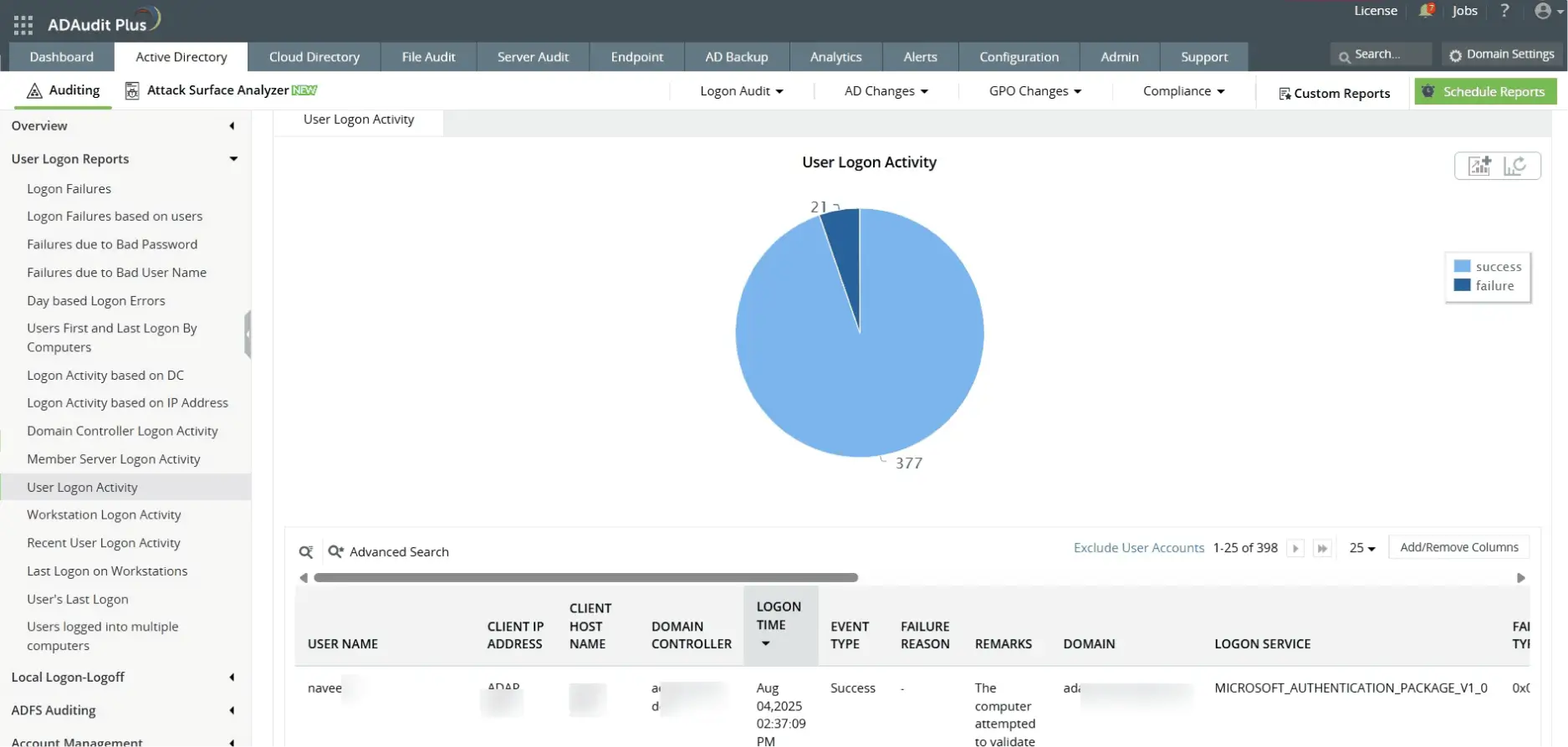
Monitor all successful NTLM authentication attempts across users, systems, and timeframes for increased visibility and auditing.
Spot failed NTLM attempts
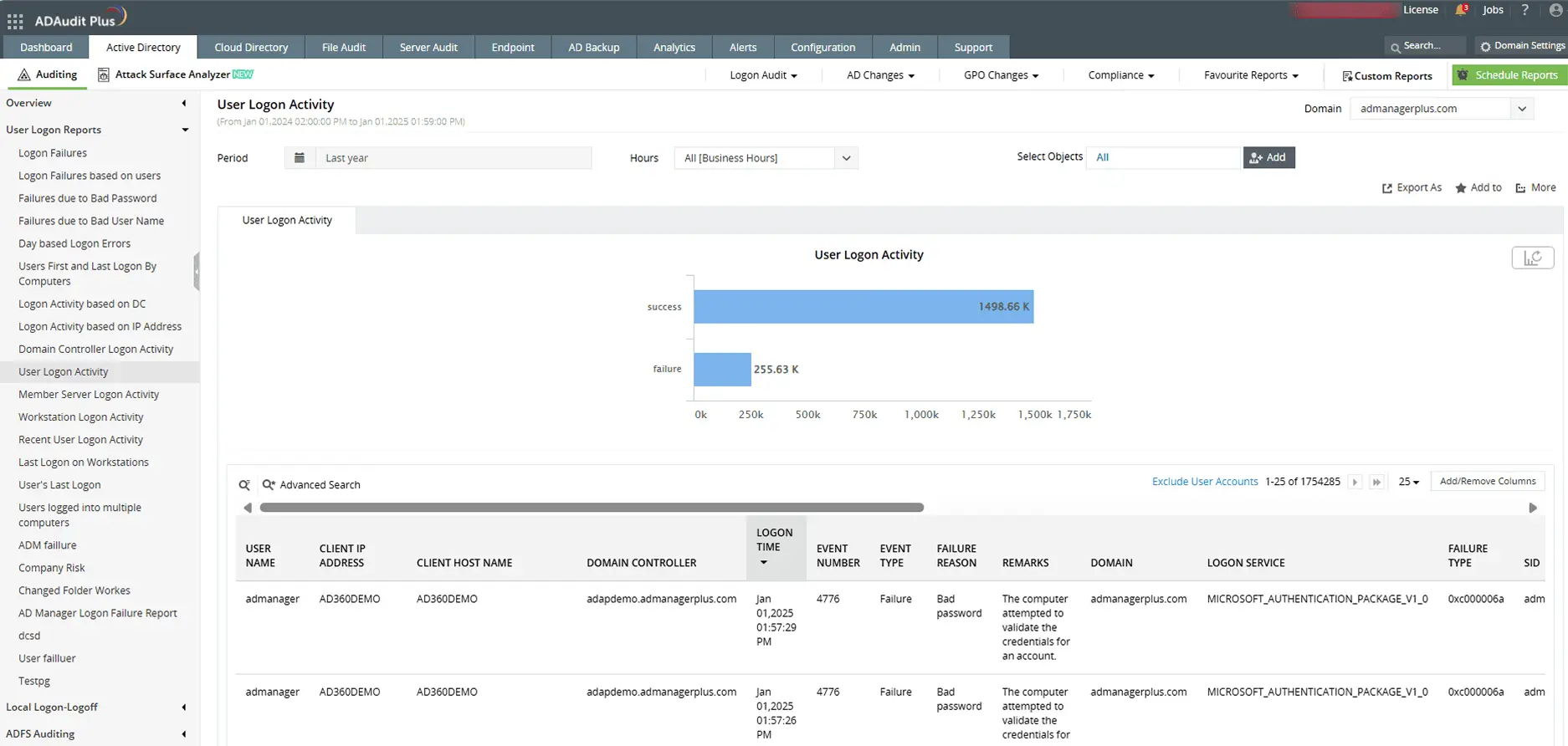
Identify failed NTLM logons with details on usernames, result codes, and source machines to uncover threats.
Detect NTLM-based attacks
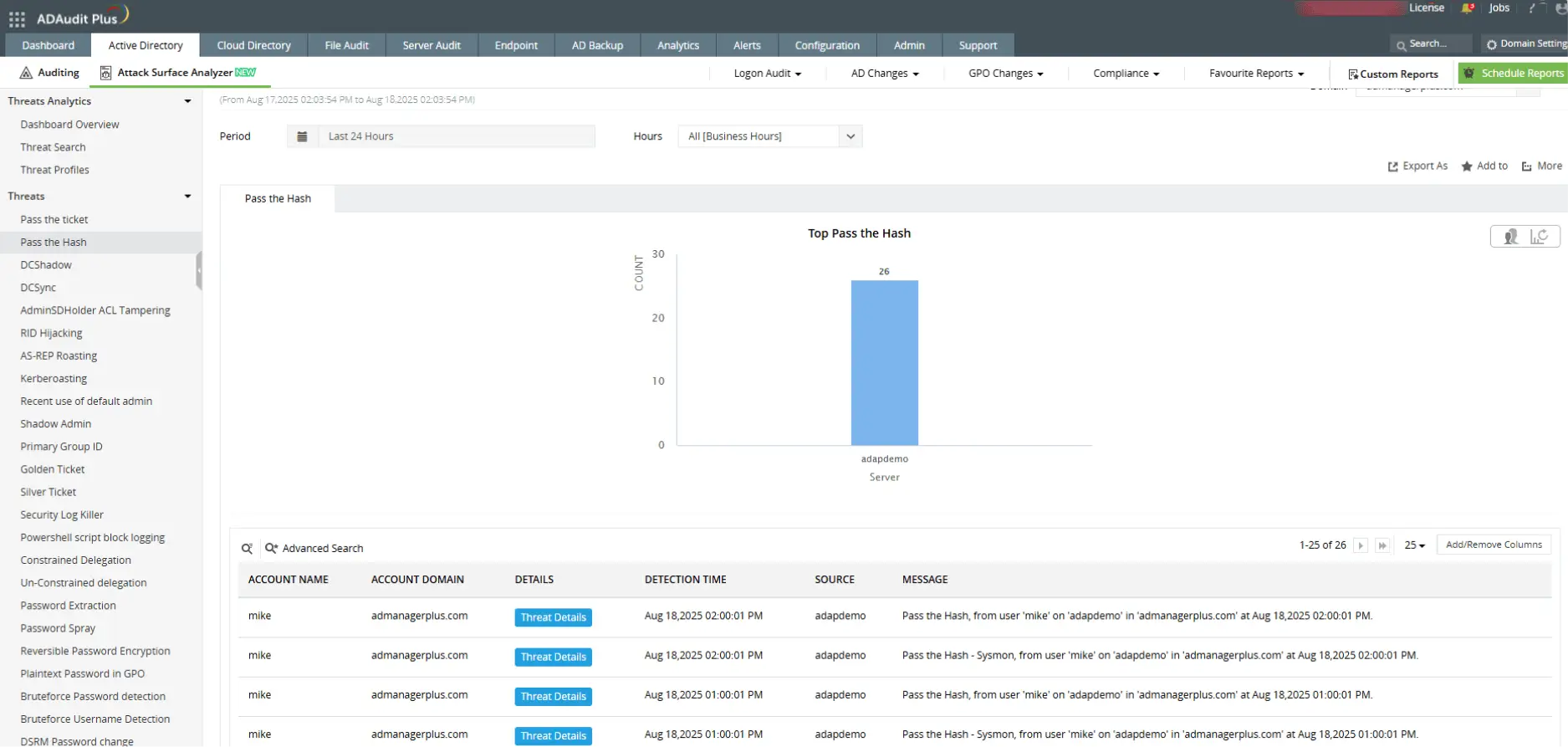
Identify NTLM-based pass-the-hash attacks with detailed authentication insights.
Enable real-time alerts
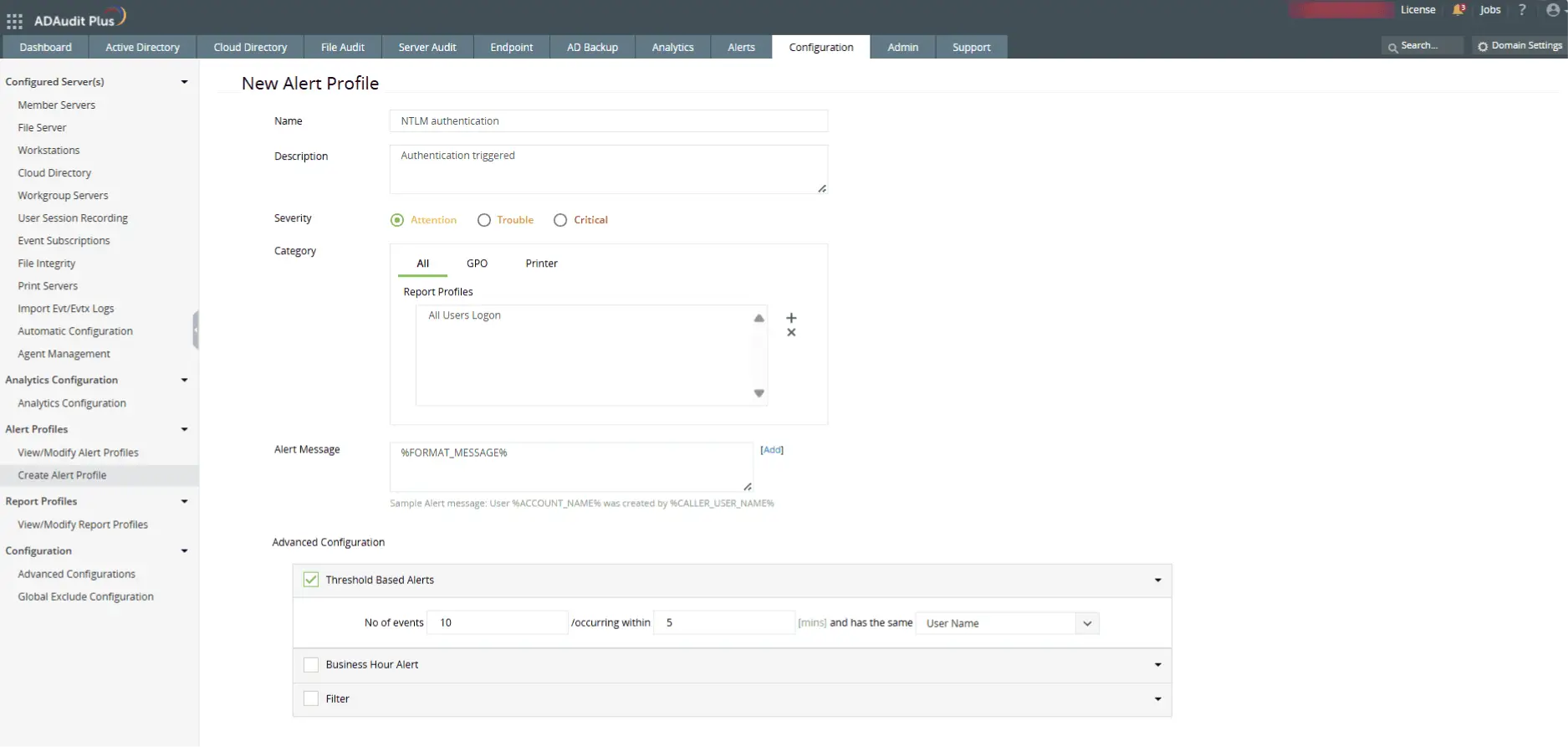
Set threshold-based NTLM alerts via email, SMS, and trigger counter scripts automatically.
Frequently asked questions
NTLM (NT LAN Manager) is a legacy Windows authentication protocol used to validate credentials during user logons. It relies on challenge-response mechanisms and is still used in environments where Kerberos cannot function, such as with local account authentication or across untrusted domains.
Did you know?
CVE-2025-21311, an NTLMv1 privilege escalation flaw discovered in January 2025, has a critical CVSS score of 9.8, signifying severe remote exploit risk.
Auditing NTLM authentication helps identify the use of outdated and potentially vulnerable protocols in your network. It enables security teams to detect brute-force attempts, password spraying, and misconfigured systems still relying on NTLM instead of more secure options like Kerberos.
Event ID 4776 is generated whenever NTLM is used to validate a user’s credentials.
- A result code of 0x0 indicates a successful authentication.
- Other result codes reveal specific issues:
- C0000064 – User does not exist
- C000006A – Incorrect password
- C0000234 – Account locked out
- C0000072 – Account disabled
- C0000071 – Password expired
- C0000224 – Password must be changed at next logon
Analyzing these codes allows you to detect failed NTLM logons and suspicious authentication activity.
Kerberos is the default authentication protocol in Active Directory and uses encrypted tickets for mutual authentication between users and services. This ticket-based model enhances security by preventing credential replay attacks and enabling stronger encryption.
NTLM, in contrast, uses a challenge-response method and lacks mutual authentication, making it more vulnerable to threats like pass-the-hash attacks. While NTLM may still appear in fallback or legacy scenarios, Kerberos is the more secure and recommended choice for modern Windows environments.
Did you know?
Yes, both protocols can exist simultaneously in a Windows domain. NTLM is often used as a fallback when Kerberos cannot be used due to misconfigurations, legacy systems, or cross-forest scenarios without trust.