

- Free Edition
- Quick links
- Active Directory management
- Active Directory reporting
- Active Directory delegation
- Active Directory permissions management and reporting
- Active Directory automation
- Governance, risk, and compliance
- Microsoft 365 management and reporting
- Microsoft 365 management and reporting
- Microsoft 365 management
- Microsoft 365 reports
- Microsoft 365 user management
- Microsoft 365 user provisioning
- Microsoft 365 license managementn
- Microsoft 365 license reports
- Microsoft 365 group reports
- Dynamic distribution group creation
- Dynamic distribution group reports
- Exchange management and reporting
- Active Directory integrations
- Popular products
Users' Active Directory (AD) passwords play a crucial role in ensuring not just the continuous productivity of an organization, but also its information security. Besides allowing users to log on to their network or domain, users' passwords also ensure that business-critical information does not fall into the wrong hands.
Managing and securing AD users' passwords is therefore a key part of every Windows administrator's responsibilities. To perform these tasks, administrators need vital information such as when the password was set, the password's expiration date, which users have not changed their passwords, and which users have modified their passwords.
While Microsoft's tools†such as Active Directory Users and Computers (ADUC) and PowerShell†could be used to get this information from AD, the process is extremely resource-intensive and demands in-depth scripting knowledge. ADManager Plus, an AD password management and reporting tool, helps you fetch detailed information on AD passwords without using a single line of PowerShell script.
AD password reports from ADManager Plus
ADManager Plus, a web-based AD, Microsoft 365, and Exchange management and reporting solution, offers over 200 predefined reports, including password-specific reports to identify:
- Users with expired passwords: Administrators can easily identify all users whose passwords have expired. This report also displays additional details such as the password expiration date, the date and time the password was set, and account status. Administrators can reset the passwords for relevant users right from this report.
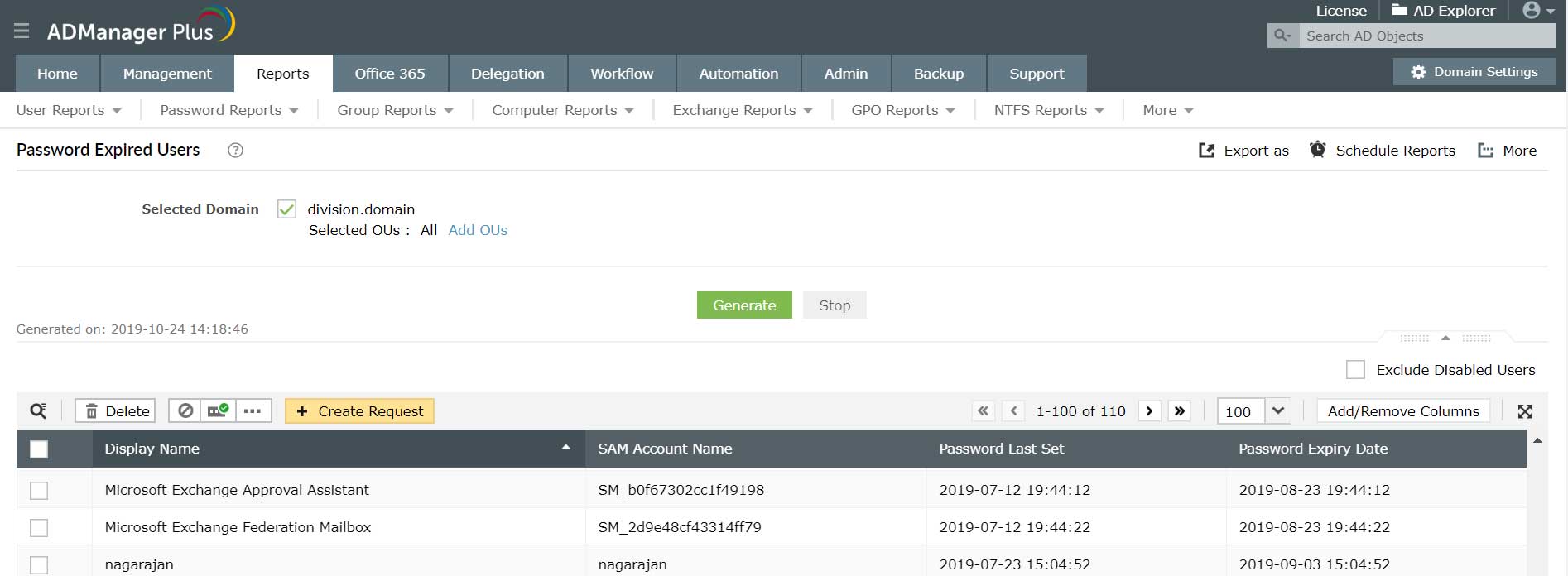
- Users whose passwords are about to expire: Zero in on all users whose passwords will expire soon. Administrators can use this report to reset the password, set the password expiration date to "never expires," or force users to change their passwords the next time they log in. This report makes it easy to proactively ensure that users can continue accessing their domains without any interruption.
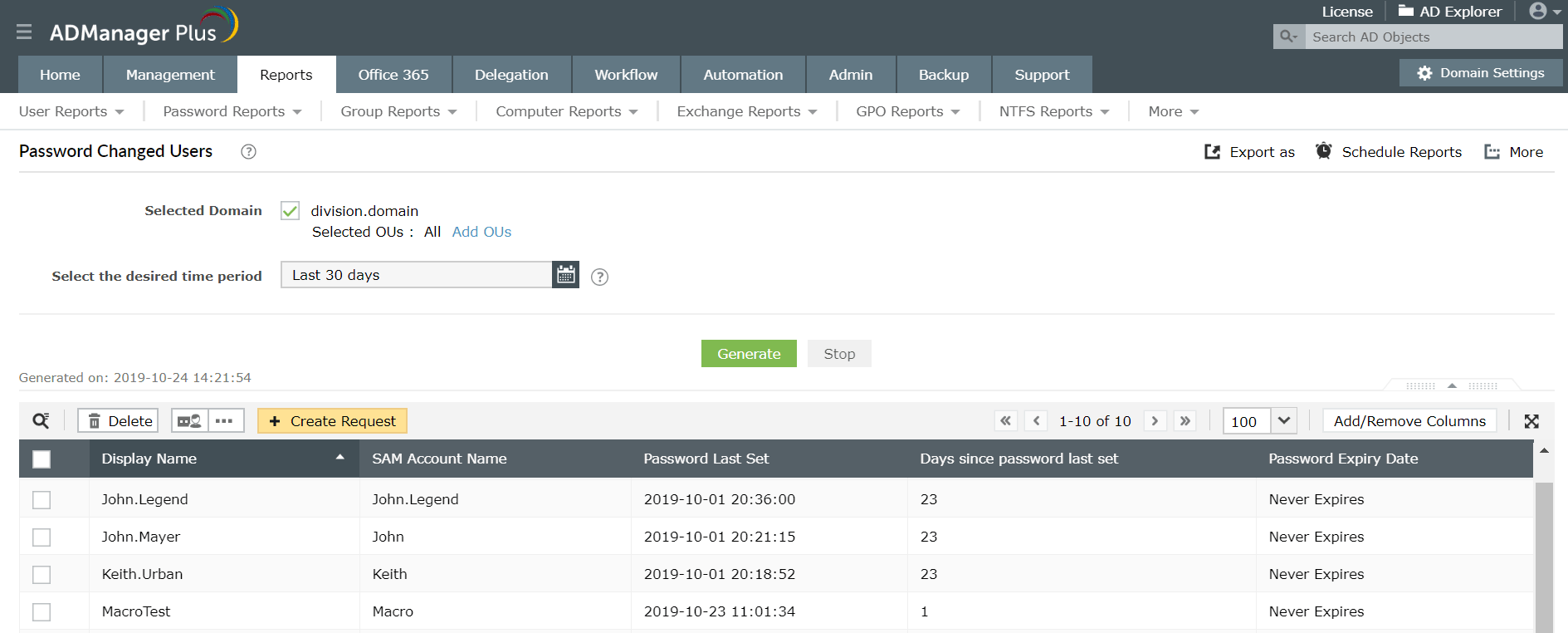
- User who have recently changed their passwords: Find every user who has modified their password recently. If any critical user's password has been changed, such as a senior executive, administrators can check with them to confirm if the password changes were legitimate or if someone has been trying to meddle with their accounts.
- Users who haven't changed their passwords: List all the users who have not changed their passwords for a specific period of time. Changing passwords regularly is one of the best practices to ensure password security. Right from this report, administrators can reset passwords or force users to reset their passwords at their next logon.
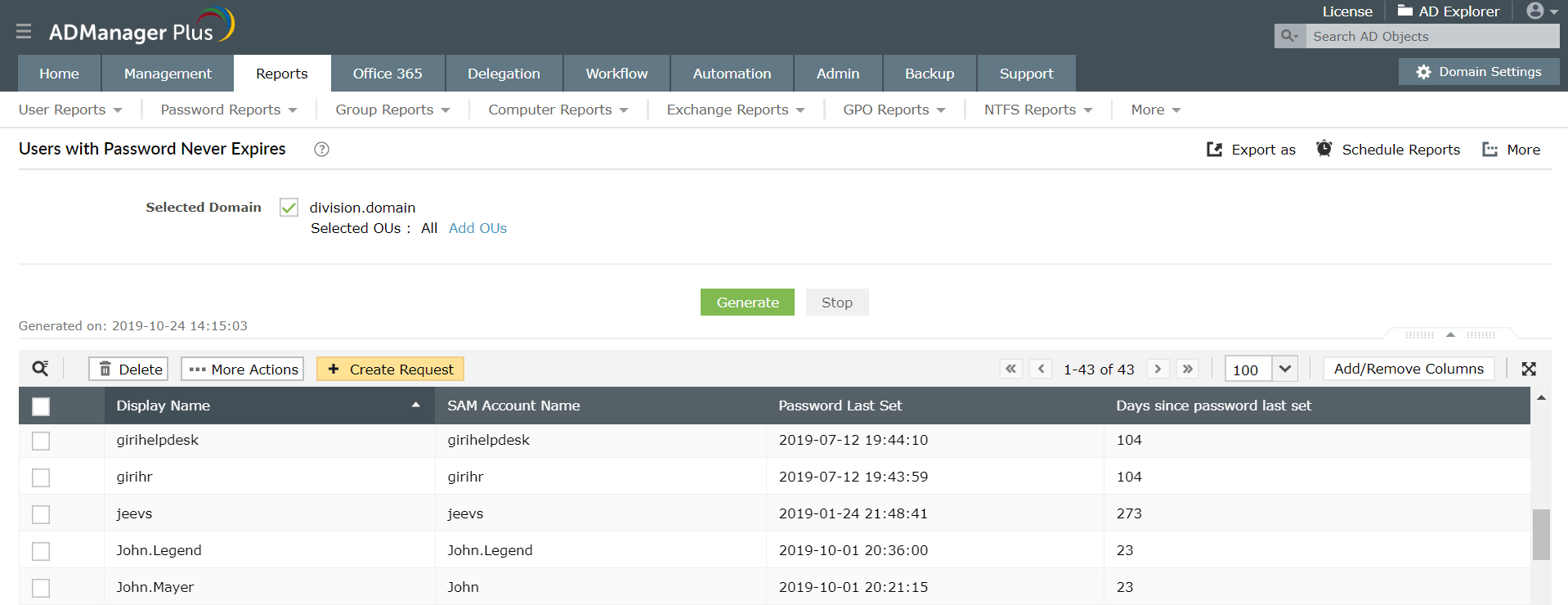
- Users that have passwords set to never expire: List every AD user that has their password expiration date set to "never." If a senior executive or other important user with elevated privileges doesn't have a specific password expiration date, the password could become vulnerable. Administrators can specify an expiration date so that critical users' passwords are updated periodically.
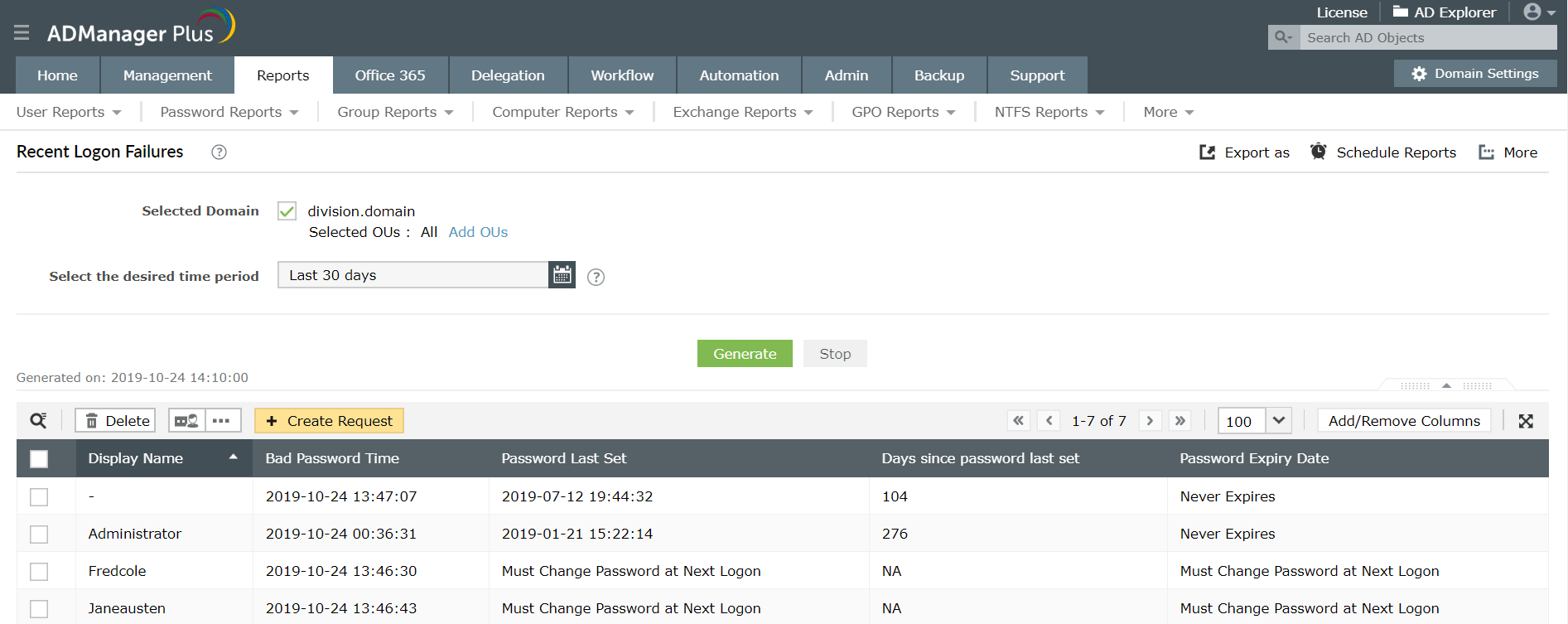
- Recent logon failures: Administrators can easily identify users whose attempts to log on have been denied because they supplied an incorrect password. This report can be generated every day or at regular intervals. If any user account shows up in the report repeatedly, this could signal a security threat. This report also displays the time the login failed and if the login failure happened during non-business hours.
- Users who cannot change their passwords: List all users who do not have privileges to change their passwords.
- Users required to change their passwords at next logon: In many organizations, the new users are given temporary passwords and they would be asked to change them during their next logon. Administrators can easily list users who will be forced to change passwords at next logon using this report.


With these reports, ADManager Plus makes it easy for AD administrators and technicians to efficiently manage their users' passwords and proactively detect and prevent any possible threats.
About ADManager Plus
ADManager Plus is a web-based solution for all your AD, Exchange, Skype for Business, Google Workspace, and Microsoft 365 management needs. It simplifies several routine tasks such as provisioning users, cleaning up dormant accounts, managing NTFS and share permissions, and more. ADManager Plus also offers more than 150 prepackaged reports, including reports on inactive or locked-out AD user accounts, Microsoft 365 licenses, and users' last logon times. Perform management actions right from reports. Build a custom workflow structure that will help with ticketing and compliance, automate routine AD tasks such as user provisioning and de-provisioning, and more. Download a free trial today to explore all these features.
Benefits of using ADManager Plus as an AD password reporting tool
- Generate detailed password-specific reports without any PowerShell scripts.
- Schedule AD password reports to be delivered at specified times.
- Export reports in multiple formats such as CSV, PDF, XLSX, HTML, or CSVDE.
Featured links
Other features
Active Directory Group Management
Manage your Active Directory Security Groups. Create, Delete and Modify Groups...all in a few clicks. Configure Exchange attributes of AD Groups and effect bulk group changes to your AD security groups.
Active Directory User Reports
Exhaustive reporting on Active Directory Users and user-attributes. Generate reports in user-activity in your Active Directory. Perform user-management actions right from the report interface!
Active Directory Cleanup
Get rid of the inactive, obsolete and unwanted objects in your Active Directory to make it more secure and efficient...assisted by ADManager Plus's AD Cleanup capabilities.
Terminal Services management
Configure Active Directory Terminal Services attributes from a much simpler interface than AD native tools. Exercise complete control over technicians accessing other domain users' computers.
Active Directory Workflow
A mini Active Directory ticket-management and compliance toolkit right within ADManager Plus! Define a rigid yet flexible constitution for every task in your AD. Tighten the reins of your AD Security.
Active Directory Automation
A complete automation of AD critical tasks such as user provisioning, inactive-user clean up etc. Also lets you sequence and execute follow-up tasks and blends with workflow to offer a brilliant controlled-automation.
Need Features? Tell Us
If you want to see additional features implemented in ADManager Plus, we would love to hear. Click here to continue


