Install APM Insight Python Agent
To install APM Insight Python agent, follow the steps given below:
Note: Install the Applications Manager Data Exporter (for Windows or Linux) to enable communication with the Applications Manager server.
- Navigate to the APM tab → Add New Monitor → Python in Applications Manager console.
- Download the appropriate APM Insight Python agent (apm_insight_agent_python.zip) file from the download page and extract it.
If you are using a virtual environment, activate it, navigate to the extracted Python agent directory and execute the following command to install the Python packages in your virtual environment:
python -m pip install .Deploy the Python agent to your application using any of the following methods:
Using command line
To deploy the Python agent into your application, you need to run your application using the following command:
$ apminsight-run --license_key <apm-license-key> <apm-options> "<user_application_execute_command>"Following are the list of options that can be used in the place of
<apm-options>argument in the command:apm-options Description --license_key To add the Applications Manager license key or device key ---apm_app_name "monitorname" To add the APM application name. --apm_log_dir "log location" To add a custom log directory for storing APM logs. --apm_debug "true/false" To enable debug mode. --apm_exp_host “DataExporter_Host” To configure the Applications Manager DataExporter host. --apm_exp_status_port “DataExporter_Status_Port” To configure the Applications Manager DataExporter status port. Default port is 20021. --apm_exp_data_port “DataExporter_Data_Port” To configure the Applications Manager DataExporter data port. Default port is 20022. Examples:
If you want to configure the application name, use the below command:
$ apminsight-run --apm_app_name "monitorname" sampleapp.pyIf you want to configure the directory location, use the below command:
$ apminsight-run --apm_app_name "monitorname" --apm_log_dir "logs location" sampleapp.pyIf you want to configure the AppManagerDataExporter, use the below command:
$ apminsight-run --apm_app_name "monitorname" --apm_exp_host "apm-exporter-host" --apm_exp_status_port "20021" --apm_exp_data_port "20022" sampleapp.pyNote: The status port and data port configurations for AppManagerDataExporter are located in the configuration.json file, applicable to both Windows and Linux systems.
Using code snippet
To deploy the Python agent into your application, update the required configuration information in the following code snippet and place it at the top of your application route file or application start file:from apminsight import initialize_agentinitialize_agent({"appname" : "<Your_application_name>","license_key" : "<Your_Applications_Manager_license_key>",'''change if Applications Manager Data Exporter is not running in the default ports(20021, 20022):'''"exporter_status_port" : "<APMDataExporter-status-port>","exporter_data_port" : "<APMDataExporter-data-port>",'''If you are running Applications Manager Data Exporter on a separate machine/server or as a Docker container:'''"exporter_host" : "<HostName/ContainerName_where_Data_Exporter_is_running>" })
Note:If exporter is running is different machine or running other than default ports, then update the required configuration information in the following code snippet:
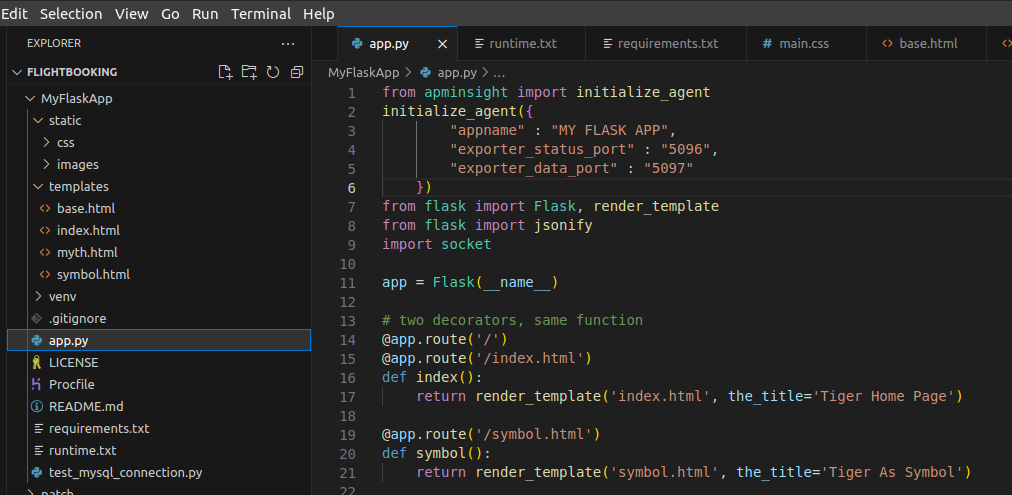
from apminsight import initialize_agentinitialize_agent({"appname" : "<Your_application_name>",'''Change if Applications Manager Data Exporter is not running in the default ports (20021, 20022):'''"exporter_status_port" : "<DataExporter_status_port>","exporter_data_port" : "<DataExporter_data_port>",'''If you are running Applications Manager Data Exporter on a separate machine/server or as a Docker container:'''"exporter_host" : "<HostName/ContainerName_where_Data_Exporter_is_running>"})Example:For Django applications, add the code snippet at the top of the Django's settings.py file. The name of your Django application will be automatically detected by your WSGI_APPLICATION in the application’s settings.pyfile.

For other applications and frameworks, such as Flask, add the code snippet at the top of the application start file.
You can also configure the agent using the required environment variables listed below:
Configuration Description $ export APM_LICENSE_KEY="<Your license key or device key>" To add the license name. $ export APM_APP_NAME="<Your_application_name>" To add the application name. $ export APM_LOGS_DIR="<logs_storing_path>" To configure the log directory. $ export APM_EXPORTER_STATUS_PORT=<DataExporter_status_port>
$ export APM_EXPORTER_DATA_PORT=<DataExporter_data_port>To change the Applications Manager Data Exporter's default running ports (20021, 20022). $ APM_EXPORTER_HOST=<HostName/ContainerName_where_DataExporter_is_running> To change the host of the Applications Manager Data Exporter to a different machine or server or as a Docker container. - Upon implementing the above changes, save the file and restart your application.
- Once the application is restarted, perform some transactions so that the agent can collect data.
- Navigate to the APM tab and click on the required Python application to view application metrics.
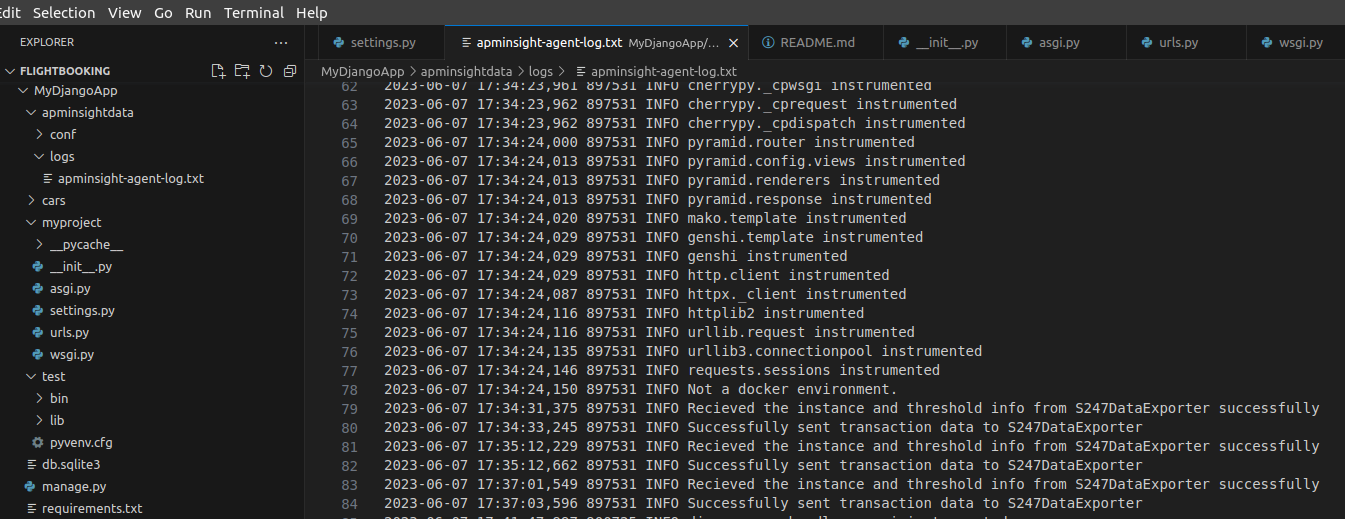
You can view agent log files under the apminsightdata/logsdirectory, which will be present in the process-generated location.