Configure Barracuda Email Security Gateway
Firewall Analyzer supports most versions of Barracuda Email Security Gateway device.
Configure Barracuda Email Security Gateway
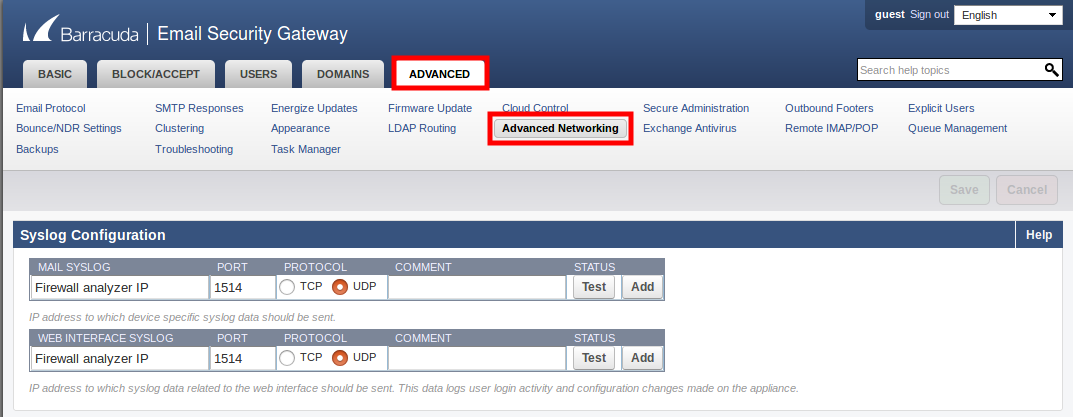
Configure Barracuda Email Security Gateway device to send the syslogs to Firewall analyzer
- Select Advanced > Advanced Networking.
- In the Syslog Configuration section, specify the IP address of the Firewall analyzer in the Mail Syslog and Web Interface Syslog fields.
- Enter port 1514 and select UDP protocol.
- Click Save.