Integrating The SSL Store Certificate Authority with Key Manager Plus Cloud
Key Manager Plus Cloud facilitates end-to-end life cycle management of certificates obtained from trusted certificate authorities (CAs) enabling users to acquire, consolidate, deploy, renew, and track certificates issued by commercial CAs from a single interface. With Key Manager Plus Cloud's seamless API-based integration with The SSL Store - the largest platinum partner of the world's leading CAs, users have the option to acquire and manage certificates from the following third-party CAs directly using Key Manager Plus Cloud: Sectigo (formerly Comodo CA), Symantec, and DigiCert.
Follow the steps below to place certificate orders, acquire, consolidate, deploy, and manage trusted third-party CA certificates from Key Manager Plus Cloud:
- Configuring The SSL Store API Credentials in Key Manager Plus Cloud
- Importing Existing Certificate Orders
- Creating New Certificate Orders
- Managing Certificates Issued by The SSL Store CA
1. Configure the SSL Store API Credentials in Key Manager Plus Cloud
The first step to request and manage third-party CA certificates from Key Manager Plus Cloud is to sign up for an exclusive enterprise account on the The SSL Store portal and configure the API credentials generated subsequently in Key Manager Plus Cloud.
To set up an Enterprise account with The SSL Store and integrate with Key Manager Plus Cloud, follow the steps below:
- Navigate to this enterprise sign up link on the The SSL Store website. Proceed through the sign up link for Key Manager Plus Cloud.
- Fill in your personal details and organization details as requested, and click Continue.
- You will then be taken to the Setup Payment section where you need to configure a payment method and provide the payment details and billing information.
- After providing the details, click Continue.
- You will be redirected to the Confirmation/Token section where the API credentials (Partner ID and Token) are displayed. Copy and save the credentials in a secure location.
- Now, switch to the Key Manager Plus Cloud interface and navigate to Integrations >> Public CA Integrations >> The SSL Store. Click Manage at the top-right corner of the page.
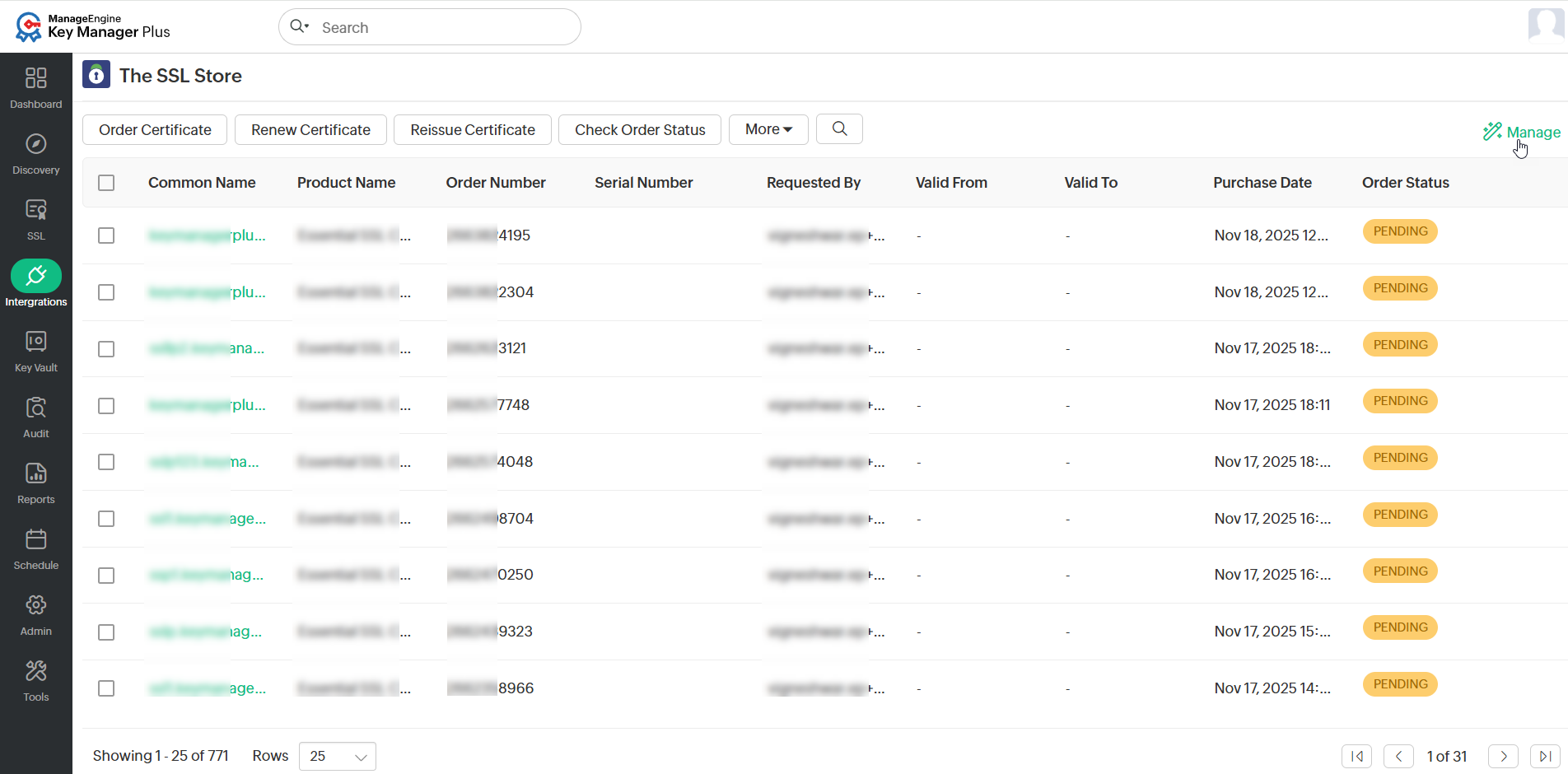
- Under the Account tab, provide the generated Partner Code and Token.
- Click Save to store the details in Key Manager Plus Cloud.
Configuring API authentication credentials is a one-time process. There is no need to provide the details every time when placing an order for a certificate.
Once you have configured your API authentication credentials, leverage The SSL Store's API to generate certificate signing requests (CSRs), create orders, procure, and manage certificates from any of the following certificate authorities directly from Key Manager Plus Cloud: Symantec, Sectigo, and DigiCert.
2. Importing Existing Certificate Orders
Key Manager Plus Cloud allows users to import the already existing certificate orders placed within their account from The SSL Store and track their statuses. Click Import Existing Orders from the More top menu to import the existing open orders into Key Manager Plus Cloud. In addition, users can preconfigure their organization details under Manage to refrain from providing it every time when placing an OV / EV certificate order.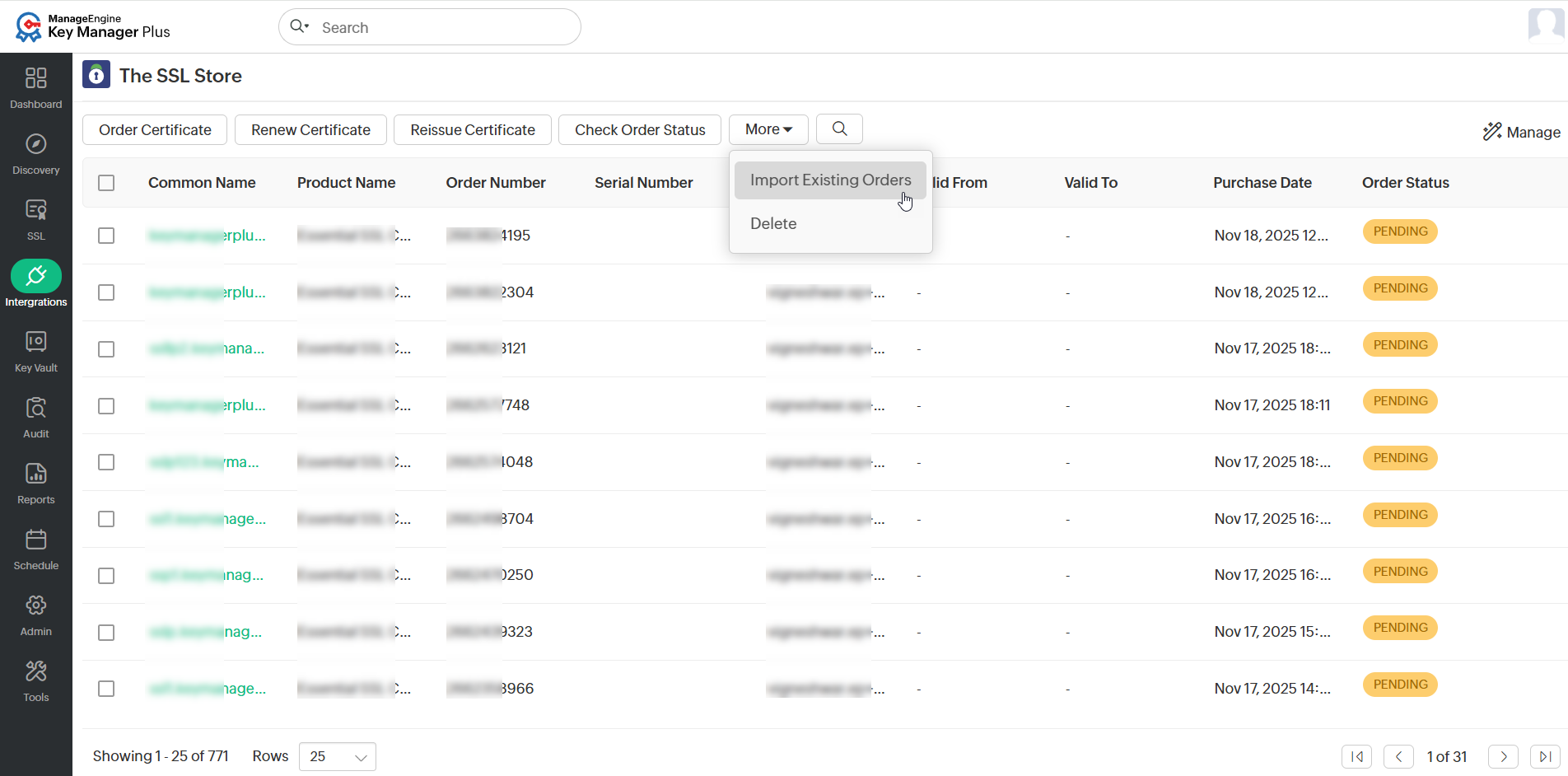
3. Creating New Certificate Orders
To generate a CSR and place a certificate order, follow these steps:
- Navigate to Integrations >> Public CA Integrations >> The SSL Store and click Order Certificate.
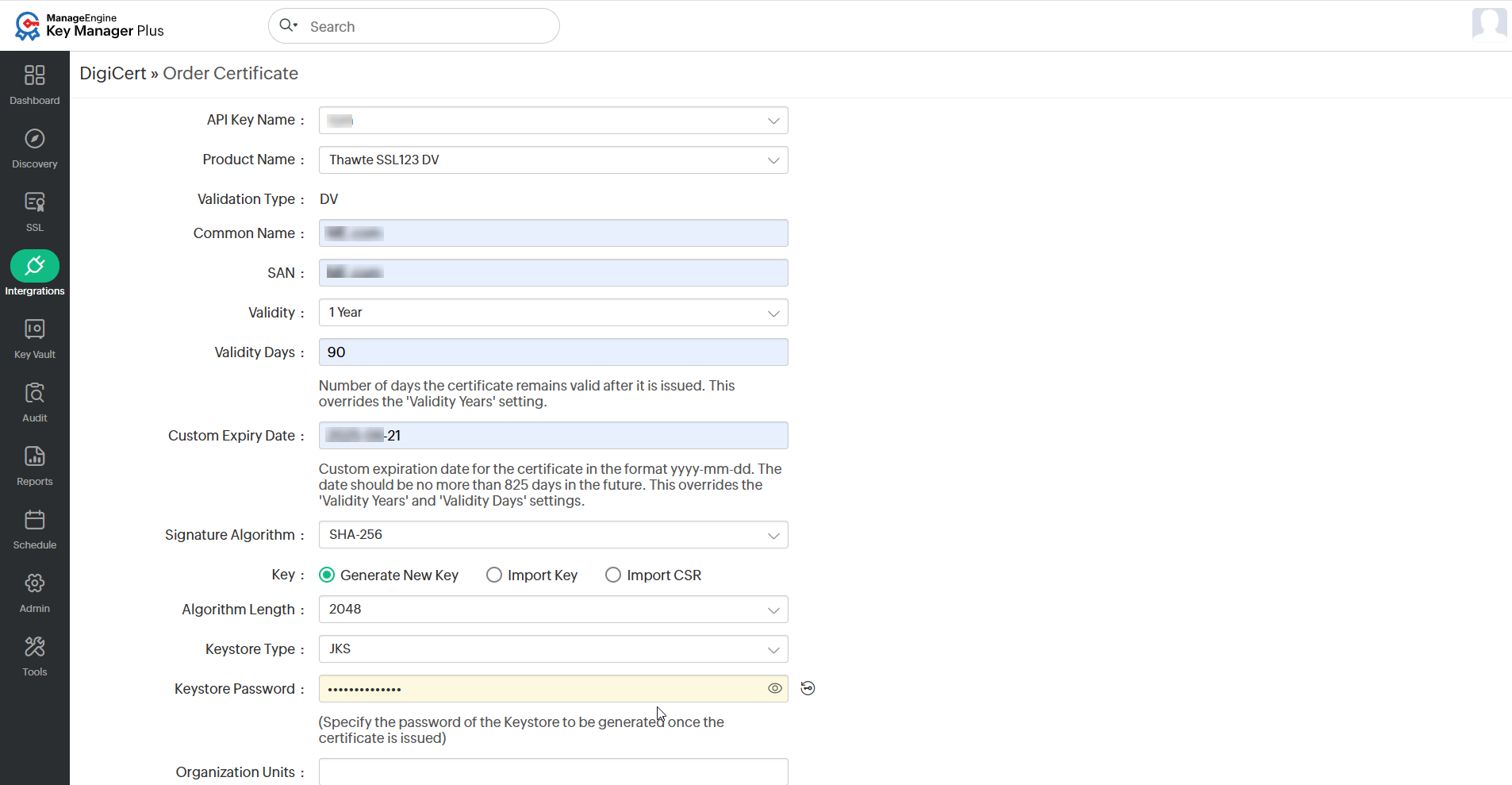
- In the window that opens, choose the Vendor, Validation Type, Product Name, Domain Validation Type, and Validity (in months).
- Key Manager Plus Cloud supports all three domain control validation methods: DNS-based, File-based, and Email validation.
Additional Detail
For DNS-based domain validation in the certificate order, configure the DNS account in Key Manager Plus Cloud and specify it in the 'DNS' field in the order for automating the challenge verification procedure. To configure your DNS account, refer to this document.
- Provide the Common Name, Algorithm Length, Keystore Type, Keystore Password, Number of Servers in which the certificate will be deployed, Server Type, and the Approver's email IDs. Users also have the option to import and use an already existing CSR or private key.
- The approver email ID is the email ID to which Domain Control Validation (DCV) verification mail will be sent. The approver email ID should take either of the following formats:
- <admin@domain>,<administrator@domain>, <hostmaster@domain>, <webmaster@domain> or <postmaster@domain>
- Any administrator, registrant, tech, or zone contact email address that appears on the domain’s WHOIS record and is visible to the CA system.
- Then, provide the organization details (applicable for organization validation and extended validation order types only), administrator contact details, and contact details of the technician placing the certificate order.
- After filling in the details, click Create. This will redirect the users to a window where the list of certificate orders placed along with their statuses are displayed.
Once you have created new certificate orders, validate your ownership of the domain by proceeding to the Domain Control Validation (DCV) procedure. Upon completing the DCV, you will receive the certificates from The SSL Store CA. For detailed information, refer to this document.
4. Managing SSL Certificates Issued by The SSL Store CA
You can renew, reissue, or delete certificate orders placed to third-party certificate authorities from Key Manager Plus Cloud.
4.1 Renewing Certificates
Users can renew The SSL Store certificates either manually or automate the process.
4.1.1 Manual Certificate Renewal
To renew the desired certificates manually, perform the steps that follow:
- Navigate to Integrations >> Public CA Integrations >> The SSL Store.
- Select the required order from the list and click Renew Certificate from the top menu.
- Complete the domain control validation (DCV) procedure if necessary.
On successful validation, the certificate is issued and the new version is automatically updated in SSL >> Certificates tab.
4.1.2 Automated Certificate Renewal
To configure the auto-renewal process for the desired certificates, perform the steps that follow:
- Navigate to Integrations >> Public CA Integrations >> The SSL Store and click Manage from the top right pane.
- Switch the Auto-Renewal tab and enable the Auto-renew toggle switch.
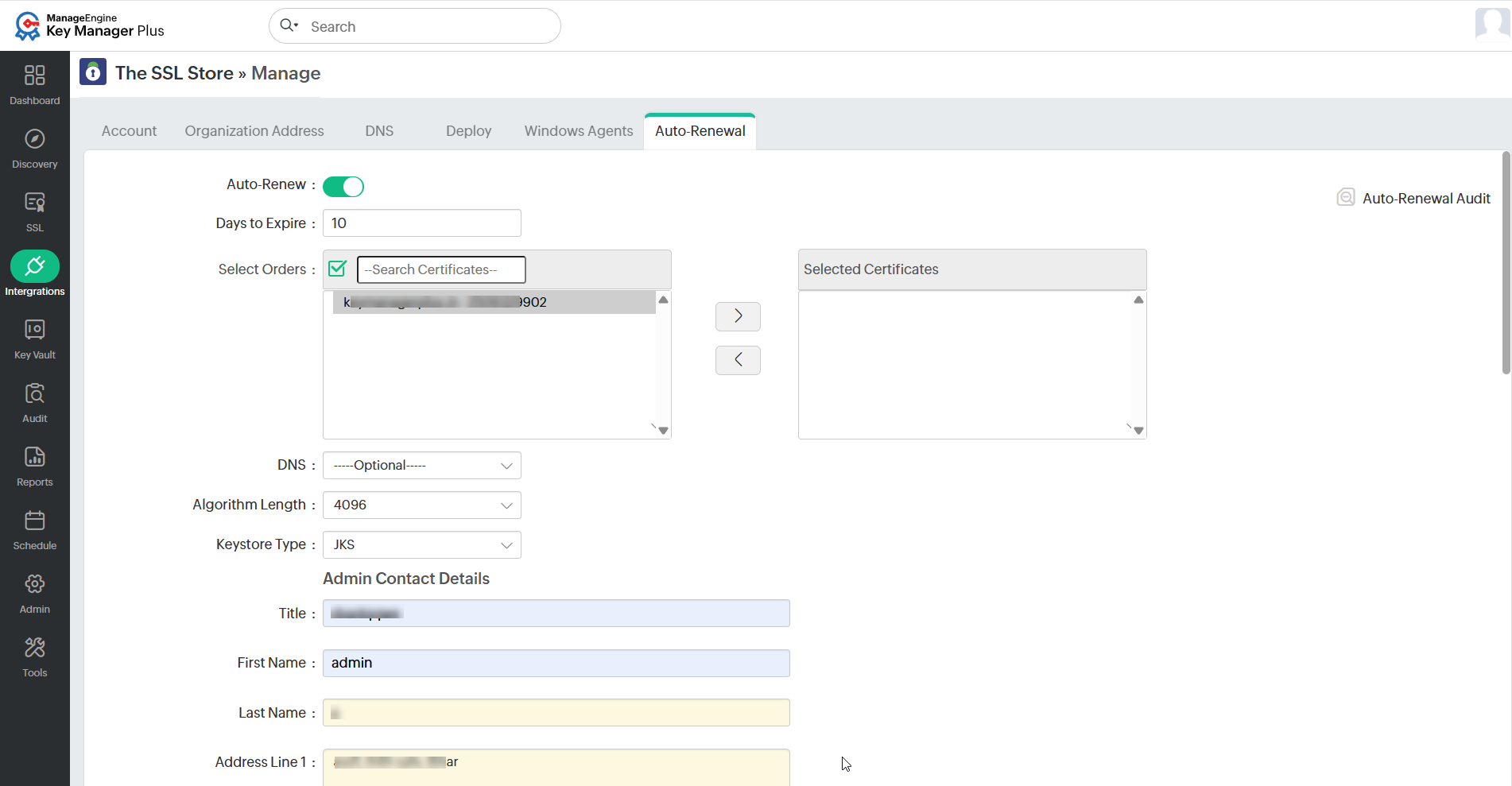
- Enter the number of days before expiry in which the auto-renewal process is to be carried out.
- Select the desired certificates that are to be auto-renewed.
- Select the DNS, Algorithm Length, Keystore Type, and enter the Admin Contact Details and Technical Contact Details for the newly renewed certificate, and click Save.
Based on the configured details, the auto-renewal process will be carried out. Click the Auto-Renewal Audit to get insights about the certificates renewed through the auto-renewal process.
4.2 Reissuing Certificates
To reissue the required certificates, do the steps that follow:
- Navigate to Integrations >> Public CA Integrations >> The SSL Store.
- Select the required order and click Reissue Certificate from the top menu.
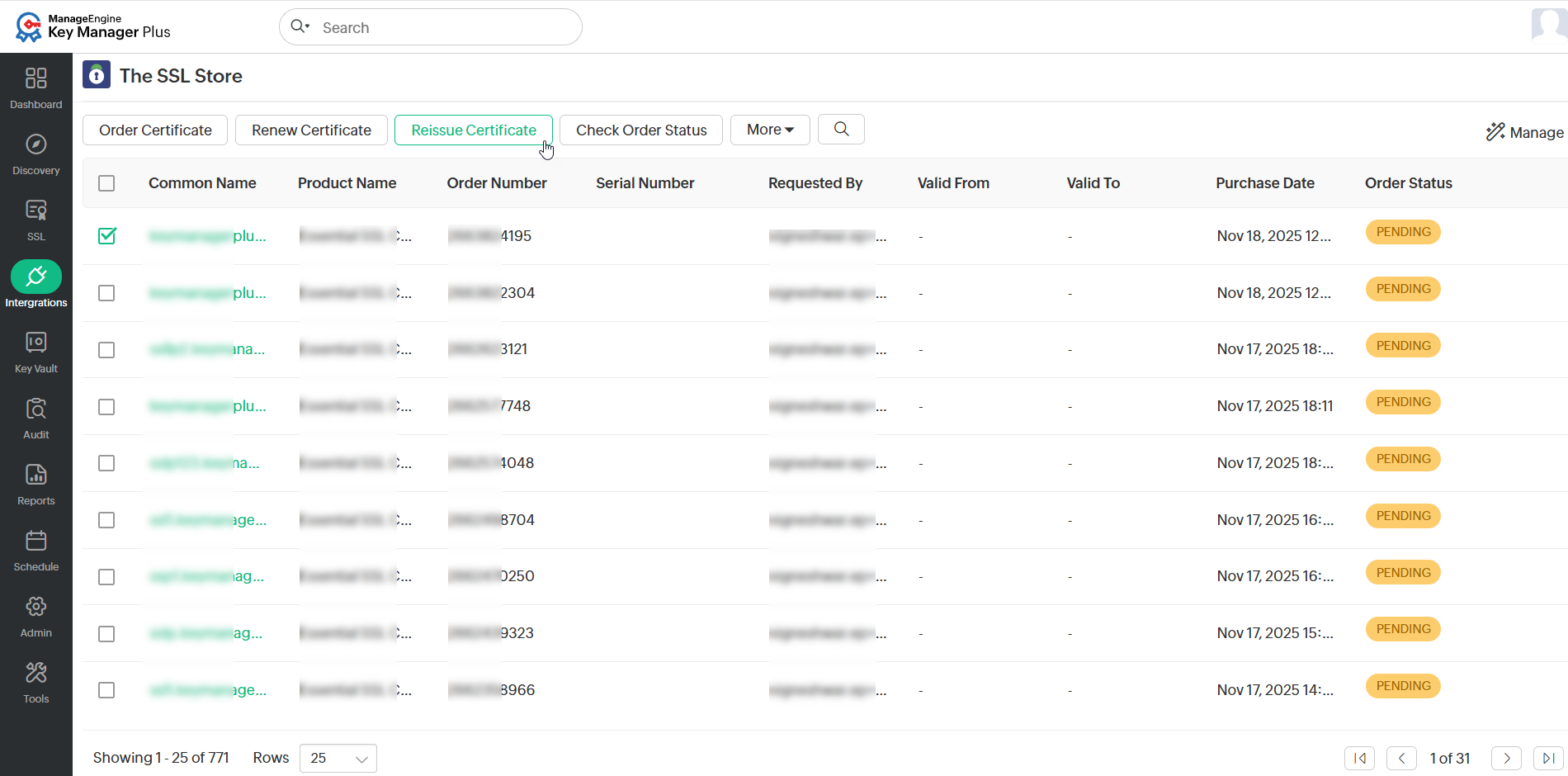
- In the pop-up window that appears, enter the required details and click Reissue.
- Then, complete domain control validation (DCV) procedure if necessary.
- On successful validation, the certificate is reissued and is automatically updated in SSL >> Certificates tab.
Additional Detail
Users can request a reissue only for those certificates requested from Key Manager Plus Cloud and not for the imported orders.
4.3 Deleting Certificate Orders
To delete the SSL Store certificate order request, do the steps that follow:
- Navigate to Integrations >> Public CA Integrations >> The SSL Store.
- Select the required certificate order and click More >> Delete from the top menu.
- In the confirmation pop-up dialog box that appears, click OK to delete the selected certificate order.
Additional Detail
When a certificate request is deleted, it is removed only from Key Manager Plus Cloud. You can find the order being open in The SSL Store website for your account and you can import it into Key Manager Plus Cloud if needed using the Import option.
Caution
The procurement of public CA certificates from Key Manager Plus Cloud can be successfully completed only if the user has signed up for an exclusive enterprise account with The SSL Store. Key Manager Plus Cloud imports certificates after issue using The SSL Store's API for providing better PKI management functionality. All personal information (including payment details) is collected and processed by The SSL Store and ManageEngine is not responsible for any payment related issues. Please contact The SSL Store technical support team if you are facing any difficulties with payment and procurement of certificates from public CAs affiliated with The SSL Store using Key Manager Plus Cloud.