Managing Certificates in Key Manager Plus Cloud
SSL/TLS certificates play a crucial role in securing communication by encrypting data transmitted between a client and a server. When a user connects to a secure server, the server presents its SSL certificate. The client device then verifies the certificate’s authenticity and validity—ensuring it is issued by a trusted Certificate Authority (CA). If verified, data transmission proceeds over an encrypted channel, preventing unauthorized access or tampering.
Key Manager Plus Cloud simplifies and centralizes the entire certificate lifecycle—from discovery and creation to renewal and audit. It serves as a secure inventory for managing both self-signed and CA-issued certificates and provides timely alerts to avoid service disruptions due to expired certificates.
Key Capabilities of SSL Certificate Management
Using Key Manager Plus Cloud, you can:
- Discover, import, or create SSL certificates within your network environment.
- Generate Certificate Signing Requests (CSR) using multiple key and signature algorithms.
- Raise requests for new certificates or add subdomains to existing certificates.
- Monitor certificate validity with proactive expiry notifications to ensure timely renewal.
- Securely store and organize certificates in a centralized, cloud-based inventory.
Supported Key Algorithms and Signature Options
Key Manager Plus Cloud supports generating self-signed certificates and CSRs using the following cryptographic standards:
| Algorithm | Details |
|---|---|
| RSA | Key sizes: 2048, 3072, or 4096 bits Signature: SHA-2 (256, 384, or 512 bits) |
| DSA | Key sizes: 2048 or 3072 bits Signature: SHA-1 (160 bits) |
| EC | Key sizes: 128 or 256 bits Signature: SHA-2 (256, 384, or 512 bits) |
Viewing Certificates in the Centralized Certificate Inventory
All the SSL certificates that are discovered, created, or imported are automatically added to the centralized inventory of Key Manager Plus Cloud. You can view these certificates from the SSL >> Certificates tab in the user interface.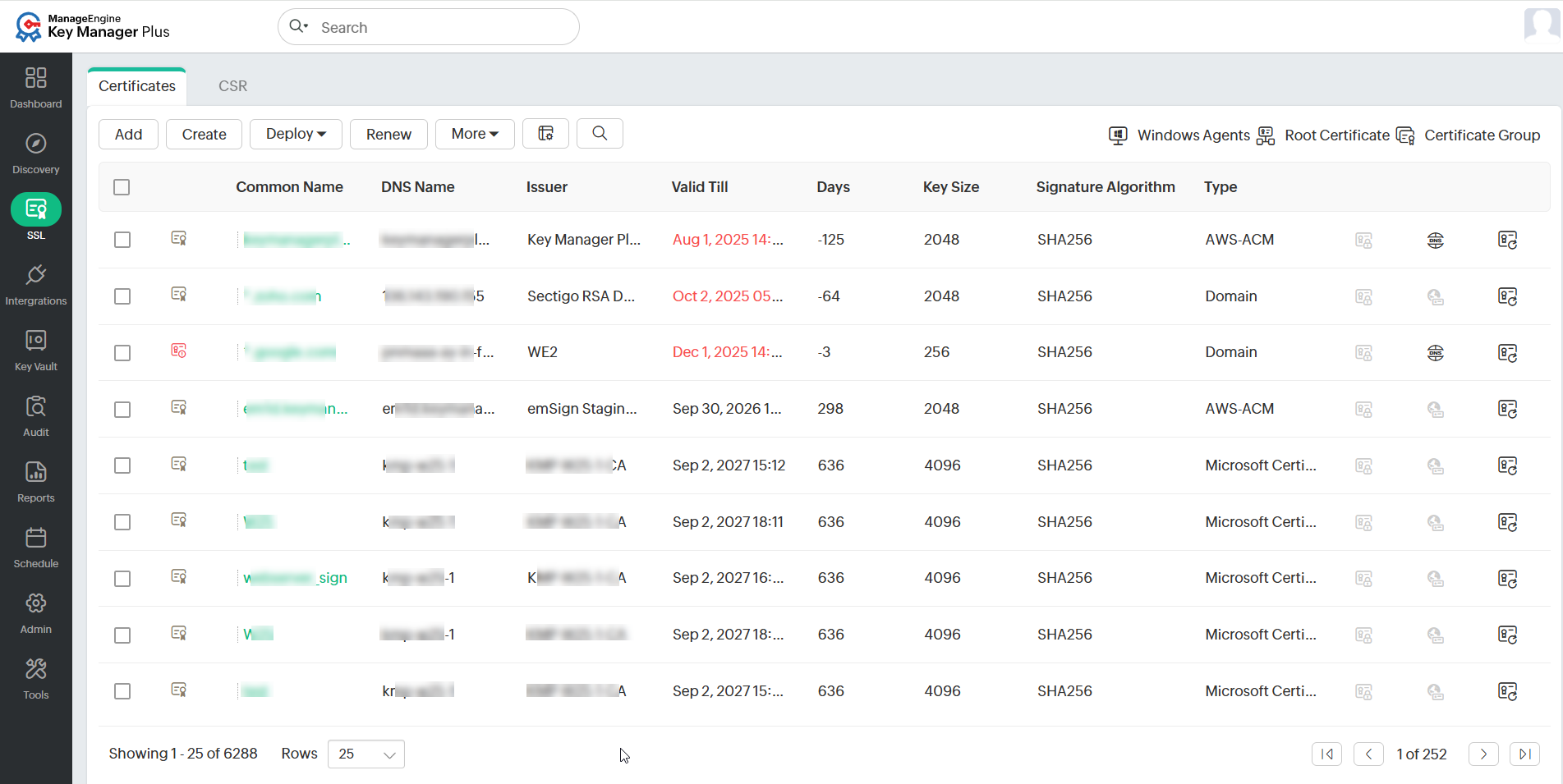
You can search certificates from here using Common Name, DNS Name, Issuer, Key Size, Signature Algorithm, Description, additional fields, and more. To do so, click the search icon present in the right corner of the table header and enter the search phrases in the text boxes that appear.
Refer to this document to know more about certificate-based operations in Key Manager Plus Cloud.