
Log collection failure alerts
Last updated on:
In this page
Overview
Log collection failure alerts notify administrators when a device stops sending logs to the product. This ensures that potential issues with devices are detected early, helping you avoid gaps in log data and maintain continuous monitoring.
How it works
The alert monitors events collected from the device as a whole. If no logs are received from the selected device(s) or device group(s) within the configured time interval, an email notification is sent to the specified users. You can customize the subject, recipients, and frequency of these alerts.
The product automatically notifies users under the following conditions:
- Log source not reachable/Credential issue
When the product cannot connect to the device due to network or authentication errors.
- No logs generated
When no logs have been generated within the configured time interval.
- Collection schedule delayed
When the scheduled log collection is delayed beyond the defined time interval.
This ensures that administrators are promptly alerted about issues affecting log collection, enabling quicker troubleshooting and maintaining continuous visibility into device activity.
When to use
Use log collection failure alerts when:
- You want to ensure critical devices are always sending logs.
- You need immediate notifications about device outages or communication failures.
- You want to reduce the risk of missing important log data due to device downtime.
Prerequisite
The mail server has to be configured to access this feature. To learn more, refer to the Server settings help document.
Steps to configure alerts to notify users about devices not sending logs
- In the Settings tab, navigate to Admin Settings → Log Collection Failure Alerts → Device Down Alert.
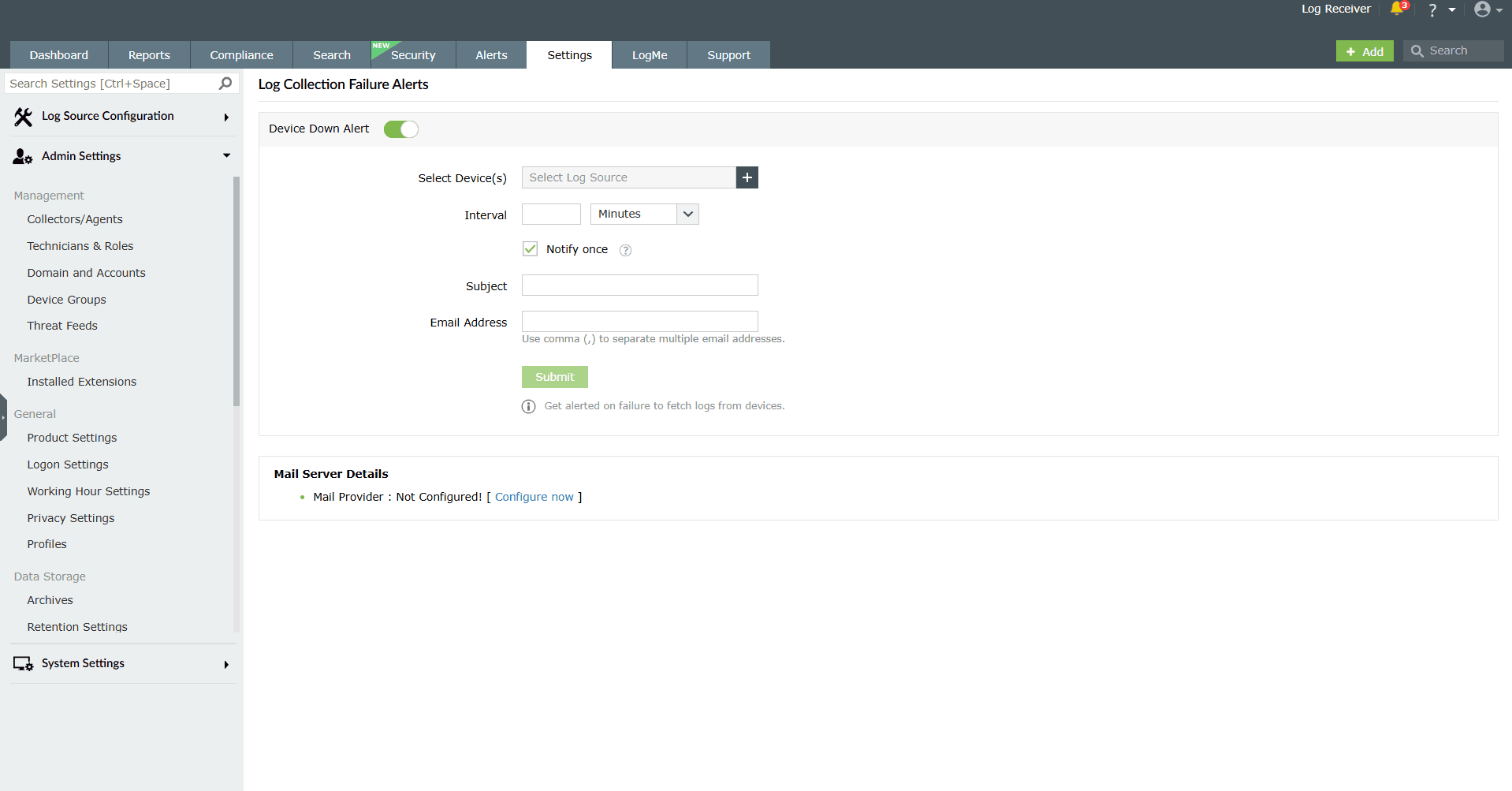
Image 1: Configuring log collection failure alerts - If the alert is not enabled by default, click the toggle button to enable it.
- Select the device(s) or device group(s) for which alerts are to be generated when the device goes down in the Select Device(s) field.
- Select the time interval (minutes, hours, days) at which you want to be notified via email in the Interval field.
- In the Subject field, enter the subject of the email that will be sent to users.
- In the Email Address field, enter the email IDs of users to whom the alert emails should be sent. Use comma (,) to separate multiple email addresses.
- Click on Submit to complete configuring log collection failure alerts.
This capability works based on the events collected from device on the whole, not based on the applications.
Read also
This page outlined how to set up log collection failure alerts. For related configurations, see how to manage log collection filters to control which events are collected.