
Manage cloud sources
Last updated on:
In this page
Overview
This page outlines how to manage configured cloud sources in the product. It explains how to enable or disable individual cloud sources to control log collection and how to delete cloud sources that are no longer required.
Enable/disable cloud source
Enabling a cloud source:
To enable a cloud source in the product,
- Click the icon located under the Actions column for the data source you want to enable.
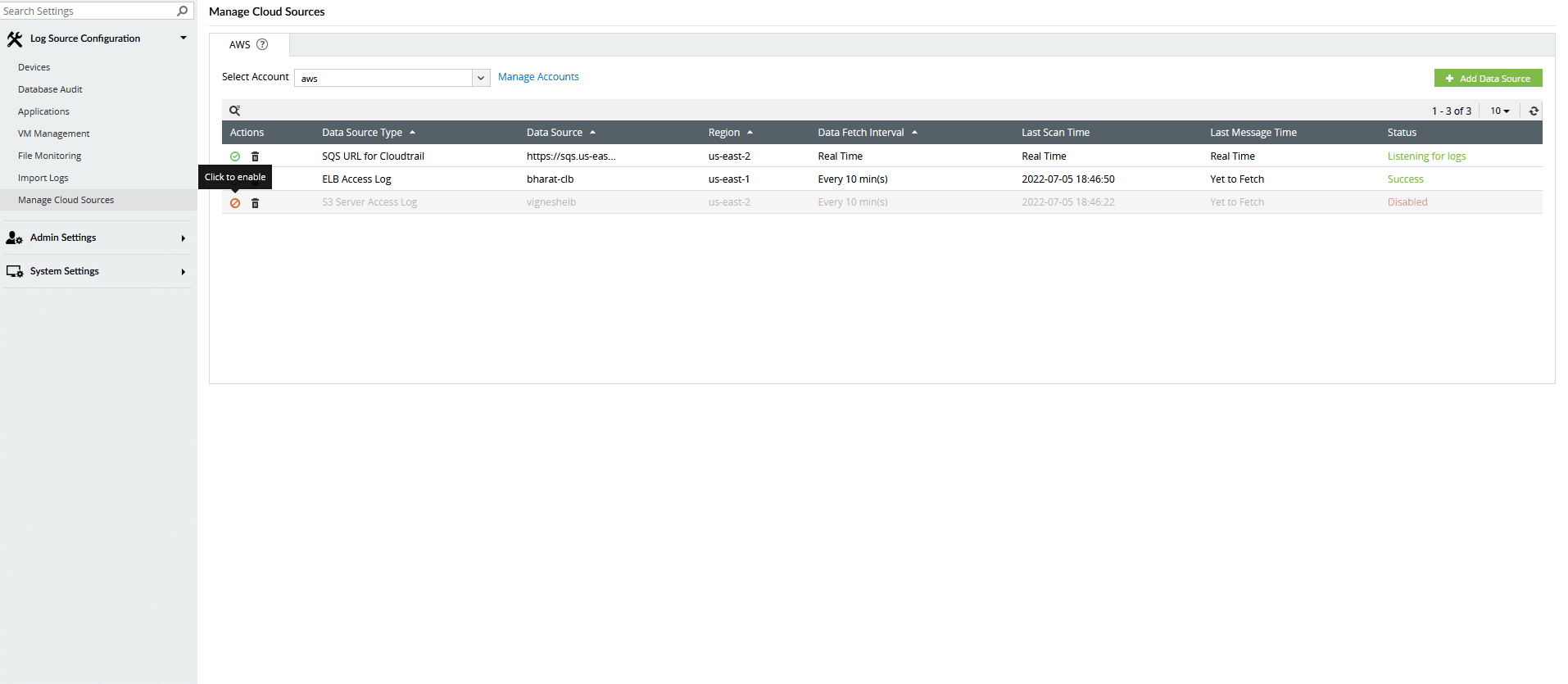
- The data source will be enabled.
Disabling a cloud source:
To disable a cloud source in the product,
- Click the icon located under the Actions column for the data source you want to disable.
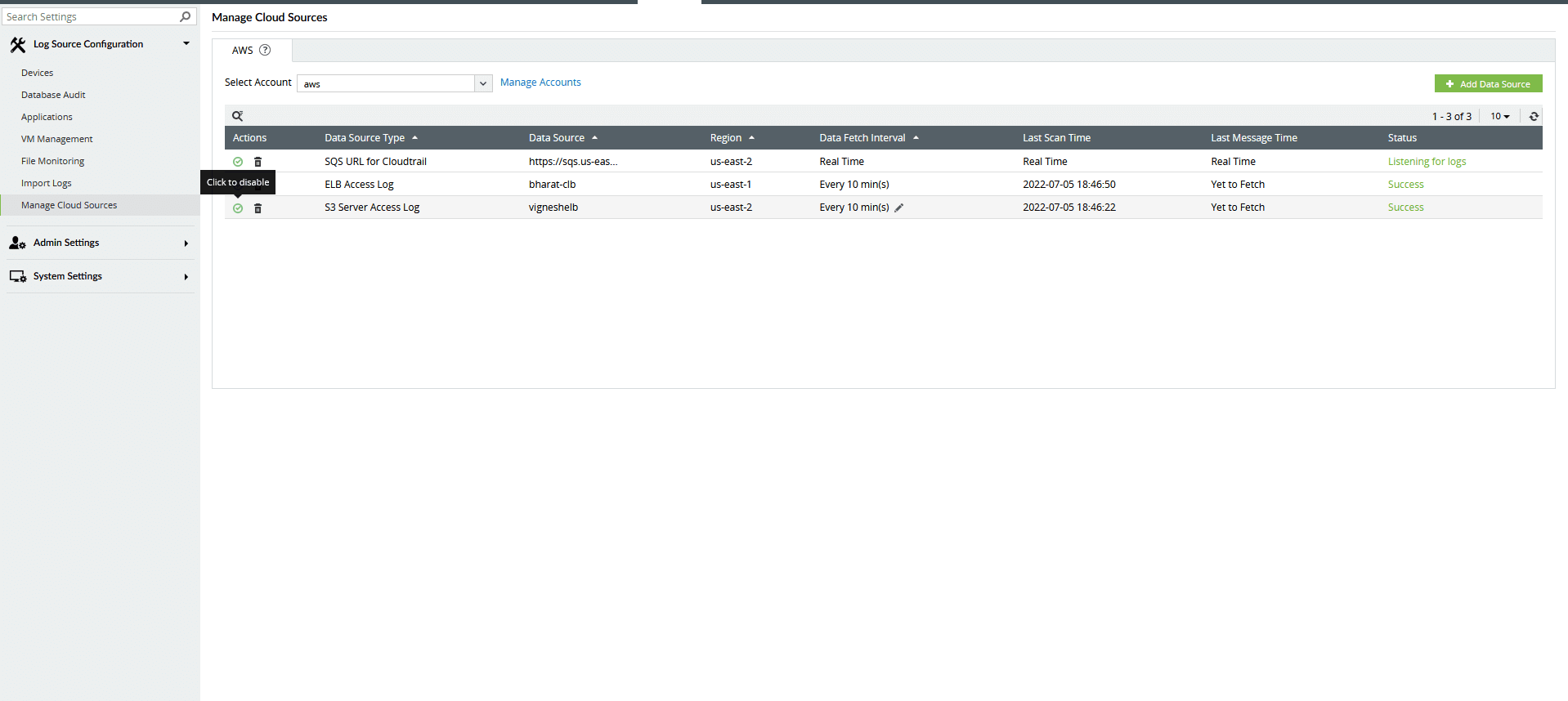
- The data source will be disabled.
Delete a cloud source
To delete a cloud source in the product,
- Click the delete icon located under the Actions column for that particular data source.
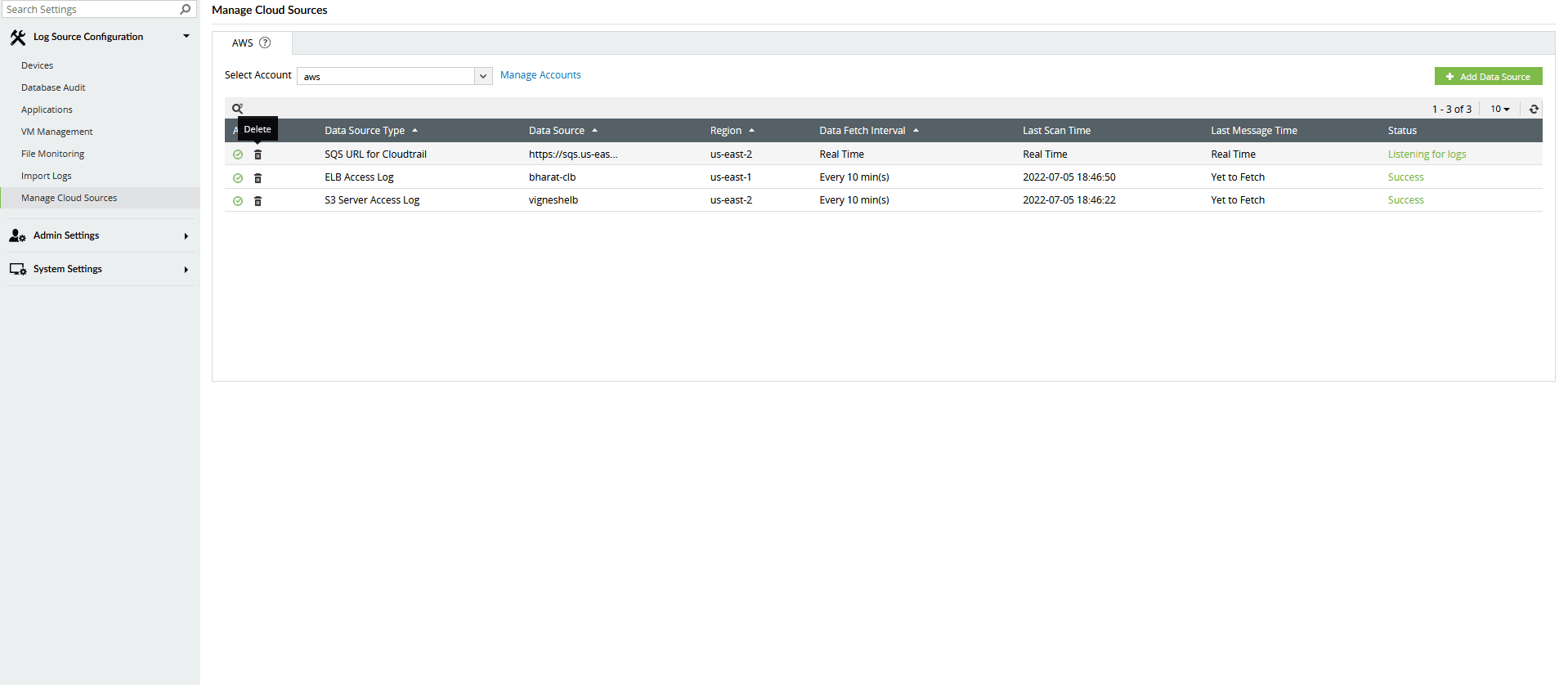
- The data source will be deleted.
Read also
This document explained how to manage cloud sources by enabling, disabling, or deleting them in the product. You can also refer to the following pages for related configurations and monitoring capabilities: