
Integrating the components
Last updated on:
In this page
Overview
This section explains how to integrate the installed components with the product console to enable centralized management. Integration involves configuring connection details such as the component’s server name or IP address, port number, and administrator credentials within the product console.
Steps to integrate the components
- In your account, navigate to the Settings tab.
- Under Admin Settings, go to Integrations, then click Log360 Integration.
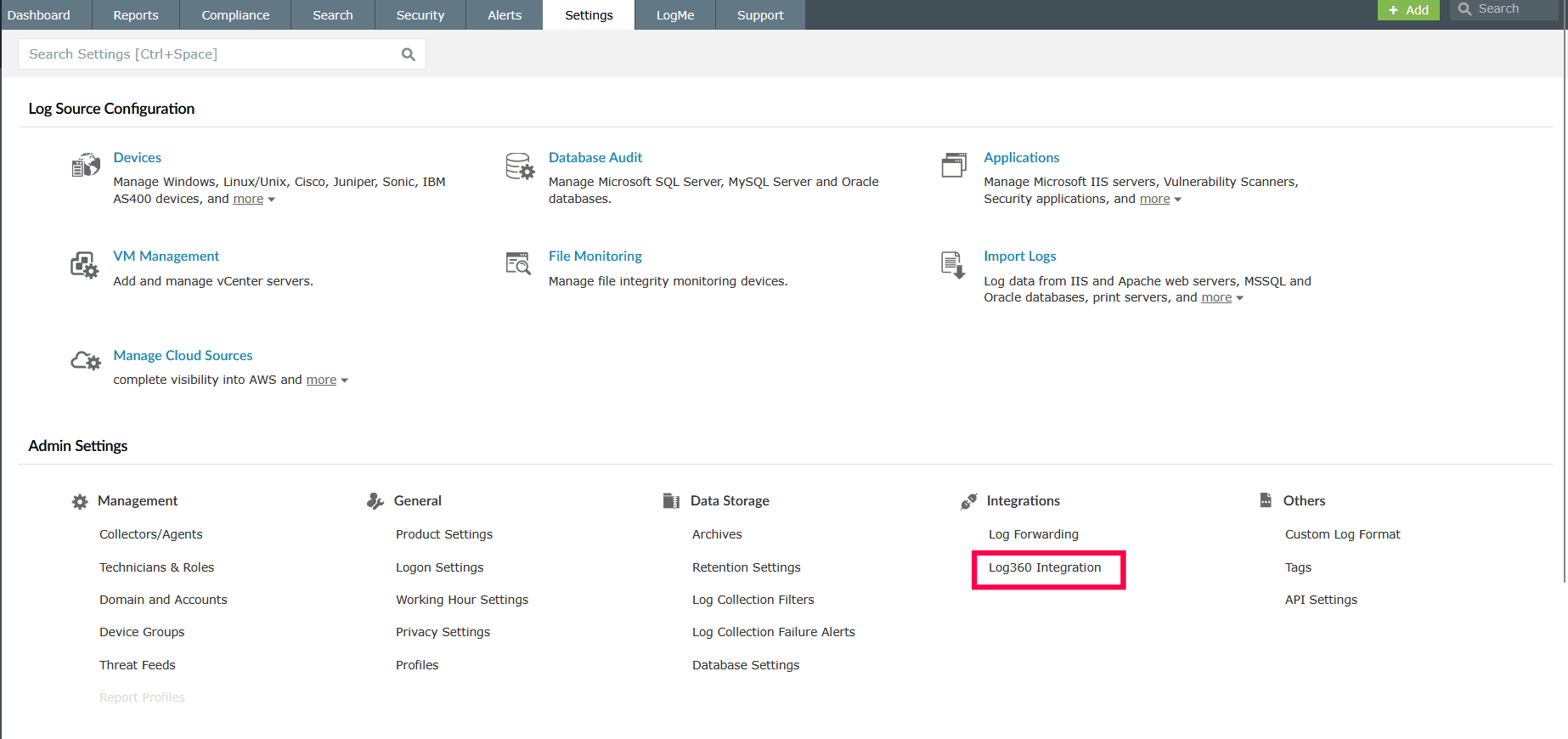
Figure 1: Navigating to Log360 Integration - In the Manage Components page, click Configure under the component you want to integrate.
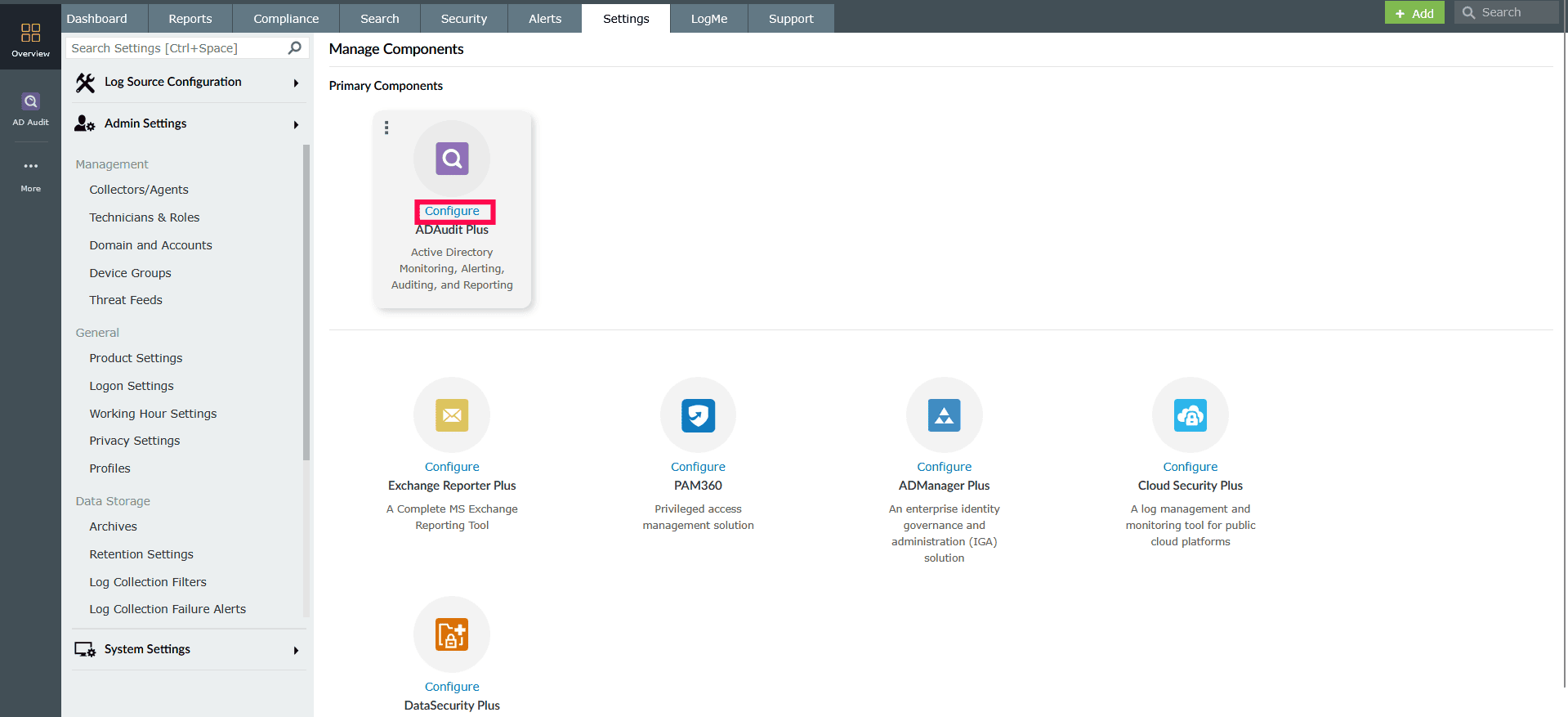
Figure 2: Integrating a component - On the Integrate Component page, under Integration Settings, enter the following details:
- Server Name or IP Address of the machine where the component is running.
- Port number and Protocol used by the component.
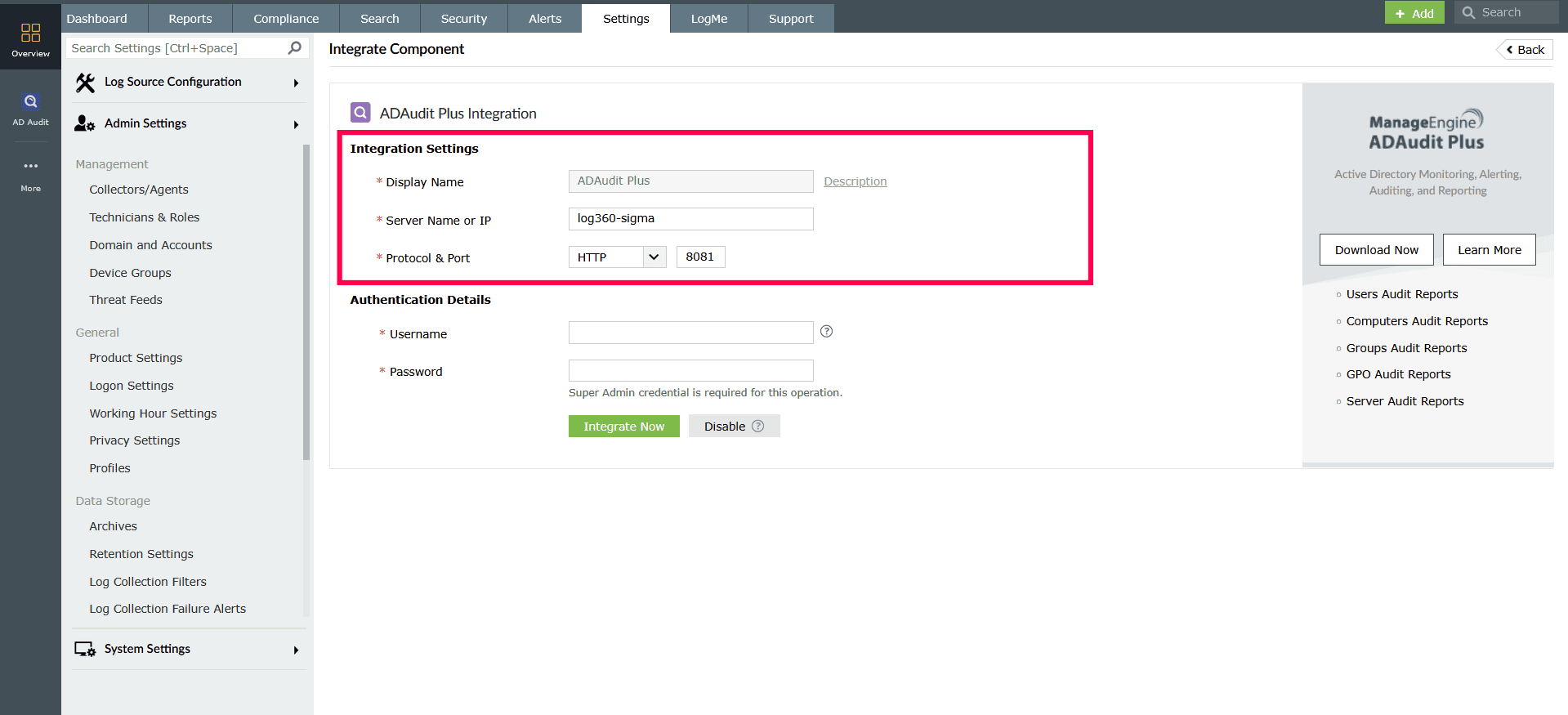
Figure 3: Configuring Integration Settings
- Under Authentication Details, enter the Super Admin credentials of the component.
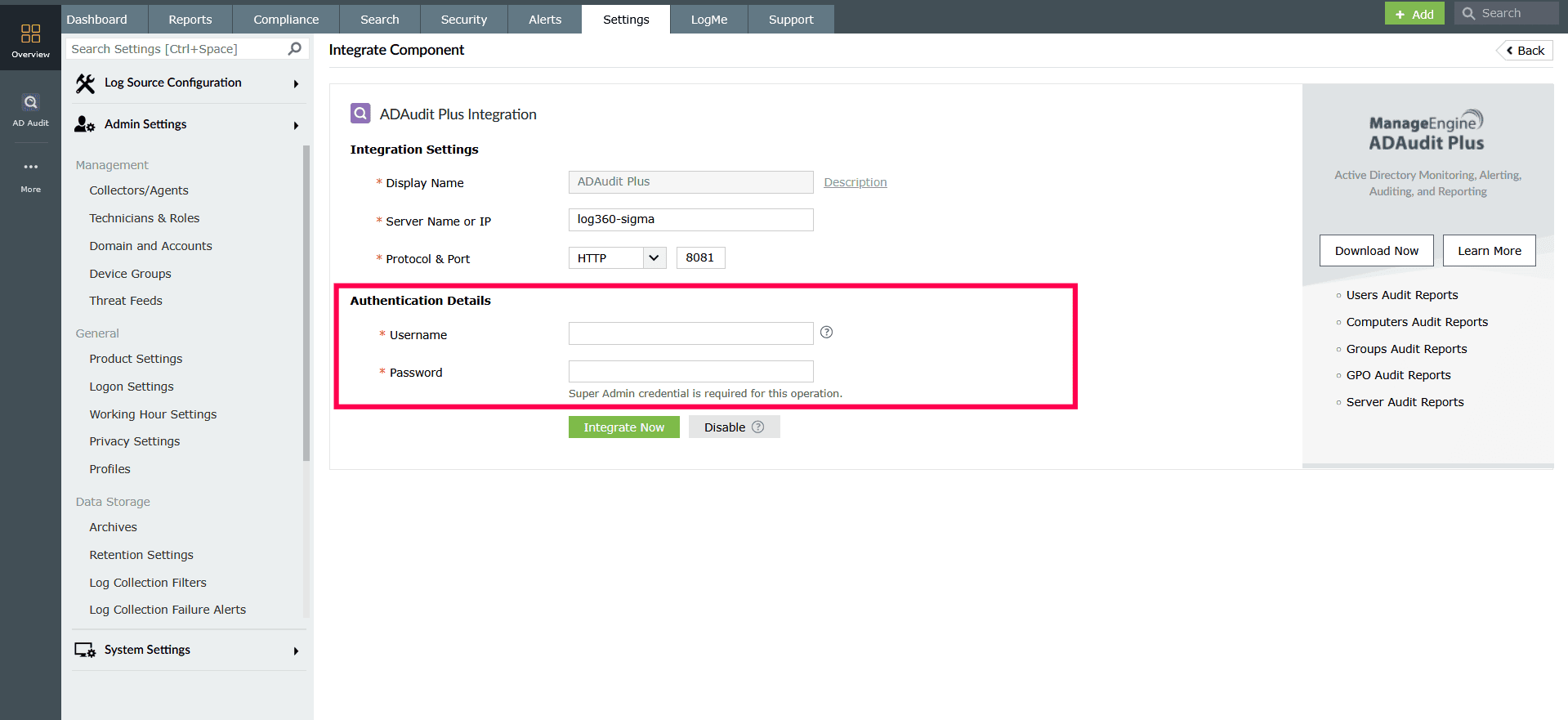
Figure 4: Configuring Authentication Settings - Click Integrate Now to complete the integration.
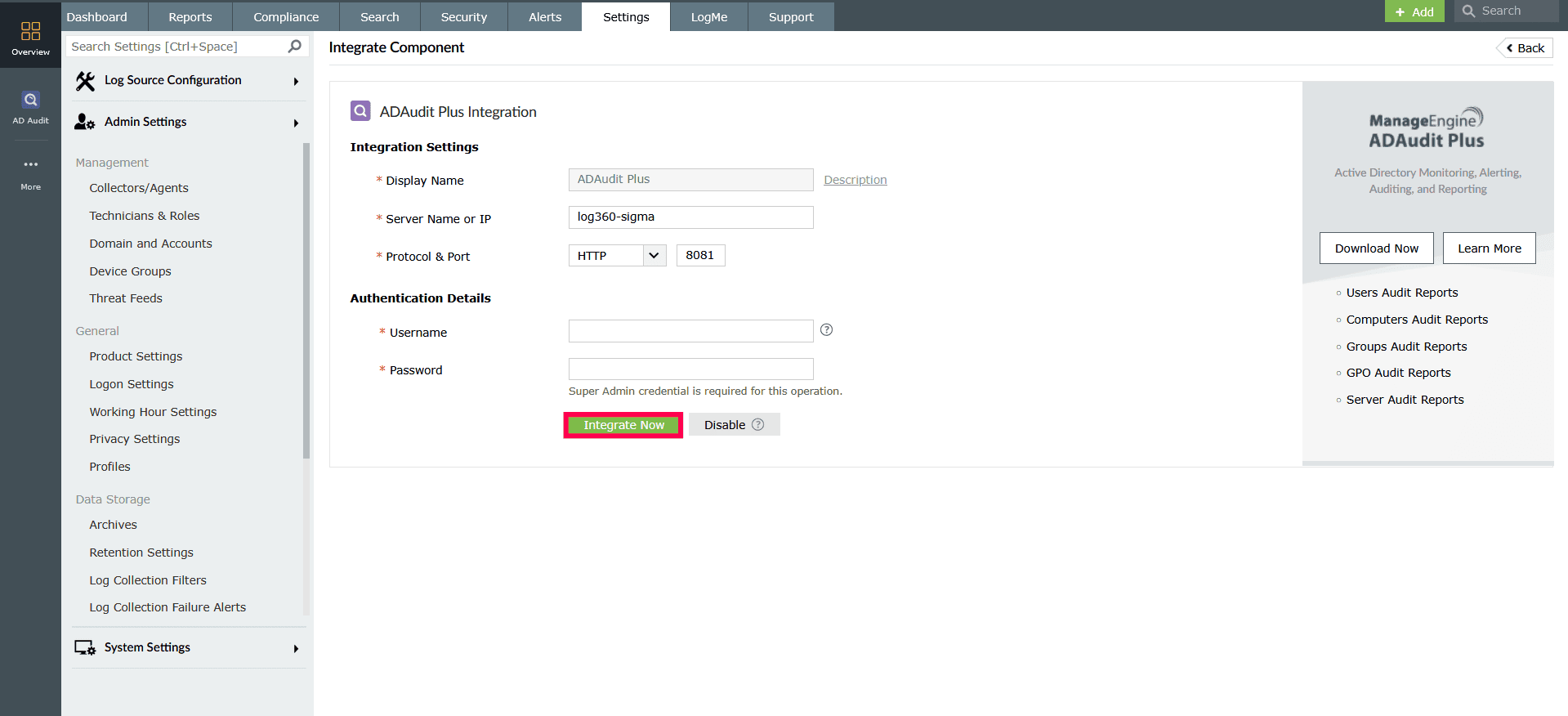
Figure 5: Integrating a component - Repeat the steps for all other components you want to integrate.
- To remove the integration, click Disable. Removing a component will completely disable its functionality and delete all its integration details.
- To modify settings, click Modify under the component you want to update.
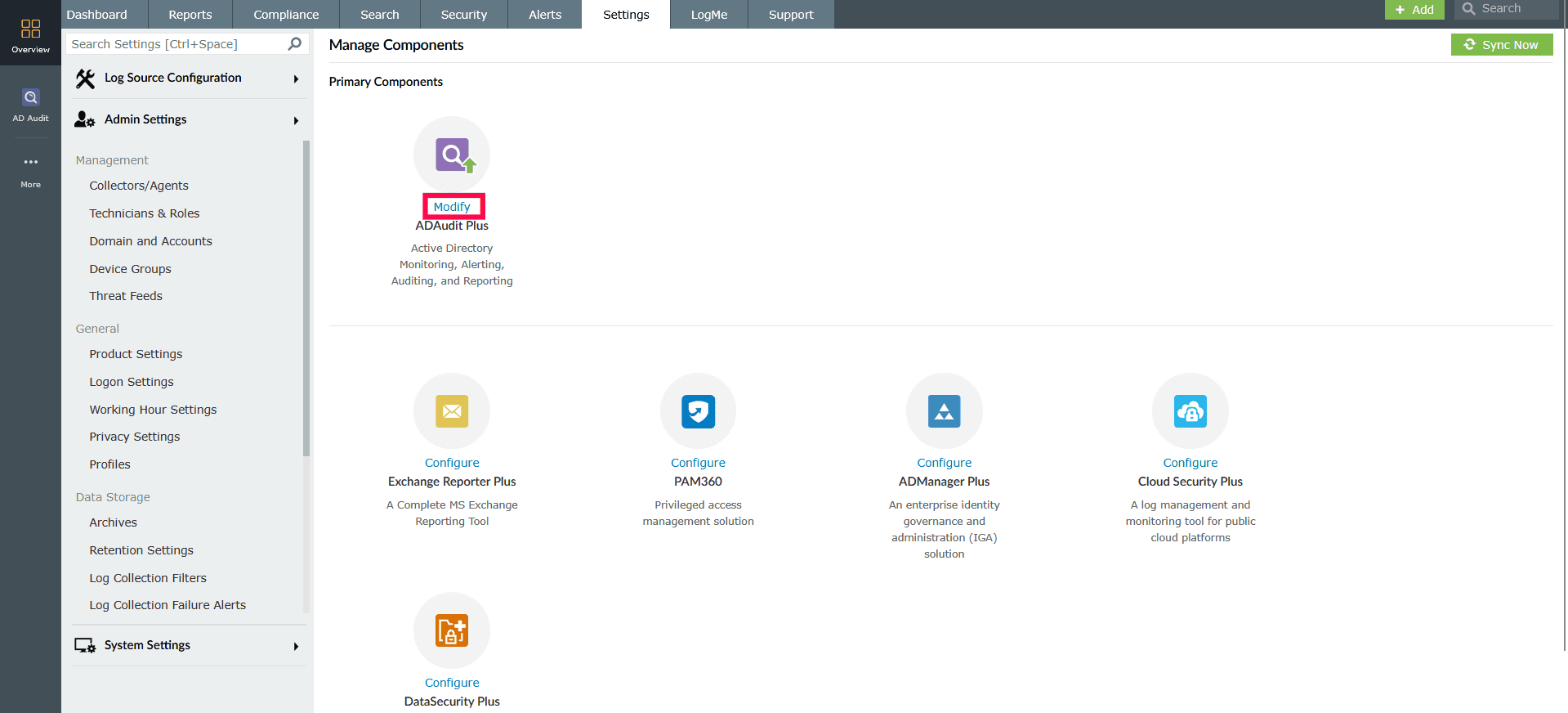
Figure 6: Modifying a component - Make the necessary changes, and click Update Settings.
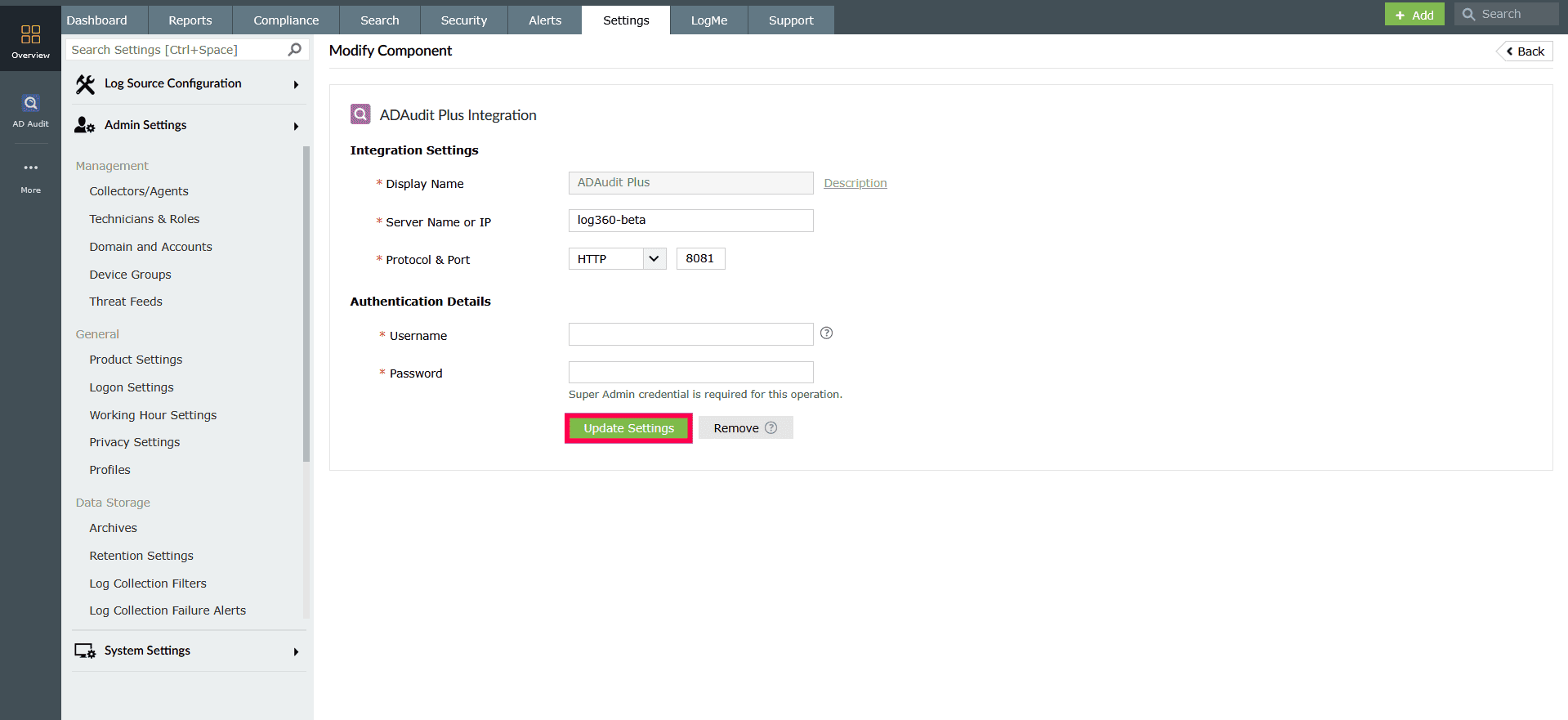
Figure 7: Modifying a component - To remove the integration, click Remove. Removing a component will completely disable its functionality and delete all its integration details.
NOTE When PAM360 is integrated with Log360, ADManager Plus won't integrate with PAM360 unless the respective product certificates are imported into PAM360.
Read also
This page explained how to integrate Log360 components. To learn how to navigate across components and access additional integration capabilities, refer to the following articles: