
Sync settings
Last updated on:
In this page
Overview
Log360 allows two-way synchronization of device data with its identity threat detection and response component, ADAudit Plus. This section explains how to enable or disable the addition sync settings, helping you control whether devices are synced from ADAudit Plus to Log360 and vice versa, based on your configuration needs.
Enable/disable sync settings
This settings will help you control the regular synchronization of device(s) data between ADAudit Plus and Log360.
Steps to enable device addition sync settings
- In Log360 console, navigate to the Settings tab and click on Devices.
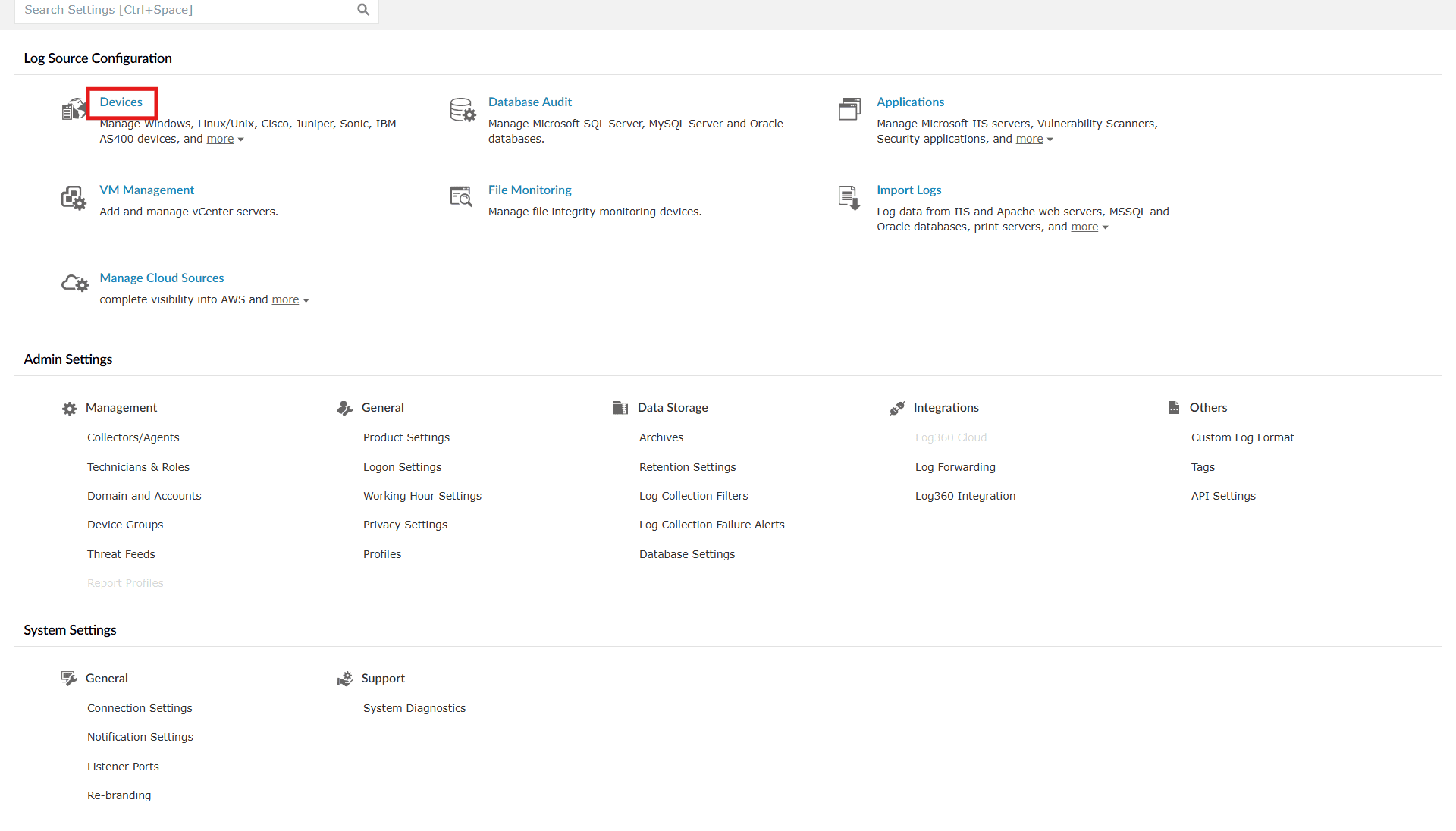
Image 1: Device auto allocation - You will be taken to the Device Management module. Click on the Sync Settings button.
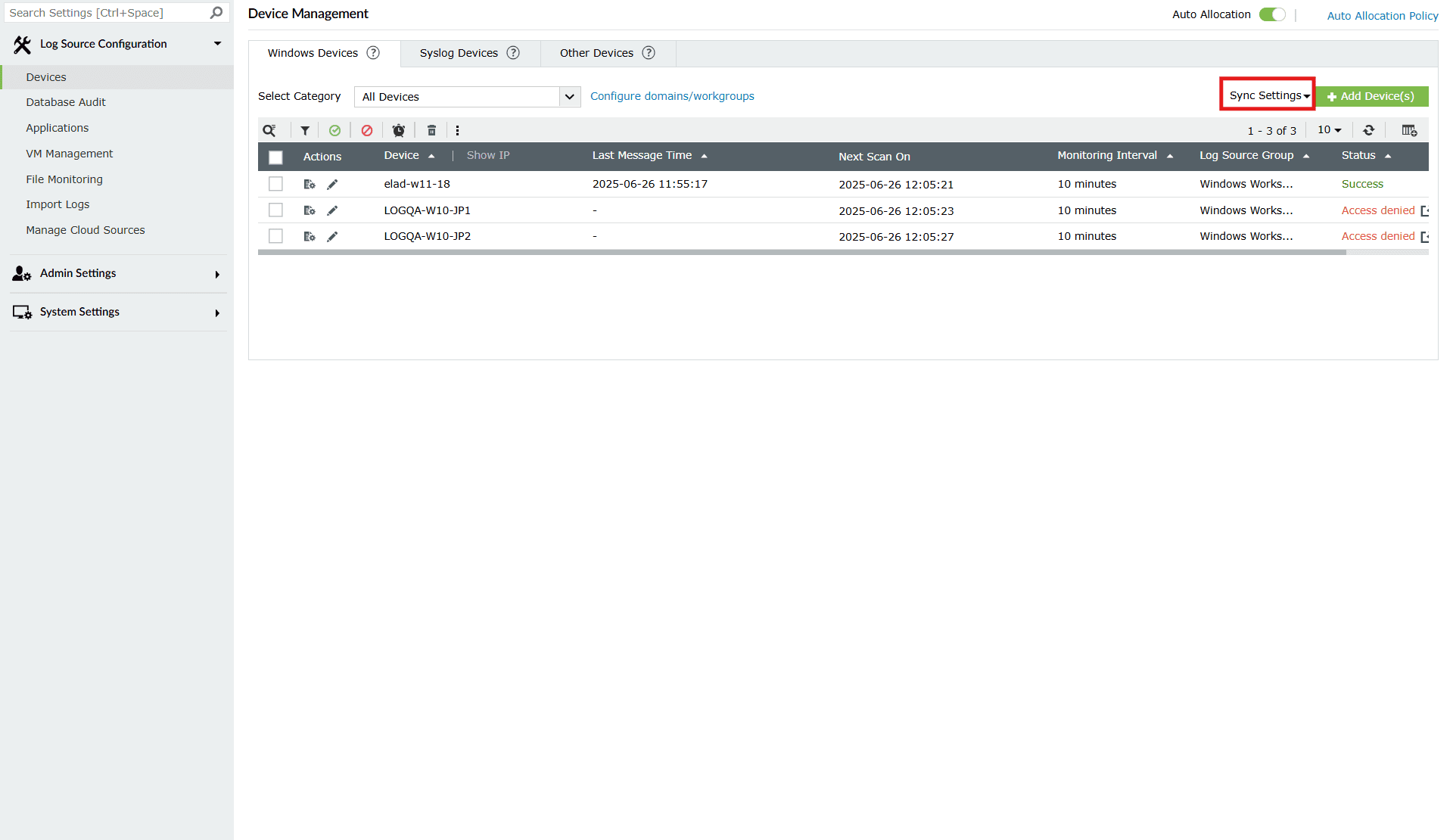
Image 2: Sync settings in device allocation in the product console - The Sync Settings popup will appear like the below.
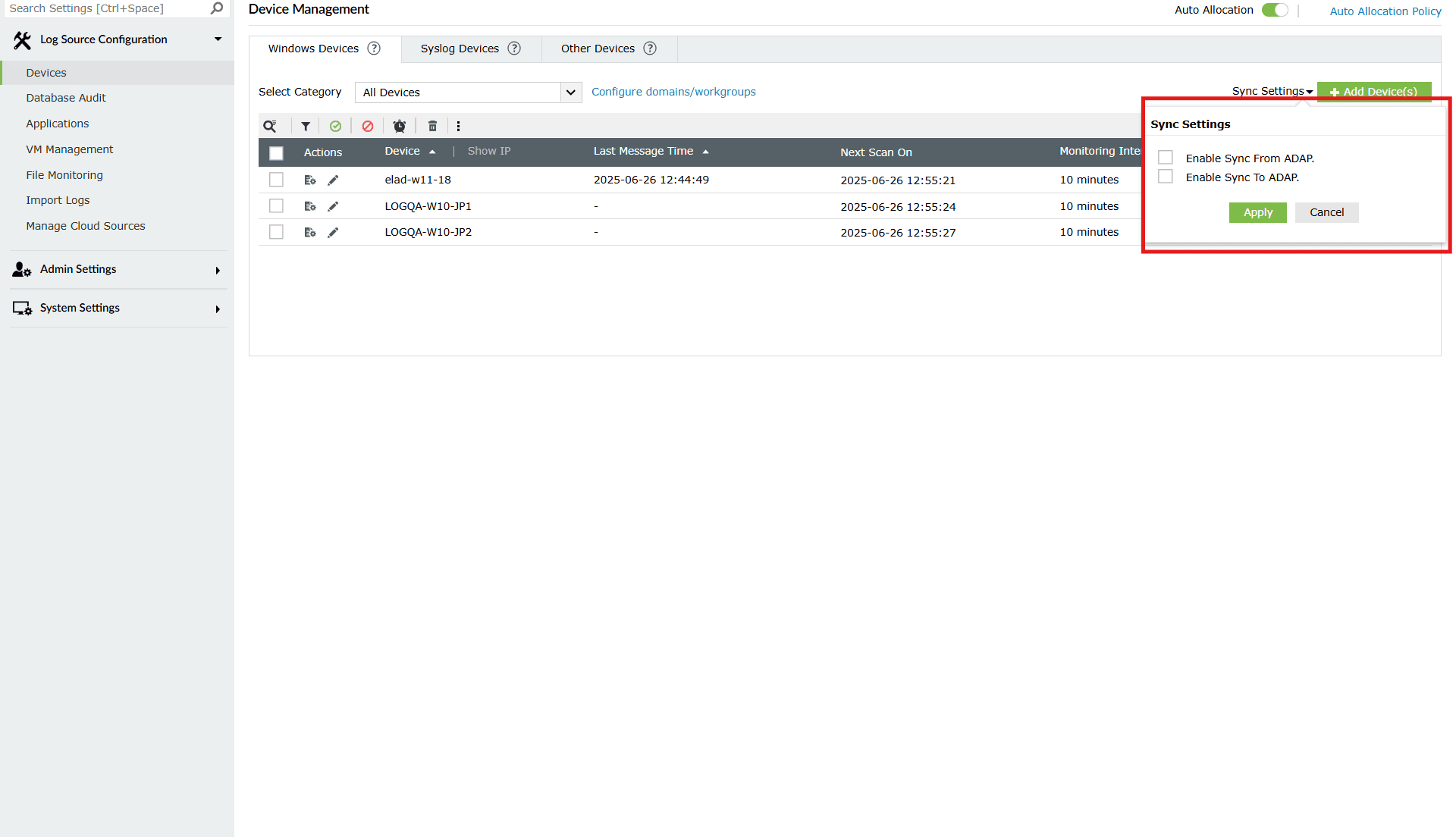
Image 3: ADAudit Plus Sync settings in device allocation in the product console - Click on:
- Enable Sync From ADAudit Plus checkbox: To sync the devices from ADAudit Plus to Log360. If it's not selected, then the device will not sync to Log360 which is integrated with ADAudit Plus.
- Enable Sync To ADAudit Plus checkbox: To sync the devices from Log360 to ADAudit Plus. If it's not selected, then the device will not sync to ADAudit Plus which is integrated with Log360.
In case you wish to enable the sync, ensure that the checkbox is ticked. In case you wish the sync to be disabled, ensure that the checkbox is empty.
- Once you have made the necessary settings, click on the Apply button to save your configuration.
- Upon successful completion of the action, the below pop-up appears.

Read also
This document explained how to configure sync settings between the product console and ADAudit Plus. For related configuration and device management topics, refer to: