
Quick add
Last updated on:
In this page
Overview
The Quick Add feature in ManageEngine Log360 provides a convenient way to add essential components such as log sources, configurations, and security rules from anywhere in the product interface. This feature streamlines setup by allowing you to add devices, applications, import logs, configure alerts, and create reports or security rules without navigating away from your current tab. It is accessible from any tab within the product.
This enhances productivity by enabling faster onboarding of log sources and easier configuration management.
Using quick add
- Log in to the product console
- Click Add available at the top-right corner of the console.
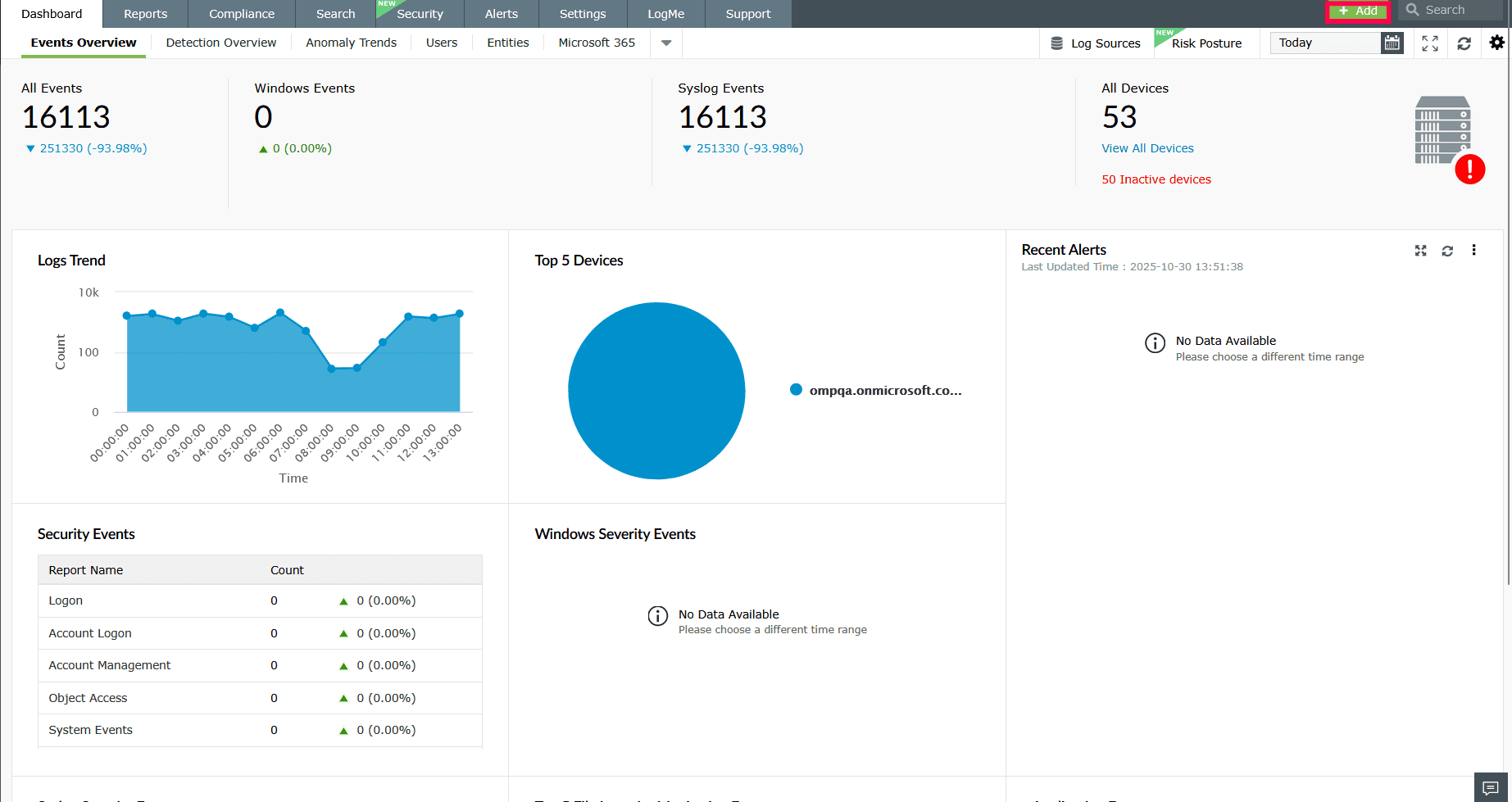
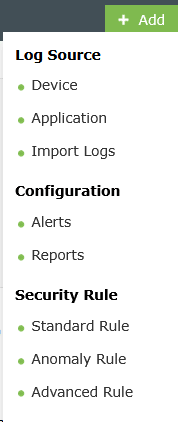
Figure 1: Using quick add - The Quick Add drop-down list will appear. Select the category you want to configure:
- Log Source - Add new data sources to Log360.
- Device: Add a new device for log collection and monitoring.
- Application: Add an application as a log source.
- Import Logs: Import log files from other sources.
- Configuration - Create or manage system configurations.
- Security Rule - Define rules to detect and respond to threats.
- Standard Rule: Create simple event-based rules to filter and monitor specific log activities without using anomaly models.
- Anomaly Rule: Configure behavior-based rules to detect unusual activities tied to a single event type or action.
- Advanced Rule: Build multi-stage correlation rules to detect complex attack patterns involving sequences of related events.
- Log Source - Add new data sources to Log360.
Read also:
This page explains how to use the Quick Add feature in Log360 to instantly add devices, applications, alerts, reports, and security rules from anywhere in the console, helping you streamline configuration and simplify management tasks.