Ad Hoc Check and Offline Check in ComplianceIQ
Validating compliance rules before enforcing them across your network is essential to avoid false violations and ensure policy accuracy. Network Configuration Manager’s ComplianceIQ tab includes Ad Hoc Check and Offline Check capabilities that let administrators instantly test compliance rules, rule groups, and policies using live device data through command output, backed-up device configurations, or offline configuration content from configuration files.
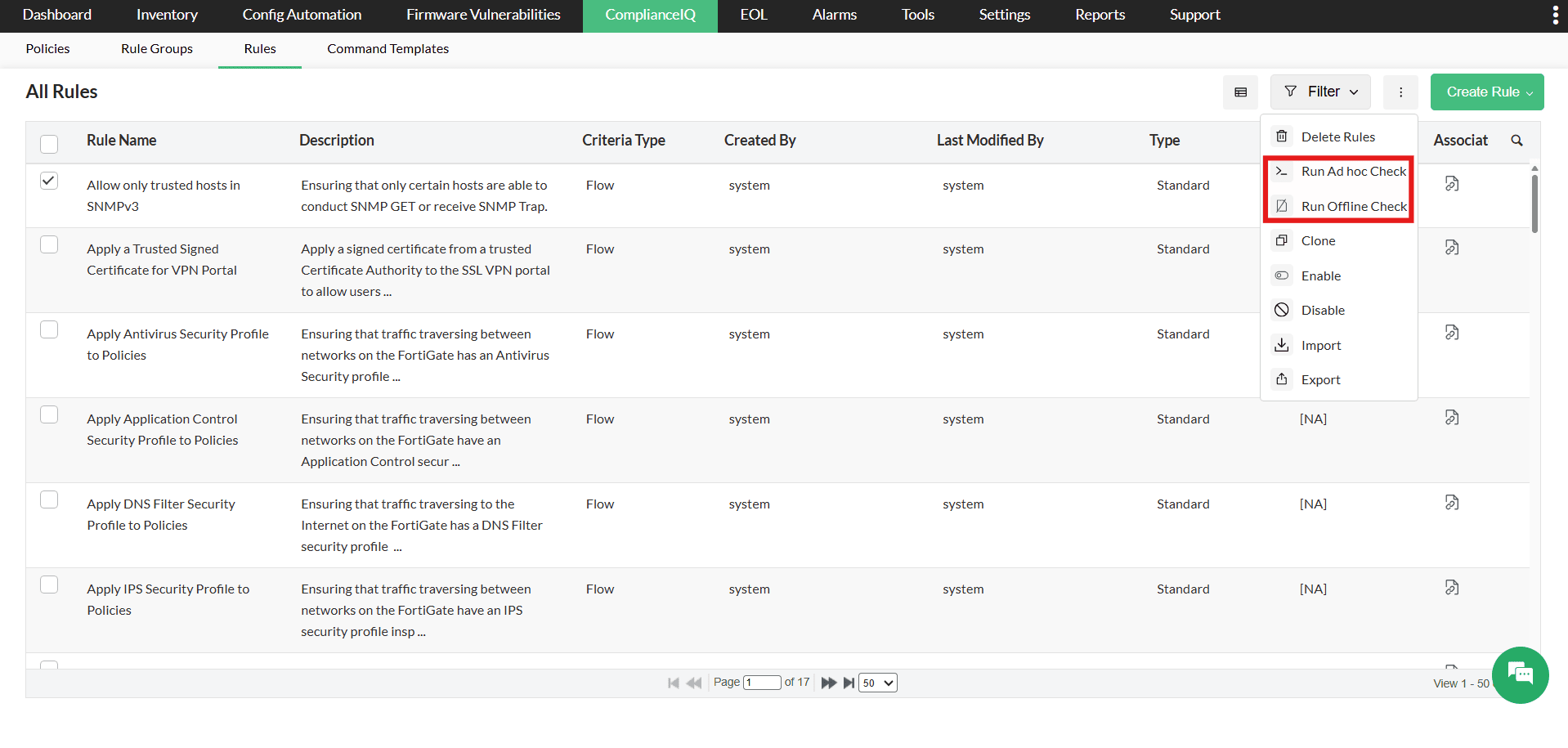
These on-demand compliance checks help you verify rule behavior, identify violations, and refine policies before applying them to production environments.
Test compliance rules instantly with Ad Hoc Check
Ad Hoc Check allows you to temporarily test compliance rules using the Test option without saving the results. This helps confirm whether the selected rules, rule groups, or policies work as expected.
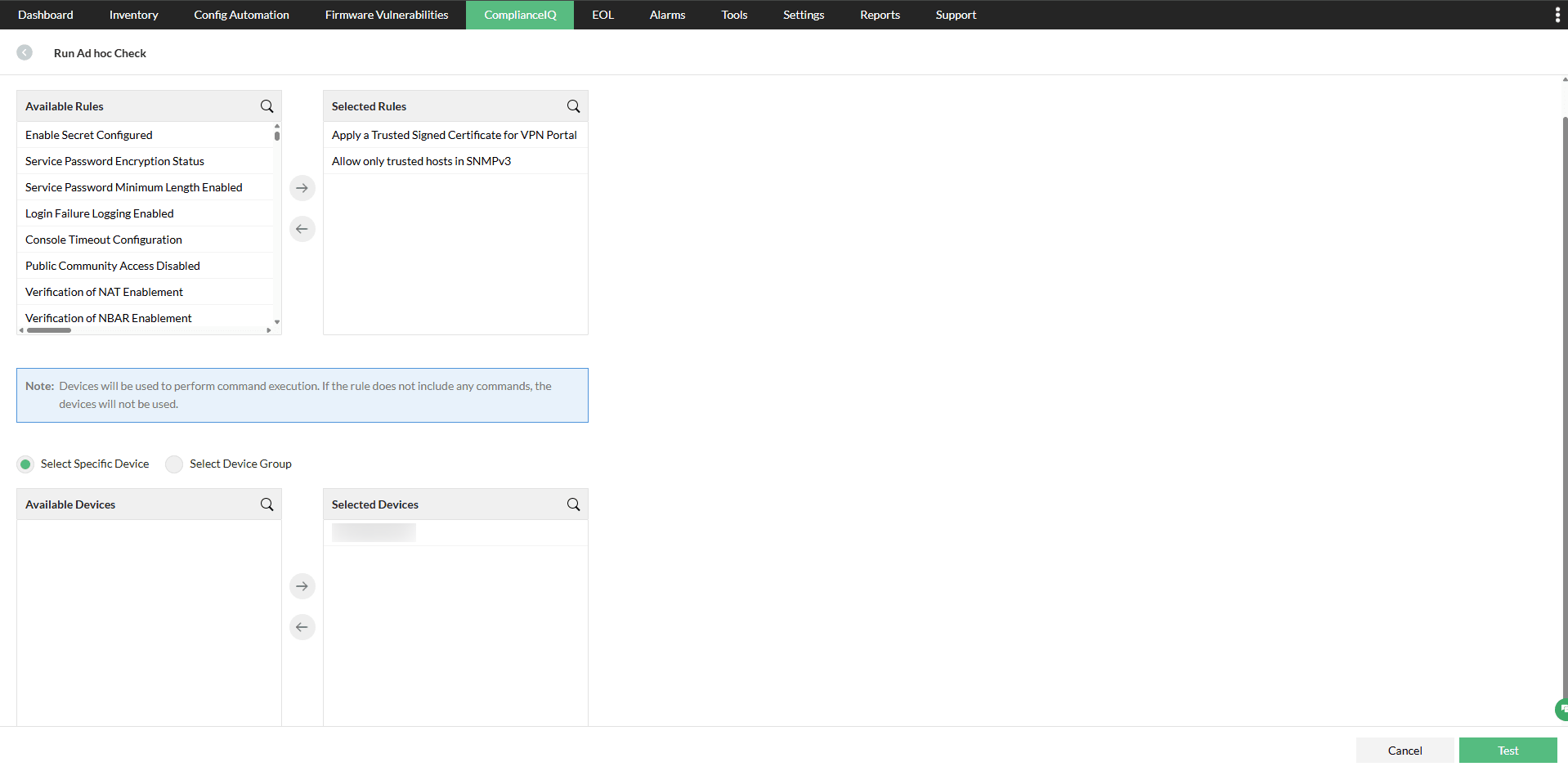
When an Ad Hoc Check is performed, ComplianceIQ:
- Executes the commands defined in the selected rules on the target devices.
- Uses the device's configuration and command output to validate compliance.
- Displays the compliance status as Compliant, Violation, Attention, or Not Required.
- Does not save the results or alter compliance records.
This allows administrators to verify compliance logic safely and troubleshoot rule behavior before enabling continuous compliance monitoring.
Key benefits of Ad Hoc Check:
- Validate compliance rules before deployment.
- Detect violations without affecting compliance records.
- Test policies safely in production environments.
- Ensure compliance configurations are accurate and reliable.
Validate configuration files using Offline Check
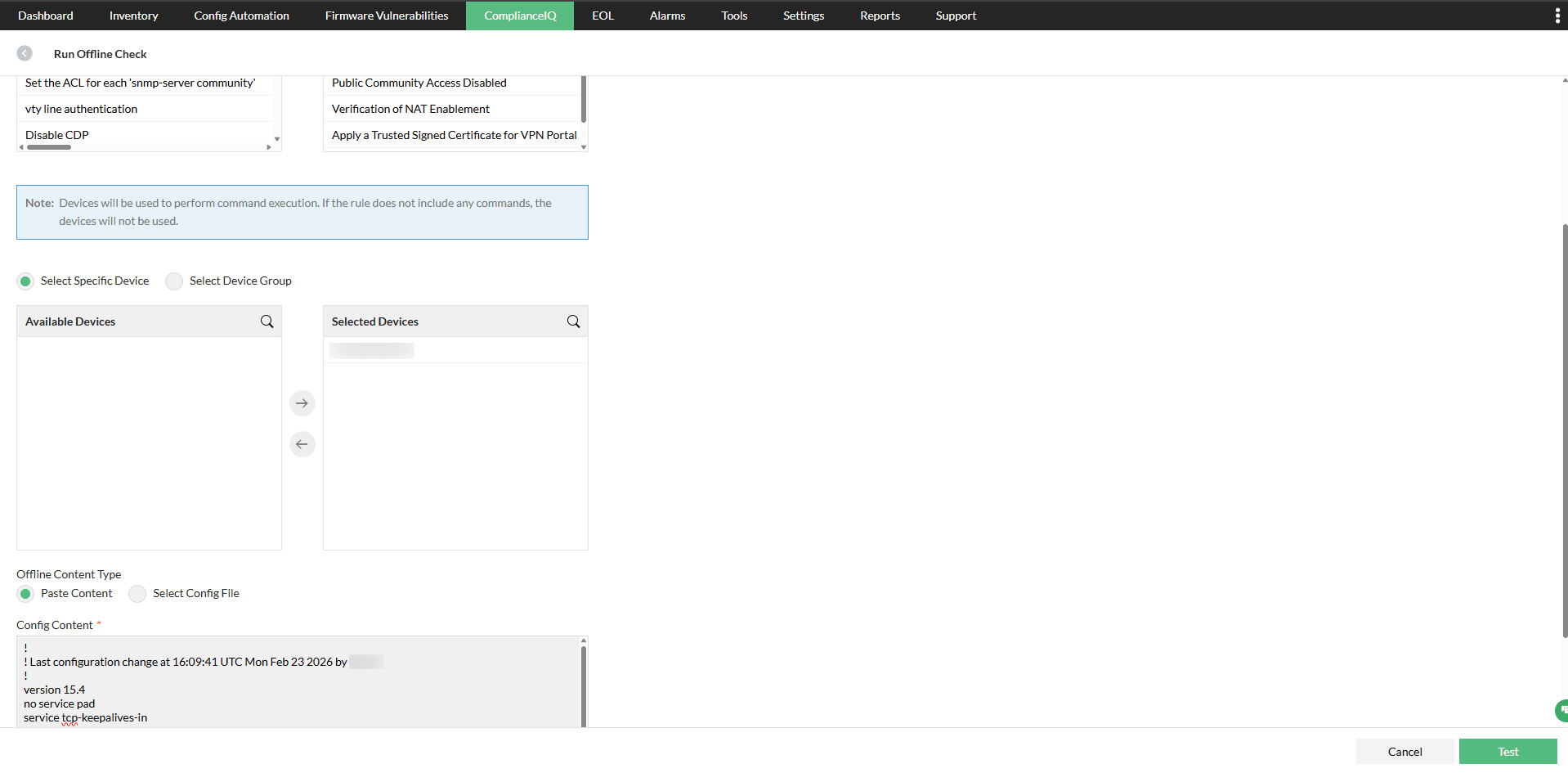
Offline Check enables you to verify compliance using configuration content without requiring access to live device configurations.
Instead of pulling configurations from devices, you can:
- Paste configuration content directly.
- Upload configuration files for validation.
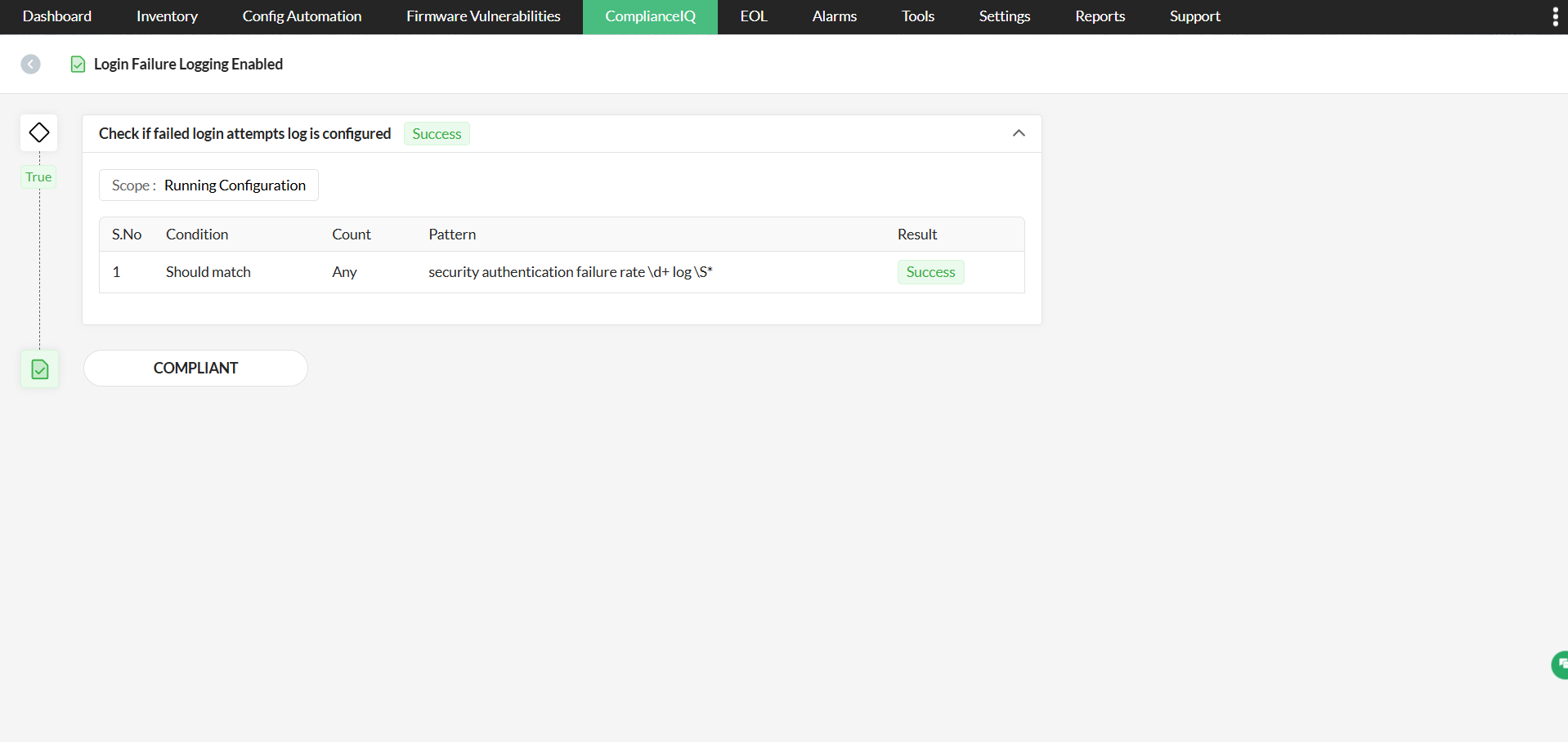
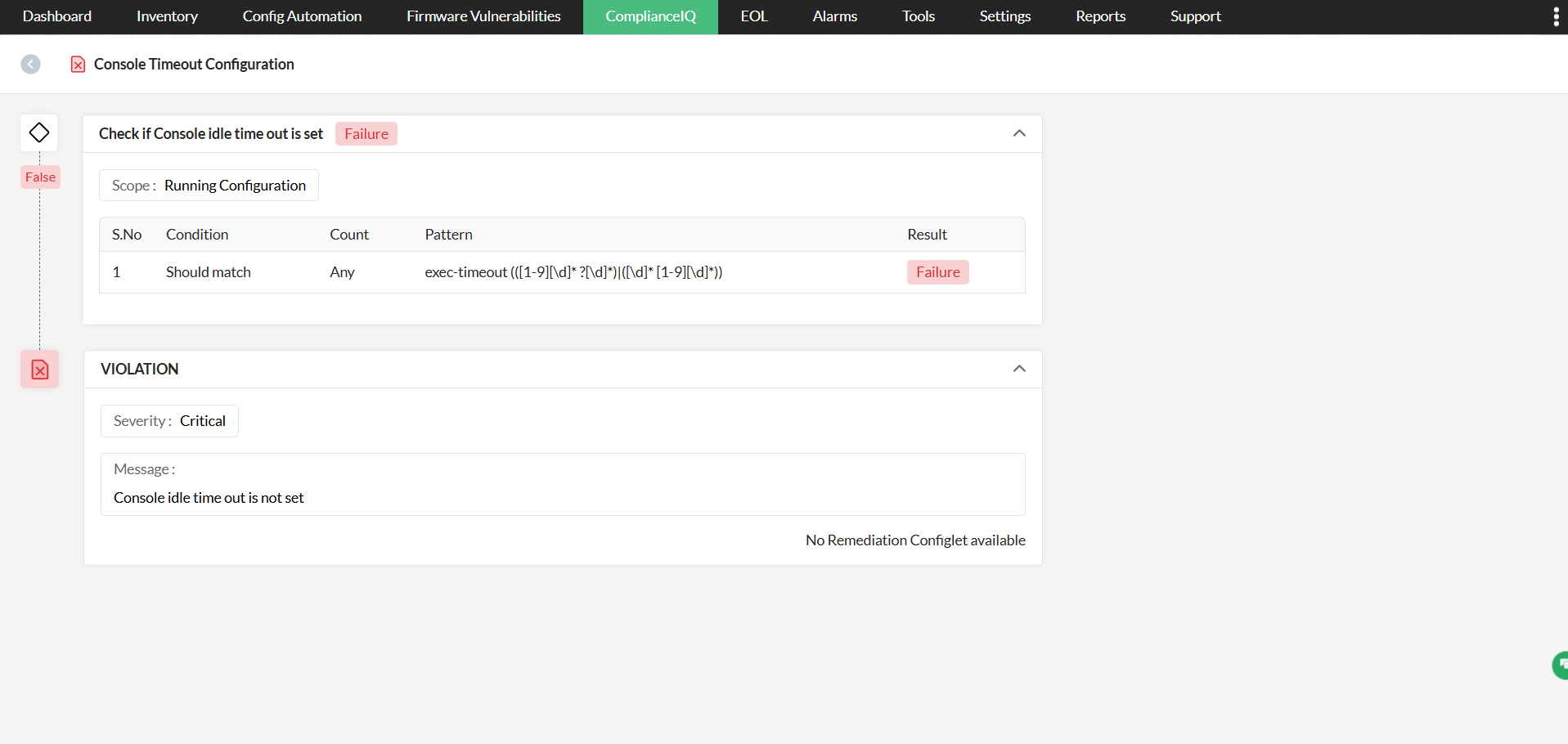
ComplianceIQ evaluates the provided configuration against the selected rules and instantly presents detailed, device-level compliance results, including the overall compliance percentage and rule-wise status, such as Compliant, Violation, Attention, or Not Required. It also provides rule descriptions to help administrators quickly identify compliance gaps, understand their impact, and take corrective action with confidence.
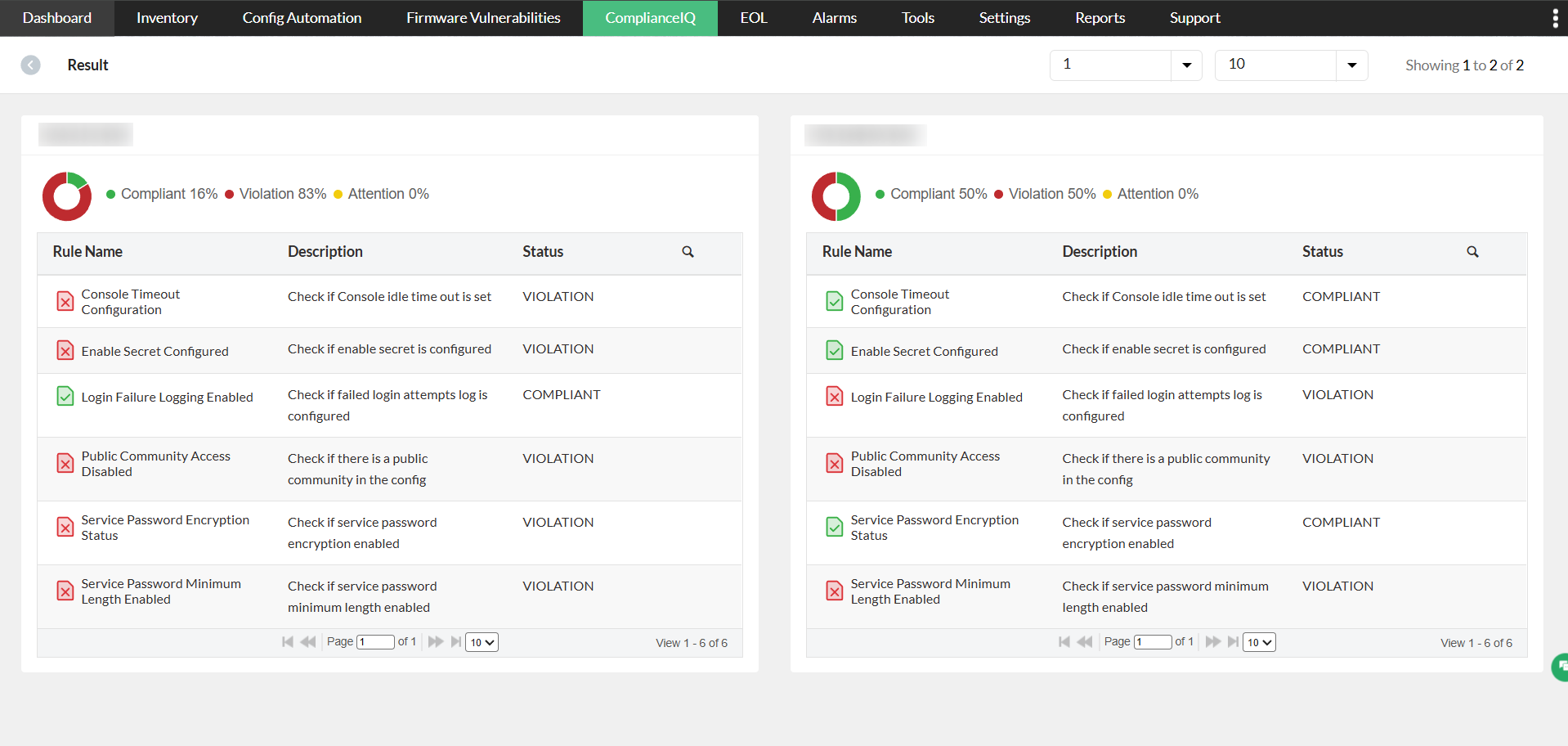
You can further drill down into each device to view rule-wise compliance results, including violation and attention details along with rule descriptions, helping administrators quickly identify and remediate specific compliance issues.
Offline Check is especially useful when:
- Devices are not reachable.
- Configurations are being reviewed before deployment.
- Compliance needs to be validated during audits.
- Configuration changes need to be tested safely.
Even if a device is not added to Network Configuration Manager, its configuration file can still be validated using Offline Check.
Ensure accurate and reliable compliance validation
ComplianceIQ’s Ad Hoc and Offline Check capabilities provide the flexibility to validate compliance anytime—using live device configurations or offline configuration files. This ensures your compliance policies are accurate, deployment-ready, and aligned with organizational and regulatory standards.
Start your free, 30-day trial of Network Configuration Manager and validate your compliance rules with confidence before enforcement, or schedule a personalized demo today.