Centralize multi-vendor network configuration management for your enterprise
Back up, configure, audit, and patch routers, switches, firewalls, and other network devices from 200+ vendors with ManageEngine Network Configuration Manager.
- Run every configuration task through one workflow while built-in device templates translate it into each vendor’s commands.
- Apply one compliance policy (CIS, SOX, HIPAA, or your own custom policies) across your mixed enterprise estate.
- Track firmware exposure, end-of-life status, and out-of-band changes across the whole fleet from one dashboard.

Why do you need a multi-vendor network configuration management tool?
Enterprise networks rarely run on a single vendor. Cisco switches, Aruba access points, Fortinet firewalls, and other devices each have different configuration commands, backup methods, and change procedures. Managing them separately makes routine updates harder to automate, increases the risk of errors, and complicates audits. ManageEngine Network Configuration Manager simplifies cross-vendor operations by automating configuration tasks and tracking changes across supported devices.
Four multi-vendor network configuration management pain points, solved in one-platform
Different CLI commands across vendors
Backing up a device requires different commands across vendors. A command that works on a FortiGate firewall may not work on a Juniper device, forcing teams to manage vendor-specific instructions for routine tasks.
- 280 built-in device templates cover more than 6,000 device models, and each template’s commands are published openly with a SHA-256 checksum.
- Discovery matches devices to templates by SNMP sysObjectID, with a nearest-match option for models not yet listed.
- Clone a template and add protocols or commands, or request a new one, typically delivered within two to three business days.
- Any device model that offers a CLI can be brought under management.

Different configuration formats across devices
Network devices store configurations in different formats, from flat command lists to nested hierarchies. These differences complicate configuration comparisons, make unauthorized changes harder to identify, and hinder consistent change tracking across vendors.
- Back up running, startup, and custom configurations such as VLAN and VTP data, each saved as a version with a timestamp and user details.
- Compare any two versions with changed blocks highlighted, and exclude volatile blocks, such as rotating secrets, from change detection.
- Startup-running conflict reports flag unsaved edits before they disappear at the next reboot.
- Validate XML-based configurations with XPath rules, and back up archive formats such as F5 UCS files and Cisco APIC bundles.

Inconsistent support for SNMPs
SNMP capabilities, syslog messages, and event triggers vary across vendors. These differences make it harder to collect device information consistently, detect configuration changes promptly, and maintain network-wide visibility without vendor-specific workarounds.
- Transfer configurations over SSH or Telnet with TFTP, SCP, or SFTP, or through REST APIs, and use SNMP profiles for discovery, interface, and VLAN details.
- Point each device’s syslog at Network Configuration Manager using the commands that vendor expects, then detect and attribute changes in real time.
- Authenticate with SSH public keys, including ed25519, and enable an optional FIPS mode on fresh installations.
- Get notified when a device’s sysObjectID changes after an upgrade or hardware swap, and have its template re-mapped automatically.

Vendor-specific automation complexities
Command prompts, confirmation requests, configuration commits, and timeouts differ across vendors. Scripts built for one platform may fail on another, forcing teams to maintain separate automation workflows and troubleshoot failures manually.
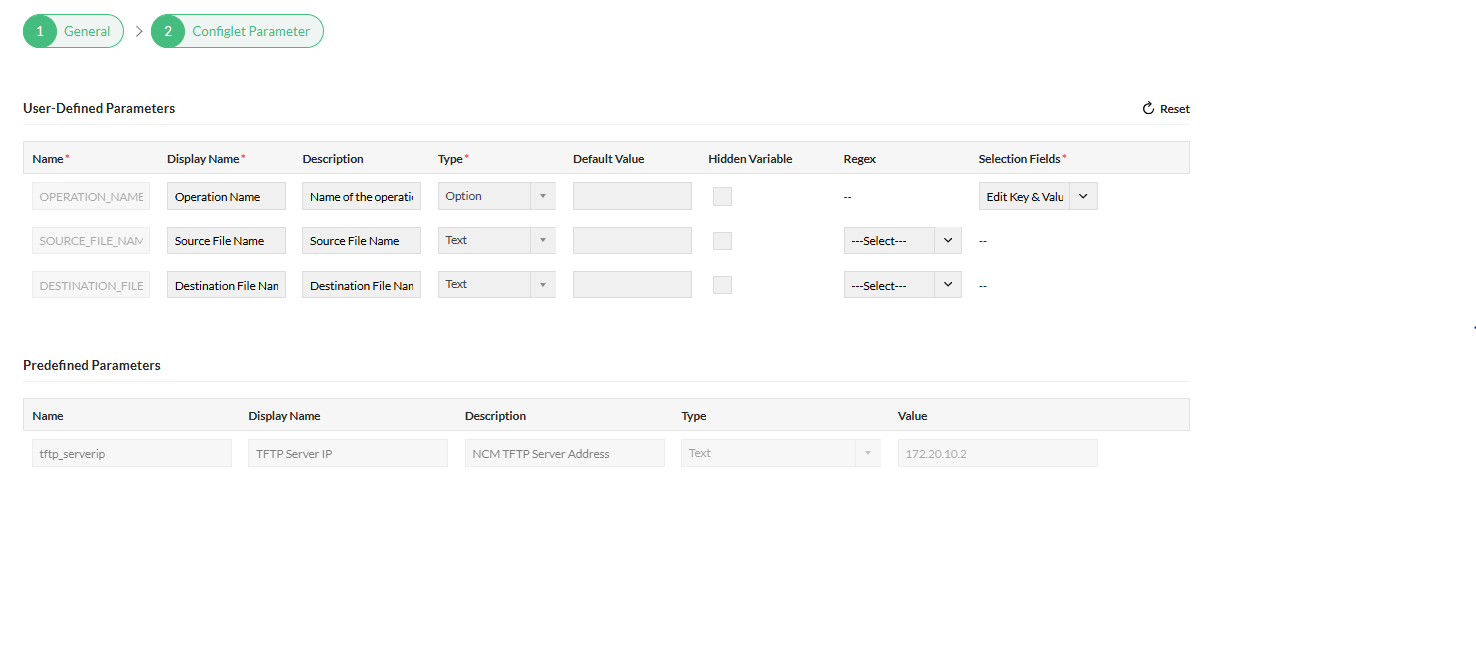
- CLI configlets support variables, regex patterns, and per-device values imported from CSV.
- Programmable configlets add conditions, loops, hidden variables for secrets, and per-command timeouts and delays.
- REST configlets cover API-first platforms including FortiGate, PAN-OS, Arista, HPE Aruba, Juniper, and SonicOS.
- Back up before and after every run, and group configlets by vendor with full execution history.
Multi-vendor support, out of the box
280 built-in device templates covering 6,000+ device models from more than 200 vendors.
Routing and switching
- Cisco (IOS, IOS XE, IOS XR, NX-OS)
- Juniper (EX, QFX, MX, ACX)
- HPE Aruba (AOS-CX, ArubaOS-Switch, ProCurve, FlexFabric)
- Arista
- Extreme Networks (incl. Enterasys)
- Dell, Huawei, H3C
- Ruckus ICX, Brocade, Allied Telesis, Alcatel
- MikroTik, Ubiquiti, Netgear, D-Link, TP-Link
Firewalls and security
- Cisco ASA, Firepower, and FTD
- Palo Alto Networks
- Fortinet FortiGate
- Check Point (Gaia)
- Juniper SRX and NetScreen
- SonicWall, WatchGuard
- Hillstone, Sangfor, Huawei USG
- pfSense, OPNsense, TippingPoint
Wireless, data center, and ADC
- Cisco WLC and Catalyst 9800
- Aruba controllers and access points
- Ruckus, Cambium, Fortinet (Meru)
- Cisco APIC, Cumulus Linux, Mellanox
- F5 BIG-IP, Citrix ADC, A10, Radware, Array
- Infoblox, Gigamon, Riverbed
- Hirschmann, Hitachi Energy, Belden
- Ciena, ADVA, Nokia, Ericsson
Frequently asked questions (FAQ) about multi-vendor configuration management
Explore the common questions users ask about multi-vendor configuration management
Resources to dig deeper
How to automate network configuration and change management
Learn how to take control of your network device configurations using ManageEngine Network Configuration Manager.
Watch the video now →