Configuring Interface Templates
During initial discovery, OpManager categorizes the device interfaces into corresponding interface types with the help of predefined templates that are bundled with the product. OpManager comes with 292 interface templates which carry the initial configurations to classify these interfaces and associate monitors to them. Any changes made in the interface template will directly reflect on all the corresponding interfaces of the same type across all the devices in one go.
OpManager also allows the users to define multiple severity thresholds for interface templates, thereby generating alerts when the threshold values are violated.
Modifying Interface Templates
- Go to Settings > Configuration > Interface Templates
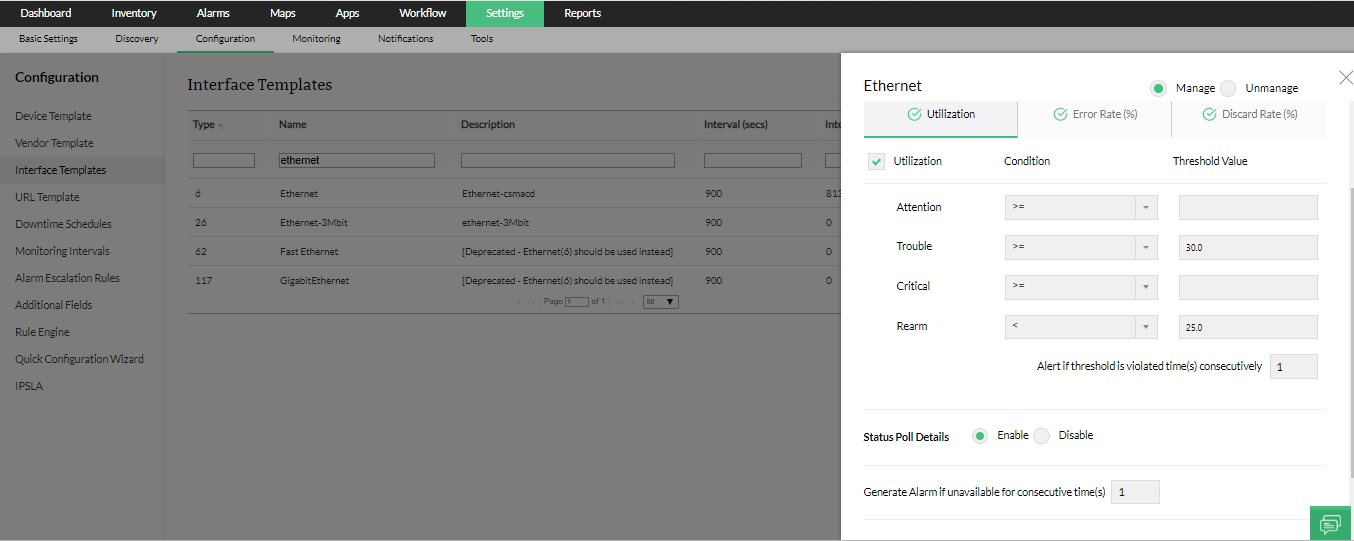
- Under Interface Types, search for the template you wish to edit and click on it. Don't forget to use the All/Common toggle at the top right to list all type of interfaces.
- Configure/Modify the following properties:
- Manage/UnManage: Specify whether the interfaces belonging to the template must be managed or unmanaged.
- Monitoring interval: Select the interval at which this interface type must be polled to fetch monitoring data & availablity status.
- Configure Thresholds: The threshold values for Utilization, Error Rate and Discard Rate can be specified under the corresponding tabs. OpManager also allows you to configure multiple severity thresholds for the same. Enter the threshold values for attention, trouble, discard and rearm. If the threshold values are violated, corresponding alarms will be raised. You can also configure thresholds for Interface groups.
Note: To stop monitoring the Utilization / Error Rate / Discard Rate, uncheck the checkbox in the corresponding tabs. - Status poll:Poll the interface for its availability using monitoring Agent based or SNMP based monitoring (ifAdminStatus & ifOperStatus).
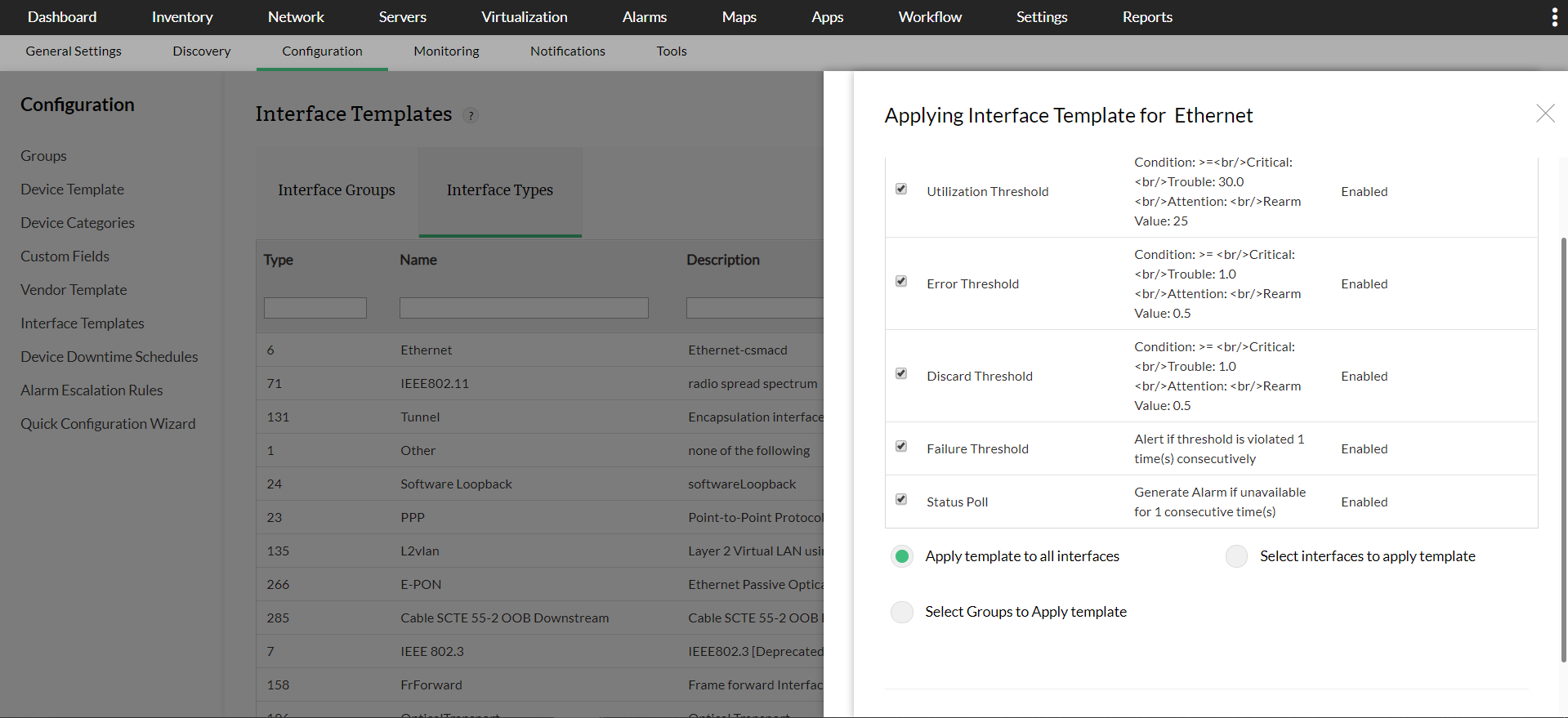
NOTE: Selecting Apply template to all interfaces, Select interfaces to apply template, or Select Groups to apply template option will completely override the existing interface configurations.
Interface Settings
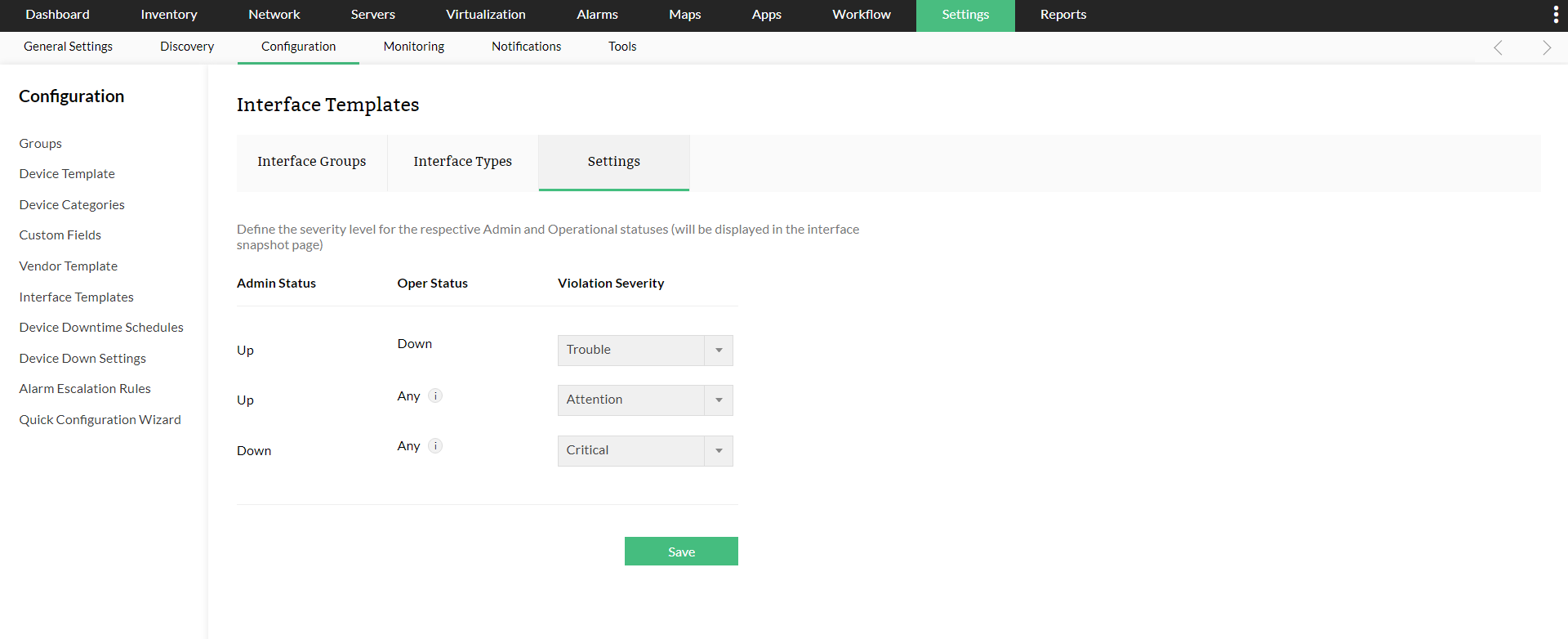
You can define or modify the severity levels of the respective admin and operational status from Settings -> Configuration -> Interface Templates -> Settings. You can select from the three available violation severities - Trouble, Attention, Critical.
Predefined Interface Templates in OpManager cannot be deleted. These templates are system-defined and are essential for default monitoring configurations.
Interface Severity Settings in Central
From version 12.8.703, the Interface Severity Settings page is now available in Central Settings, allowing you to update severity values across multiple probes at once. In Central settings,
- Click Save. A prompt will appear asking whether you want to push the configuration to the probes.
- Click Yes. A probe selection panel will appear on the right.
- Select the desired probes and click Associate to push the configuration to the selected probes.
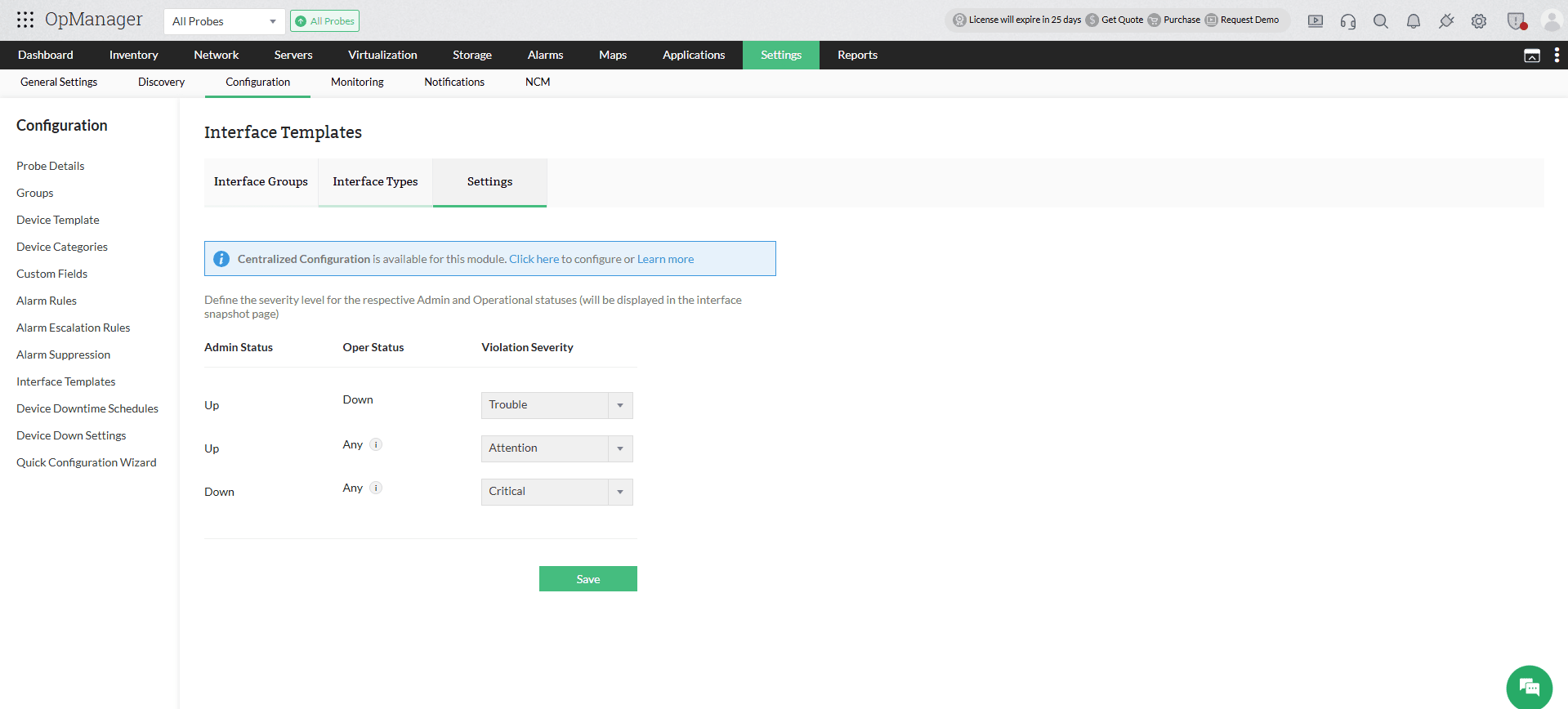
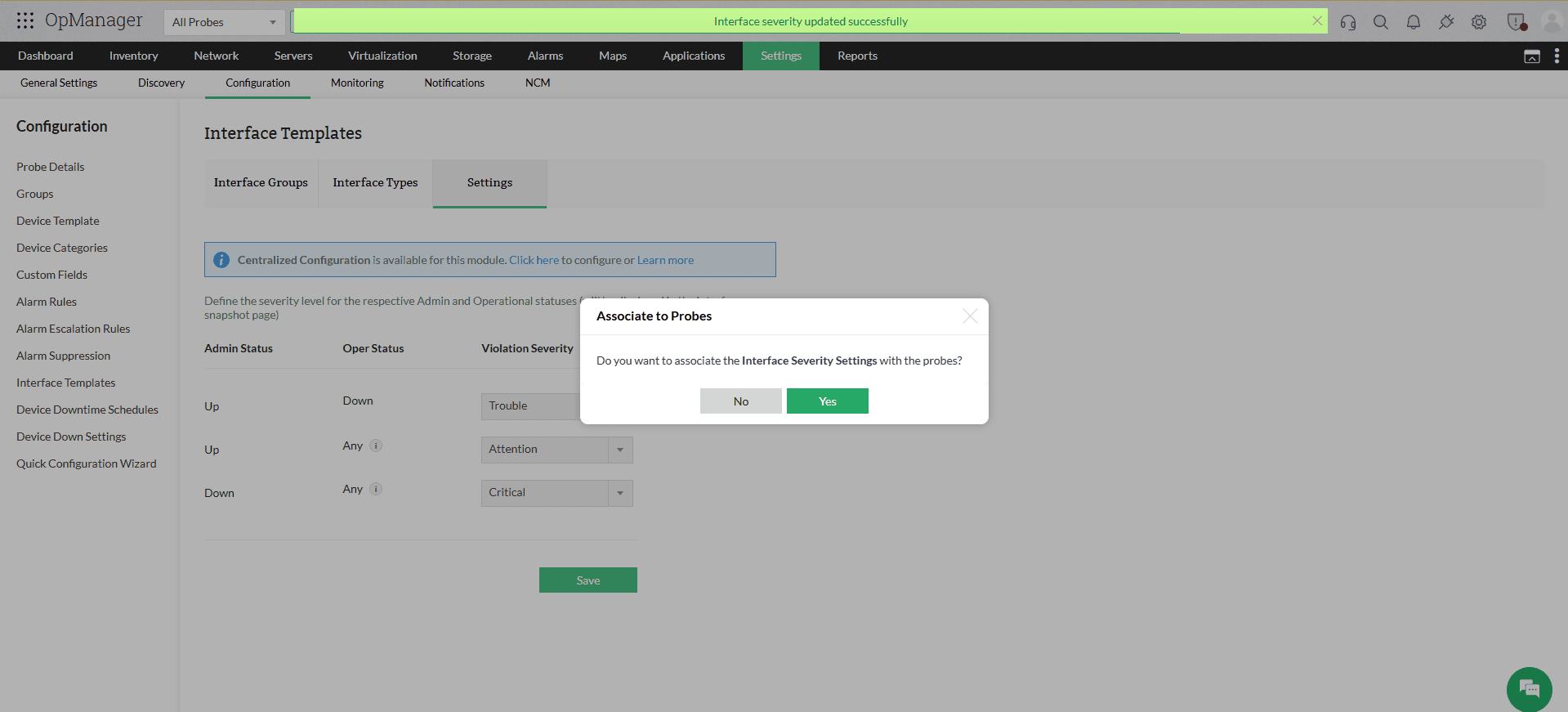
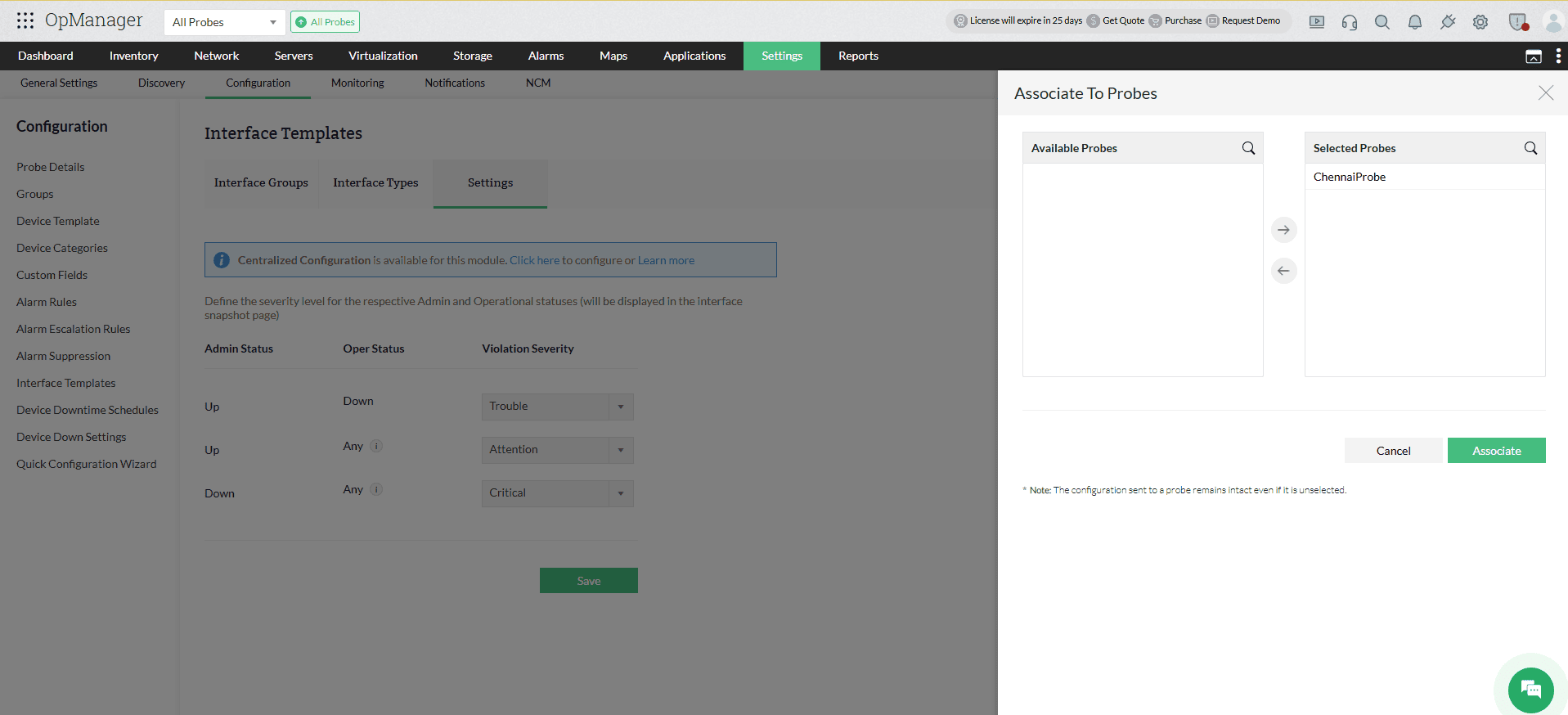
Note: If you click No when prompted, the settings will be saved in Central but will not be pushed to any probe. Since device monitoring is managed only at the probe level, the current values on the probes will remain unaffected until you choose to push the configuration.
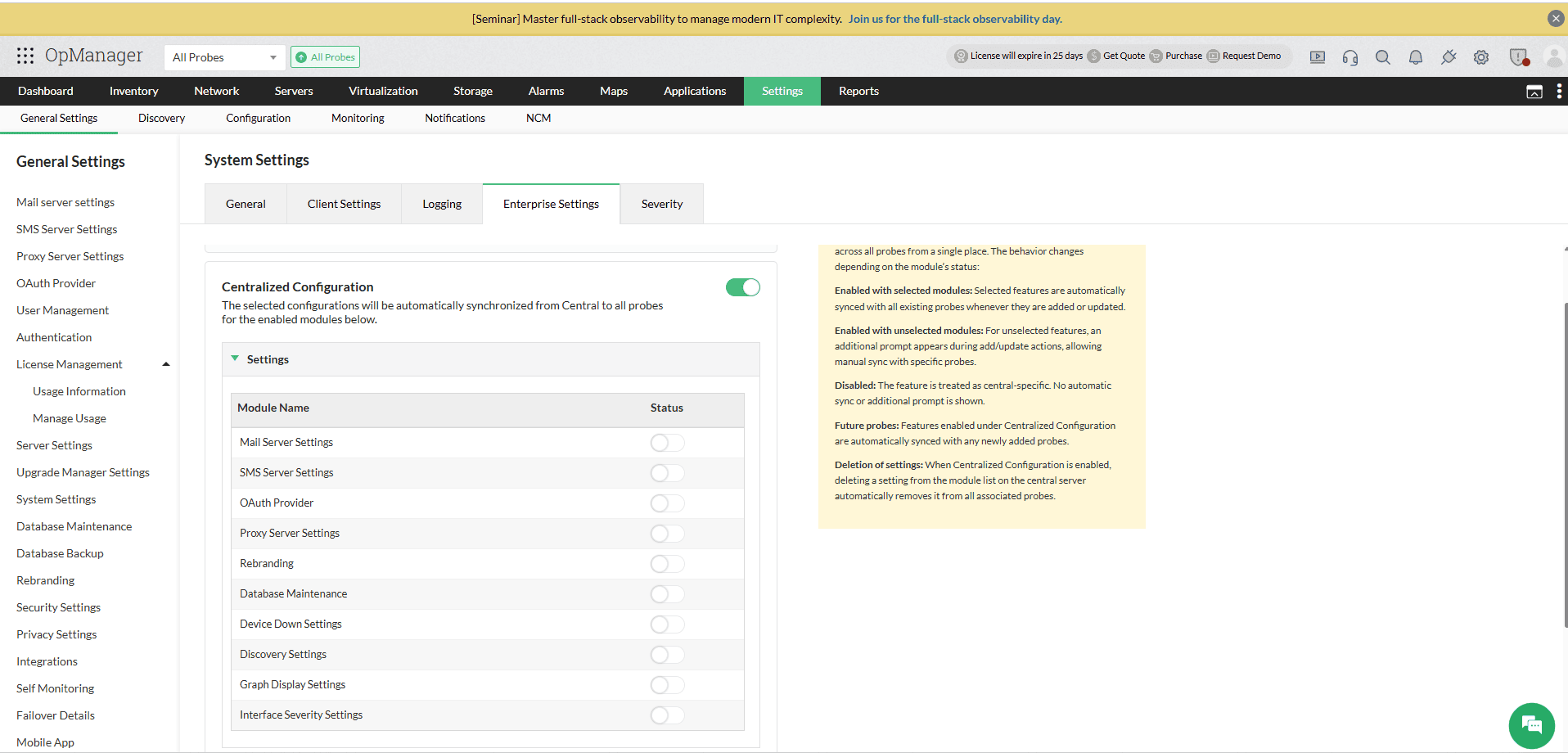
To push the configuration to all probes automatically, enable Centralized Configuration under Settings -> General Settings -> System Settings -> Enterprise Settings. When enabled, clicking Save will automatically sync the updated values to all existing and newly added probes, without requiring manual probe selection.
- How does Interface status polling works?
- How does Interface Up and Down alerts are generated?
- How to configure utilization, Error, discard rate thresholds for receiving alerts?
- How is the interface name fetched by OpManager?
- Why are some interfaces in unmanaged state?
- How to view interface graphs for multiple interfaces in a single page?
- How to generate Traffic and Utilization report for set of interfaces?
- How to check the link connectivity status and traffc between two devices?
- How to associate threshold settings to a interface group?
- I want only the Traffic details of the Interface, and not the Up & Down Status. What should I do?
- How to configure an interface template?