Configuring IPMI for servers
OpManager allows you to configure IPMI IP address for your servers. By configuring IPMI IP addresses for specific servers, you will be able to forward the traps from the concerned IPMI IP addresses as alerts to the respective devices in OpManager. The raised alerts will now be listed under the alarms tab of the corresponding device's snapshot page. Know more about processing SNMP traps in OpManager.
To configure IPMI address for a specific server, follow the below steps.
- Go to the "Inventory" tab and then click on the respective server, to open its snapshot page.
- Click on the sandwich icon at the top right corner of the snapshot page.
- Now, click on the "ConfigureIPMI" option.
- Enter the IPMI address, and then click on "Save".
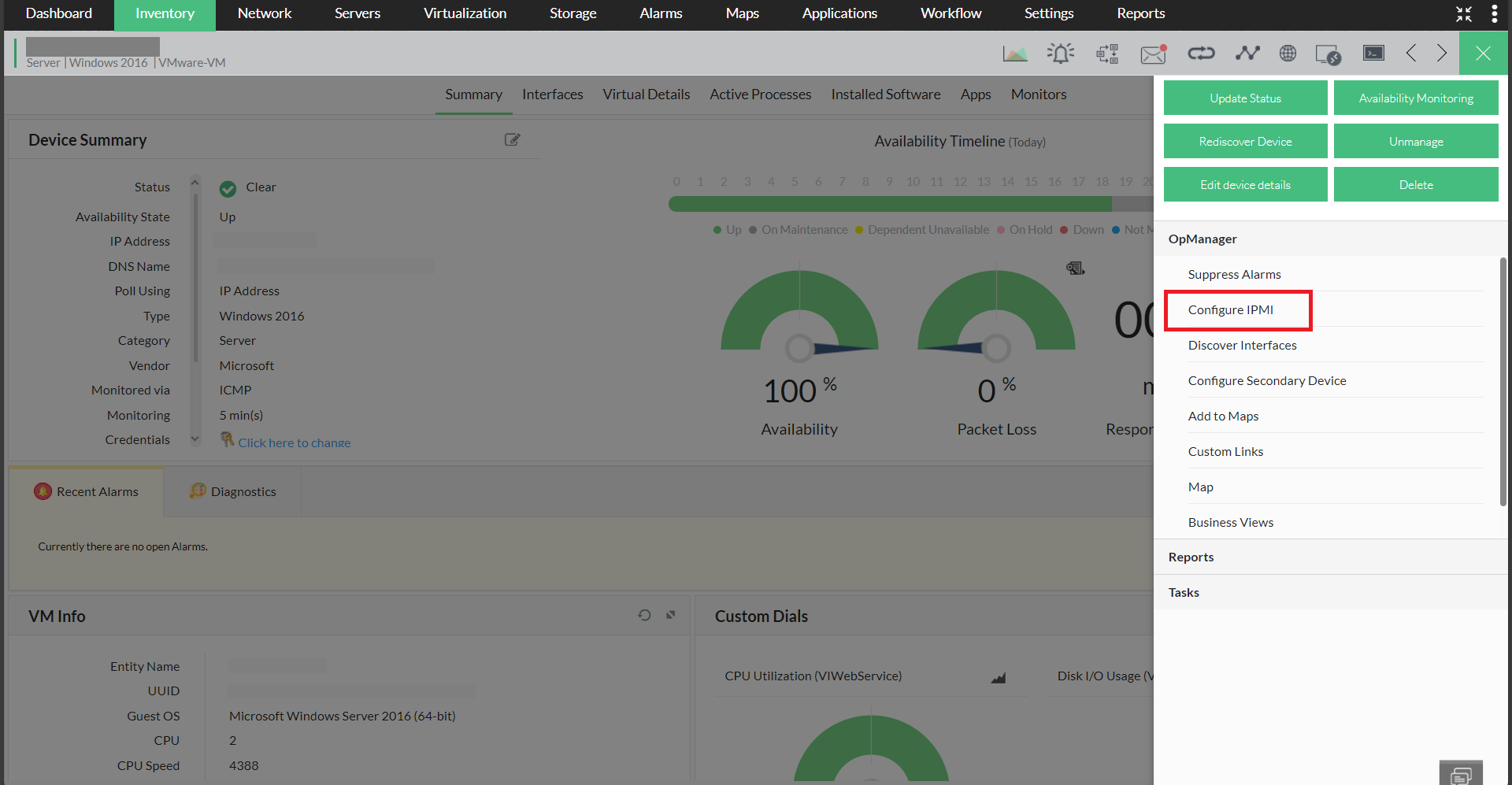
IPMI has now been successfully configured for the respective server.
Apart from configuring IPMI traps for devices, you can also discover and monitor IPMI instances in OpManager.