

1 Million and Counting
Saint Gobain
NASA
Time Warner Cable
Loreal Paris
Siemens
DHL

Ensure Uninterrupted Operations: How OpManager Safeguards your Servers

  • Prevent server downtime
  • Optimize user experience
  • Simplify server management
  • Enhance server reliability
Real-time monitoring and alerts
 

OpManager continuously monitors server health, providing real-time insights into CPU, memory, storage, and network utilization. This allows for proactive identification of potential issues before they escalate into outages or data loss events.

Performance bottleneck detection
 

OpManager analyzes resource utilization trends and identifies potential bottlenecks that could lead to server sluggishness or crashes. By addressing these bottlenecks proactively, you can prevent disruptions that could result in data loss.

Predictive maintenance
 

OpManager's historical data analysis capabilities can help predict potential server failures based on trends and resource usage patterns. This allows for preventive maintenance actions like scheduled upgrades or hardware replacements, minimizing the risk of unexpected downtime and data loss.

Automated workflows
 

OpManager can be configured to automate specific actions based on pre-defined thresholds. For example, it can trigger automatic server restarts upon exceeding CPU usage limits, preventing further issues and potential data loss scenarios.

Real-time monitoring
Network performance bottlenecks
Predictive maintenance
Automated workflows
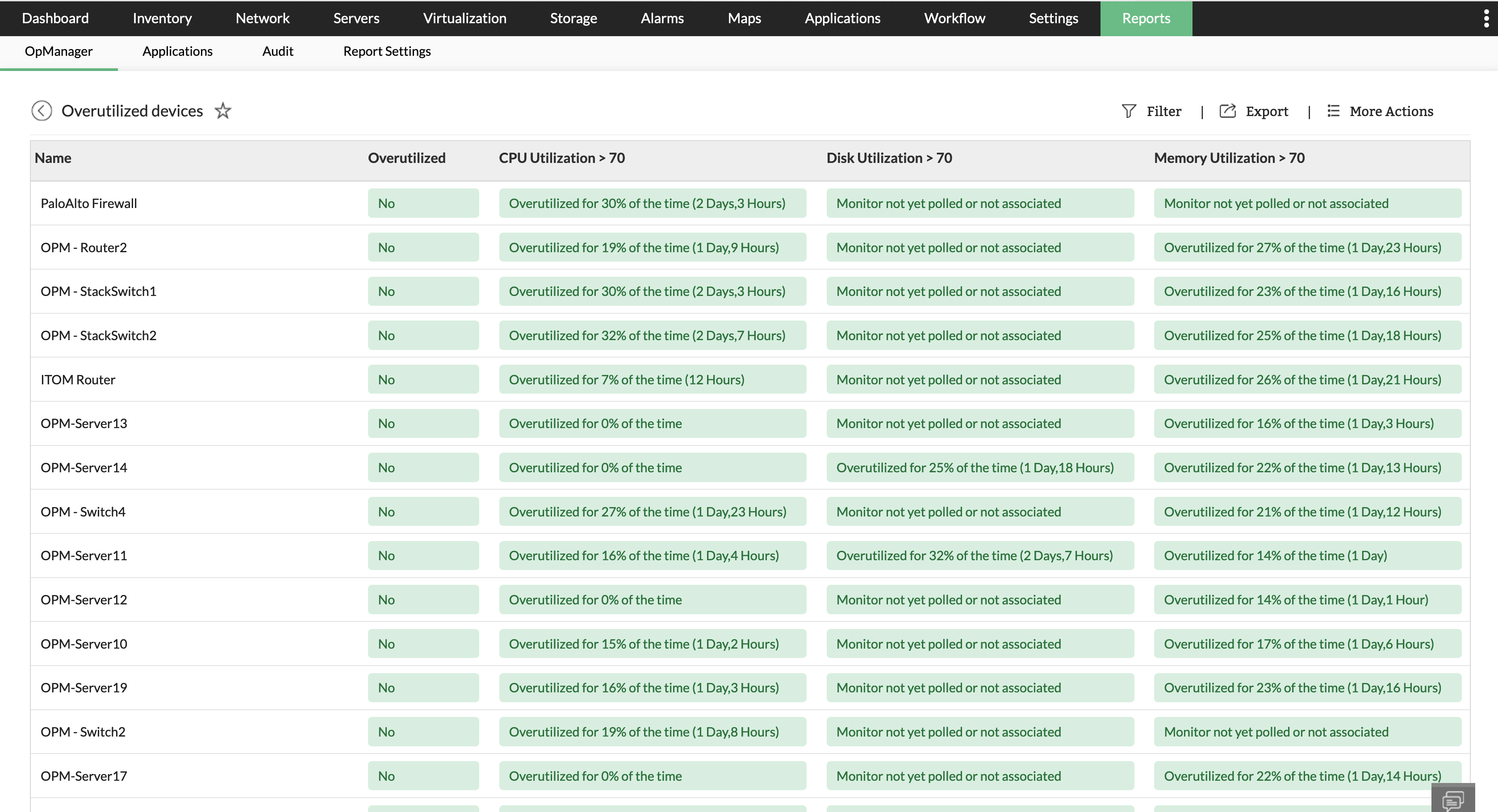
Resource utilization insights

OpManager provides in-depth insights into CPU, memory, storage, and network utilization across your servers. This allows you to identify overloaded or underutilized resources, enabling proactive optimization for improved performance.

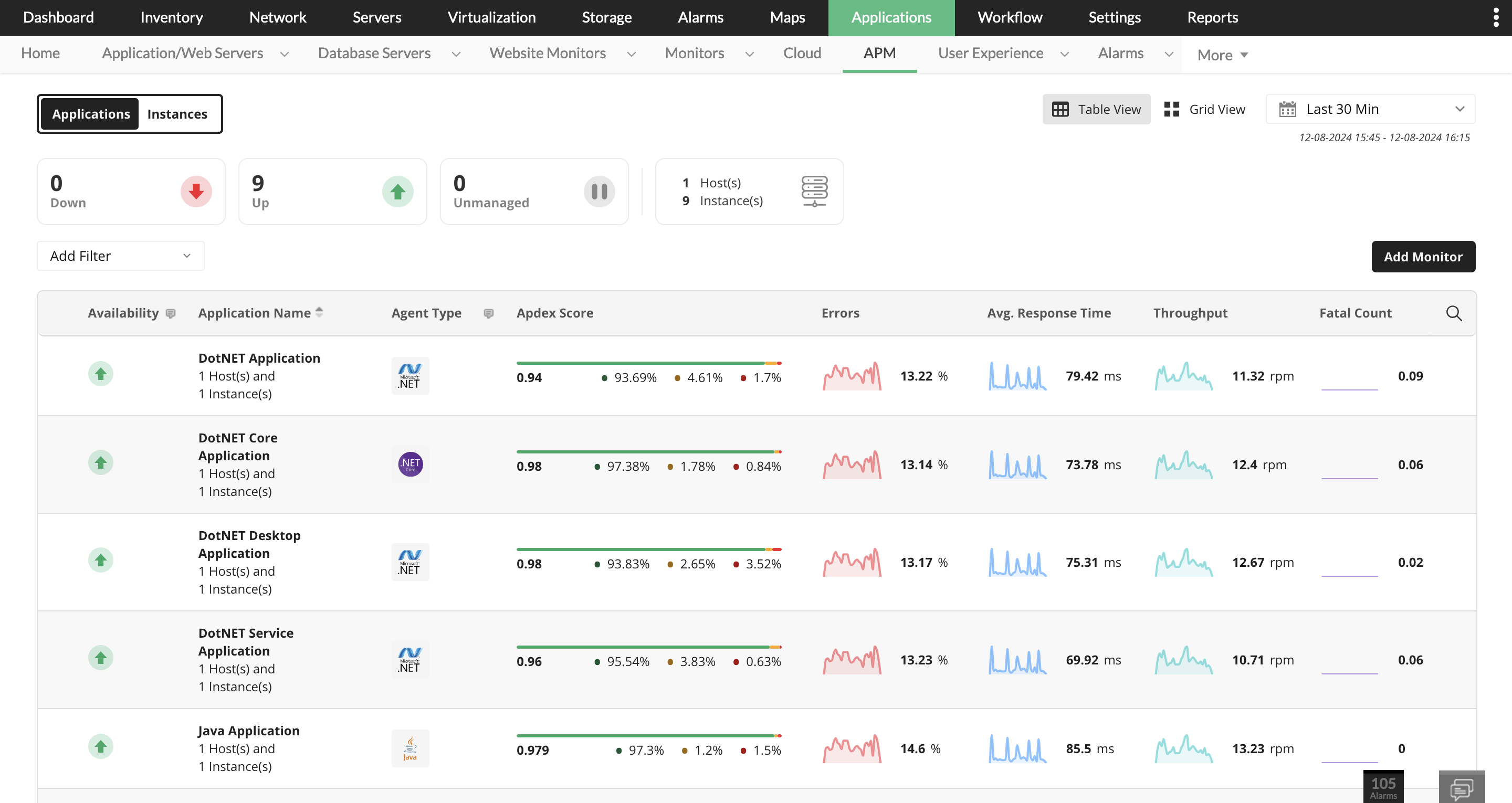
Application performance monitoring
 

OpManager can monitor the performance of applications running on your servers. This helps identify application bottlenecks or slowdowns that can negatively impact user experience. By addressing these issues, you can ensure applications run smoothly and users have a seamless experience.

Proactive capacity planning
 

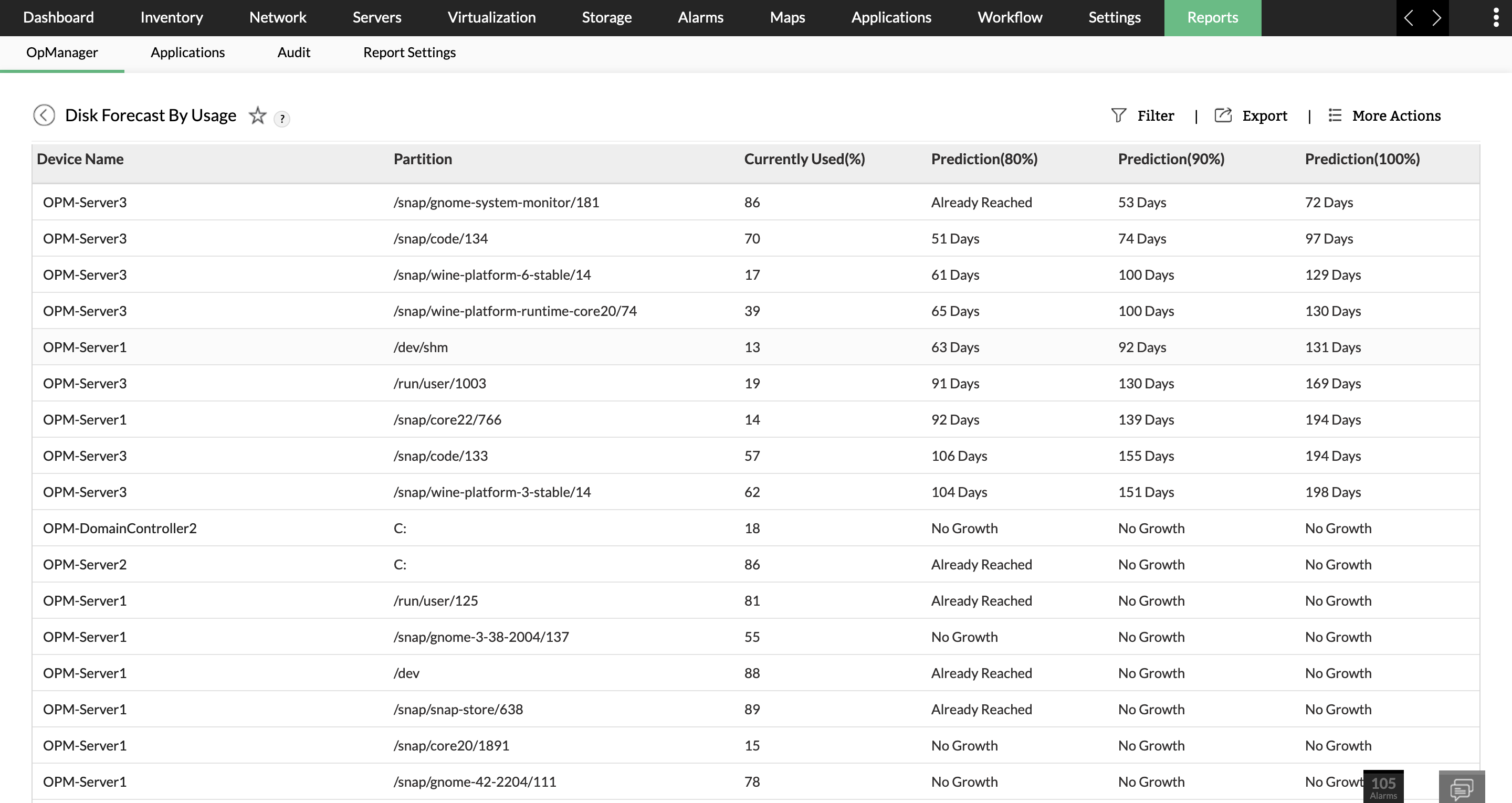
OpManager's historical data analysis capabilities can help you forecast future server resource needs. This allows for proactive capacity planning, such as adding resources or upgrading hardware before performance bottlenecks impact users.

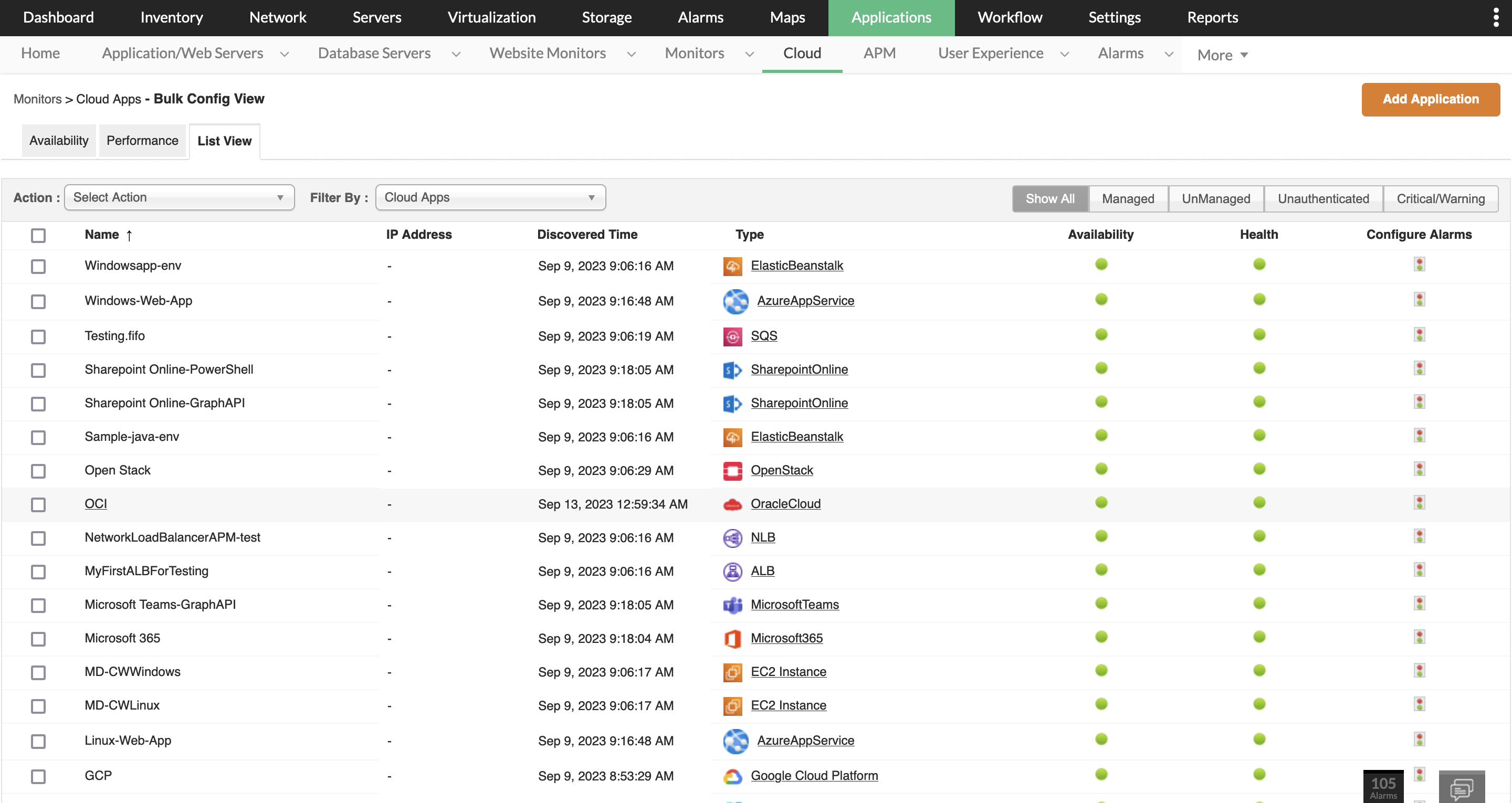
On-demand scaling
 

OpManager can monitor cloud applications and virtual machines running on your servers, and allows you to scale server resources based on real-time demand, preventing performance issues during peak usage periods and ensuring a consistently positive user experience.

Resource utilization
Capacity planning
APM
Cloud
Automated monitoring and alerting
 

OpManager automates server monitoring tasks, eliminating the need for manual checks. It also sends intelligent alerts for critical issues, allowing IT teams to focus on resolving problems instead of spending time identifying them.

Centralized management
 

OpManager provides a vendor agnostic, unified platform for managing and monitoring all your servers from a single dashboard. This eliminates the need to switch between different tools for different servers, streamlining workflows and saving valuable time for IT staff.

Automated reporting
 

OpManager offers automated report generation for server health, performance metrics, and historical trends. This eliminates the need for manual report creation and saves IT staff significant time spent on data analysis and presentation

Simplified troubleshooting
 

OpManager provides tools and functionalities for troubleshooting server issues. This allows IT teams to quickly identify the root cause of problems and resolve them efficiently, minimizing downtime and improving overall IT management efficiency.

Adaptive alarms
Centralized Monitoring
Automated reports
Troubleshooting
 
 
Event correlation
 

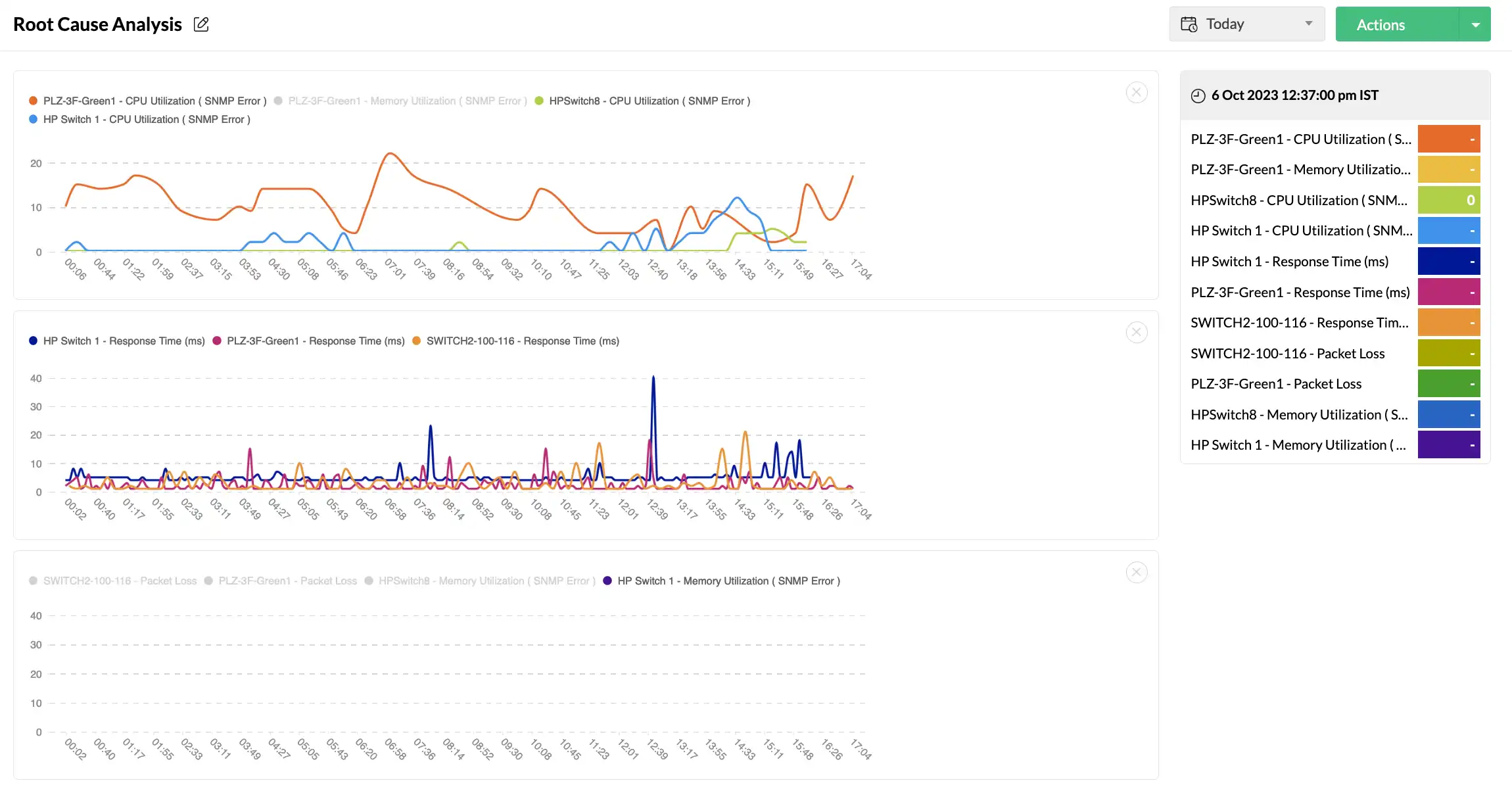
OpManager's event correlation engine intelligently connects the dots between various server parameters. This allows you to identify root causes of performance issues by analyzing relationships between seemingly unrelated server events.

Go beyond physical servers
 

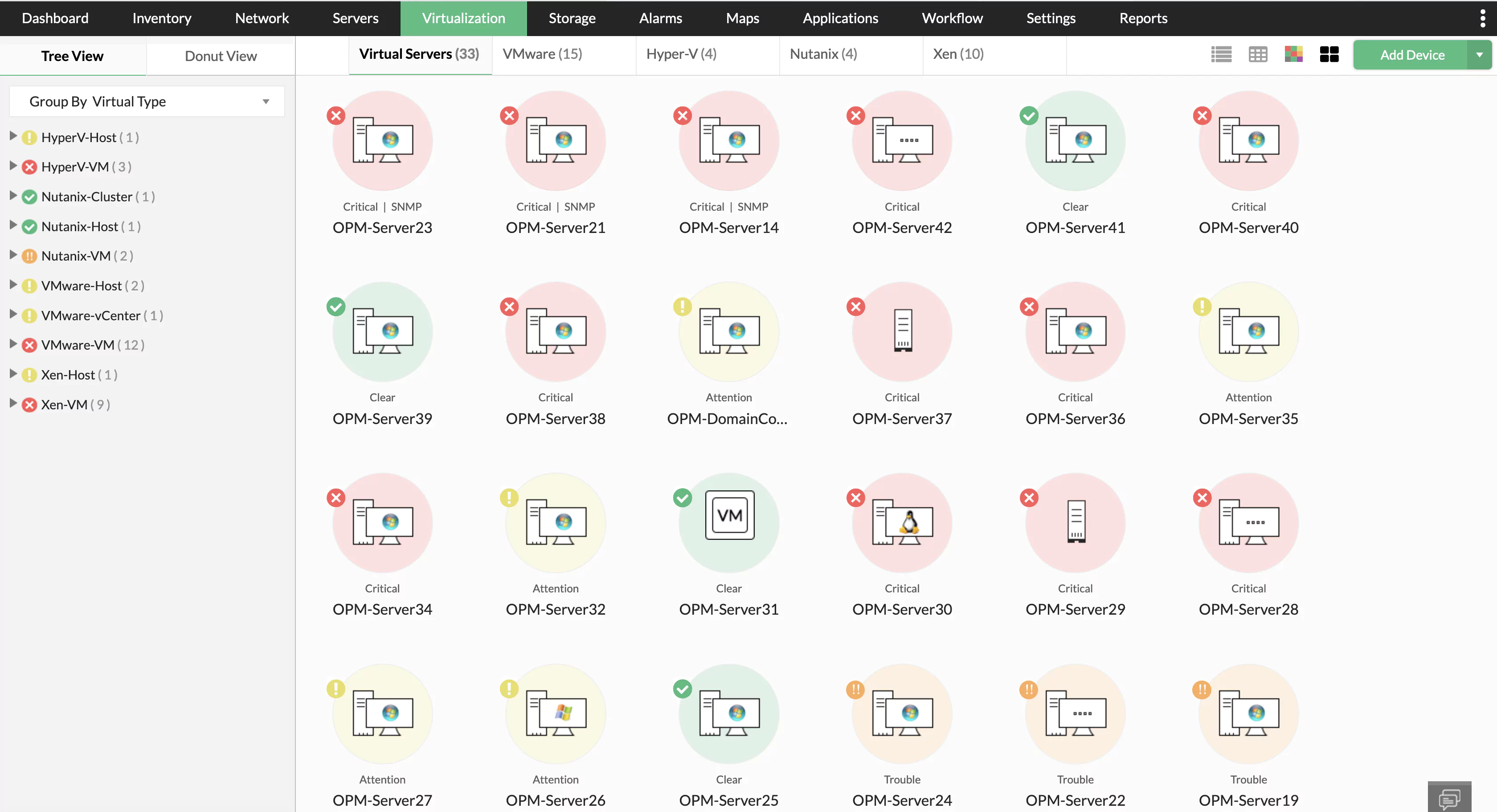
OpManager automatically monitors virtual machines across platforms (VMware, Hyper-V etc.) providing real-time health, performance insights, and proactive alerting for optimal resource utilization.

Services monitoring
 

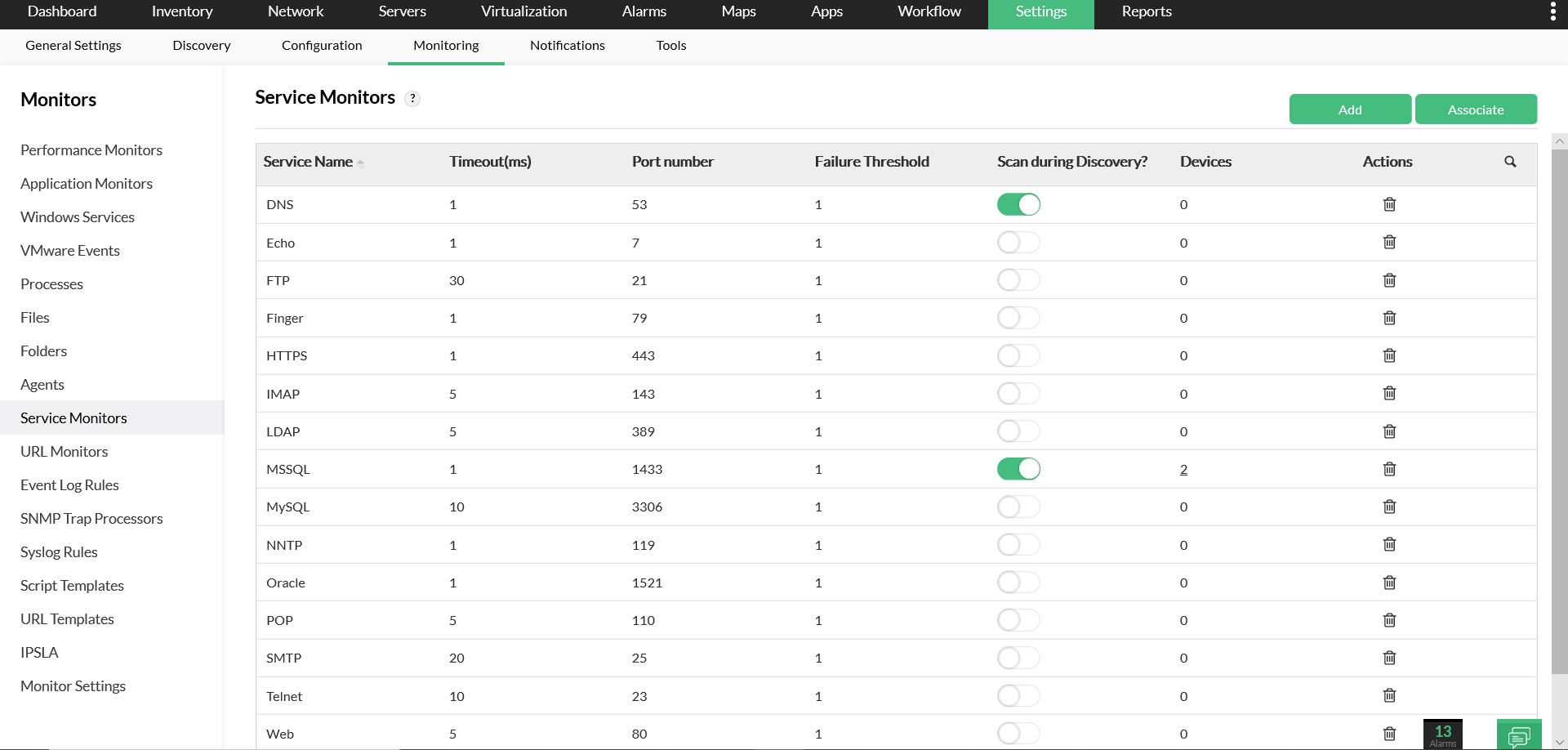
OpManager keeps your Windows servers running smoothly by monitoring critical services, automatically alerting you to issues and even restarting services for swift recovery.

Remote server monitoring
 

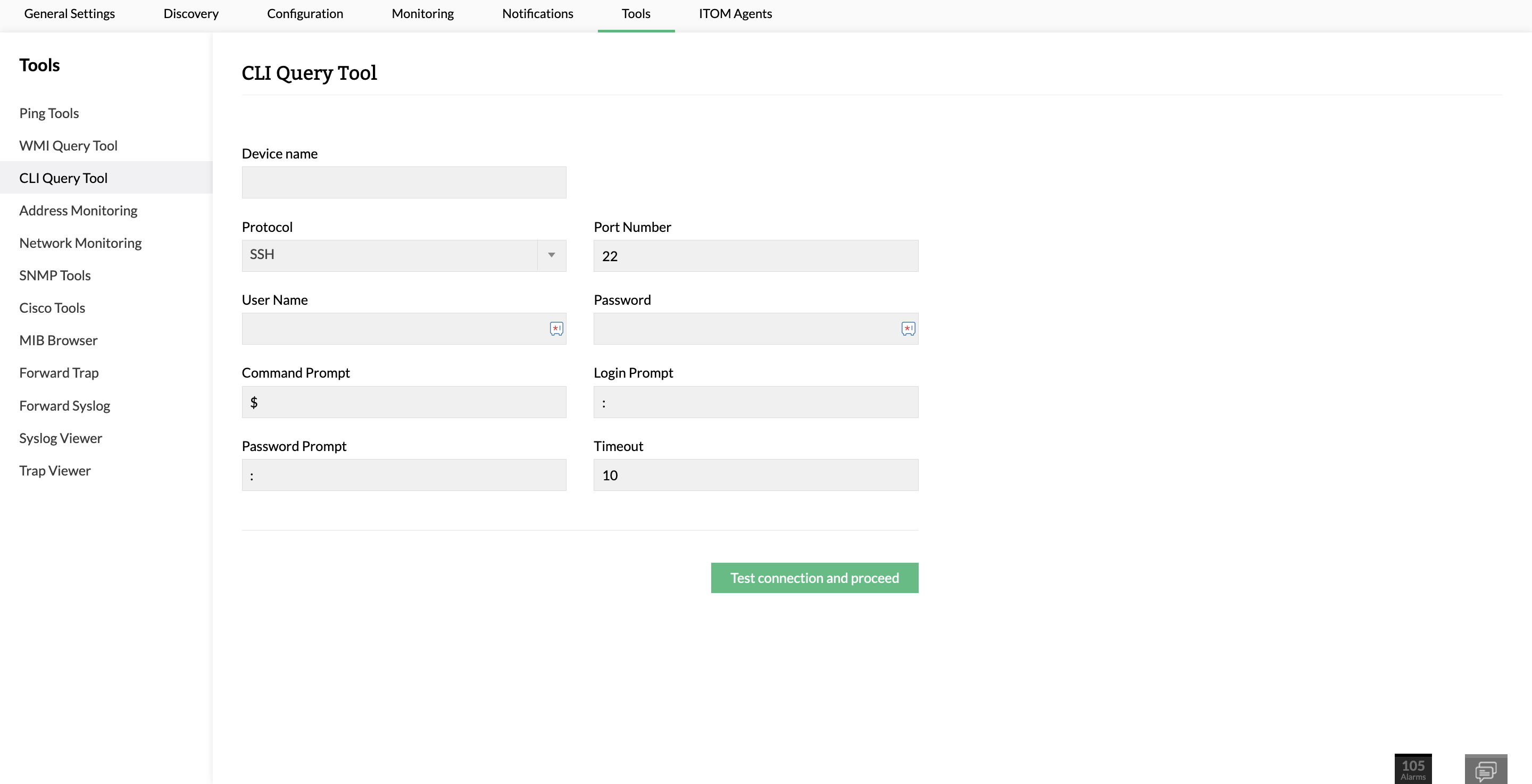
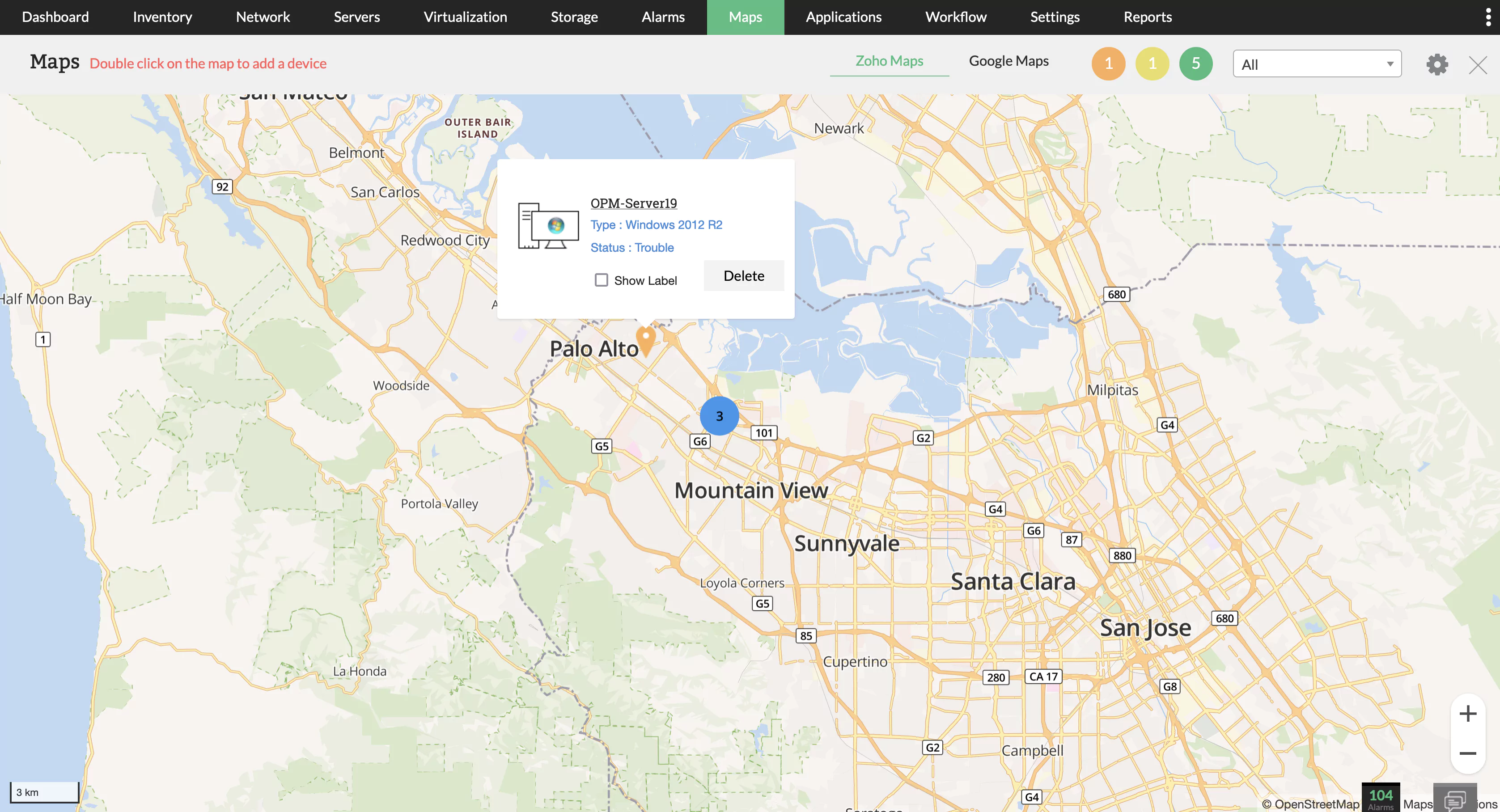
OpManager takes control of your servers globally. Monitor performance across locations, remotely kill resource-hogging processes, and troubleshoot issues with a single click – all from one centralized dashboard.

Root cause correlation
Virtual servers
Service Monitoring
Remote server

AI powered server performance monitoring

Ditch manual approach to server monitoring and fault management. Stay ahead of server downtimes with AI and ML powered proactive server performance management.

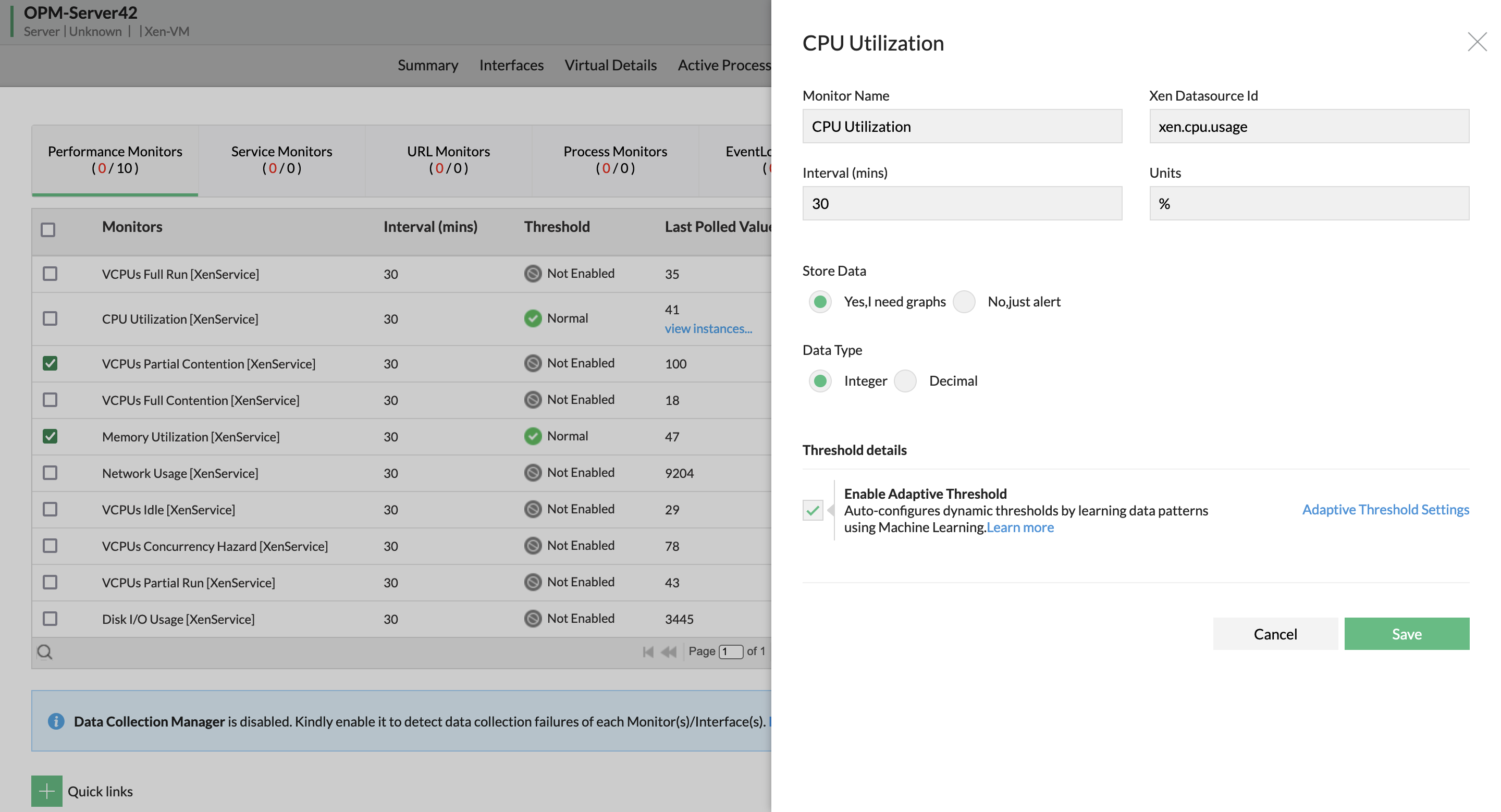
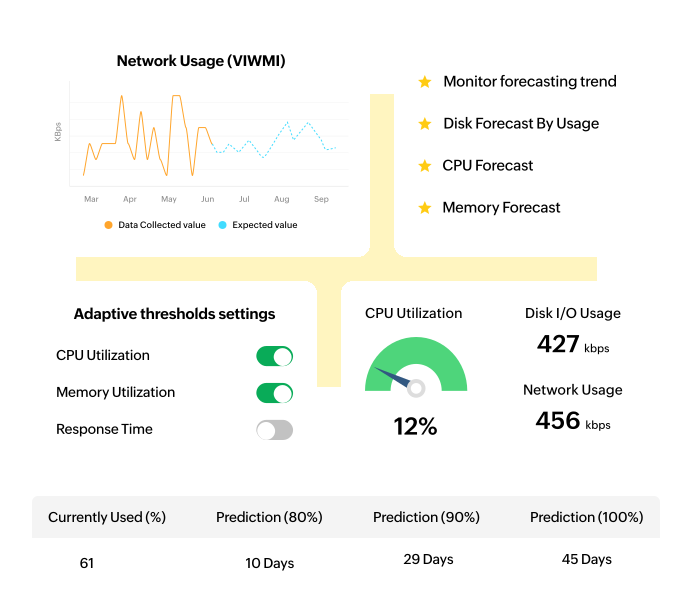
Multi-layered adaptive thresholds

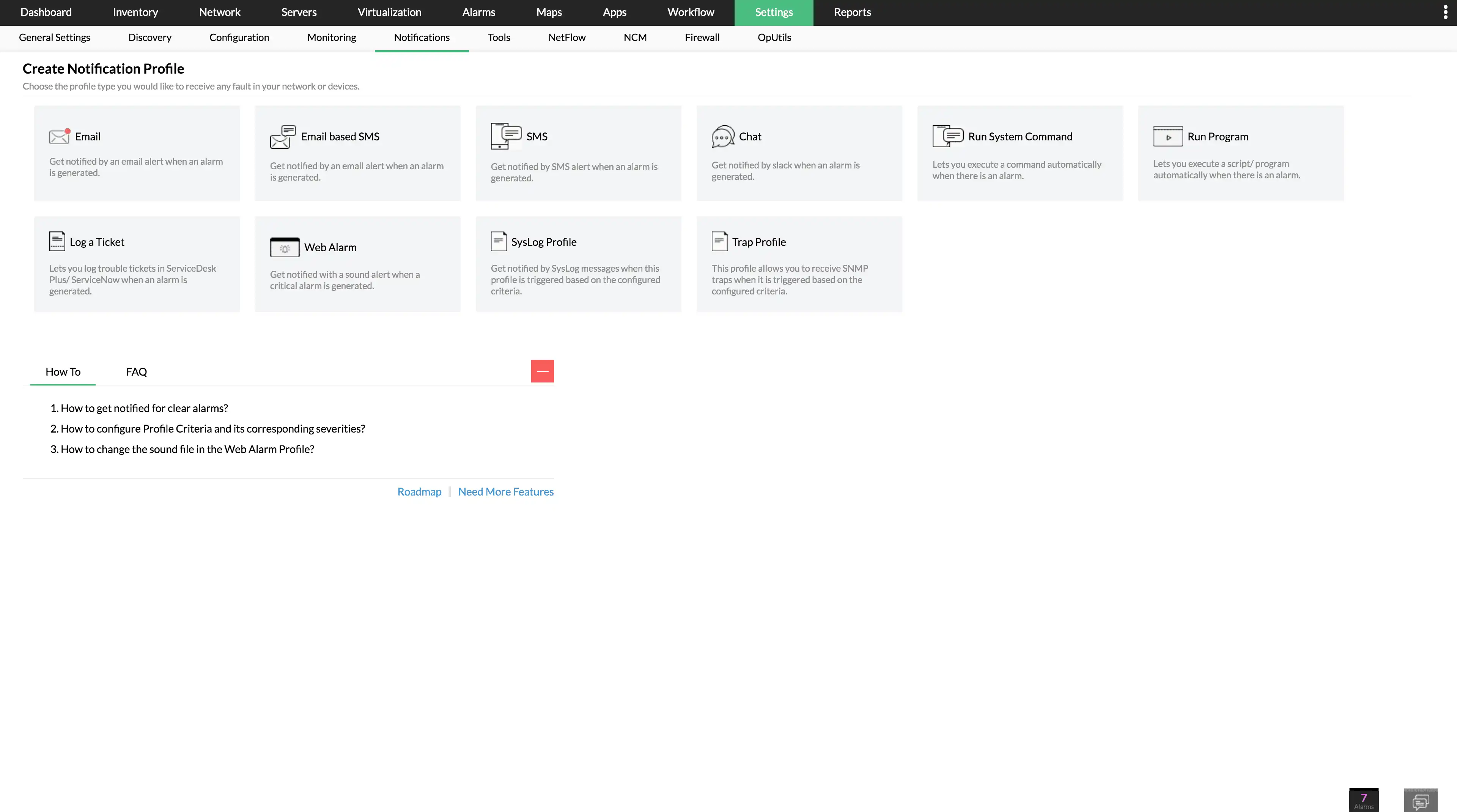
Set threshold values for server metrics and anticipate network issues before end users are affected. Predict reliable values for metrics like CPU and memory utilization in real time. Configure notification profiles to receive alerts via SMS, email, Slack, and other channels.

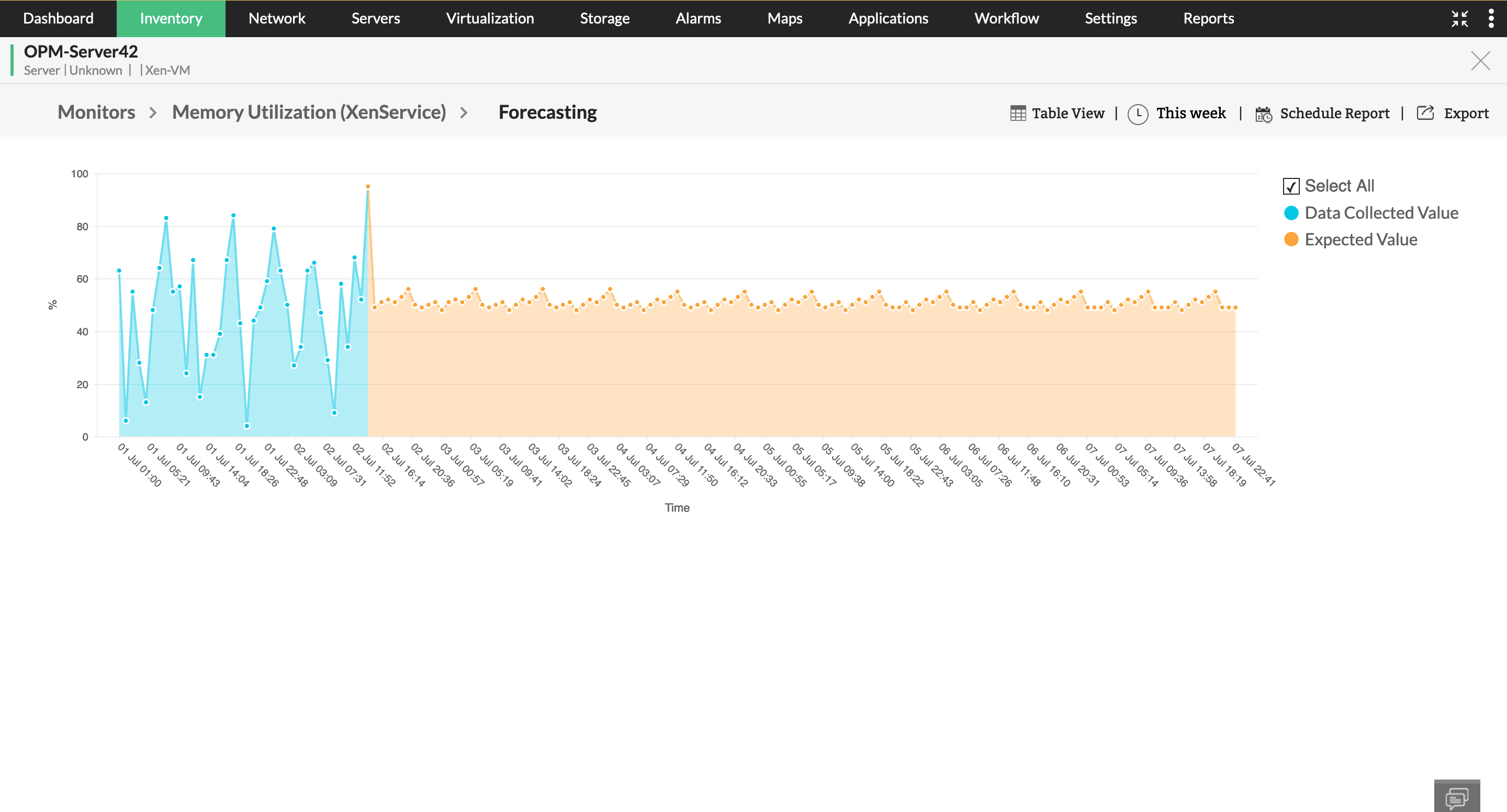
Performance forecast

Drill-down to the monitors assigned to each server device and check forecast values for CPU utilization, disk utilization, network usage and so on, with timeline spanning next 12 hours, 14 days and custom date.

AI powered network performance monitoring

Server performance analysis and visualization

OpManager's interactive maps, 3D views, and detailed reports uncovers your server layout and performance. This clear visibility streamlines troubleshooting by pinpointing bottlenecks and simplifying root cause analysis, saving you valuable IT time

In-depth visibility into server infrastructure

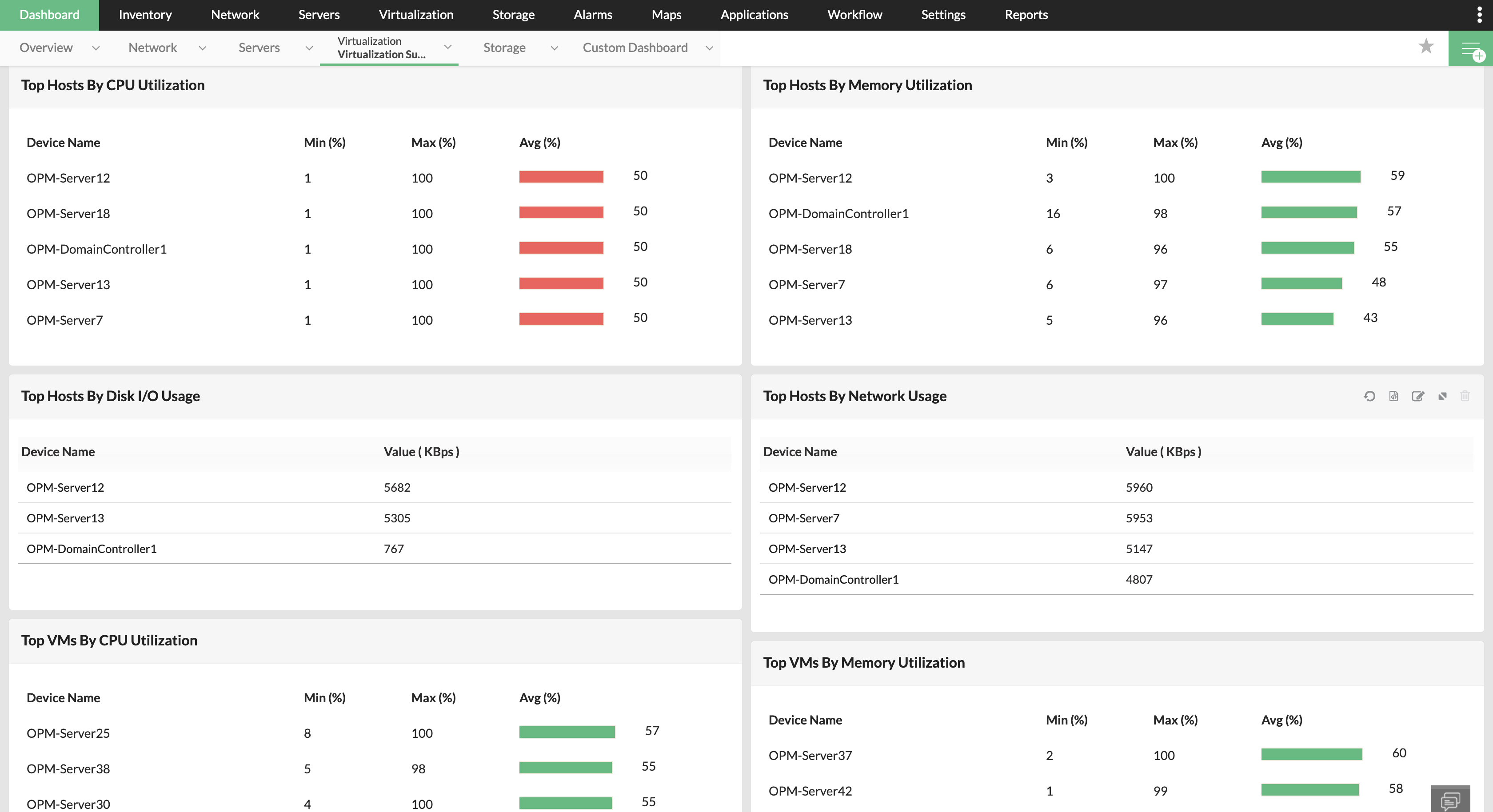
Leverage Business Views, Maps, Layer2 Maps, and Rack and 3D Floor Views to gain a deeper understanding of your network's layout from a single window. Bring every layer of the server into the spotlight, and create virtual replicas of your server rooms for the status and availability of the servers, at a glance. The customizable server dashboard helps display the server environment with rearrangeable widgets.

Granular server-related reports

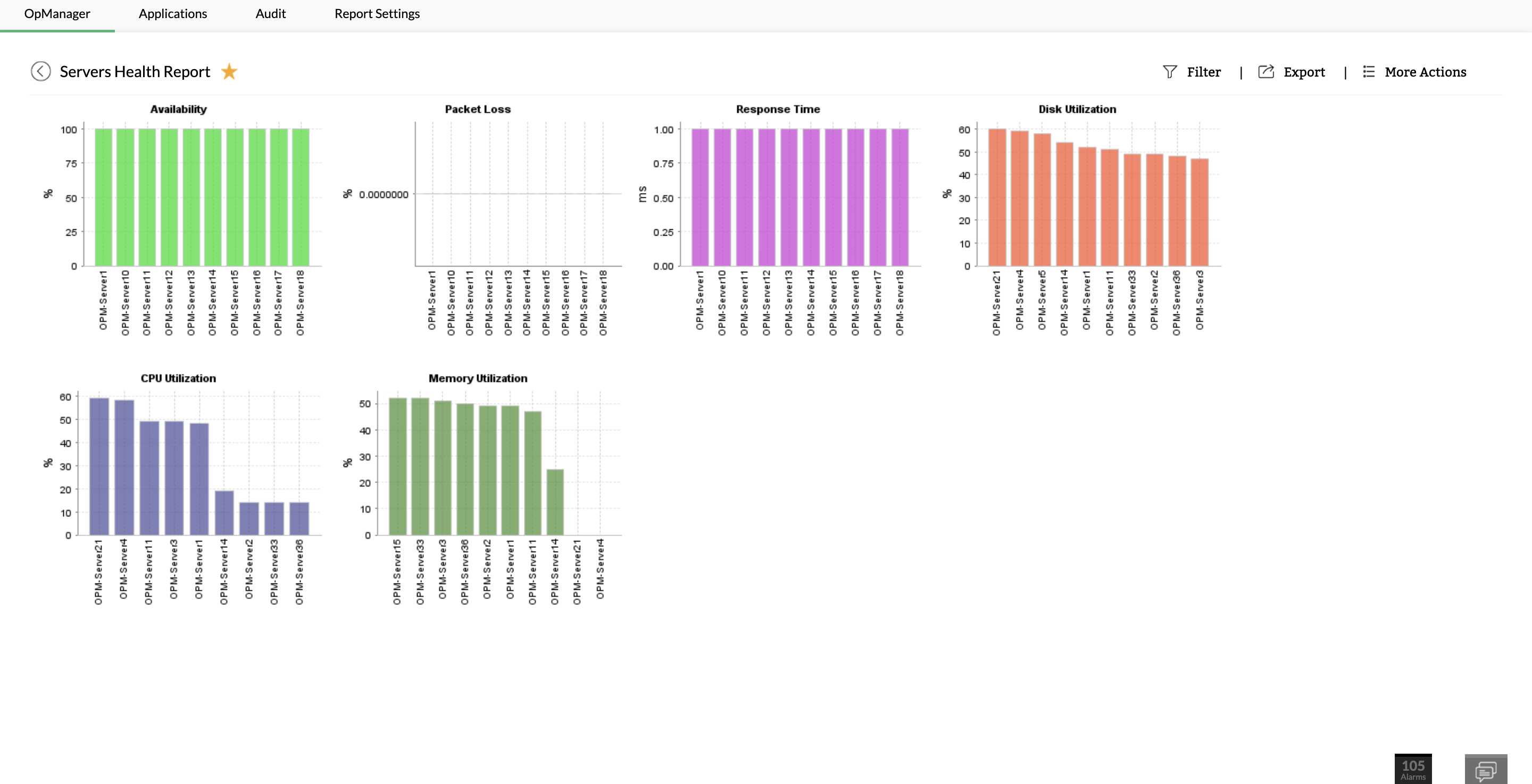
OpManager's reporting feature lets you generate and schedule detailed reports that help your organization better comprehend its data. Reports offer deep insights on the server's performance, health, availability, response time, virtual servers, and much more. Drill down to a specific metric or correlate a group of metrics with the help of advanced report capabilities.

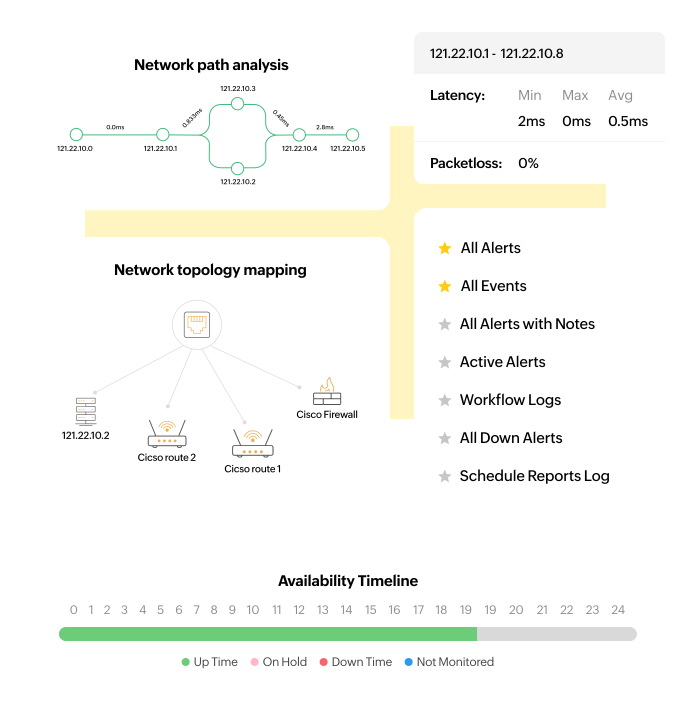
Network performance analysis and visualization

Resolving server performance issues with OpManager

Juggling real-time server health monitoring, troubleshooting issues, and managing alerts can be overwhelming. Simplify server management by automating routine tasks and gain actionable insights, empowering you to focus on strategic IT initiatives.

Real-time server monitoring

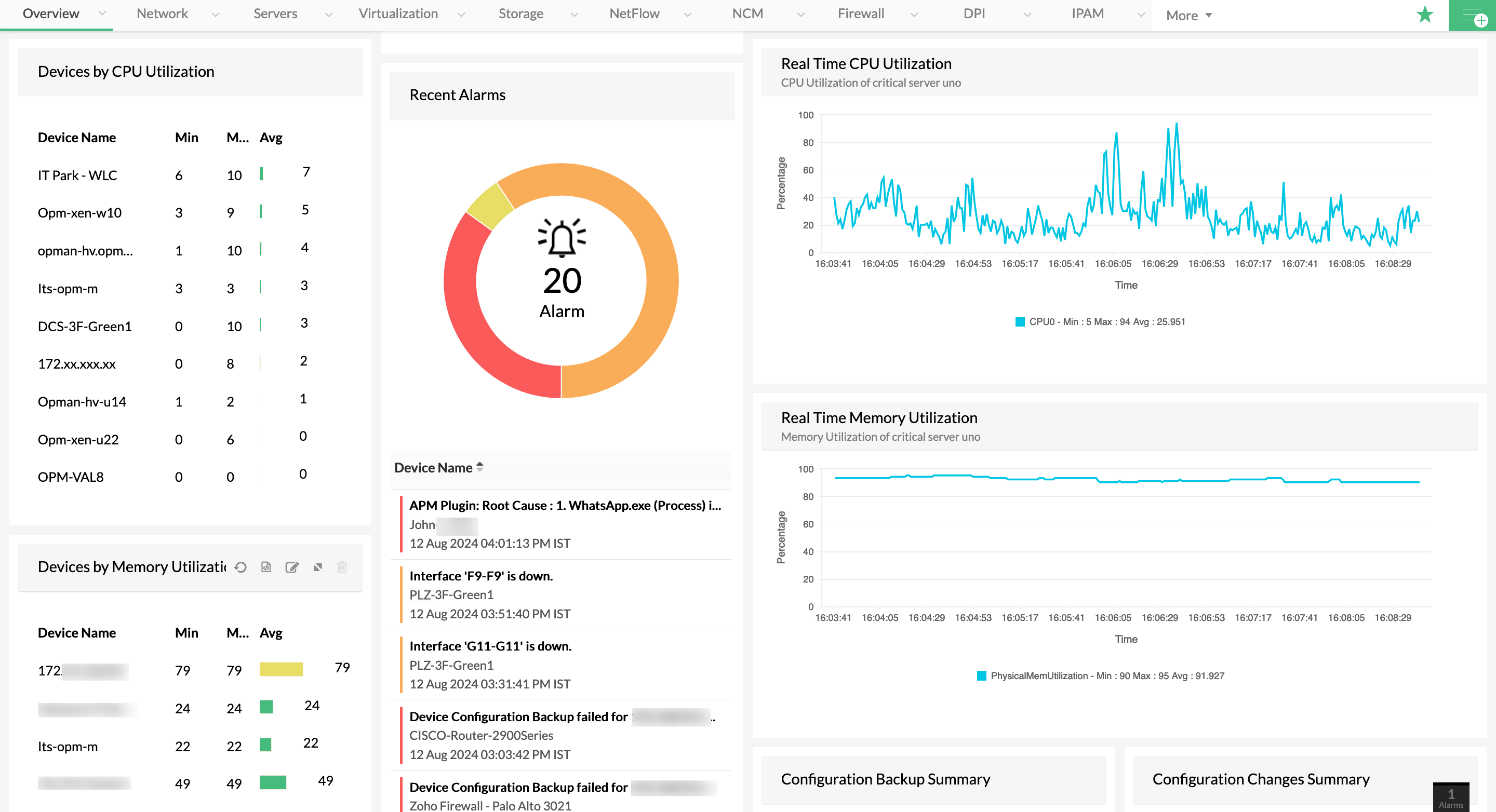
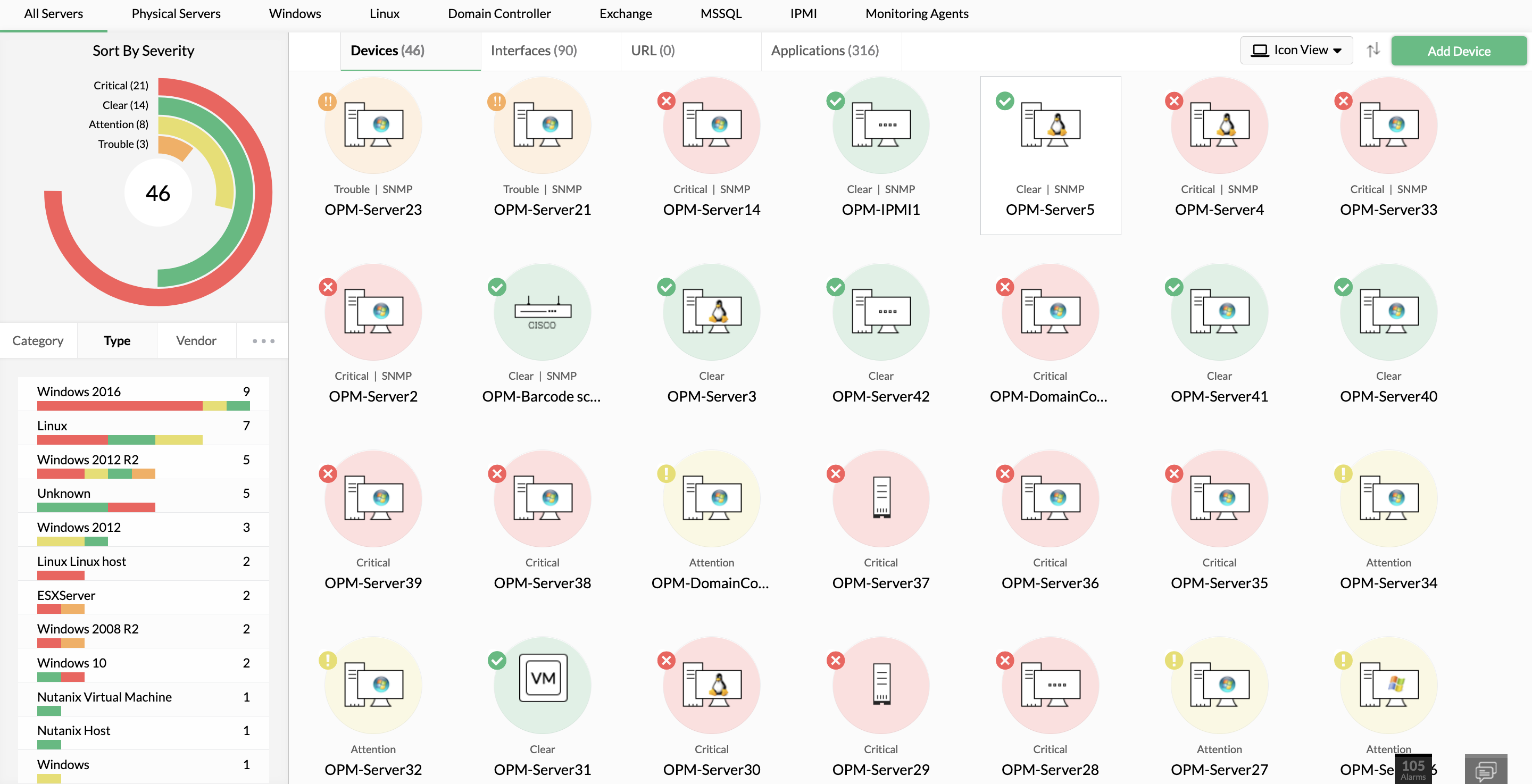
Proactively track the health, performance, and availability of the servers in your organization. Get real-time data for over 300 critical metrics. Moreover, the custom polling interval option lets you define the monitoring interval based on the criticality of the server. Dedicated color-coded dials for availability, packet loss, response time, and CPU, memory, and disk utilization make it easy for network administrators to understand their server status at a glance. Utilize OpManager's in-built performance monitors, or create a custom monitor, and immediately start monitoring your server infrastructure.
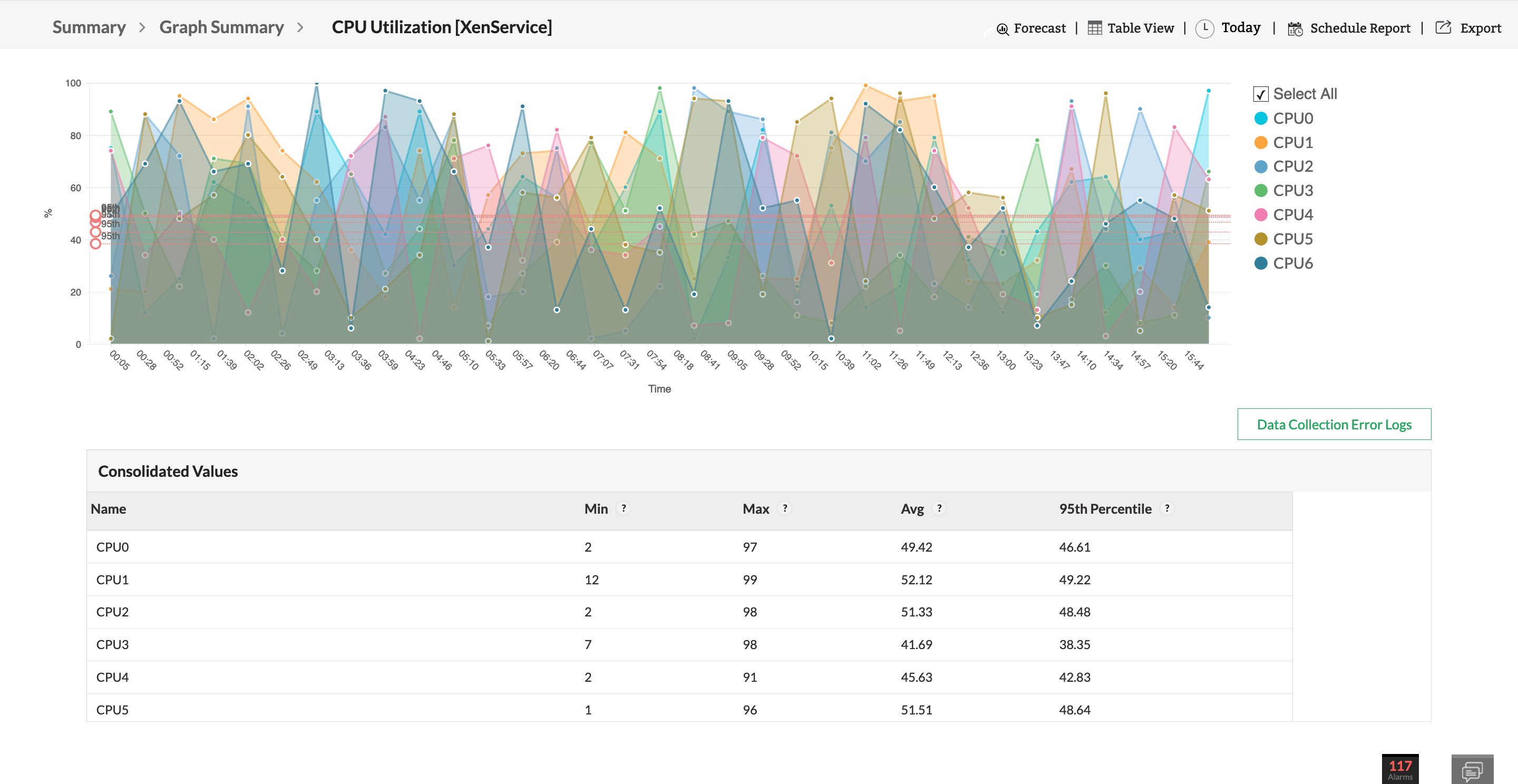
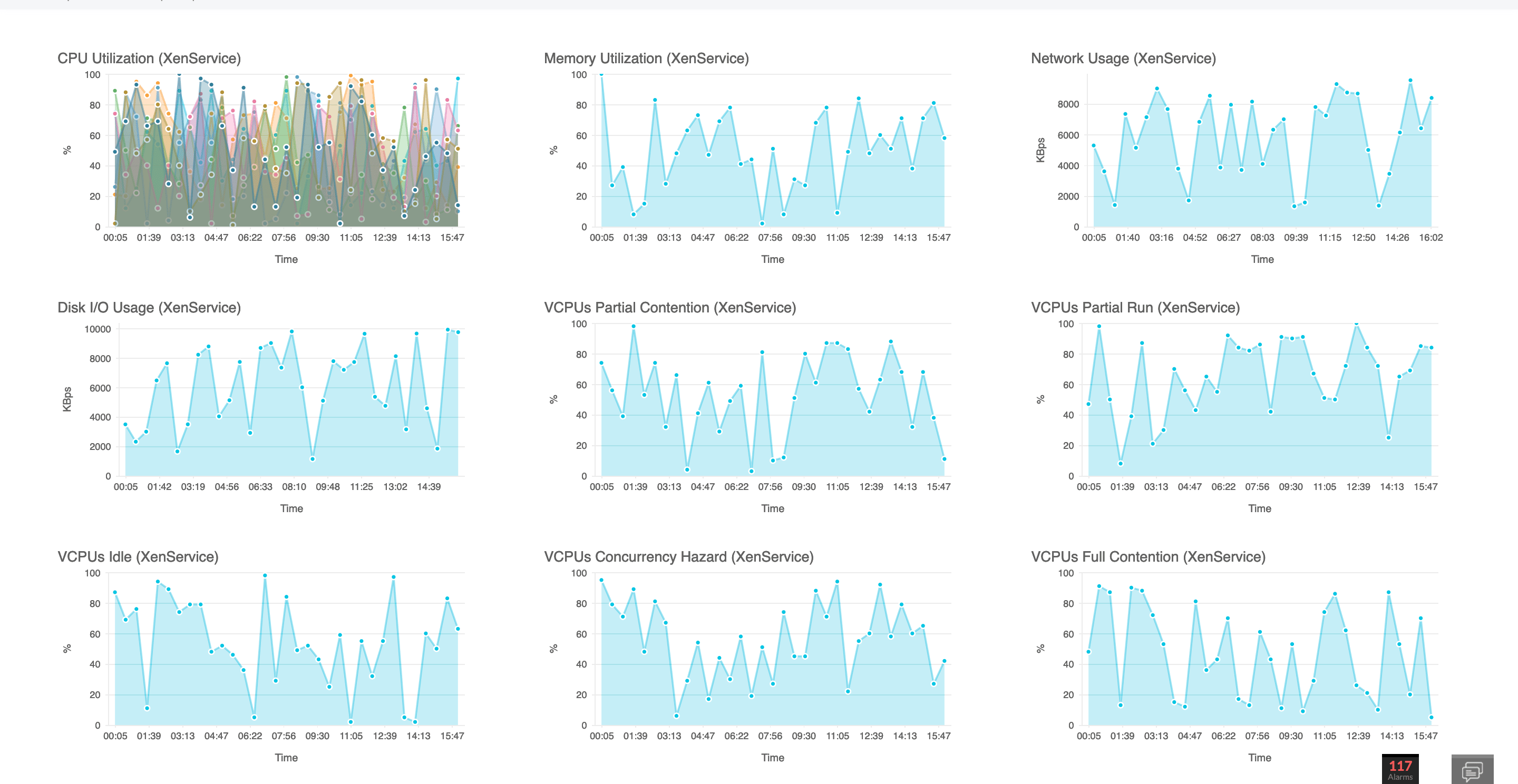
Real Time Server Monitoring
 
 
Automated workflows

Automated fault management in servers

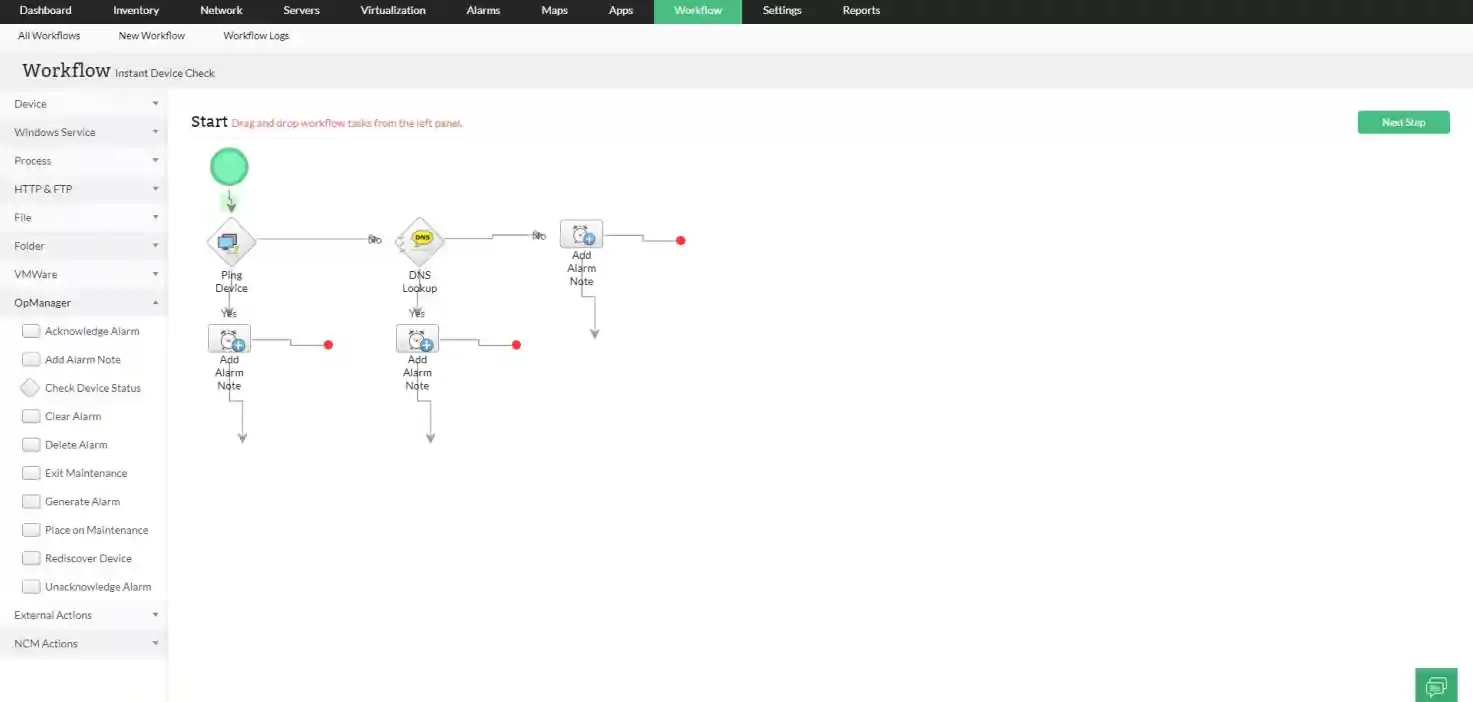
The curated workflows with over 70 pre-defined actions help the network administrator perform repetitive maintenance tasks and laborious network and server troubleshooting effortlessly. Whether it's periodically checking on critical servers or instantly resolving a server operational error, these curated workflows execute a pre-defined flow of actions. This no-code automation feature helps network administrators ace their server monitoring game.

Alarm-based security system for virtual networks

Instant alarms for faults in your virtual networks reach you on a single console. Acknowledge alarms that have been addressed to avoid redundant examination, escalate alarms to e-mails/IDs if they haven't been tended to, and suppress alarms for definite periods, for example, during maintenance. Broadcast generated alarms via different media such as E-mail, SMS and Slack.

Alarm-based security system for virtual networks


5 reasons to go for OpManager as the perfect server monitoring software

5 reasons to choose OpManager
  • Reliability: Uninterrupted server availability and performance
  • Efficiency: Proactively monitor server performance for vital metrics across vendors
  • Observability: Deep insights into server infrastructure through customizable dashboards.
  • Streamlined: Automate the routine and the mundane with workflows
  • Versatile: Exhaustive multi-vendor support

Uncomplicate Server Monitoring with OpManager

Loved by customers all over the world


“Easy Implementation, Excellent support & Lower Cost Tool - Team Lead, IT Services Industry”

Reviewer Role: Infrastructure and Operations

Company size: 500M - 1B USD

We have been using OpManager since 2011 and our overall experience has been excellent. The tool plays a vital role in providing the value to our organization and to the customers we are supporting. The support is excellent and staff takes full responsibilities in resolving the issues. Innovation is never stopping and clearly visible with newer versions.

“OpManager - 10 steps ahead of the competition, one step away from being unequaled - Network Services Manager, Government Organization”

Reviewer Role: Infrastructure and Operations

Company size: 5,000 - 50,000 Employees

I have a long standing relationship with ManageEngine. OpManager has always missed one or two features that would make it truly the best tool on the market, but over it is the most comprehensive and easy to use the product on the market.

“Easy Implementation with a feature rich catalogue, support has some room for improvement - NOC Manager, IT Services Industry”

Reviewer Role: Program and Portfolio Management

Company size: 500M - 1B USD

The vendor has been supportive during the implementation & POC phases providing trial licenses. Feature requests and feedbacks is usually acted upon swiftly. There was sufficient vendor support during the implementation phase. After deployment, the support is more than adequate, where the vendor could make some improvements.

“Great Monitoring tool - CIO in Finance Industry”

Reviewer Role: CIO

Company size: 1B - 3B USD

ManageEngine provides a suite of tools that have made improvements to the availability of our internal applications. From monitoring, management and alerting, we have been able to peak performance within our data center.

“Simple Implementation, Easy To Use. Very Intuitive. - Principle Engineer in IT Services”

Reviewer Role: Enterprise Architecture and Technology Innovation

Company size: 250M - 500M USD


ManageEngine support was responsive to all our queries.

Capterra
Getapp
Software Advice
G2
Altaleb Alshenqiti

“OpManager helps me monitor all aspects of the data-center and equipment like servers, switches and routers. It is fast, intuitive and centralized and you do not need to be an expert to deal with OpManager.”

Altaleb Alshenqiti

NGHA

Donald Stewart

“Donald Stewart, IT Manager of Crest Industries is happy with ManageEngine OpManager for its end-to-end network monitoring software. It is easy-to-use and offers fault and performance management for router.”

Donald Stewart

IT Manager, Crest Industries

John Rosser

“John Rosser, MIS Manager of Yale Chase talks about the proactive nature of ManageEngine OpManager & how his organisation gained value from it.”

John Rosser

MIS Manager

 
 Pricing  Get Quote