Reports Library
The Reports Library provides a centralized view of all reports generated through Scheduled Reports in Applications Manager. It eliminates the need to regenerate recurring reports and simplifies access to historical data.
Access the Reports Library from:
- Settings → Reporting → Reports Library
- Reports tab dropdown → Reports Library
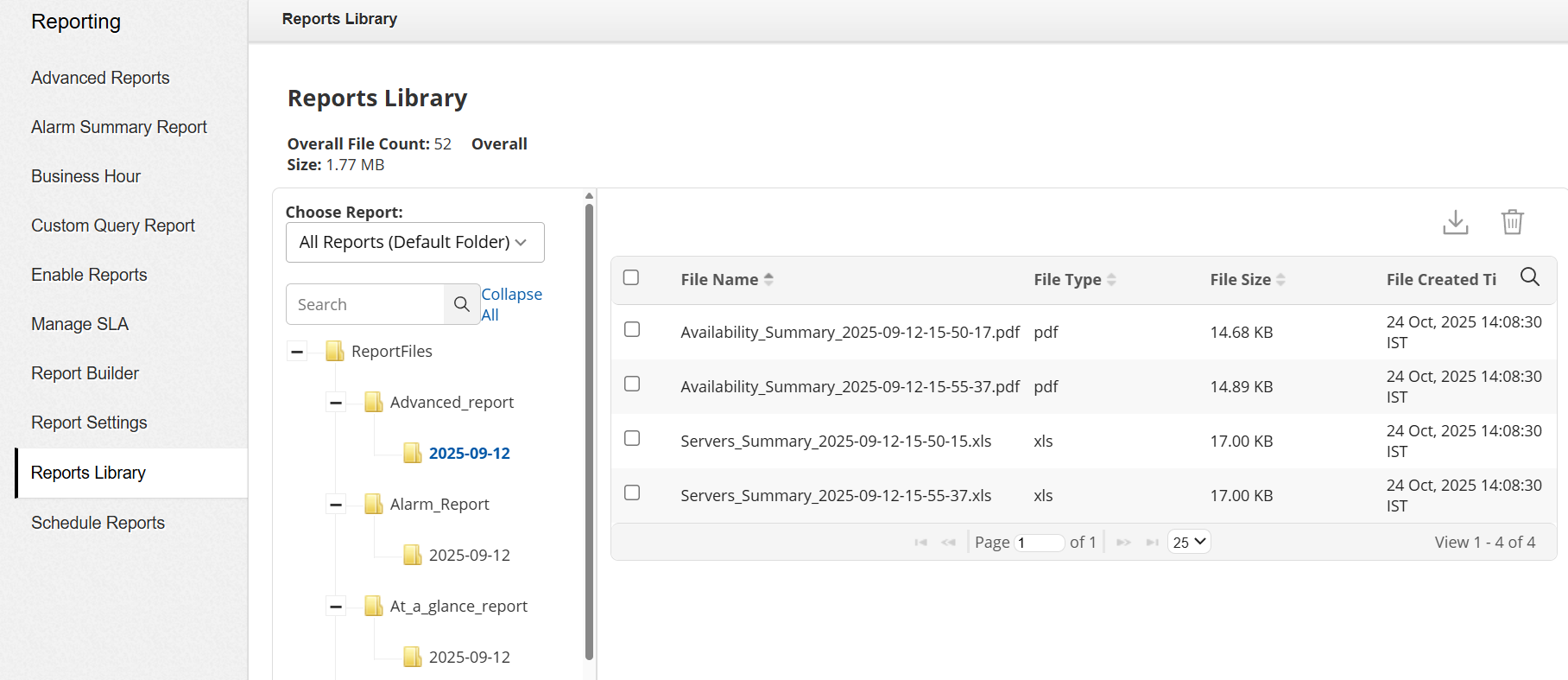
Choose Report
Reports are organized into folders, and the Choose Report dropdown provides an easy way to navigate between reports stored in different folders.
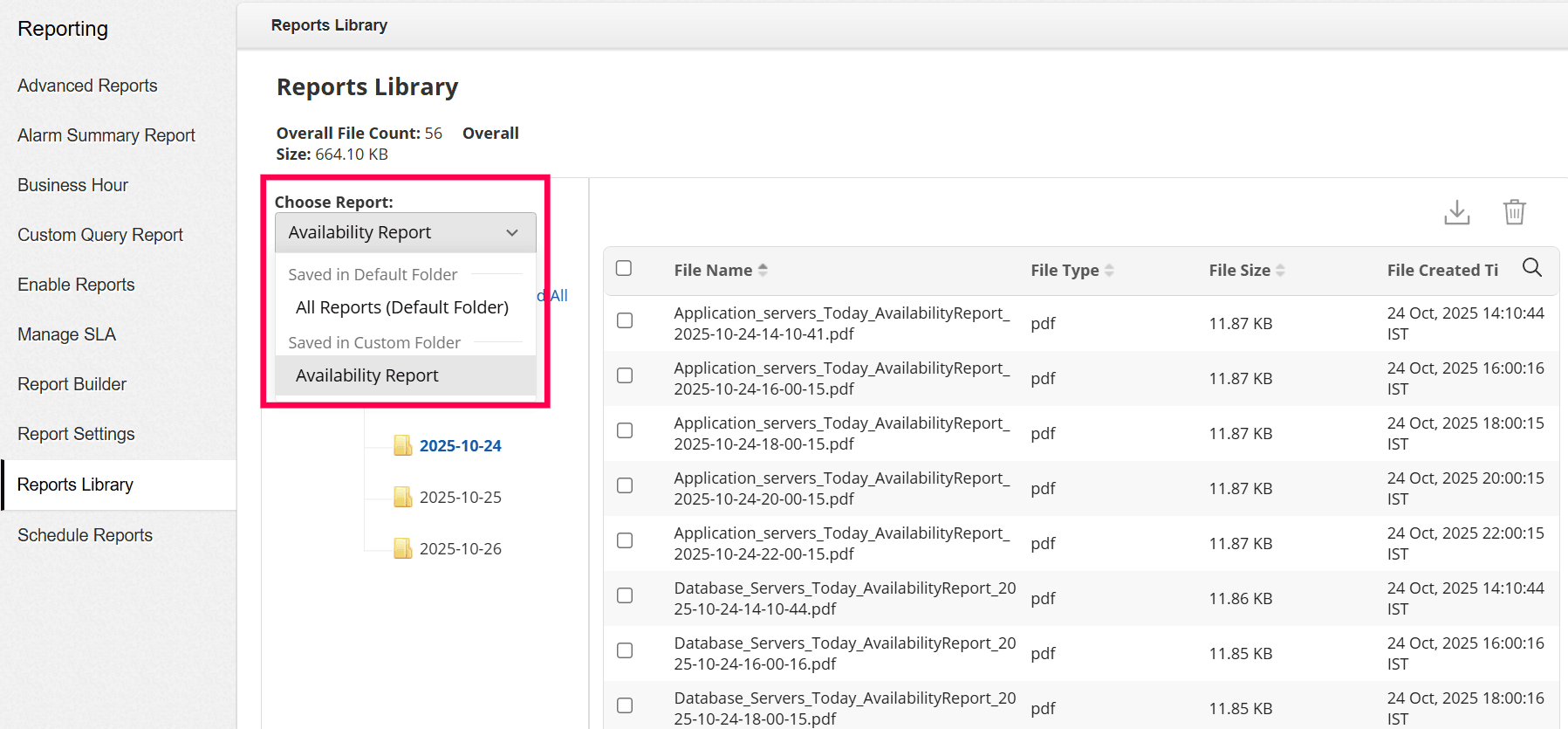
The dropdown is divided into two categories:
- All Reports (Default Folder): Displays reports saved in the default folder located at <APM_HOME>\working\ReportFiles.
- Custom Folders: Lists scheduled reports that have been configured to save in a custom path (other than the default folder).
When an option is selected from the dropdown, the corresponding folder tree structure is displayed on the left panel, showing all the available reports within that folder.
Report Summary
The top section displays a quick summary of the stored reports:
- Overall File Count — Total number of stored reports
- Overall File Size — Combined size of all report files
Each folder reveals a list of reports with key details — File Name, Type, Size, and Created Time. You can sort most columns (excluding file size) and browse through 25 to 50 reports per page.
Report Actions
Admin users can download individual files or bulk-download selected reports as a ZIP archive. They can also delete outdated reports in bulk.
- Only Admin users are allowed to download or delete the required report files.
- Supported download formats: CSV, DOCX, PDF, XLS, XLSX, ZIP.
- Reports exported via Email from the Reports tab can also be accessed from the Reports Library. These reports can be found under the Email PDF folder.
- In the Reports Library, ZIP files are displayed only for scheduled dashboard reports, as scheduled reports of dashboards alone are generated as ZIP files.
- All download and delete actions are audited for security.

