The description attribute holds free-text descriptive information about a directory object. It has been in the schema since Windows 2000 Server, maps to the descriptive text SAM exposed on earlier Windows accounts, and was carried into the Windows 2000 Server schema, and because it is defined on the top class, it applies to nearly every object class. On a user account, it typically carries a short note such as a job title, department, or the reason the account exists.
This guide covers the attribute end to end: what it stores and where it came from, its exact schema definition, and three ways to work with it. It walks through editing it on the General tab in Active Directory Users and Computers (ADUC); reading and bulk-updating it with PowerShell; and setting, reporting on, and delegating it in ManageEngine ADManager Plus.
| Attribute | Value |
|---|---|
| LDAP display name | description |
| CN | Description |
| Syntax | String(Unicode), 2.5.5.12 |
| OM-Syntax | 64 |
| Attribute ID (OID) | 2.5.4.13 (X.500 standard OID) |
| System ID GUID | bf967950-0de6-11d0-a285-00aa003049e2 |
| Single- or multi-valued | Multi-valued (treated as single-valued on SAM classes such as user, group, and computer) |
| Maximum length | 1,024 characters |
| Indexed | No |
| In Global Catalog | Yes |
| Replicated | Yes (domain replication and the Global Catalog) |
| Visible in default ADUC UI | Yes (the General tab Description field; also in the Attribute Editor) |
| Applies to | top and Sam-Domain classes |
| Source schema | Windows 2000 Server |
| Microsoft reference | Win32 ADSchema |
Note: The schema defines description as multi-valued, but SAM-managed classes (security principals such as user, group, and computer) treat it as single-valued for backward compatibility. This means on a user you get one value, while on a non-SAM object like an organizational unit (OU) or container you can store several. The value is also capped at 1,024 characters, and because the attribute is in the Global Catalog, it is readable across the forest, so it is not a place to store secrets.
The attribute exists to give administrators a human-readable label for an object. It is one of the oldest and most widely populated attributes in Active Directory, shown in the Description column of ADUC by default.
Common real-world uses include:
Use description for short, non-sensitive labels. For longer notes, the info attribute (the Notes field) is a better fit, and for structured data a purpose-built custom attribute is better than overloading description.
For a user, the Description field on the General tab writes this attribute directly. The Attribute Editor exposes the raw value and, on non-SAM objects, its multi-valued editor.
The Active Directory module cmdlets Get-ADUser and Set-ADUser expose a friendly -Description parameter. For multiple values on non-SAM objects, use Set-ADObject.
									Get-ADUser -Identity jdoe -Properties Description |

									Select-Object Name, Description
Displays the current description text for the user jdoe.
Set-ADUser -Identity jdoe -Description "Contractor - Marketing - ends 2026-12-31"
Sets or overwrites the description on the user jdoe.
Set-ADObject -Identity "OU=Sales,DC=corp,DC=com" -Replace @{ description = @("Primary sales OU", "Managed by IAM team") }
Stores two description values on an OU, which is allowed because an OU is not a SAM managed class.
Set-ADUser -Identity jdoe -Clear description
Removes the description from the user jdoe.
									Import-Csv -Path "C:\Data\Descriptions.csv" | ForEach-Object {

									Set-ADUser -Identity $_.sAmAccountName -Description $_.Description

									}
Reads sAMAccountName and Description columns and applies the text to each listed user.
									Get-ADUser -Filter * -Properties Description |

									Select-Object sAmAccountName, Name, Description |

									Export-Csv -Path "C:\Reports\Descriptions.csv" -NoTypeInformation
Exports the description for every user for review or auditing.
Using ADManager Plus, you can easily set the description attribute for one user or thousands, standardize it through templates, report on it, and delegate it from a single console.
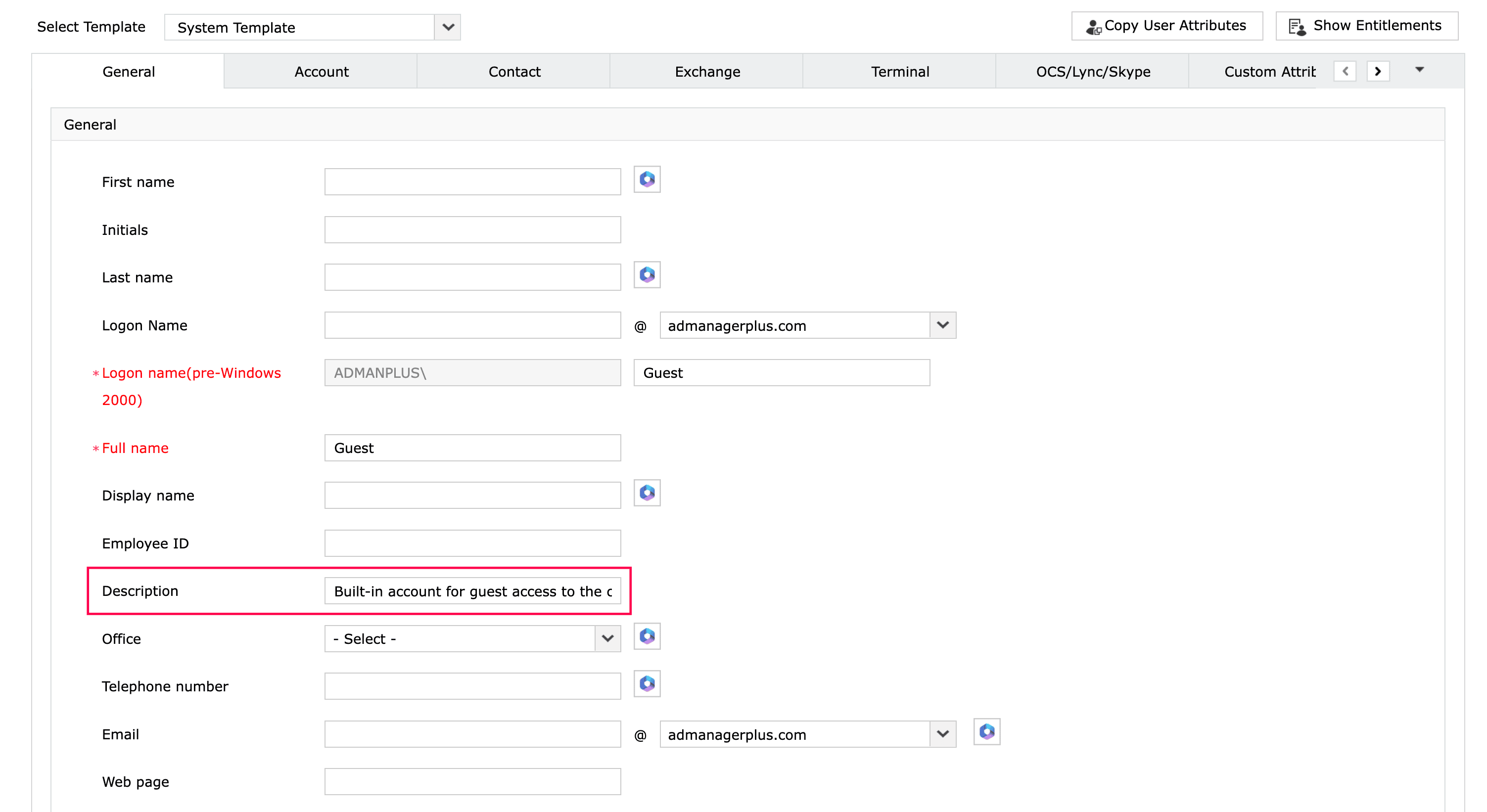
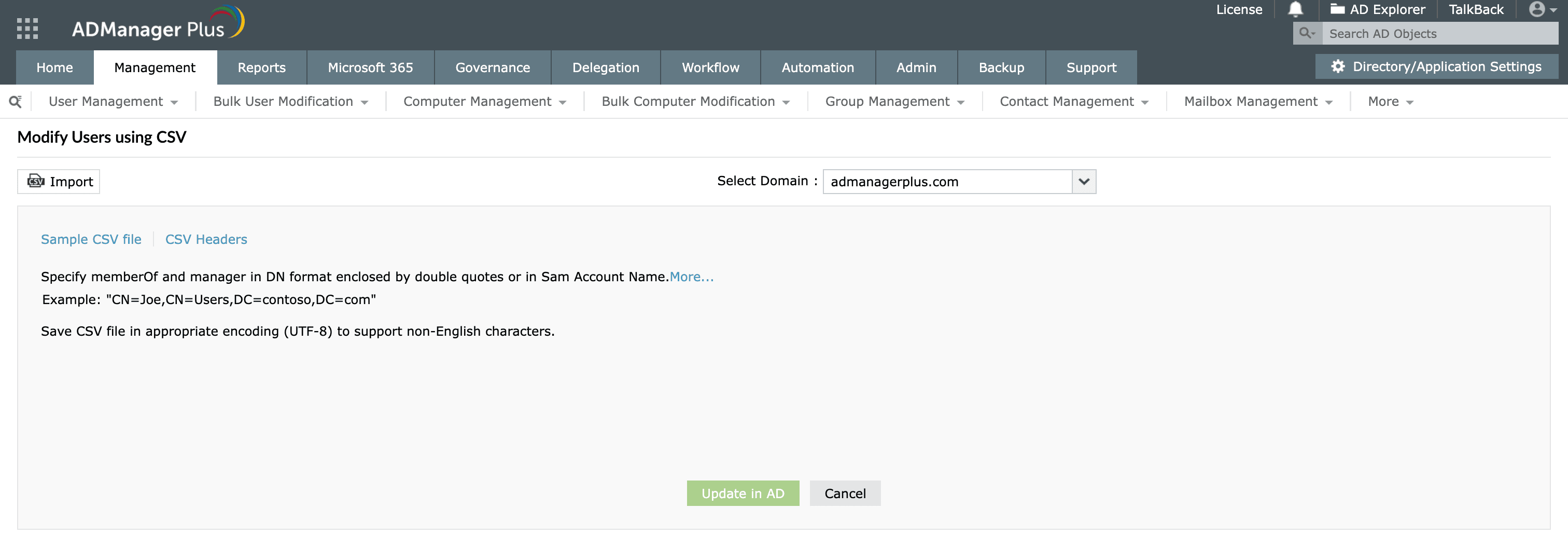
Set a standard description in a user creation or modification template under Management > User Management. This is useful for tagging accounts consistently, for example, marking every contractor account with its sponsoring department.
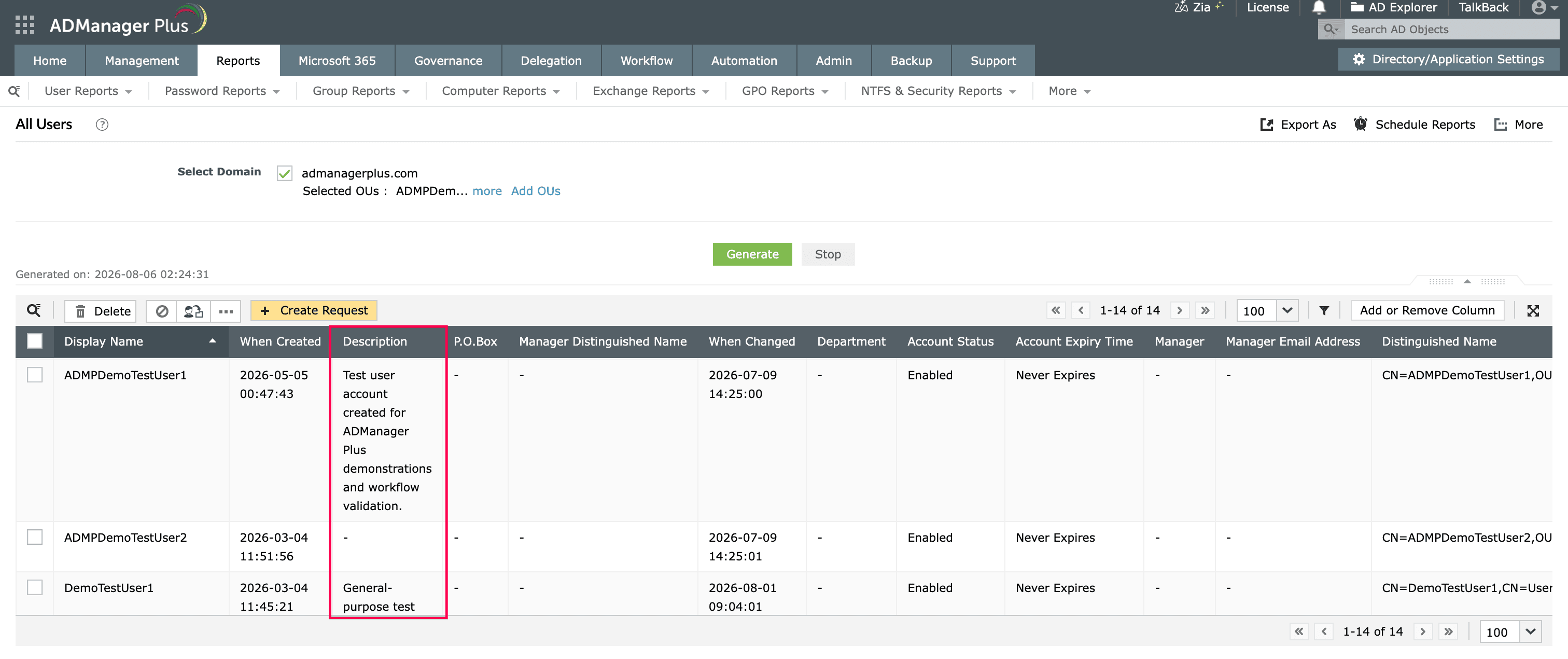
Use the prebuilt ADManager Plus reports to list users and their descriptions, and export in CSV, PDF, HTML, or XLSX format. This helps find blank, outdated, or inconsistent descriptions across the directory.
Create a help desk role that allows non-admin users to generate reports containing users’ description information.
This attribute uses standard default ACLs (schema default security descriptor O:BAG:BAD:S:). It is not confidential and it is in the Global Catalog, so any authenticated user can read it across the forest, and write access follows the normal delegation model. The most important security point is what not to put in it: Because it is world-readable, description must never hold passwords, keys, or other secrets. Attackers routinely enumerate descriptions looking for credentials that administrators left behind.
To control who can change it and reduce exposure:
For structured or sensitive data, extend the schema with a purpose-built custom attribute (with appropriate ACLs, and marked confidential if needed) rather than reusing the world-readable description field.
For user, group, and computer objects, description is treated as a single-valued attribute. Multiple values are supported only on certain non-SAM objects, such as OUs and containers.
The value may exceed the 1,024-character limit. Shorten the text or use another attribute, such as info (Notes), for longer content.
Setting -Description or importing a blank value replaces the existing description. Exclude blank cells from the import or preserve the current value before applying updates.
Do not store passwords, temporary credentials, or other secrets in this attribute. Because description can be broadly readable in Active Directory, treat it as non-sensitive metadata.
Microsoft Entra Connect includes the description attribute in its default attribute set for user objects, so the value synchronizes. However, the Microsoft Graph user resource exposes no description property, so it will not appear on the cloud user in the admin center or via Graph.
ADManager Plus lets you set, bulk-update, report on, and delegate the description attribute without writing scripts, so keeping object descriptions consistent (and free of sensitive data) becomes a point-and-click task your help desk can own.
It uses the String(Unicode) syntax (2.5.5.12, OM-Syntax 64), with a maximum length of 1,024 characters.
The schema defines it as multi-valued, but SAM-managed classes (user, group, computer) treat it as single-valued. Non-SAM objects such as OUs can hold multiple values.
Nearly all of them. It is defined on top, so it applies to users, groups, computers, OUs, and more.
Yes. It is in the Global Catalog (though not indexed), so it is readable across the forest.
It has been present since the original Windows 2000 Server schema and originates from the earlier SAM APIs.

