Support
 
Phone Live Chat
 
Support
 
US: +1 888 720 9500
US: +1 800 443 6694
Intl: +1 925 924 9500
Aus: +1 800 631 268
UK: 0800 028 6590
CN: +86 400 660 8680

Direct Inward Dialing: +1 408 916 9393


Knowledge Base

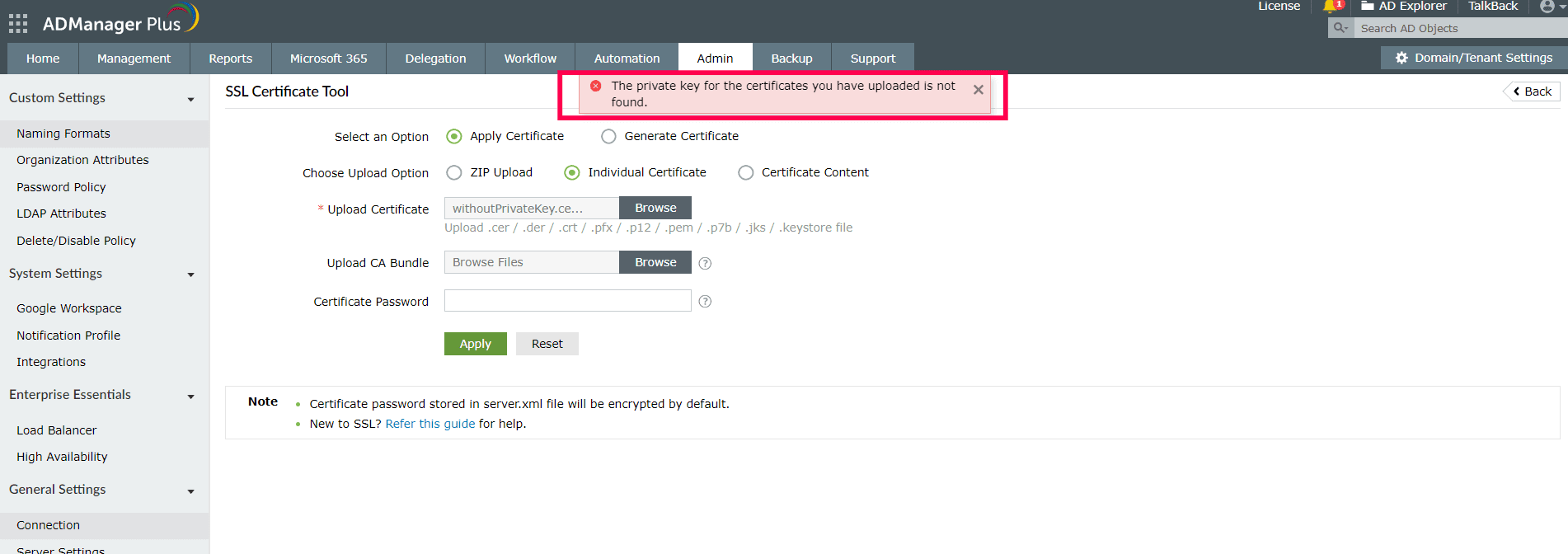
SSL certificate error: The certificate does not have a private key installed.
Error

SSL certificate error: The certificate does not have a private key installed.

SSL certificate errors

Possible cause

  1. If the private key is missing, it could mean that the SSL certificate is not installed on the same server which generated the Certificate Signing Request. FQDN is the fully qualified domain name of your website. It must be the same as what users type in the web browser.
  2. CSR is generated for the SSL certificate. When generating the certificate, if we don't include the private key, the error message given above will be shown.

Possible resolution

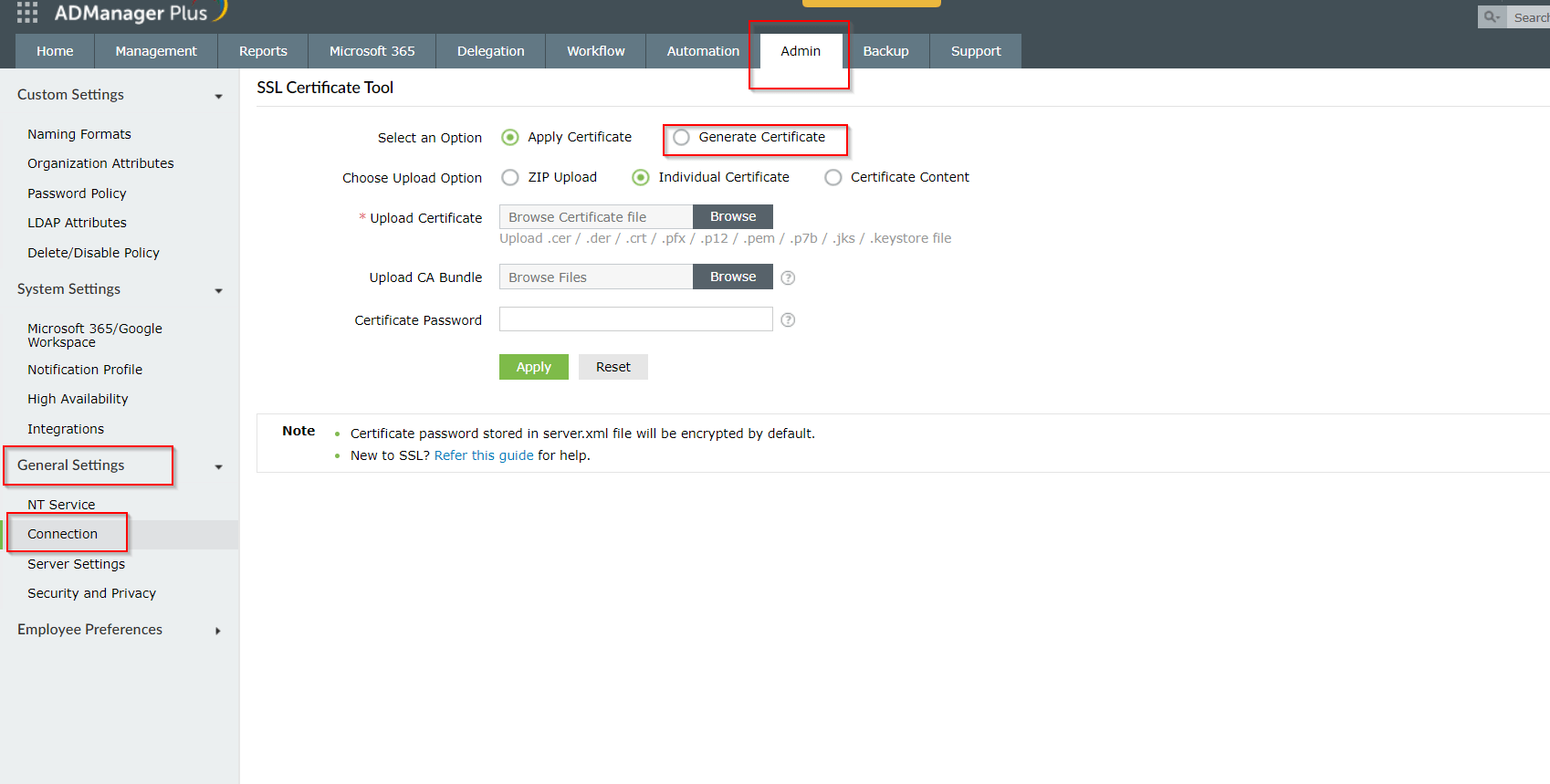
Log into ADManager Plus and navigate to Admin Tab > General Settings > Connection > SSL Certificate Tool > Generate Certificate. This page allows you to create a CSR within ADManager Plus and that CSR could be shared with the CA to generate a .cer / .der / .crt / .pfx / .p12 / .pem / .p7b / .jks / .keystore file.
SSL certificate error

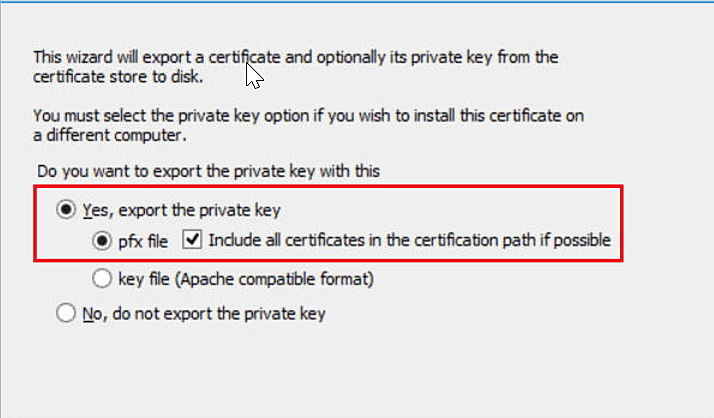
If its a third party certificate, you can import it to your MMC console and export it again with private key.
SSL certificate error


Select a language to translate the contents of this web page:

Need further assistance?

Fill this form, and we'll contact you rightaway.

Request Support

  •  
  • *
     
  • *
     
  • *
     
  • By submitting you agree to processing of personal data according to the Privacy Policy.

"Thank you for submitting your request.

Our technical support team will get in touch with you at the earliest."

ADManager Plus Trusted By

The one-stop solution to Active Directory Management and Reporting
Email Download Link email-download-top












