Direct Inward Dialing: +1 408 916 9393
In ADManager Plus, Elasticsearch helps in fetching large amounts of data from the database while generating NTFS reports. This page provides information on how to enable the SSL/TLS settings for Elasticsearch
If required, admins can limit the permitted ciphers and TLS protocols used by Elasticsearch. All these changes have to be done in the elasticsearch.yml configuration file.
The following section provides a list of all supported ciphers and protocols and how they can be added in a YML file.
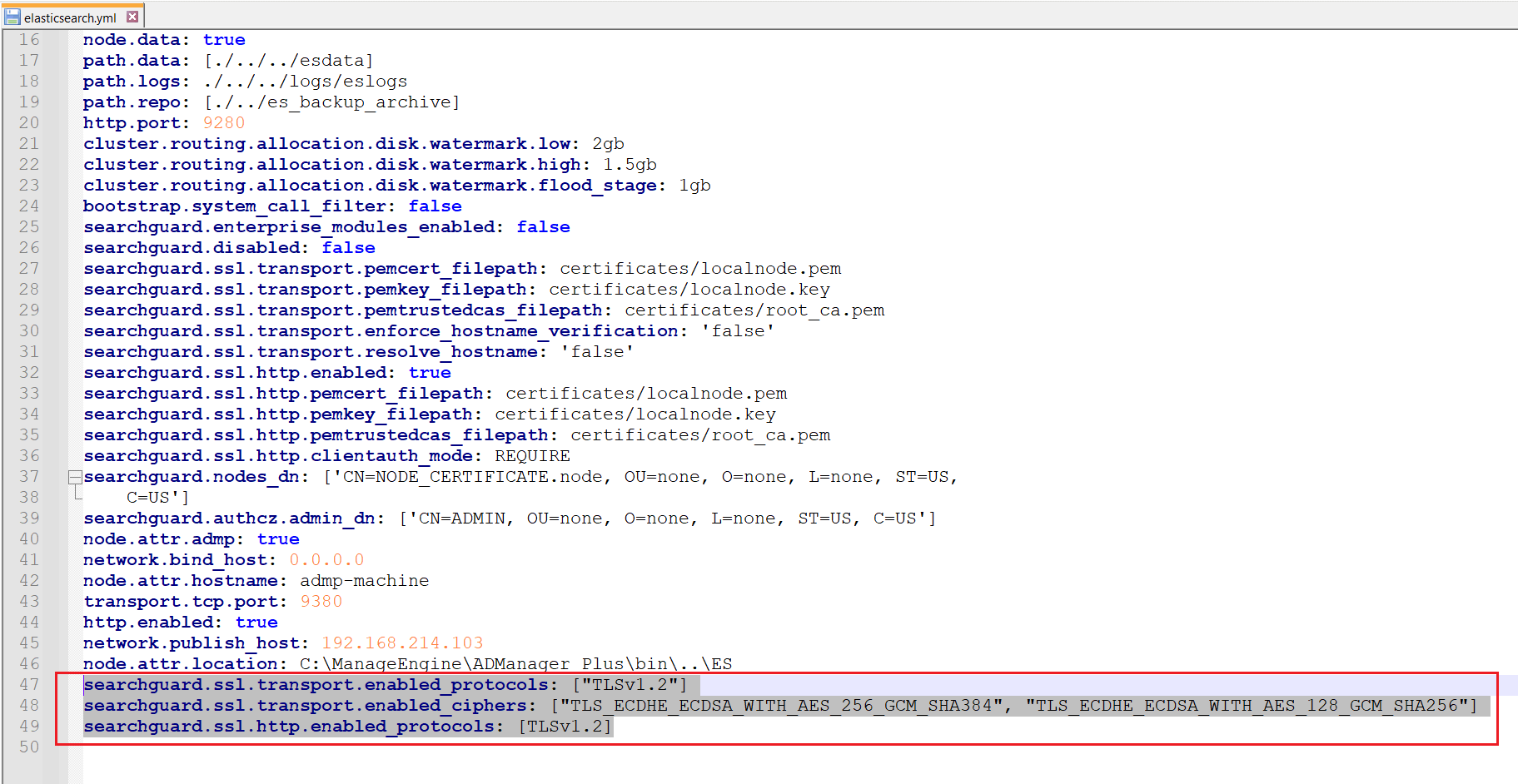
For example if we want to enable only TLSv1.2 protocol along with the TLS_ECDHE_ECDSA_WITH_AES_256_GCM_SHA384 and TLS_ECDHE_ECDSA_WITH_AES_128_GCM_SHA256 ciphers, we can open the elasticsearch.yml file and paste the following entry at the bottom of the text editor, as shown in the image below:
searchguard.ssl.transport.enabled_protocols: ["TLSv1.2"]
searchguard.ssl.transport.enabled_ciphers: ["TLS_ECDHE_ECDSA_WITH_AES_256_GCM_SHA384", "TLS_ECDHE_ECDSA_WITH_AES_128_GCM_SHA256"]
searchguard.ssl.http.enabled_protocols: ["TLSv1.2"]
Select a language to translate the contents of this web page:
Fill this form, and we'll contact you rightaway.
Our technical support team will get in touch with you at the earliest."














